

Every marketing tag you add to your site is a small bet that the data will be worth the performance cost. Most teams lose that bet repeatedly, ending up with around 20 external scripts per page, no clear owner, and a site that loads slower every quarter.
Tag management tools fix this by giving you a single dashboard to deploy, edit, and control all your tracking tags without touching your site's code. This guide covers how tag management systems work, the 10 best platforms available in 2026, and a practical framework for choosing the right one based on your budget, compliance requirements, and existing stack.
What's inside
This guide covers everything you need to know about tag management tools. You'll learn what a tag management system is, how it works, and why it matters for your marketing stack. We'll walk through the top 10 tag management platforms available today, from free options like Google Tag Manager to enterprise-grade solutions like Tealium. Finally, you'll find a practical framework for choosing the right tool based on your budget, compliance requirements, and existing technology.
TL;DR
Tag management systems let you deploy and manage marketing and analytics tracking tags through a central interface, without editing your website's code directly.
Google Tag Manager is the best free option for most teams, especially those already using Google Analytics or Google Ads.
Tealium and Adobe Launch are the leading enterprise choices when you need advanced governance, security, and dedicated support.
Piwik PRO and Matomo are built for privacy-first organizations that require GDPR compliance or full data ownership through self-hosting.
Integration with your existing martech stack is the single most important factor when selecting a tag management platform.
What is tag management
Tag management tools are software platforms that let you add, edit, and control tracking tags on your website from a single dashboard, without touching your site's source code. Before tag management systems existed, adding a new tracking pixel or analytics script meant filing a developer ticket and waiting days or weeks for deployment. A tag management system removes that bottleneck entirely.
So what exactly is a "tag"? Tags are small snippets of JavaScript code placed on your website to collect data and send it to third-party tools. Common examples include the Google Analytics tracking code, Facebook Pixel, LinkedIn Insight Tag, and conversion scripts from ad platforms. Tags power everything from campaign attribution to retargeting audiences.
What is a tag management system
A tag management system (TMS) is the software layer that sits between your website and all third-party tags. Instead of hard-coding each snippet into your site's templates, you install one "container" tag. That container then loads all your other tags dynamically based on rules you define in the TMS dashboard.
The core components work together like this:
Container tag: A single code snippet you add to your site once. It handles loading all other tags based on your configuration.
Tag templates: Pre-built connectors for popular tools like Google Analytics, Meta Pixel, or HubSpot. Tag templates simplify setup so you don't have to write custom code.
Trigger rules: Conditions that determine when each tag fires. You might fire a conversion tag only when someone completes a purchase, or load a chat widget only on pricing pages.
How tags fire on your website
When a visitor lands on your site, the browser loads your page content and the container tag. The TMS then evaluates the trigger rules you've configured. If the conditions match (for example, the visitor is on a checkout confirmation page), the relevant tags fire and send data to their respective platforms.
Most modern tag management systems use asynchronous loading. Asynchronous loading means tags load in the background without blocking your page content from rendering. The result is faster page loads and a better user experience, even with multiple tracking tags active.
How tag management systems work
Tag management systems operate on a simple principle: centralize control so marketers can move fast without creating technical debt. The TMS acts as a middle layer between your website and your third-party marketing tools.
Here's what that looks like in practice:
Centralized dashboard: Add, edit, pause, or remove tags from all your vendors in one place. No more hunting through site templates or waiting on developer sprints.
Version control: Every time you publish changes, the system saves a snapshot. If a new tag breaks something, you can roll back to a previous version in seconds.
Preview and debug mode: Test your tags before they go live. You can verify that everything fires correctly without affecting real visitors or polluting your analytics data.
Data layer: A standardized JavaScript object on your site that holds key information like product IDs, transaction values, or user types. Tags pull from the data layer to ensure consistency across platforms.
Benefits of using tag management software
Using a tag management system delivers measurable improvements across speed, data quality, site performance, and compliance. Here's what changes when you centralize your tagging infrastructure.
Faster tag deployment without developer tickets
Marketers can add or update tracking tags through a visual interface without filing engineering requests. The typical workflow becomes: identify a tracking need, add the tag in the TMS, test it in preview mode, and publish. What used to take weeks now takes minutes.
This matters most during campaign launches. If you're running a new ad campaign and need to add a conversion pixel, you can deploy it yourself the same day instead of waiting for the next development sprint.
Improved data quality and consistency
Centralized control prevents the common errors that plague manual tag implementations: duplicate tags, conflicting scripts, or orphaned code from campaigns that ended months ago. The data layer further improves quality by standardizing how information gets passed to your analytics and advertising platforms.
When your product ID format is consistent across Google Analytics, your ad platforms, and your CRM, attribution becomes much more reliable.
Better site performance and page speed
Poorly managed tags are a common cause of slow websites, with third-party scripts adding 500-1,500ms to load times. A TMS helps in two ways: asynchronous loading prevents tags from blocking page content, and the centralized dashboard makes it easy to identify and remove broken or redundant tags.
Simplified privacy and consent compliance
A TMS is essential for managing GDPR, CCPA, and other privacy regulations that have resulted in over €7.1 billion in cumulative fines. You can configure the system to block tags from firing until a user accepts your cookie policy. Most platforms also provide detailed audit trails showing who changed what and when, which is critical for compliance documentation.
Reduced tool sprawl and reporting overhead
Instead of logging into dozens of vendor dashboards to manage individual tags, you get a single interface showing everything deployed on your site. Consolidation saves hours of manual reconciliation and makes it much easier to answer basic questions like "what tracking do we have on this page?"
10 best tag management tools for 2026
This list covers the leading tag management solutions based on market adoption, integration capabilities, privacy features, and pricing transparency. We've included options ranging from free tools for small teams to enterprise platforms built for complex organizations.
1. Google Tag Manager
Google Tag Manager is the most widely used tag management system. It's free, integrates natively with Google's marketing and analytics products, and has extensive documentation plus a large community for support.
Best for: Teams with limited budget or those heavily invested in the Google ecosystem.
Key strengths
Free tier covers most use cases without feature limitations
Native integration with Google Analytics, Google Ads, and other Google products
Server-side tagging option for advanced privacy and performance needs
Massive community and extensive documentation
Pricing: Free. GTM 360 for enterprise is custom pricing.
Why choose: GTM is the default starting point for most teams. You'll only need to consider alternatives when you hit limits around governance, dedicated support, or specific compliance requirements.
2. Tealium Customer Data Hub
Tealium goes beyond basic tag management by combining a TMS with a full customer data platform (CDP). It's built for enterprise teams that need to unify customer data across touchpoints while maintaining strict governance.
Best for: Enterprise teams needing advanced data management, governance, and security.
Key strengths
Over 1,300 pre-built, server-side integrations
Combines tag management with CDP capabilities
Advanced features for data governance and compliance
Dedicated support and professional services
Pricing: Custom pricing based on usage.
Why choose: Tealium makes sense when your organization needs to unify customer data at scale and requires enterprise-grade support and security certifications.
3. Adobe Experience Platform Launch

Adobe Experience Platform Launch is Adobe's tag management solution, included with Adobe Experience Cloud licenses. It offers deep integration with Adobe Analytics, Adobe Target, and Audience Manager.
Best for: Teams already using Adobe Experience Cloud.
Key strengths
Seamless integration with Adobe's analytics and personalization tools
Strong version control and environment management
Extensions marketplace for third-party functionality
Included with Adobe Experience Cloud licenses
Pricing: Included with Adobe Experience Cloud.
Why choose: If your organization is invested in the Adobe ecosystem, Launch provides the tightest integration and most powerful feature set for that stack.
4. Piwik PRO Tag Manager
Piwik PRO is designed for organizations where data privacy is non-negotiable. It offers self-hosting options for complete data sovereignty and integrates tightly with Piwik PRO's analytics and consent management platform.
Best for: European companies, healthcare, and finance industries with strict privacy requirements.
Key strengths
Strong focus on GDPR and privacy compliance
Self-hosting option for 100% data control
Integrated with Piwik PRO's analytics and consent management
Transparent pricing
Pricing: Free core plan. Paid plans start around $419/month.
Why choose: Piwik PRO is ideal when data privacy and ownership are primary concerns, especially for organizations subject to European data residency requirements.
5. Ensighten Manage
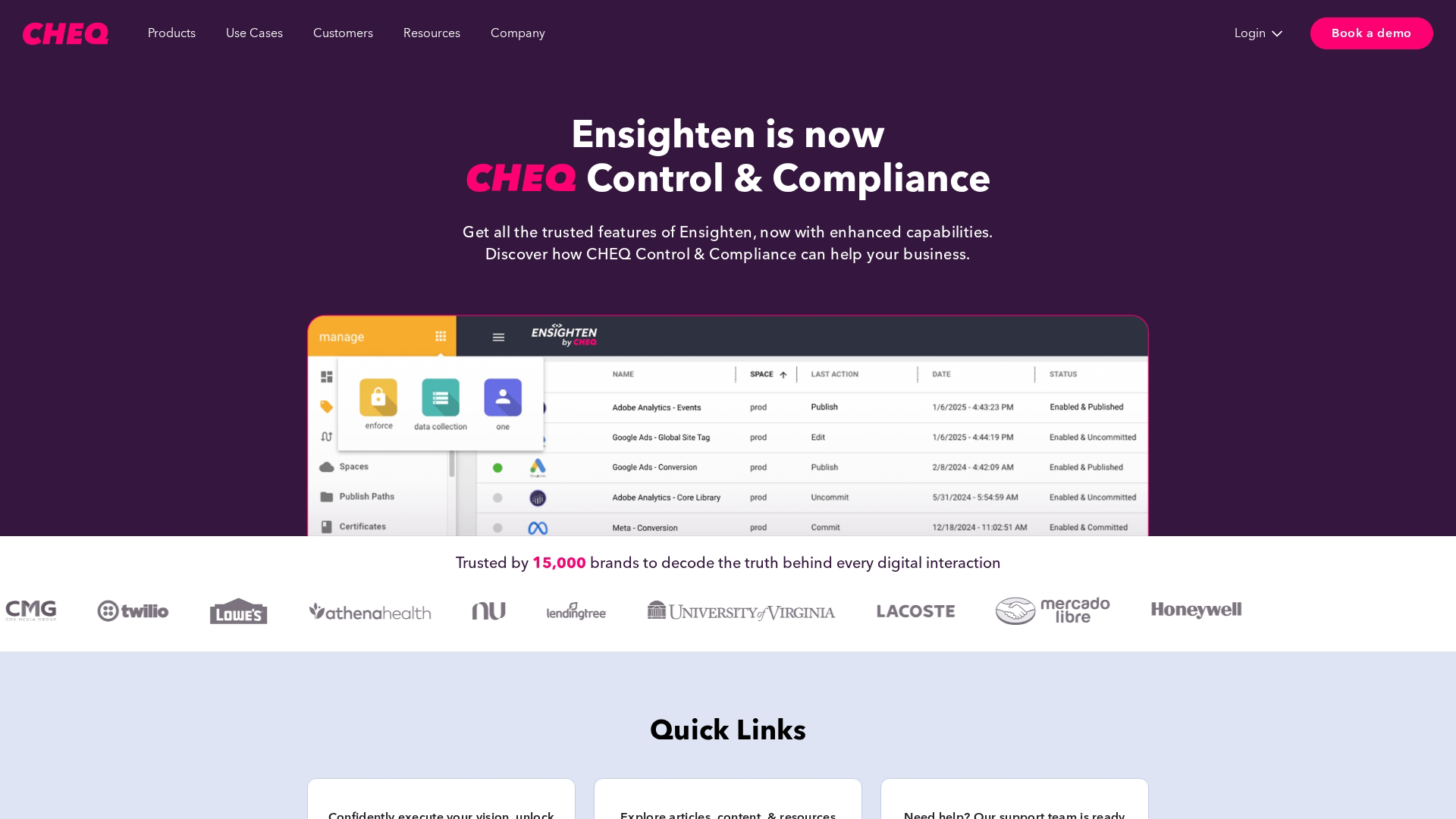
Ensighten focuses on enterprise security and data governance. It's built for large organizations in regulated industries that need maximum control over what data leaves their infrastructure.
Best for: Large enterprises with strict data governance and security requirements.
Key strengths
Enterprise-grade security certifications
Granular user permissions and access controls
Comprehensive audit trails for compliance
Patented technology for preventing data leakage
Pricing: Custom enterprise pricing.
Why choose: Ensighten is the choice for security-conscious organizations that need to prevent unauthorized tag execution and maintain detailed compliance documentation.
6. TagCommander by Commanders Act
TagCommander is a European-based solution with a strong emphasis on GDPR compliance. It manages tags across web, mobile apps, and server-side environments while integrating with their consent management platform.
Best for: Companies needing integrated web and mobile tag management with European privacy emphasis.
Key strengths
European company with strong GDPR focus
Seamless integration with their consent management platform
Cross-platform support for web, mobile, and server-side
Data quality and governance features
Pricing: Custom pricing.
Why choose: TagCommander is a strong option for European businesses looking for an all-in-one solution for consent and tag management from a vendor that understands EU regulations.
7. ObservePoint
ObservePoint takes a different approach. Rather than replacing your TMS, it audits and validates your existing tag implementation. It automatically scans your site to find broken tags, missing tracking, and compliance violations.
Best for: Teams needing to audit, verify, and troubleshoot tag accuracy.
Key strengths
Automated tag auditing to find broken or missing tags
Simulates user journeys to validate tracking at every step
Monitors for data leakage and compliance violations
Complements your primary TMS
Pricing: Custom pricing.
Why choose: ObservePoint is essential when you need confidence that your tag implementation is accurate and compliant. It's particularly valuable for large sites with complex tracking requirements.
8. Ingest IQ
Ingest IQ positions itself as a modern alternative for mid-market teams. It offers a simplified setup process while still providing both client-side and server-side tagging capabilities.
Best for: Mid-market teams seeking a balance of powerful features and ease of use.
Key strengths
Simplified setup and user-friendly interface
Focus on real-time data collection and streaming
Both client-side and server-side tagging
Modern architecture built for current privacy requirements
Pricing: Custom pricing.
Why choose: Ingest IQ fits teams that find GTM too basic but don't need the full complexity of an enterprise solution like Tealium.
9. Matomo Tag Manager
Matomo offers an open-source tag management system that can be self-hosted for complete data ownership. It integrates with the Matomo Analytics platform and provides an alternative for teams that want to avoid sending data to Google.
Best for: Privacy-conscious teams wanting full data ownership and an open-source solution.
Key strengths
Open-source and can be self-hosted
Integrated with Matomo Analytics
No data sampling
Strong Google Tag Manager alternative for privacy
Pricing: Free (self-hosted). Cloud hosting plans available.
Why choose: Matomo is the leading choice for organizations that prioritize data privacy and want complete control over their analytics infrastructure.
10. Yottaa
Yottaa combines tag management with site performance optimization. It's built specifically for ecommerce sites where page speed directly impacts conversion rates and revenue.
Best for: Ecommerce sites where page speed and performance are the top priority.
Key strengths
Combines tag management with performance optimization
Intelligently sequences tags to accelerate page loads
Detailed performance analytics on every tag
Focus on improving conversion through speed
Pricing: Custom pricing.
Why choose: Yottaa makes sense when you understand the direct link between third-party tag performance and revenue, and you're willing to invest in optimizing that relationship.
Tag management solutions comparison table
Product | Best for | Server-side support | Privacy focus | Pricing |
|---|---|---|---|---|
Google Tag Manager | Small to large teams | Yes | Moderate | Free |
Tealium | Enterprise | Yes (Advanced) | High | Custom |
Adobe Launch | Adobe ecosystem | Yes | High | Included |
Piwik PRO | Privacy-focused | Yes | Very High | Freemium |
Ensighten | Enterprise security | Yes | Very High | Custom |
TagCommander | European privacy | Yes | Very High | Custom |
ObservePoint | Tag auditing | N/A | High | Custom |
Ingest IQ | Mid-market | Yes | Moderate | Custom |
Matomo | Open-source/privacy | Yes | Very High | Freemium |
Yottaa | Ecommerce speed | Yes | Moderate | Custom |
When to use each tag management platform
The right choice depends on your budget, existing technology stack, and specific compliance requirements. Here are the most common scenarios.
Limited budget or simple tracking needs
For most businesses starting out or with straightforward tracking requirements, Google Tag Manager is the best choice. It covers the majority of use cases at no cost and has extensive community support. Consider upgrading only when you hit limits around governance or require dedicated enterprise support.
Enterprise governance and security requirements
Large organizations with multiple business units, strict access controls, or compliance requirements like SOC 2 need an enterprise-grade solution. Tealium, Adobe Launch, and Ensighten provide the granular permissions, detailed audit logs, and security features required to manage tags at scale.
Privacy and GDPR compliance focus
If your business operates under strict data privacy laws or handles sensitive data, a privacy-first platform is essential. Piwik PRO and TagCommander offer self-hosting options for data sovereignty and tight integration with consent management tools.
Ecommerce and site performance optimization
For ecommerce sites where every millisecond of page load time impacts conversion rates, performance is paramount. Yottaa is built specifically to optimize tag performance for speed. Alternatively, a carefully configured Google Tag Manager setup with regular performance monitoring can also be effective.
Marketing-heavy multi-channel campaigns
Teams running interactive marketing campaigns across many advertising and analytics platforms benefit most from a TMS with broad integration support. Tealium excels here with over 1,300 pre-built connectors. Broad integration support saves development time and ensures data flows seamlessly between all the tools in your stack, including complementary marketing automation tools.
How to choose the right tag management software
Use this framework to evaluate tag management platforms against your organization's specific needs.
Integration with your existing martech stack
The most critical factor is how well the TMS connects to the tools you already use. Ask the following questions during evaluation:
Does it have native connectors for your most important tools?
How easy is it to set up custom integrations for tools that aren't natively supported?
Does it support your existing data layer format?
A well-integrated TMS complements your entire suite of product marketing tools and analytics platforms.
Server-side vs client-side tagging capabilities
Understanding the two main tagging methods helps you choose the right platform:
Client-side: Tags run directly in the visitor's browser. Client-side tagging is the traditional approach and works for most use cases.
Server-side: A single tag runs in the browser and sends data to your server. Your server then forwards that data to third-party vendors.
Server-side tagging is becoming more important for bypassing ad blockers, improving data accuracy, and enhancing privacy compliance by controlling what data leaves your infrastructure.
Consent management and privacy controls
Your TMS needs to work seamlessly with your consent management platform. Evaluate the following capabilities:
Can the system reliably block tags until a user grants consent?
Does it support frameworks like Google's Consent Mode?
What audit and reporting capabilities are available for compliance documentation?
Support, documentation, and implementation resources
The level of support varies widely between free and enterprise solutions. Consider the entire support ecosystem:
Documentation quality: Is it clear, comprehensive, and current?
Community resources: Is there an active community for troubleshooting?
Vendor support: What are the SLAs for support tickets?
Implementation partners: Are certified agencies available for complex setups?
Enterprise tag management vs basic tagging solutions
Understanding when to upgrade from a free solution to an enterprise platform helps you avoid both overspending and outgrowing your tools.
Factor | Basic (GTM free) | Enterprise (Tealium, Adobe, Ensighten) |
|---|---|---|
Price | Free | Significant investment |
Support | Community only | Dedicated account team |
Governance | Limited | Granular permissions, audit logs |
Integrations | Good | Extensive pre-built connectors |
Server-side | Available | Advanced options |
Consider moving to enterprise when your organization's scale, compliance requirements, or governance needs outgrow free tools. If you have multiple teams managing tags, operate in regulated industries, or need guaranteed support SLAs, an enterprise solution is worth the investment.
Alternatives to Google Tag Manager worth considering
While Google Tag Manager dominates the market, there are legitimate reasons to consider alternatives based on specific needs.
Privacy and data sovereignty: If you need to self-host your data or operate under strict regulations, Piwik PRO or Matomo offer superior data ownership and control.
Adobe ecosystem alignment: For teams heavily invested in Adobe Analytics and Target, Adobe Experience Platform Launch provides unmatched native integration.
Advanced enterprise governance: Large corporations needing granular permissions and detailed audit logs will find Tealium and Ensighten built for that level of complexity.
Performance optimization: For ecommerce sites where page speed directly impacts revenue, Yottaa provides specialized tag performance management.
Start managing your marketing tags with less overhead
Choosing the right tag management system is a critical step in building a scalable martech stack. For most teams, the best approach is to start with Google Tag Manager to establish a baseline. As your organization grows, evaluate enterprise options when compliance, governance, or integration needs become more complex.
Clean and efficient tag management is the foundation of data-driven marketing. Once your tracking is accurate and reliable, your team can stop wrestling with code and focus on what matters: understanding user behavior, optimizing campaigns, and improving the customer experience.
When you're ready to take your marketing further, consider how interactive demos can complement your tracking infrastructure by giving prospects hands-on product experiences that generate rich engagement data.
Start your journey with Guideflow today!
FAQs about tag management tools
What is the difference between Google Tag Manager and Google Analytics?
Google Tag Manager is the deployment tool that manages how and when tags fire on your site. Google Analytics is a specific analytics tag that GTM can deploy to measure website traffic and user behavior. Think of GTM as the container and GA as one of many tags that can live inside it.
What are some alternatives to Google Tag Manager for enterprise teams?
Enterprise alternatives include Tealium iQ, Adobe Experience Platform Launch, and Ensighten Manage. Enterprise platforms offer advanced governance, dedicated support, and deeper integration capabilities suited for large organizations with complex requirements.
Do small websites need a tag management system?
Yes, even small websites benefit from a TMS. A tag management system simplifies adding tracking pixels and prevents the code clutter that accumulates when manually adding tags directly to site templates over time. Google Tag Manager is free and takes minutes to set up.
How does server-side tagging improve data accuracy and privacy?
Server-side tagging runs on your own server rather than the visitor's browser. Ad blockers cannot interfere with server-side tracking, and you maintain more control over what data gets sent to third-party vendors. Server-side tagging also reduces the amount of JavaScript running in the browser.
Can tag management tools negatively affect website page speed?
Poorly configured tag management can slow down a site, but a well-maintained TMS actually improves speed. Asynchronous loading prevents tags from blocking page content, and the centralized dashboard helps you identify and remove broken or redundant tags that drag down performance.
Which tag management system is best for GDPR compliance?
Piwik PRO and TagCommander are designed with GDPR compliance as a core feature. Both platforms offer self-hosting options for complete data sovereignty and robust consent management integration for meeting European data requirements.
What is third-party tag management and why does it matter?
Third-party tag management refers to controlling tags from external vendors like ad platforms, analytics tools, or chat widgets through a centralized system. Third-party tag management matters because external scripts are often the primary source of privacy risks, security vulnerabilities, and website performance issues.


.avif)