How to sort list by number ascending in Trello
Here is how to sort list by number ascending in trello
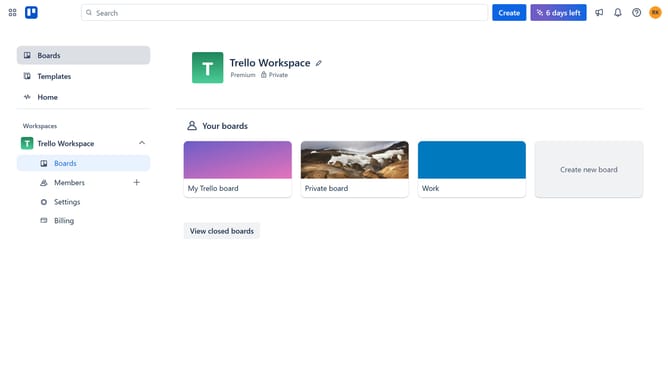
- First click on the "Boards" option in the left sidebar menu
- Then click a board in the workspace area
- Next click on the "..." menu button in the list you want to sort
- Then click on "Sort by..." option in the list actions menu
- Finally click on "Number (ascending)" option in the sort menu
Why should you sort list by number ascending in Trello
Trello is a versatile project management tool designed to streamline workflows through intuitive visual boards.
Sorting a list by number ascending in Trello allows users to quickly organize tasks or projects based on priority or deadline.
By arranging items in a numerical order, teams can easily identify the most urgent or significant tasks, facilitating efficient task management and decision-making.
This feature enhances clarity and focus, allowing team members to align their efforts with clear priorities, ultimately boosting productivity and ensuring timely completion of tasks.
Last update