How to share a dashboard in Zendesk Explore
Here is how to share a dashboard in zendesk explore
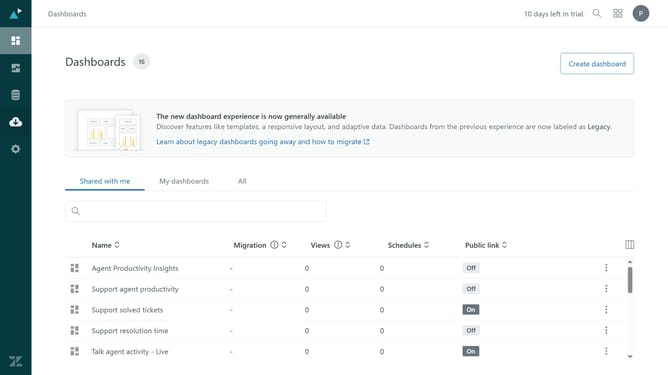
- First in Zendesk Explore, click on the "Dashboards" icon in the left sidebar
- Click on the "My dashboards" tab in the main content area
- Then find the dashboard you want to share and click on the options menu (three dots) next to it
- Next select "Share" from the dropdown menu
- Alternatively, click on the dashboard you want to share
- Click the "Share" button in the top toolbar
- Click the dropdown menu under "Add team members or groups"
- Select the users or groups you want to share the dashboard with from the list
- Next click the "Access level" dropdown menu and set the permissions
- Click on the "Send email notification" checkbox at the bottom left
- Finally click the "Invite people" button to send the invitation and share the dashboard
Why should you share a dashboard in Zendesk Explore
Zendesk is a versatile platform designed to enhance customer service and engagement.
Sharing a dashboard in Zendesk Explore is a valuable feature that enables teams to effortlessly collaborate by visualizing crucial customer data. This feature allows for seamless information dissemination, ensuring everyone remains informed and aligned.
By sharing a dashboard, team members can gain insights quickly, which helps in strategic decision-making and streamlines workflows. Ultimately, it fosters a more informed and efficient team environment.
Last update