How to add flash power-up in Trello
Here is how to add flash power-up in trello
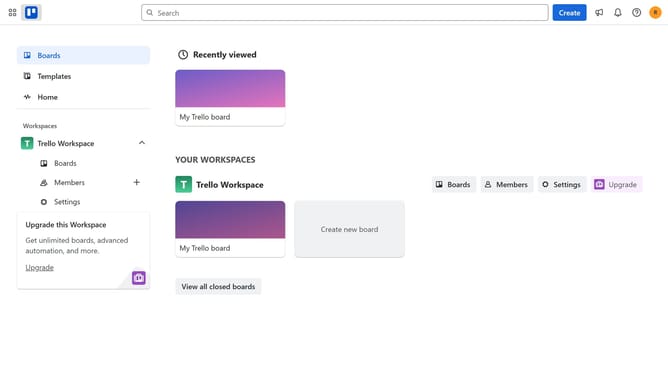
- First click on the "Boards" option in the left sidebar
- Then click a board in the workspace area
- Click on the "More options" menu (three dots) in the top-right corner of the board
- Select "Power-Ups" from the dropdown menu
- Scroll down in the power-ups list
- Select "IT & project management" category from the left sidebar
- Click the "Add" button under the Flash Power-Up
- Finally, click the "Add" button in the Flash permissions dialog to confirm installation
Why should you add flash power-up in Trello
Trello is a versatile project management tool designed to streamline task organization and team collaboration with its intuitive card and board system.
The Flash Power-Up feature enhances Trello by allowing users to quickly access and manage key tasks and data with ease. Integrating this Power-Up into your workflow means accessing a speedier, more efficient means to handle project updates, without switching contexts or losing momentum.
By incorporating the Flash Power-Up, teams can stay synchronized and focused, enhancing productivity through rapid decision-making and streamlined processes. This ensures that important updates are highlighted instantly, keeping everyone aligned and on track.
Last update