You spent an hour customizing that demo. The prospect canceled fifteen minutes before the call. When they finally reschedule, they bring three colleagues who weren't on the original conversation, and now you're starting from scratch.
Most demos fail not because the product is wrong, but because the format is. This guide covers 11 strategies that separate demos converting at 30%+ from demos that stall in pipeline limbo, including how to structure, personalize, and measure every product demonstration you create.
TL;DR
- Show value before asking for commitment. Let prospects experience your product on their own terms, not just hear about it.
- Personalization beats generic walkthroughs. Tailor content to the viewer's role, industry, and specific pain points.
- Short demos outperform long ones at top of funnel. Save depth for later when intent is higher.
- Analytics turn demos into intent signals. Track what prospects explore, where they drop off, and use that data to prioritize follow-up.
- Self-serve access before live calls reduces no-shows. Buyers who explore first arrive pre-qualified and ready to talk specifics.
What is a product demo
A product demo is a presentation showing how your product works and the value it delivers to a specific buyer. The goal is helping prospects understand fit before they commit time, budget, or internal political capital.
Product demonstrations come in three main formats:
- Live demo: A real-time walkthrough delivered by a sales rep. Best for complex deals and late-stage evaluation, but requires scheduling and scales poorly.
- Recorded demo: Pre-made video showing the product in action. Good for awareness and top-of-funnel, though passive viewing limits engagement.
- Interactive demo: A clickable, self-serve experience prospects explore alone. Combines the convenience of recorded with the engagement of live, and captures step-by-step intent data.
The format you choose depends on where the buyer sits in their journey. Early exploration calls for low-friction, self-serve options. Late-stage evaluation often warrants live, personalized walkthroughs.
Why product demos drive B2B conversions
Modern B2B buyers research alone before talking to sales. Demos let prospects experience value without scheduling friction. Instead of reading about features or watching passive video, they click through workflows and see outcomes firsthand.
| Approach | Buyer experience | Conversion signal |
|---|---|---|
| Static screenshots | Passive viewing | Page views only |
| Explainer video | Watch, no interaction | Watch time |
| Interactive product demo | Click, explore, engage | Feature-level intent data |
When prospects can test-drive your product on their own terms, they arrive at sales conversations already understanding what you do. That pre-qualification shortens cycles and improves win rates because 47% win within 50 days.
Types of product demonstrations
Live sales demos
Live demos for sales teams are real-time walkthroughs with a rep guiding the prospect through the product. They work best for complex deals and late-stage evaluation where questions arise in real time. The downside: they require scheduling, depend on rep skill, and scale poorly. When your prospect brings three colleagues who missed the first call, you start over.
Recorded video demos
Pre-recorded screencasts or animated explainers serve awareness and top-of-funnel education. Prospects watch on their own schedule without booking time.
The limitation is passivity. Viewers can't ask questions, explore specific features, or see content tailored to their situation. Engagement data is limited to watch time.
Interactive product demos
Interactive demos are clickable, guided product experiences prospects navigate themselves. They work well for pre-call qualification and self-serve evaluation.
Unlike recorded video, interactive demos capture step-by-step engagement data. You see which features prospects explored, where they spent time, and where they dropped off.
Virtual product demo environments
Sandbox environments let buyers explore freely without breaking anything. They differ from interactive demos in that they offer open exploration rather than guided paths. Sandboxes work best for technical evaluation and hands-on testing. Prospects can click anywhere, test edge cases, and validate fit without exposing your production data.
11 strategies for high-converting product demos
1. Lead with the problem your buyers actually have
Open demos by naming the specific pain point, not your product. Show you understand their situation before showing features.
You might say: "Based on our last conversation, it sounds like your team spends hours each week manually updating reports. Is that still the main challenge?" Wait for confirmation before proceeding. That framing transforms your demo from a generic product tour into a targeted solution presentation.
This approach works because it establishes credibility immediately. When prospects hear their exact problem articulated back to them, they lean in. They stop evaluating whether you understand their world and start evaluating whether your solution fits.
The confirmation step matters too. Pausing for agreement ensures you're solving the right problem before investing time in features that might not matter to this specific buyer.
2. Personalize for persona and use case
Generic demos force buyers to translate relevance themselves. That translation work creates friction and doubtfor 73% who avoid irrelevant outreach.
Tailor demo content to the viewer's role, industry, or evaluation stage:
- Technical buyer: Wants to see integrations, API documentation, security certifications, and data architecture. Show them how your product fits their existing stack.
- End user: Wants daily workflows, UI simplicity, and time savings. Demonstrate the exact tasks they'll perform and how much faster they'll complete them.
- CFO: Wants ROI framing, cost comparisons, and implementation timelines. Lead with financial impact and total cost of ownership.
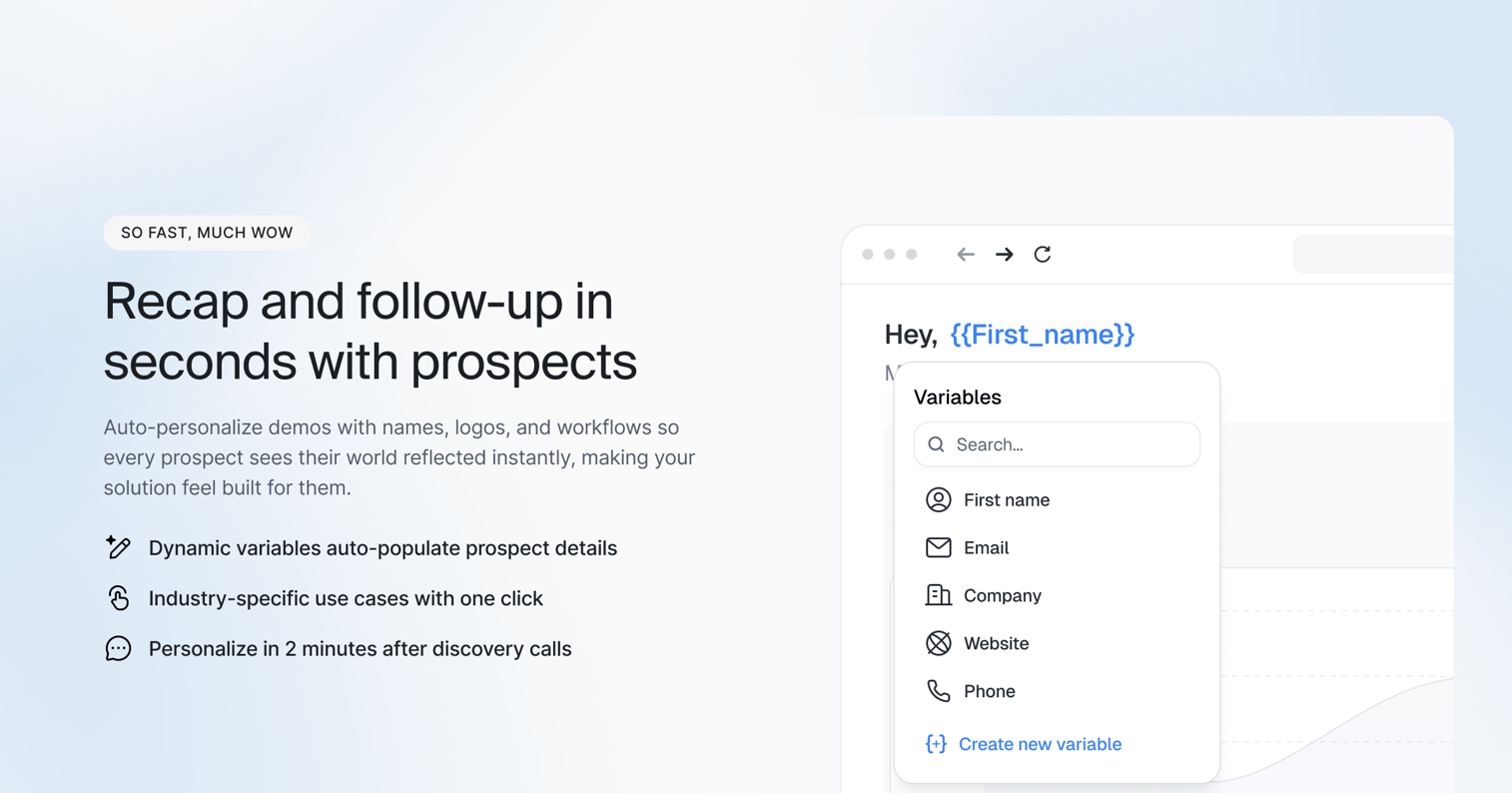
Dynamic variables let you personalize demos for every prospect at scale, editing text, images, and data without rebuilding from scratch. Insert the prospect's company name, industry-specific terminology, or relevant use cases throughout the demo. A marketing agency sees "client campaigns" while a SaaS company sees "customer onboarding."
The result: each viewer feels like the demo was built specifically for them, even when you're using the same base template across hundreds of prospects.
3. Keep top of funnel demos under three minutes
Attention drops sharply after the first few minutes. Prospects at the awareness stage haven't committed to evaluating you yet.
Short demos respect that reality. Save depth for later when intent is higher and buyers have specific questions. A three-minute demo that converts to a call beats a fifteen-minute demo that gets abandoned.
Think of top-of-funnel demos as trailers, not full movies. Show enough to spark interest and establish credibility, then invite them to see more. Cover one core workflow or solve one specific problem completely rather than skimming the surface of everything your product does.
For complex products, create multiple short demos instead of one long comprehensive tour. Let prospects choose which three-minute segment matches their immediate question.
4. Structure a clear narrative arc
Use the format: problem, solution, outcome. Avoid random feature tours that leave prospects wondering "so what?"
Start with the challenge they described in discovery. Show how your product addresses it. Then connect back to the business impact they care about. Stories stick better than feature lists.
The narrative structure creates momentum. Each section builds on the previous one, pulling viewers through to the end. Random feature tours lack that forward motion - they feel like disconnected screenshots rather than a coherent story.
End every demo by circling back to the original problem. Remind prospects where they started and show them the transformation your product enables. That closing loop reinforces the value and makes the outcome memorable.
5. Highlight outcomes instead of features
Show what the buyer can accomplish, not what buttons exist. Reframe "we have X" as "you can do Y."
Instead of: "Our platform includes automated reporting." Try: "You'll generate the reports your CFO asks for in two clicks instead of two hours." Before-and-after contrast makes value concrete.
Quantify the outcome whenever possible. "Save time" is vague. "Cut report generation from two hours to two minutes" is specific and memorable. Prospects can immediately calculate what that means for their team.
Connect outcomes to the buyer's actual goals. If they mentioned struggling with month-end close, show how your product accelerates that specific process. If they're worried about compliance, demonstrate how your product reduces audit prep time. The outcome should map directly to something they already care about achieving.
6. Use annotations and callouts to guide attention
Without guidance, viewers miss key moments. Add tooltips, highlights, and hotspots to direct focus to what matters.
Keep annotations minimal. Too many callouts create clutter and overwhelm. The goal is directing attention, not decorating the screen.
Use annotations strategically at decision points or moments of value delivery. Highlight the exact button a user would click, or call out a metric that just changed. Annotations should answer the question "what am I looking at and why does it matter?" before the viewer has to ask.
Timing matters too. Annotations that appear too early distract from context. Annotations that appear too late miss the moment. Sync callouts to appear exactly when the relevant action happens on screen.
7. Add chapters for longer product demonstrations
Break demos into navigable sections for different use cases or features. Let viewers jump to what matters to them.
Chapters work especially well when your product serves multiple personas. A marketing user can skip the admin section. A technical evaluator can jump straight to integrations.
Clear chapter titles help prospects self-navigate. Instead of "Section 3," use "How to automate client reporting" or "Security and compliance features." Descriptive titles let viewers scan and choose their own path through your demo.
Chapters also improve completion rates. A prospect who only cares about two of your five capabilities can watch those sections and feel satisfied, rather than abandoning a linear demo halfway through irrelevant content.
8. Include a single clear CTA
Every demo needs one obvious next step. Avoid multiple competing actions that create decision paralysis.
Match the CTA to funnel stage:
- Early exploration: "See pricing" or "View more demos" for prospects still learning about your category
- Active evaluation: "Start a trial" or "Create your first workflow" for prospects comparing solutions
- Late stage: "Book a technical review" or "Talk to our implementation team" for prospects ready to buy
The CTA should feel like the natural next step based on what the prospect just experienced. If your demo showed how easy setup is, the CTA might be "Get started in 5 minutes." If your demo focused on enterprise security, the CTA might be "Schedule a security review."
Place the CTA at the end of the demo and reinforce it visually. Make the button prominent, use action-oriented copy, and remove any friction from taking that next step.
9. Capture leads without blocking value
Gate demos after value delivery, not before. Ungated first, gated later reduces friction while still capturing information.
Use forms at natural decision points. After a prospect completes a key workflow, ask for contact information to send a personalized follow-up. They've already seen value, so the ask feels fair.
The timing of your gate determines conversion rates. A form before any value delivery creates resistance - prospects don't yet know if your demo is worth their information. A form after they've experienced a meaningful outcome feels like a fair exchange.
Keep gated forms short. Ask for email and company at most. You can enrich that data later or ask for more information during follow-up. Every additional field reduces form completion rates.
Consider progressive gating for multi-chapter demos. Let prospects view the first chapter ungated, then require an email to unlock the rest. This approach balances lead capture with accessibility.
10. Enable self-serve access before live calls
Let prospects explore your product on their terms before scheduling. Self-serve access pre-qualifies and educates buyers because 81% have a preferred vendor before first contact.
Self-serve access reduces no-shows because prospects already know what they're evaluating. They arrive at calls with specific questions rather than starting from zero.
This approach also improves meeting quality. Instead of spending the first fifteen minutes explaining what your product does, you can jump straight into how it solves their specific challenges. The prospect has already seen the basics and comes prepared to discuss fit.
Send interactive demos in calendar invites and confirmation emails. When prospects receive a meeting invite, include a link to explore your product before the call. That pre-work transforms the live conversation from education to evaluation.
11. Follow up using demo engagement data
Analytics show which features prospects explored and where they dropped off. Use that data to tailor follow-up conversations.
A prospect who spent three minutes on reporting and skipped integrations tells you exactly what to emphasize in your next conversation. That beats generic "just checking in" emails.
Engagement data reveals buying intent that prospects don't explicitly share. When someone revisits your pricing calculator three times, they're closer to a decision than someone who watched once and left. When a prospect shares your demo internally and you see multiple viewers from the same company, you know you're dealing with a buying committee.
Use this data to prioritize outreach. Focus on prospects who completed your demo, explored multiple features, or returned for a second visit. These behaviors signal higher intent than a single page view.
Reference specific engagement in your follow-up. "I noticed you spent time exploring our API documentation - would it help to connect you with our technical team?" feels relevant and timely. It shows you're paying attention and offering help based on their actual behavior, not a generic sales script.
Product demonstration examples that convert
Homepage demo that replaces explainer video
Embed an interactive demo above the fold instead of passive video. Visitors click through value immediately rather than watching someone else use your product.
The conversion lift comes from engagement. Clicking creates investment. Watching creates distance. When visitors interact with your product in the first few seconds, they're experiencing your value proposition rather than hearing about it. That hands-on exploration answers their specific questions faster than any scripted video.
Position the demo where visitors land first. Replace hero section videos with a clickable preview of your core workflow. Add a headline that frames the problem you solve, then let prospects explore the solution themselves. Track which features they click on to understand what resonates before any sales conversation happens.
Email follow-up demo for no-shows
When a prospect misses a scheduled call, send an interactive demo instead of asking to reschedule. Remove the friction of finding another time slot.
Prospects can self-serve on their schedule, and you get engagement data showing what they explored. This approach salvages deals that would otherwise go cold. Instead of playing calendar ping-pong, you're delivering value immediately while the prospect still remembers why they booked the call.
Personalize the demo link with their name and company. Reference the specific use case you planned to cover in the missed call. Include a note like: "Since we couldn't connect today, I put together a quick walkthrough of how [Company Name] would use our reporting automation. Takes about 3 minutes to click through." The demo does the qualification work while you focus on prospects who showed up.
Landing page demo for campaign traffic
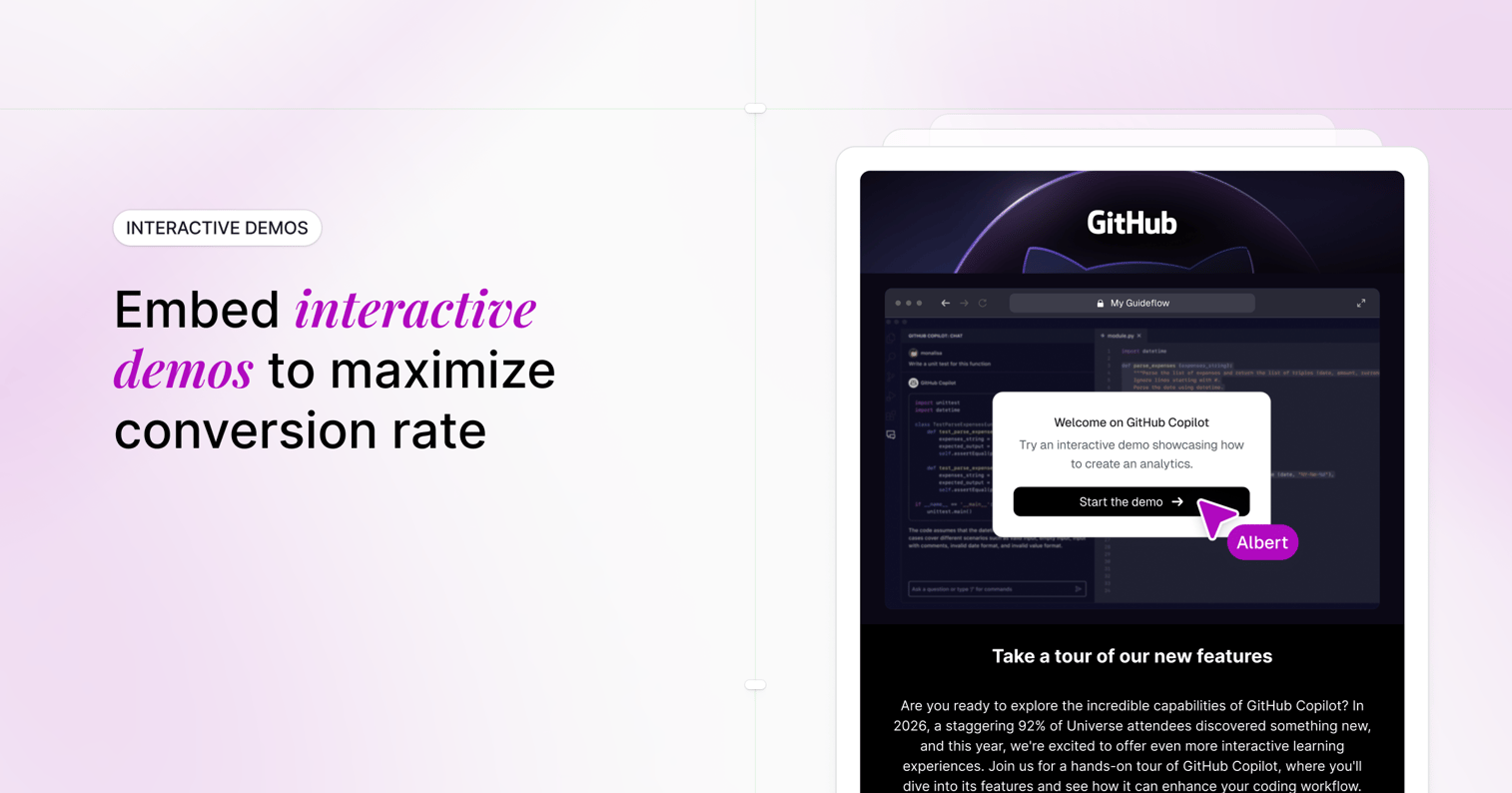
Create dedicated demos for paid campaigns with messaging matched to ad copy. Embed these demos directly on your landing page to preserve context from the ad through the demo experience.
Generic product pages force visitors to re-orient. Campaign-specific demos continue the conversation the ad started. If your ad promised "automated client reporting in 2 minutes," your landing page demo should show exactly that workflow, not a general product overview.
Match the demo's language, visuals, and use case to the campaign creative. Use the same terminology, highlight the same pain point, and demonstrate the specific outcome your ad referenced. This consistency reduces cognitive load and keeps visitors moving toward conversion instead of questioning whether they clicked the right link. Track conversion rates by campaign to see which messaging and demo combinations perform best.
Demo center for multi-persona buyers
A demo center organizes demos by role, use case, or feature. It serves buying committees where different stakeholders have different questions.
A centralized hub lets each stakeholder find the demo relevant to their concerns without wading through irrelevant content. Your CFO doesn't need to sit through API documentation. Your engineering lead doesn't care about budget approval workflows. A demo center lets each person self-select their path.
Structure your demo center with clear navigation by persona or use case. Create separate tracks for technical buyers, end users, and executives. Label each demo with the specific question it answers: "How does security work?" or "What does daily usage look like?" Include estimated time for each demo so stakeholders know the commitment upfront. This organization accelerates committee-based buying by letting multiple people evaluate simultaneously without requiring separate sales calls for each stakeholder.
Common product demo mistakes to avoid
Starting with your company instead of their problem
Opening with "About Us" loses attention in the first thirty seconds. Prospects don't care about your founding story, your mission statement, or how many customers you serve until they believe you understand their specific situation.
The mistake looks like this: "We're a leading provider of workflow automation, founded in 2018, trusted by over 500 companies..." Meanwhile, your prospect is wondering if you can solve their actual problem.
Flip the script. Open with the buyer's challenge using their language. Reference the pain point they mentioned in discovery or the problem your marketing identified for their role. The company story can come later, after you've earned their attention by demonstrating relevance.
Showing every feature instead of relevant ones
Feature dumps overwhelm and confuse. Each additional feature you show dilutes the impact of the ones that matter. When you walk through fifteen capabilities in a single demo, prospects remember none of them.
This happens when reps try to justify the product's value by showcasing breadth. But buyers evaluate based on depth - whether your product solves their specific problem exceptionally well, not whether it does everything adequately.
Match demo scope to what the specific buyer needs to evaluate right now. If they're struggling with report generation, show only reporting features. If they need approval workflows, demonstrate only that capability. Save the comprehensive product tour for later stages when they're already convinced of core value and want to understand the full platform.
Using production data in external demos
Real customer data creates security and privacy risks that can kill deals instantly. One screenshot with a customer's name, revenue figures, or proprietary metrics can derail a deal and damage your reputation.
The risk extends beyond obvious identifiers. Industry-specific data, unusual metrics, or recognizable workflow patterns can expose which customers you work with. Prospects notice. Existing customers notice. Legal teams definitely notice.
Use sanitized environments or demo-specific data that looks realistic but contains no actual customer information. Replace real company names with fictional ones. Use plausible but invented numbers. Sandbox environments solve this by design, giving you a controlled space where prospects can explore freely without exposing anyone's data.
Missing analytics on demo engagement
Without tracking, you can't improve demos or personalize follow-up. Demos without analytics are black boxes - you send them out and hope something happens, with no visibility into what actually resonates.
You won't know which features prospects explored, where they lost interest, or who to prioritize for outreach. A prospect who spent five minutes on your pricing page signals different intent than someone who watched thirty seconds and left. Without data, you treat both the same.
Analytics transform demos from one-way presentations into two-way conversations. Track completion rates to see if your demo length works. Monitor drop-off points to identify confusing sections. Measure time spent on each feature to understand what matters most to buyers. Use return visits and internal sharing as signals of buying committee involvement. Then feed that engagement data directly into your follow-up strategy, reaching out to high-intent prospects with messages tailored to what they actually explored.
How to measure demo conversion rates
Track these metrics to understand whether your demos work and where to improve:
| Metric | What it tells you |
|---|---|
| Completion rate | Whether the demo length and flow work |
| Drop-off points | Where buyers lose interest or get confused |
| CTA clicks | Whether the next step is compelling |
| Time per step | Which features get the most attention |
| Return visits | Whether the demo is being shared internally |
Connect demo analytics to your CRM for pipeline attribution. Integrate with HubSpot, Salesforce, and more to see which demos influence closed deals.
A healthy completion rate typically falls between 60-80% for interactive demos. Low completion suggests the demo is too long or loses relevance midway.
Turn your product into a high-converting demo
High-converting demos focus on buyer problems, enable self-serve exploration, and generate intent signals for smarter follow-up.
With Guideflow, teams capture any workflow directly from their browser, personalize for each prospect, and track what buyers actually care about. No engineering dependency. No long production cycles.
FAQs about high-converting product demos
A product demo shows how the product works and can be self-serve or recorded. A sales demo is a live presentation delivered by a rep, typically later in the buying process when qualification has already happened.
Keep website demos under three minutes for top-of-funnel visitors. Longer demos work for later-stage evaluation when buyers have specific questions and higher intent.
Gate demos after delivering some value, not before. Ungated access reduces friction and builds trust before asking for contact information.
Yes, well-built interactive demos adapt to mobile screens. Consider your audience's device preferences when designing flows, especially for field sales or executive buyers who often evaluate on phones.
Conversion varies by industry, traffic source, and offer, though 25% average demo-to-close rate is a useful benchmark. Track your baseline, then test demo placement and CTAs to improve incrementally. Focus on relative improvement rather than absolute benchmarks.
Use no-code demo platforms that capture your product via browser extension. Marketing teams and sales can build and update demos independently, without waiting on development resources.