
You run three warehouses, two pricing tiers per customer, and an EDI feed that breaks every time a trading partner changes a spec. Your team lives in spreadsheets that reconcile inventory across locations by hand. Someone quotes a price the system can't honor. An order ships short because the available-to-promise number was wrong by a day.
That is the operational reality distribution ERP software is built to fix. Not "digital transformation." Specific things: knowing what stock sits where, promising accurate delivery dates, applying the right contract price to the right customer, and moving an order from cart to cash without a human retyping data three times.
The stakes are not small. Roughly 92% of wholesale distributors now use ERP software, according to Bizowie (2026), making distribution one of the highest-adoption industries for these systems. And when Bizowie surveyed what distributors evaluating ERP care about most, about 67% named inventory and distribution management as the single most critical capability. This is not a category where generic finance-first ERP wins. Distributors need software that treats inventory, warehouse flow, and complex pricing as the main event.
The market reflects that demand. Distribution ERP software was estimated at USD 8.5 billion in 2026, per Reports Insights Consulting, on a trajectory that keeps compounding through the decade. More vendors, more specialization, more noise to cut through. The problem is not finding options. It is finding the option that fits how your operation actually runs.
What's inside
This guide is a shortlist for distribution buyers, not a directory. We selected 10 distribution ERP systems based on four things: depth of distribution-specific workflows (inventory, warehouse, order-to-cash), fit across company sizes from SMB to enterprise, integration and EDI capability, and implementation posture. Each entry gives you a plain read on who it fits, where it excels, and what pricing looks like when a vendor publishes it. If you own product, operations, or the systems decision, this is written for how you think: workflow fit, rollout risk, and maintainability.
TL;DR
- Best for unlimited-user SMB and mid-market distributors: Acumatica, which prices by resource consumption rather than per seat.
- Best for wholesale-specific cloud ERP: Infor CloudSuite Distribution, purpose-built for distribution workflows.
- Best for Microsoft-centric smaller teams: Microsoft Dynamics 365 Business Central, tightly wired into Outlook, Excel, and Teams.
- Best for scaling multi-subsidiary operations: Oracle NetSuite, with strong multi-entity and multi-currency support.
- Best for distribution-first depth: Epicor Prophet 21, built around wholesale distribution from the ground up.
- Best for commerce-led, omnichannel distributors: Brightpearl, focused on retail and wholesale operations.
What is distribution ERP software?
Distribution ERP software is a system that unifies inventory, warehouse operations, purchasing, order management, pricing, and finance for wholesale and distribution businesses in one platform. Unlike generic ERP, it is built around the workflows that define distribution: moving physical goods through multiple locations, promising accurate delivery dates, and applying complex customer-specific pricing at scale.
The distinction matters because a distributor's margin lives in operational precision. A one-day error in available-to-promise data loses a deal. A missed rebate calculation erodes profit. Distribution management software is designed so those calculations happen automatically, in real time, across every location.
Core capabilities to expect from distribution ERP systems:
- Inventory management: Multi-location and multi-warehouse stock visibility, lot and serial tracking, cycle counting, and reorder automation.
- Warehouse management (WMS): Pick, pack, ship workflows, bin and location control, barcode and mobile scanning, and receiving logic.
- Order management and order-to-cash: Sales order entry, allocation, fulfillment, invoicing, and returns handling in one connected flow.
- Complex pricing and rebates: Customer-specific price lists, contract pricing, volume breaks, and rebate tracking.
- Procurement and demand forecasting: Purchase order automation, distribution requirements planning (DRP), and supplier management.
- EDI and integrations: Trading-partner document exchange, plus connections to e-commerce, marketplaces, and shipping carriers.
- Supply chain visibility: Real-time reporting across inbound, on-hand, and outbound positions.
Distributors made up roughly 18% of all ERP buyers in 2026, second only to manufacturing at about 47%, per Bizowie. That volume is why nearly every major ERP vendor now ships a distribution-specific edition rather than expecting distributors to bend a generic system to fit.
When to use distribution ERP software
Not every distributor needs to rip out its stack tomorrow. Here is how to pattern-match your situation.
Replace spreadsheet-driven inventory control
If your team reconciles stock across locations by hand, or your available-to-promise numbers are guesses, you have outgrown your current tools. Distribution ERP gives you a single real-time view of what sits where, so allocation and fulfillment stop depending on tribal knowledge.
Handle complex, customer-specific pricing at scale
When you maintain dozens of contract price lists, volume breaks, and rebate agreements, manual pricing becomes a margin leak. ERP software for distributors applies the right price to the right customer automatically, and tracks rebate accruals without a month-end scramble.
Coordinate multi-location and omnichannel fulfillment
If you ship from several warehouses, sell across e-commerce and B2B channels, or run EDI with trading partners, you need one system orchestrating it all. Wholesale distribution ERP software connects order capture, allocation, and shipping so a channel change does not break fulfillment.
Comparison table
The table below summarizes each platform by primary buyer intent, its standout distribution capability, published pricing, and current user rating where verifiable. Pricing for enterprise distribution ERP is frequently quote-based, so several entries reflect that reality rather than a public number. Use this as a scan layer, then read the item sections for fit detail.
| # | Product | Intent | Key use case | Pricing | G2 rating |
|---|---|---|---|---|---|
| 1 | Acumatica | SMB to mid-market cloud ERP | Unlimited-user distribution with DRP | Custom (resource-based) | 4.4/5 |
| 2 | Infor CloudSuite Distribution | Wholesale-specific cloud ERP | Distribution ERP with WMS and order management | Custom | Not listed |
| 3 | Microsoft Dynamics 365 Business Central | Microsoft-centric SMB ERP | Finance plus operations for smaller teams | From $80/user/mo | 4.0/5 |
| 4 | Oracle NetSuite | Scaling multi-subsidiary ERP | Unified cloud ERP with global support | Custom (annual license) | 4.2/5 |
| 5 | Epicor Prophet 21 | Distribution-first ERP | Wholesale distribution operations | Custom | 4.1/5 |
| 6 | SAP S/4HANA Cloud | Enterprise cloud ERP | Global supply chain and finance | Custom | Not listed |
| 7 | Brightpearl | Commerce-led operations | Omnichannel retail and wholesale | Custom | 4.5/5 |
| 8 | Cetec ERP | Cost-conscious cloud ERP | Integrated ERP for smaller teams | $50/user/mo | 4.1/5 |
| 9 | Sage X3 ERP | Multi-entity finance and supply chain | Multi-company distribution operations | Custom | Not listed |
| 10 | Enterprise 21 ERP | Distribution and manufacturing ERP | Integrated order and inventory control | Custom | Not listed |
1. Acumatica
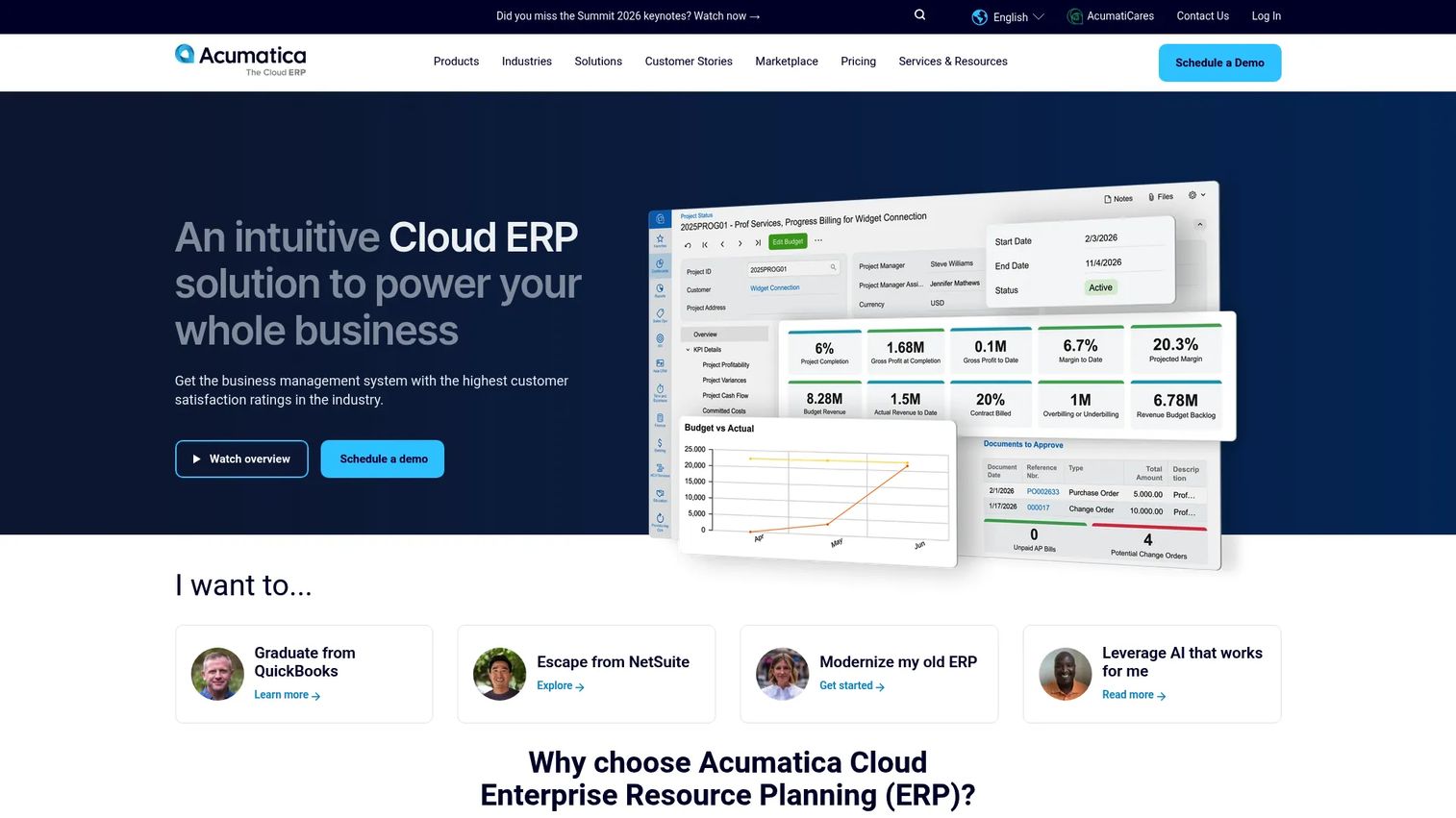
Acumatica is a cloud ERP and business management platform for small and midmarket companies, with a distribution edition that covers inventory, warehouse, purchasing, and sales order management in one system. Its most distinctive commercial trait is a resource-based pricing model with unlimited user access, so growing distributors add headcount to the system without adding seat cost. That structure matters when your warehouse, sales, and finance teams all need to touch the same data.
Best for: Growing SMB and mid-market distributors that want a customizable cloud ERP without per-seat pricing pressure.
Key strengths
- Unlimited user access: Add warehouse, sales, and finance staff without escalating license fees per head.
- Cloud ERP with integrated applications: Inventory, order management, and distribution requirements planning run in one connected platform.
- Open APIs and low-code customization: Adapt workflows and build integrations without heavy developer dependency.
Why choose Acumatica: If your headcount is growing faster than your budget for per-seat software, the unlimited-user model changes the math. It fits distributors that expect team size to scale and want a system they can extend with low-code tooling rather than expensive custom development. The tradeoff is that you configure a lot, so plan for setup time to tailor it to your workflows.
Acumatica pricing: Acumatica does not publish numeric pricing. Per its pricing page, cost is tailored to the applications you use, your business resource consumption, and your deployment preference, and prospects are directed to a partner for a quote. There is no public free tier. On G2, Acumatica holds a 4.4/5 rating.
2. Infor CloudSuite Distribution
Infor CloudSuite Distribution is a cloud ERP built specifically for wholesale distribution businesses. Rather than a horizontal ERP with distribution bolted on, it ships distribution-specific workflows, warehouse management, and order management as core capabilities. For distributors that operate across multiple sites and want role-based screens tuned to distribution roles, that specialization shortens the gap between out-of-the-box and production-ready.
Best for: Wholesale distributors that want an industry-specific cloud ERP rather than a generalized platform configured after the fact.
Key strengths
- Purpose-built distribution ERP: Core workflows are designed for wholesale distribution, not adapted from a generic template.
- Warehouse management: Built-in WMS handles receiving, putaway, and pick-pack-ship without a separate module bolt-on.
- Order management: Sales order capture, allocation, and fulfillment flow through a single connected process.
Why choose Infor CloudSuite Distribution: The case is specialization. If your operation is defined by distribution complexity, multi-site inventory, order-to-promise logic, value-added services, a system already shaped around those workflows reduces configuration risk. It suits distributors that would rather adopt an industry model than build one.
Infor CloudSuite Distribution pricing: Infor does not publish public pricing for this product. The product pages describe capabilities but route buyers to a sales conversation for a quote. No current G2 rating was verifiable at the time of writing, so evaluate it through a direct demo and reference calls with distributors of similar size.
3. Microsoft Dynamics 365 Business Central

Microsoft Dynamics 365 Business Central is an AI-powered ERP for small and midsize businesses that combines financial management with operations. For distributors already living in Outlook, Excel, and Teams, its native Microsoft 365 integration removes the friction of jumping between systems. It handles inventory, purchasing, and order management alongside finance, which fits smaller distribution teams that want one connected platform without enterprise weight.
Best for: Small and midsize distributors that run on Microsoft 365 and want an ERP that lives in the same ecosystem.
Key strengths
- Copilot and automated workflows: AI assistance and automation reduce manual data entry across finance and operations.
- Financial management and cash flow forecasting: Built-in financials with forecasting support tighter working-capital control.
- Microsoft 365 integration: Native connections to Outlook, Excel, and Teams keep work in familiar tools.
Why choose Microsoft Dynamics 365 Business Central: The pull is ecosystem fit. If your team already uses Microsoft 365 daily, adoption friction drops and finance-to-operations data flows without a bridge. It fits smaller distributors more than complex multi-site enterprises, and the published pricing makes budgeting predictable.
Microsoft Dynamics 365 Business Central pricing: Microsoft publishes tiered pricing. The Essentials plan is $80.00 per user per month billed yearly, and the Premium plan is $110.00 per user per month billed yearly. A Team Members plan is $8.00 per user per month for light users, and a free 30-day trial is available. Microsoft also directs buyers to a partner for purchase. On G2, it holds a 4.0/5 rating.
4. Oracle NetSuite
Oracle NetSuite is a cloud ERP and business management platform spanning financials, inventory, order management, supply chain, and warehouse management. Its footprint is broad, and its strength for distributors is scaling across multiple subsidiaries, currencies, and locations from one system. For a distributor expecting to grow into new entities or geographies, that multi-subsidiary architecture is the differentiator.
Best for: Growing distributors that need a unified cloud ERP capable of handling multi-entity and multi-currency operations.
Key strengths
- AI-powered cloud ERP: A single platform spanning finance, operations, and distribution workflows.
- Inventory, order, and warehouse management: Core distribution capabilities are built in rather than added through third parties.
- Global business management: Multi-subsidiary and multi-currency support handle expansion across entities and regions.
Why choose Oracle NetSuite: The argument is scale. If you anticipate acquiring companies, opening new entities, or operating across currencies, NetSuite's multi-subsidiary model absorbs that complexity in one platform. It fits distributors whose growth curve outpaces a single-entity system.
Oracle NetSuite pricing: NetSuite does not publish a public starting price. Per its ERP page, customers pay an annual license fee made up of the core platform, optional modules, and number of users, plus a one-time implementation fee. Expect a quote-based process. Based on Capterra, NetSuite holds a 4.2/5 rating.
5. Epicor Prophet 21
Epicor Prophet 21 is a cloud ERP built for distributors, designed to manage inventory, warehouse, financials, and order flow. It is distribution-first rather than distribution-adjacent, which shows in how tightly its inventory and order workflows map to wholesale operations. For distributors that want an ERP shaped by the industry rather than adapted to it, Prophet 21 is a frequent shortlist entry.
Best for: Wholesale distributors that want an ERP purpose-built around distribution operations.
Key strengths
- Inventory and warehouse management: Core stock and warehouse workflows are tuned for distribution throughput.
- Order management: Sales order capture and fulfillment map directly to wholesale distribution patterns.
- Business intelligence and analytics: Built-in reporting gives visibility into inventory position and order performance.
Why choose Epicor Prophet 21: The draw is distribution depth. If your operation is defined by high SKU counts, multi-warehouse fulfillment, and demanding order flow, a system built for that context reduces the configuration burden. It suits mid-market and enterprise distributors that want industry fit over general-purpose breadth.
Epicor Prophet 21 pricing: Epicor does not publish public pricing for Prophet 21. The product page routes buyers to a demo and sales conversation for a quote. Plan for an enterprise-style procurement process. On G2, Epicor Prophet 21 holds a 4.1/5 rating.
6. SAP S/4HANA Cloud

SAP S/4HANA Cloud is SAP's cloud ERP platform for running core business processes, available in public and private cloud editions. Built on the in-memory SAP HANA foundation with the Fiori UX, it ships preconfigured end-to-end processes across finance, supply chain, sales, and service. For large distributors with global operations and heavy supply chain complexity, S/4HANA Cloud is the enterprise-scale option on this list.
Best for: Enterprises needing a configurable cloud ERP that unifies finance, supply chain, and core operations at global scale.
Key strengths
- Cloud ERP with public and private options: Choose the deployment model that fits your governance and customization needs.
- In-memory HANA foundation: Real-time processing supports large transaction volumes and complex reporting.
- Preconfigured end-to-end processes: Ready-made process flows span finance, supply chain, sales, and service.
Why choose SAP S/4HANA Cloud: The case is enterprise scale and global depth. If you operate across many countries with intricate supply chain and finance requirements, S/4HANA Cloud is built for that complexity threshold. It fits larger organizations with the implementation resources to match, so weigh the rollout investment against the scale you actually need.
SAP S/4HANA Cloud pricing: SAP does not publish a public numeric price for S/4HANA Cloud. The product pages use a request-a-quote and contact-sales model. A current G2 rating was not verifiable at the time of writing, so validate fit through SAP demos and reference customers in your industry and size band.
7. Brightpearl

Brightpearl is retail operations software for omnichannel merchants, focused on inventory, order, warehouse, and customer management. It sits at the overlap of retail and wholesale distribution, which makes it a strong fit for commerce-led distributors moving fast across multiple sales channels. Its multi-channel, multi-location inventory sync and automated order processing are built for operations where e-commerce and wholesale run side by side.
Best for: Multi-channel retail and wholesale businesses that need centralized, commerce-led operations management.
Key strengths
- Multi-channel inventory sync: Stock stays accurate across channels and locations in real time.
- Automated order processing: Fulfillment rules route and process orders without manual intervention.
- CRM and reporting: Built-in customer management and reporting support retail operations decisions.
Why choose Brightpearl: The fit is commerce velocity. If your distribution business is driven by e-commerce and omnichannel selling rather than traditional B2B wholesale alone, Brightpearl's retail-first design maps to that motion. It suits faster-moving merchants over heavy multi-site industrial distributors.
Brightpearl pricing: Brightpearl uses bespoke, custom pricing and asks prospects to request a quote. No public numeric price and no free tier are listed on its pricing page. On G2, Brightpearl holds a 4.5/5 rating, the highest verified score in this list.
8. Cetec ERP
Cetec ERP is a cloud ERP platform with transparent per-user pricing and an integrated feature set spanning inventory, production, quality, and accounting. While its roots lean toward manufacturing, its inventory and operations basics make it a practical, cost-conscious option for smaller distribution teams that want published pricing and a straightforward setup. The transparency alone sets it apart in a category dominated by quote-based vendors.
Best for: Cost-conscious smaller teams that want an integrated cloud ERP with published, predictable pricing.
Key strengths
- Transparent per-user pricing: A published $50 per user per month rate removes the quote-negotiation guesswork.
- Integrated feature set: Inventory, production, quality, and accounting run in one connected platform.
- Document management with revision control: Built-in document handling keeps versioned records inside the system.
Why choose Cetec ERP: The appeal is predictability and cost. If you are a smaller distributor that wants to know the price upfront and avoid a drawn-out sales cycle, Cetec's transparent model is refreshing. The tradeoff is breadth versus simplicity, so confirm its distribution-specific depth matches your workflows before committing.
Cetec ERP pricing: Cetec publishes per-user pricing at $50 per user per month, with a 5-user minimum. A support plan and optional upgrades are additional. There is no free tier. On G2, Cetec ERP holds a 4.1/5 rating.
9. Sage X3 ERP
Sage X3 ERP is a cloud ERP for finance, supply chain, and manufacturing, with real-time global financial control and multi-currency reporting. Its strength for distributors is multi-entity operations: managing several companies, currencies, and locations under one financial umbrella. For distribution firms where finance complexity rivals operational complexity, Sage X3 brings both under one roof.
Best for: Manufacturing and distribution firms that need multi-entity ERP with strong financial control.
Key strengths
- Global financial control: Real-time, multi-currency reporting across entities supports complex financial structures.
- Supply chain and inventory management: Purchasing, inventory, and sales management cover core distribution flows.
- Industry-specific capabilities: Manufacturing and product-centric features suit distributors with production elements.
Why choose Sage X3 ERP: The argument is financial and multi-company depth. If your distribution business spans several legal entities or currencies and needs tight financial control alongside supply chain management, Sage X3 covers both. It fits firms whose finance requirements are as demanding as their operations, rather than distribution-only specialists.
Sage X3 ERP pricing: Sage does not publish a first-party numeric price; its product pages use a request-pricing model and third-party listings show it as custom-quote only. Expect a sales-led process. A current G2 rating was not verifiable at the time of writing, so use reference calls to gauge fit for your entity structure.
10. Enterprise 21 ERP
Enterprise 21 ERP is a web-based ERP system for manufacturers and distributors, offering a fully integrated set of order, inventory, procurement, finance, and CRM capabilities. Its distribution specialization shows in order management with customer pricing and CPQ, plus inventory management with lot traceability and warehouse workflows. Distributors shortlist it when they want a single integrated system rather than a stitched-together stack.
Best for: Manufacturing and distribution companies that want a fully integrated ERP under one roof.
Key strengths
- Order management with CPQ: Customer pricing setup and configure-price-quote handle complex order scenarios.
- Inventory with lot traceability: Lot tracking and warehouse workflows support regulated and high-SKU operations.
- Built-in procurement, finance, and BI: Procurement, finance, CRM, and business intelligence come integrated rather than bolted on.
Why choose Enterprise 21 ERP: The draw is integration breadth. If you want order-to-cash, inventory, procurement, and finance in one system without integrating separate best-of-breed tools, Enterprise 21 delivers that consolidation. It suits distributors and manufacturers that value a single vendor and connected data over specialized point solutions.
Enterprise 21 ERP pricing: Enterprise 21 does not publish first-party numeric pricing; its site emphasizes a demo-request path and references a single per-user, per-month fee without displaying the amount. Third-party listings on Capterra reference a starting figure, but treat that as directional and confirm through a direct quote. Validate the product through a demo before pricing discussions.
Considerations before you buy
A shortlist narrows the field. These criteria decide the winner. Evaluate each vendor against how your operation actually runs, not against a generic feature checklist.
Distribution workflow fit
Confirm the system handles your specific patterns: multi-location inventory, available-to-promise accuracy, complex pricing, and rebate tracking. A generic ERP configured for distribution rarely matches one built for it. Ask vendors to demo your exact order-to-cash flow, not a canned scenario.
Integration and EDI depth
Your ERP does not live alone. Map every system it must connect to: e-commerce, marketplaces, shipping carriers, and EDI trading partners. Verify which integrations are native versus which require middleware or custom development, because that gap drives cost and rollout risk.
Cloud versus deployment model
Most 2026 buyers land on cloud ERP for lower maintenance and faster updates, but confirm the vendor's cloud model fits your governance needs. Some enterprise options offer public and private editions with different customization and control tradeoffs.
Implementation risk and data migration
The software rarely fails; the rollout does. Assess data migration effort, the vendor's implementation partner network, and realistic timelines. Ask for references from distributors of similar size and complexity, and probe what went wrong in their rollout, not just what went right.
Total cost and pricing model
Published per-seat pricing, resource-based models, and quote-only enterprise pricing each budget differently. Factor implementation fees, integration costs, and ongoing support, not just license cost. For distributors scaling headcount, an unlimited-user model can change the total meaningfully.
Conclusion
The right distribution ERP depends less on feature counts and more on fit with how your operation runs today and where it is heading.
For growing SMB and mid-market distributors watching per-seat costs, Acumatica's unlimited-user model is the standout. Microsoft-centric smaller teams get the smoothest adoption from Dynamics 365 Business Central, with transparent published pricing to match. Distributors that want industry-native depth should shortlist Infor CloudSuite Distribution and Epicor Prophet 21. Scaling multi-subsidiary operations point toward Oracle NetSuite, while enterprises with global supply chain complexity evaluate SAP S/4HANA Cloud. Commerce-led, omnichannel merchants fit Brightpearl, cost-conscious smaller teams get predictability from Cetec ERP, and multi-entity firms weigh Sage X3 ERP and Enterprise 21 ERP.
Your next step: shortlist two or three that match your size and complexity, then run a demo against your real order-to-cash flow. Pressure-test integrations and EDI, ask for references from distributors like you, and scrutinize the implementation plan. The system you pick matters less than how well it maps to the workflows your margin depends on.
FAQs
Distribution ERP software is a system that unifies inventory, warehouse operations, purchasing, order management, pricing, and finance for wholesale and distribution businesses. It is built around moving physical goods across locations, promising accurate delivery dates, and applying customer-specific pricing at scale, so distributors run operations from one connected platform.
Generic ERP is finance-first and expects you to configure operations around it. Distribution ERP puts inventory, warehouse flow, order-to-cash, and complex pricing at the center. That means capabilities like distribution requirements planning, multi-location available-to-promise, and rebate tracking work out of the box rather than requiring heavy customization.
Prioritize multi-location inventory management, warehouse management (WMS), order management, and complex pricing and rebate handling. Distributors also weigh EDI capability, e-commerce and marketplace integrations, demand forecasting, and real-time supply chain visibility. About 67% of distributors evaluating ERP name inventory and distribution management as the most critical capability, per Bizowie (2026).
For most distributors in 2026, cloud ERP wins on lower maintenance, automatic updates, and faster deployment. On-prem or private-cloud editions still fit organizations with strict governance, heavy customization needs, or specific compliance requirements. Match the deployment model to your control and IT-resource reality rather than defaulting either way.
Timelines vary widely by scope, from a few months for a smaller cloud rollout to a year or more for a complex enterprise deployment across multiple entities and warehouses. The biggest variables are data migration effort, integration count, and internal readiness. Ask each vendor for realistic timelines from distributors of your size.
Ask them to demo your exact order-to-cash flow, not a canned scenario. Confirm which integrations and EDI connections are native versus custom. Request references from distributors of similar size and complexity, and probe what went wrong in their implementation. Clarify the full pricing picture: license, implementation, integration, and ongoing support.
There is no single best; it depends on size and complexity. Infor CloudSuite Distribution and Epicor Prophet 21 offer distribution-first depth. Acumatica fits growing SMB and mid-market teams with its unlimited-user model. Oracle NetSuite suits multi-subsidiary scaling, and SAP S/4HANA Cloud fits global enterprises. Match the tool to how your operation actually runs.
Compare total cost of ownership, not just license price. Some vendors publish per-seat rates like Microsoft Dynamics 365 Business Central and Cetec ERP, while enterprise options like Oracle NetSuite, SAP S/4HANA Cloud, and Infor use quote-based pricing. Factor implementation fees, integration costs, and support, and weigh whether per-seat or resource-based models fit your headcount plans.