You designed the part in one tool. You exported it to another for toolpaths. Something in the geometry shifted on import. Now you are re-fixing surfaces at 11pm before a first-article run, and the machine is idle.
That gap between design and machining is where most shops lose time. Every handoff between a CAD model and a CAM toolpath is a place for errors to creep in: broken surfaces, lost feature data, mismatched units, a post-processor that spits out code your controller rejects. The more times a part crosses a tool boundary, the more rework you inherit.
CAD/CAM software exists to close that gap. It keeps design geometry and machining strategy in one associative environment, so a change to the model updates the toolpath instead of forcing a rebuild. The category is growing because that integration pays off. The global CAM software market was valued at USD 3.39 billion in 2024 and is projected to reach USD 5.69 billion by 2030, a 9.0% CAGR, according to Research and Markets (2024). The broader CAD and PLM software market is forecast to grow from USD 19.11 billion in 2026 to USD 34.39 billion by 2034, per Fortune Business Insights (2025).
For 2026 buyers, the pressure is speed, accuracy, and lower rework. Shorter runs, more part revisions, and tighter margins mean programming time and scrap both matter. If you evaluate software the way you would evaluate any other high-consequence workflow tool, the way a product team weighs a new onboarding stack against activation and maintenance cost, you will pick better. The same discipline that goes into comparing a shortlist of best AI code generation tools applies here: match the tool to the real job, not the marketing.
What's inside
This guide covers 8 CAD/CAM tools for teams evaluating CNC programming software and CAD-to-CAM workflow platforms. We chose each based on four things that actually decide fit: workflow integration from model to machine, machining depth including multi-axis support, simulation and verification quality, and usability against the learning curve your team can absorb.
The list spans three buyer types. Mainstream all-in-one platforms for teams that want design and machining under one roof. Advanced CAM systems for shops running complex 5-axis and mill-turn work. Budget-conscious and specialist options for smaller shops, routers, and niche geometry. Pricing and G2 ratings are drawn from current vendor and G2 sources.
TL;DR
- Best overall CAD/CAM platform: Autodesk Fusion, for teams that want integrated CAD, CAM, CAE, and PCB in one cloud environment at an accessible price.
- Best for CNC programming depth: Mastercam, the established choice for shops that live in machining performance and dynamic motion.
- Best for beginners: Autodesk Fusion again, thanks to free personal use and a gentler on-ramp than shop-floor CAM systems.
- Best for complex multi-axis work: SprutCAM, for machine-aware 2D to 5-axis strategies plus robot offline programming.
- Best for budget-conscious shops: BobCAD-CAM, with modular plans starting at $500 for one year.
- Best for router and sculpted work: Vectric Aspire for sign making, carving, and 3D relief, or Rhino + RhinoCAM for organic geometry.
What CAD/CAM software is
CAD/CAM software combines computer-aided design (CAD), the modeling of a part's geometry, with computer-aided manufacturing (CAM), the generation of toolpaths and machine code that cut that geometry on a CNC machine. In one integrated environment, the design and the machining strategy stay linked, so you move from a 3D model to a running program without rebuilding data between tools.
The distinction matters. CAD is where you define the part: dimensions, features, surfaces, tolerances. CAM is where you decide how to make it: which tools, what order of operations, what feeds and speeds, what toolpaths clear the material safely. Standalone CAD and standalone CAM both exist, but integrated CAD/CAM removes the translation step where geometry and feature intent get lost.
Core capabilities buyers should expect
- CAD modeling and part import. Native modeling plus clean import of STEP, IGES, Parasolid, DXF, and vendor formats without broken surfaces.
- Toolpath generation. Roughing, finishing, drilling, and profiling strategies that adapt to stock and geometry.
- Simulation and verification. Material removal simulation, gouge and collision checking, and machine kinematics preview before you cut metal.
- Multi-axis machining support. 3-axis through 5-axis and mill-turn, matched to the machines on your floor.
- Post-processing and machine output. Configurable post-processors that produce G-code your specific controller accepts.
- Collaboration and file compatibility. Version control, shared libraries, and interoperability with the CAD your engineers already use.
How CAD/CAM fits the manufacturing workflow
CAD/CAM software is the connective layer between design and the machine, turning a validated 3D model into verified, controller-ready toolpaths. The path runs: model the part in CAD, assign stock and machining strategies in CAM, simulate to catch gouges and collisions, then post to G-code and cut. When design and CAM are associative, a model revision propagates into the toolpaths automatically, which is where tighter integration cuts programming time and scrap. Shops that break this chain across disconnected tools pay for it in re-import cleanup and first-article failures.
When to use CAD/CAM software
When you need to move from design to machining faster
If your team redesigns parts often, runs short batches, or prototypes iteratively, an integrated CAD-to-CAM workflow removes the export-import loop that eats hours. Associative toolpaths update when the model changes, so you are not reprogramming from scratch on every revision. This is the fit for job shops and product teams handling frequent part changes.
When you need advanced CNC programming
Complex parts push you into 4-axis and 5-axis machining, mill-turn, and tight surface finishing. Here toolpath sophistication and simulation depth decide whether the part comes off the machine clean. If you are indexing multiple faces or running simultaneous 5-axis, you need CAM that models the full machine and checks collisions before the spindle moves.
When you need a beginner-friendly entry point
Small shops, one-person operations, and teams onboarding new machinists benefit from software with templates, guided workflows, and a shorter learning curve. The goal is a first working program without weeks of training. Free personal tiers and strong tutorial libraries matter more here than raw feature depth.
When you need specialized manufacturing workflows
Router work, sign making, engraving, and sculpted or organic forms are their own world. Category specialists that focus on 2D drafting plus 3D relief, or free-form surface modeling, often outperform generalist CAD/CAM in these narrow use cases. Match the tool to the material and the machine, not to the brand name.
Comparison table
Pricing varies by edition, add-on modules, and license model (subscription, perpetual, or quote-based), so treat the figures below as starting points and confirm current terms with each vendor before you buy.
| # | Product | Intent | Key differentiation | Pricing | G2 rating |
|---|---|---|---|---|---|
| 1 | Autodesk Fusion | All-in-one CAD/CAM/CAE/PCB | Integrated cloud platform with free personal use | $57/month billed annually | 4.5/5 |
| 2 | Mastercam | CNC programming depth | Dynamic Motion and broad mill/lathe/router/wire solutions | Custom quote; free Learning Edition | 4.1/5 |
| 3 | PTC Creo CAM | Engineering-led CAD/CAM | Associative NC updates inside parametric CAD | From $3,190/user/year (Design Essentials) | 4.1/5 |
| 4 | SolidWorks + CAMWorks | SOLIDWORKS-native CAM | Feature recognition and knowledge-based machining | Quote-based | 4.1/5 |
| 5 | Rhino + RhinoCAM | Organic and free-form geometry | CAM plug-in inside Rhino, 2½ to 5-axis | From $595 one-time (Xpress) | 4.0/5 |
| 6 | BobCAD-CAM | Budget-conscious shops | Modular plans, 2 to 5-axis toolpaths | From $500 for 1 year | 3.6/5 |
| 7 | Vectric Aspire | Router, sign, relief work | 2D design plus 3D relief modeling and toolpaths | Quote-based | 4.5/5 |
| 8 | SprutCAM | Multi-axis and robot programming | Machine-aware 2D to 5-axis plus robot offline programming | Quote-based | 3.5/5 |
1. Autodesk Fusion
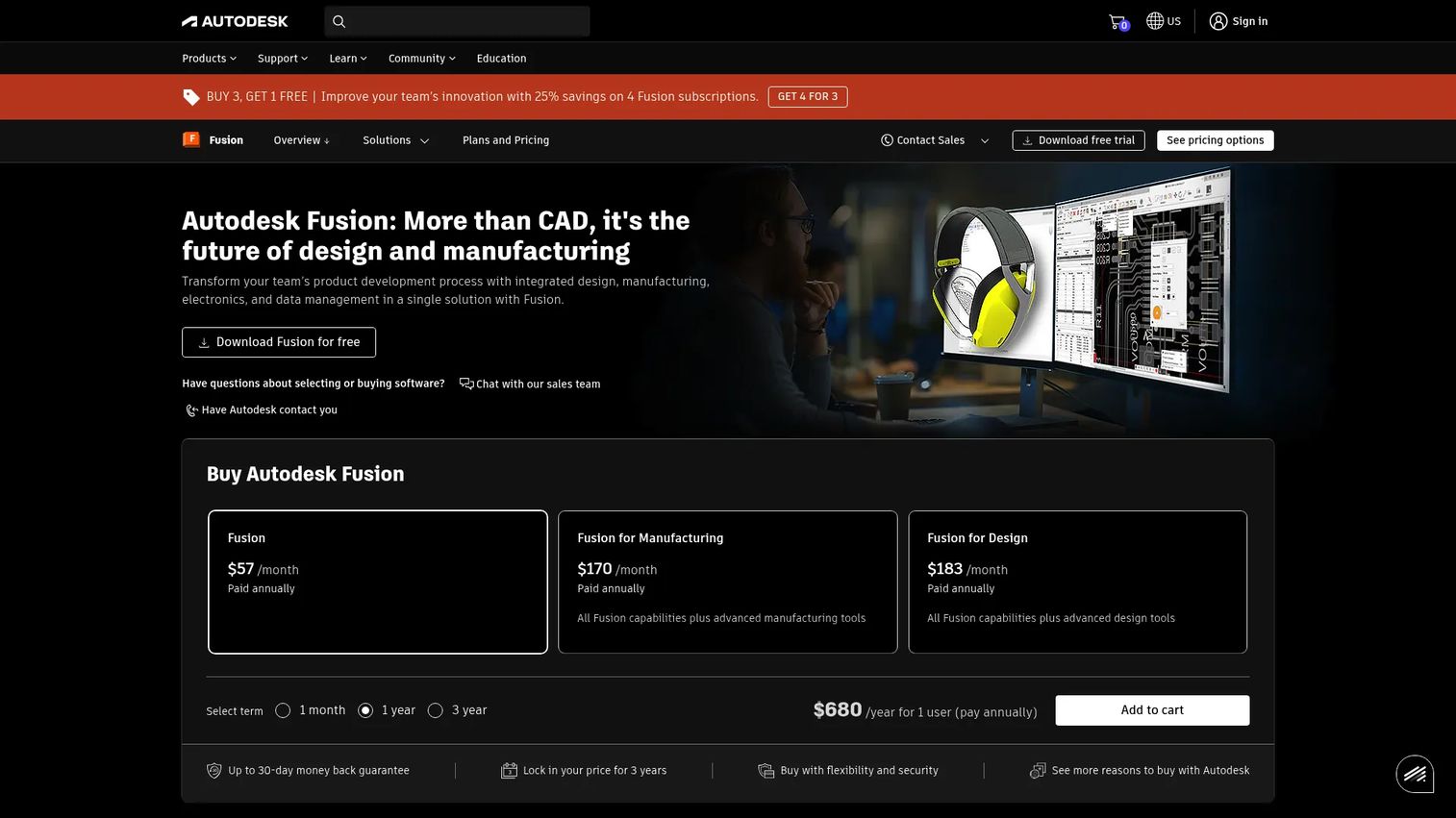
Autodesk Fusion is a cloud-based platform that folds CAD, CAM, CAE, and PCB design into one environment. Instead of stitching separate tools together, you model, simulate, generate toolpaths, and manage data in a single workspace with cloud collaboration built in. That consolidation is why it often lands first for teams that want design and manufacturing under one roof without maintaining a translation pipeline between packages.
Best for: Teams that want an all-in-one product development platform without buying separate CAD and CAM licenses.
Key strengths
- Integrated CAD/CAM: Model geometry and generate toolpaths in the same file, so design changes flow into machining without re-import.
- PCB and electromechanical integration: Design boards and mechanical enclosures together, useful for hardware teams shipping full products.
- Cloud collaboration and data management: Shared, version-controlled data means distributed teams work off one source of truth.
Why choose Autodesk Fusion: For a product manager or small hardware team weighing opportunity cost, Fusion collapses several tool subscriptions into one and keeps data continuous from concept to G-code. The learning curve is gentler than shop-floor CAM systems, and free personal use lets new machinists learn before you commit budget. It is the strongest default for teams that value workflow consolidation over specialized machining depth.
Autodesk Fusion pricing: Autodesk lists Fusion starting at $57/month billed annually. A free 30-day trial is available, and qualifying non-commercial users can access free personal use. Additional paid extensions exist for advanced manufacturing capabilities, so confirm which modules your machining work requires.
2. Mastercam
Mastercam is one of the most widely deployed CAM platforms on production floors, built for CNC programming, simulation, and toolpath generation in a single system. It covers mill, lathe, router, wire, and mill-turn work, and its Dynamic Motion toolpaths optimize material removal to protect tools and shorten cycle times. For shops where machining performance is the whole game, Mastercam is a serious, established pick.
Best for: Manufacturers who need deep CNC programming, simulation, and toolpath generation in one CAM platform.
Key strengths
- CAD/CAM toolpath programming: Comprehensive strategies across milling, turning, and multi-process work.
- Broad machine solutions: Mill, Lathe, Router, Wire, and Mill-Turn modules cover most shop equipment.
- Dynamic Motion and AI-enabled Copilot: Motion optimization and assisted workflows speed up programming while extending tool life.
Why choose Mastercam: The trade-off is ecosystem depth over all-in-one convenience. Mastercam pairs with an enormous community, extensive training, and a mature reseller network, so support and talent are easy to find. If your competitive edge is machining throughput and reliability on the floor, that established base is worth more than a lighter integrated suite.
Mastercam pricing: Mastercam offers a free Learning Edition for demo and educational use. Commercial pricing is customized, and the company directs buyers to contact sales for a quote. An Educational Suite is offered at a discount for schools. Budget for reseller-led implementation when you plan a rollout.
3. PTC Creo CAM
PTC Creo is a parametric 3D CAD platform with integrated CAM and manufacturing capabilities, built so design and machining happen concurrently in one model. Change propagation is its signature: edit the design, and associative NC toolpaths update automatically. High-speed 3-axis milling and holemaking are handled natively, which fits engineering-heavy organizations that already model in Creo.
Best for: Manufacturers who need integrated CAD/CAM for design and machining inside one parametric platform.
Key strengths
- Concurrent CAD/CAM design: Design and manufacturing live in the same parametric model, not separate handoffs.
- Automated change propagation: Associative NC toolpaths update when the design changes, cutting reprogramming.
- High-speed 3-axis milling: Native milling and holemaking strategies for production parts.
Why choose PTC Creo CAM: If your engineering team already lives in Creo, adding CAM keeps the entire design-to-manufacturing workflow in one associative environment and avoids exporting to a separate CAM package. That continuity is the persona fit for organizations prioritizing model integrity across long product lifecycles over standalone CAM flexibility.
PTC Creo CAM pricing: PTC lists Creo Design Essentials starting around $3,190 per user, per year, with some packages available on the PTC Store and others requiring a sales conversation. The Creo Machining Suite is offered as a subscription with a locked-license option. Confirm which suite includes the machining depth you need before purchase.
4. SolidWorks + CAMWorks
CAMWorks is a feature-based CAM system tightly integrated with SOLIDWORKS, adding CNC programming and machining automation directly inside the CAD environment teams already know. Its automatic feature recognition and knowledge-based machining database let you turn recognized features into toolpaths quickly, and toolpaths stay associative to the SOLIDWORKS model. For shops standardized on SOLIDWORKS, it removes the jump to a separate CAM tool.
Best for: Teams using SOLIDWORKS that need integrated, automated CAM for milling and turning.
Key strengths
- Seamless SOLIDWORKS integration: CAM runs inside SOLIDWORKS, so there is no separate CAD-to-CAM export step.
- Automatic feature recognition: Recognizes machinable features and suggests operations to accelerate programming.
- Knowledge-based machining (TechDB): A reusable technology database captures best-practice machining rules for consistency.
Why choose SolidWorks + CAMWorks: The persona fit is engineering-centric teams that value parametric design continuity. Because toolpaths update when the model changes and the interface is the CAD they already run daily, ramp time is short for existing SOLIDWORKS users. That familiarity is the real integration value, less new software to learn, more reuse of an existing skill base.
SolidWorks + CAMWorks pricing: CAMWorks pricing is quote-based and not published on the vendor site, so plan to contact a reseller for a configuration tied to your machining needs and existing SOLIDWORKS licensing. Cross-reference bundle options with your CAD renewal to avoid overlap.
5. Rhino + RhinoCAM
RhinoCAM is a MecSoft CAM plug-in that runs inside Rhino, pairing Rhino's free-form modeling with toolpath generation for CNC machining. It offers MILL, TURN, NEST, ART, and MESH modules and supports 2½-axis through 5-axis machining. For designers working in sculpted, organic, or unconventional geometry, running CAM directly inside Rhino keeps the whole design-to-machining flow in one flexible modeler.
Best for: Rhino users who need integrated CNC programming inside the Rhino workflow.
Key strengths
- CAM inside Rhino 3D: Toolpaths generate directly on Rhino geometry, no export to a separate CAM package.
- Full module range: MILL, TURN, NEST, ART, and MESH cover milling, turning, nesting, artistic relief, and mesh machining.
- 2½ to 5-axis support: Scales from simple profiling up to simultaneous 5-axis for complex surfaces.
Why choose Rhino + RhinoCAM: Rhino handles free-form and organic shapes that parametric CAD packages struggle with, and RhinoCAM turns those surfaces into toolpaths without leaving the environment. For artists, product designers, and specialty fabricators, that combination outperforms generalist CAD/CAM on sculpted work while staying accessible through tiered, one-time pricing.
Rhino + RhinoCAM pricing: MecSoft publishes one-time RhinoCAM prices: Xpress at $595, Standard at $1,500, Expert at $2,500, and Premium at $10,000. An annual maintenance subscription is sold separately. Rhino itself is a separate license, so budget for both when comparing against subscription CAM.
6. BobCAD-CAM
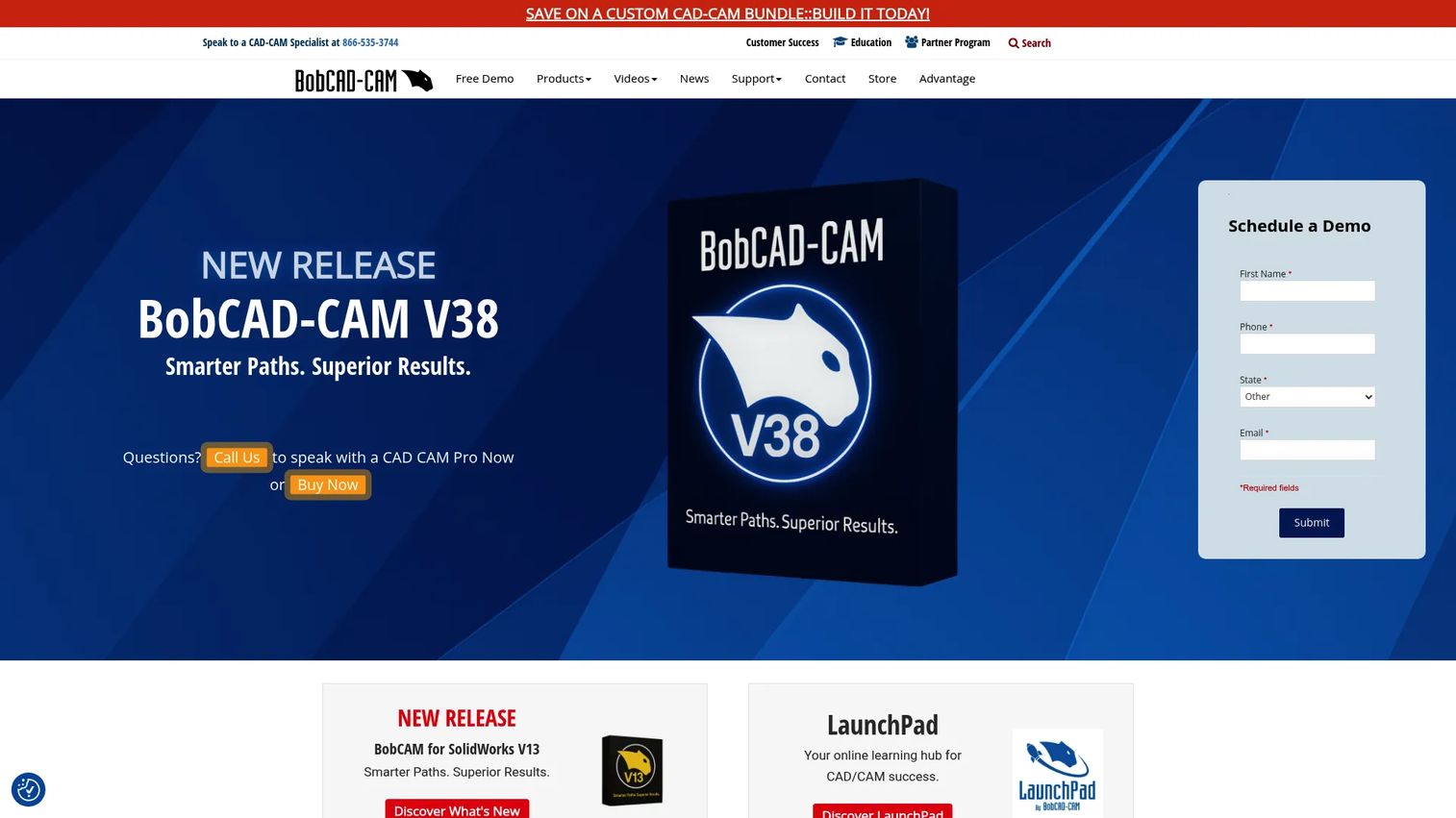
BobCAD-CAM is CAD/CAM software aimed at small and mid-size shops that need real CNC programming without enterprise pricing. It handles broad file translation across DXF, DWG, IGES, STEP, SAT, 3DM, Parasolid, SLDPRT, and STL, offers 2, 3, 4, and 5-axis toolpaths plus simulation, and bundles CAD tools, BobART, NC Editor Pro, and post-processor support. Its modular structure lets shops buy only the machining capability they use.
Best for: Small to mid-size shops needing CNC programming and CAM with broad machining support.
Key strengths
- Broad file translation: Imports DXF, DWG, IGES, STEP, SAT, 3DM, Parasolid, SLDPRT, and STL for interoperability with mixed CAD sources.
- 2 to 5-axis toolpaths with simulation: Full axis range plus material removal simulation to verify before cutting.
- Bundled CAD and post support: CAD tools, BobART, NC Editor Pro, and post-processors ship together.
Why choose BobCAD-CAM: The persona fit is a value-conscious shop that wants core CNC programming and modular upgrades without committing to an enterprise contract. You start with what you need and add modules as work grows. The G2 rating sits lower than the premium platforms, so trial it against a representative part to confirm the toolpaths and posts fit your machines.
BobCAD-CAM pricing: BobCAD-CAM publishes plans in its store: Essentials at $500, Advanced at $800, and Ultimate at $1,200, each billed for one year. Module-specific pricing is also listed, such as Mill 3 Axis tiers and Lathe, while Mill Turn Multiaxis is call-for-pricing. Support memberships are separate from software plans.
7. Vectric Aspire
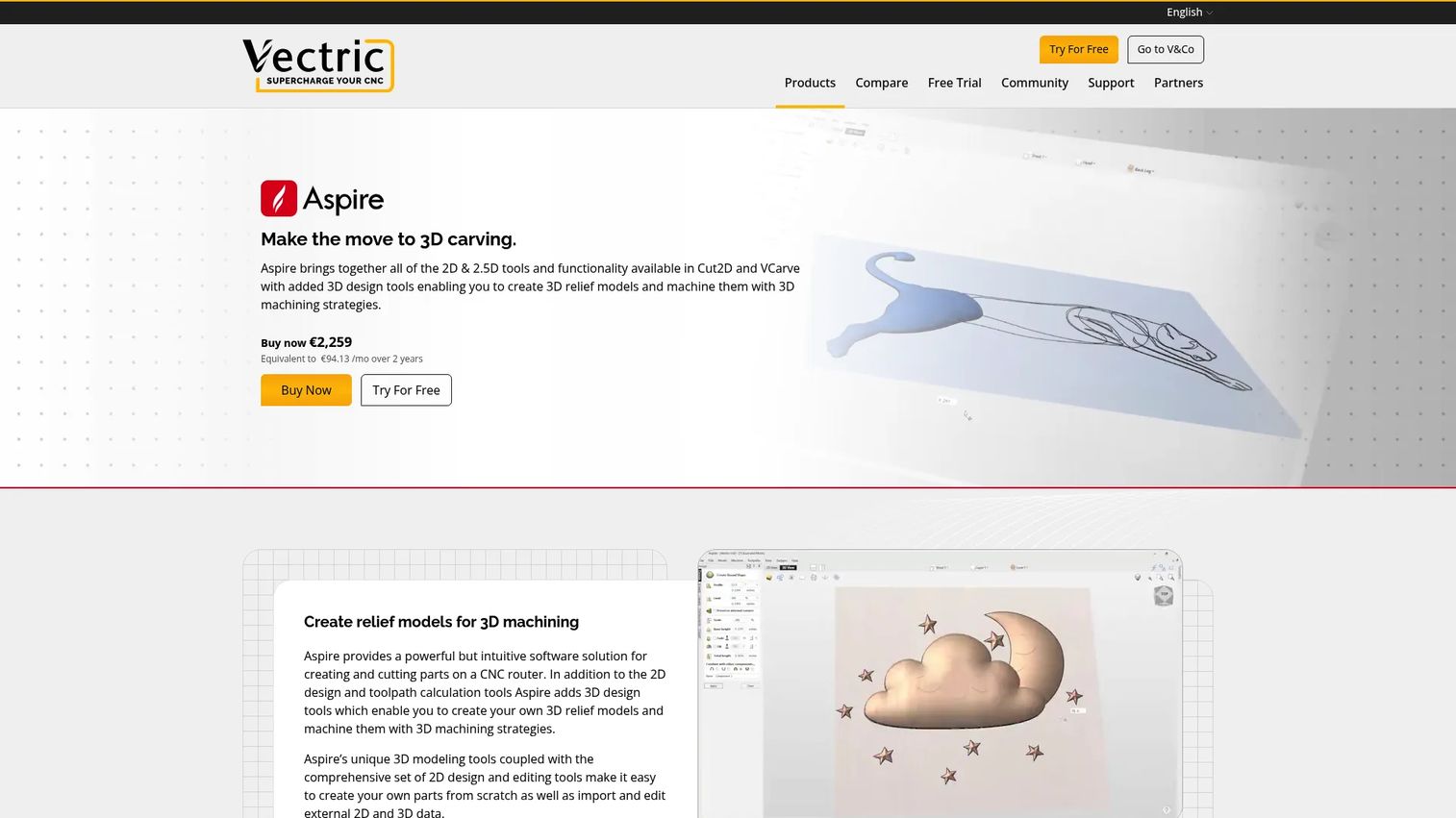
Vectric Aspire is CNC design and toolpath software built for creating and machining 2D and 3D relief projects. It combines 2D design and toolpath calculation with 3D tools for building relief models, plus 3D machining strategies and toolpath simulation. For woodworkers, sign makers, and makers running CNC routers, it turns artwork and carved forms into machine-ready toolpaths without demanding a full engineering CAD background.
Best for: Woodworkers and CNC users needing combined 2D drafting, 3D relief modeling, and toolpath creation.
Key strengths
- 2D design and toolpath calculation: Draft profiles, pockets, and engraving paths directly for router work.
- 3D relief modeling: Purpose-built tools for creating sculpted relief models from artwork.
- 3D machining strategies and simulation: Preview carved results with toolpath simulation before you run the job.
Why choose Vectric Aspire: Aspire is the specialist that beats generalists in its lane. Sign making, decorative carving, and engraving are exactly what it optimizes, with a workflow approachable enough for small fabrication shops and hobbyist-to-pro makers. If your work is router-centric and relief-heavy, its focused design-to-toolpath flow saves time a broad CAD/CAM suite cannot.
Vectric Aspire pricing: Vectric offers Aspire through Buy Now and upgrade options on its purchase page, though a public numeric price was not exposed on the pages reviewed. Vectric also sells a lower-tier product line for simpler router work, so confirm which product matches your relief and 3D needs before buying.
8. SprutCAM
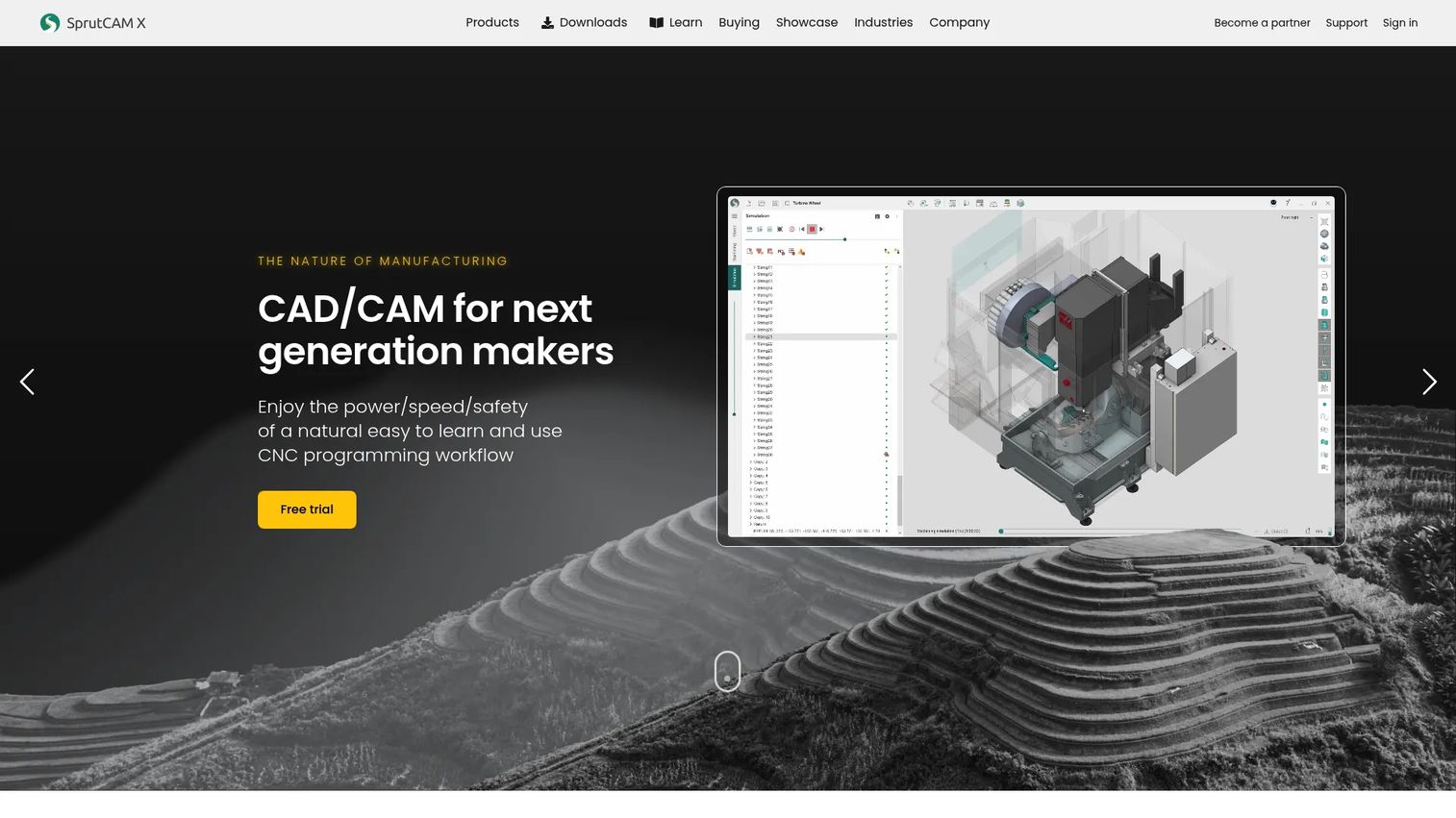
SprutCAM is CAD/CAM and offline programming software for CNC machines and industrial robots, built for shops running complex geometry and multi-axis work. It calculates machine-aware toolpaths with simulation, covers 2D to 5-axis strategies including mill-turn and multiaxis, and adds an AI Assistant and multi-part project support. The robot offline programming capability sets it apart for automated cells.
Best for: Manufacturers needing CAD/CAM plus robot offline programming.
Key strengths
- Machine-aware toolpaths and simulation: Toolpaths account for the actual machine kinematics, with collision-aware simulation before cutting.
- 2D to 5-axis strategies: Full range including mill-turn and simultaneous multiaxis for demanding parts.
- AI Assistant and multi-part projects: Assisted programming and multi-part handling for higher-volume setups.
Why choose SprutCAM: SprutCAM belongs on the shortlist for teams that need deep CAM plus robot programming from one system. The learning curve reflects that depth, so budget onboarding time, but the payoff is handling geometry and multi-axis jobs that lighter tools cannot. For shops moving into automation or 5-axis machining, the machine-aware simulation reduces expensive crashes.
SprutCAM pricing: SprutCAM lists Monthly, Annual, and Perpetual license options, but no public prices are shown; Annual and Perpetual buyers are directed to request a quote. Ask the vendor for a configuration that includes the multi-axis and robot modules your work requires.
Considerations before you buy
Workflow fit
Check that the tool matches your real machining process, not a demo scenario. A polished interface means nothing if the toolpaths or output do not fit how your shop actually cuts parts. Run a representative job through a trial before you commit budget.
Machine compatibility
Confirm that post-processors, machine support, and output formats cover your controllers. Compatibility is the biggest hidden cost in CAM: a tool with beautiful toolpaths is useless if it cannot post clean G-code your machine accepts. Ask vendors for a post tailored to your exact control.
Simulation and verification
Simulation prevents crashes and gives you confidence before metal moves. Verification depth should match your work: 3-axis profiling needs less than simultaneous 5-axis, where full machine kinematics and collision checking are non-negotiable. Do not skip material removal simulation on high-value stock.
Multi-axis requirements
Confirm 3-axis, 4-axis, or 5-axis support before buying, and check whether it is indexed or simultaneous. Advanced work often needs deeper CAM capability than the base tier includes, and multi-axis modules are frequently priced separately. Map your hardest current and near-future part to the software's capability.
Pricing and licensing
Confirm whether pricing is subscription, perpetual, modular, or add-on based, because total cost varies widely by model. Public pricing in this category is often incomplete, so get written quotes that itemize modules, posts, and maintenance. Factor in training and reseller implementation.
Learning curve and support
Weigh onboarding time, documentation, training, and community support. Some tools favor a quick start; others reward deep investment in production environments. A strong community and reseller network, like the discipline product teams apply when they analyze adoption before scaling a rollout, often matters as much as the feature list.
Conclusion
The best CAD/CAM software depends on machining complexity, workflow fit, and budget, not on brand prestige. Autodesk Fusion is the strongest all-in-one default and the friendliest entry point, with free personal use to learn on. Mastercam is the pick when CNC programming depth and a mature ecosystem drive your edge. SprutCAM and Rhino + RhinoCAM cover the demanding multi-axis and free-form cases, while BobCAD-CAM and Vectric Aspire serve budget-conscious shops and router-centric work.
The practical move: shortlist 2 to 3 tools that fit your machines and your part mix, then test each against one real part or job end to end, from model to posted G-code on the floor. The tool that produces a clean first article with the least rework wins, whatever its marketing claims. Just as GTM teams lean on a curated shortlist of best LinkedIn lead generation tools rather than trusting a single vendor pitch, run your own trial before you sign.
FAQs
CAD/CAM software combines computer-aided design with computer-aided manufacturing in one environment. You model a part's geometry (CAD) and generate the toolpaths and machine code that cut it (CAM) without exporting between separate tools. That integration keeps design intent intact from concept to CNC machine and cuts the rework caused by data translation.
CAD defines what the part is: its dimensions, features, surfaces, and tolerances. CAM defines how to make it: tool selection, operation order, feeds and speeds, and the toolpaths that clear material safely. Integrated CAD/CAM links the two so a model change updates the toolpath automatically, which reduces rework compared with using disconnected standalone tools.
CAM software takes CAD geometry, lets you assign stock and machining strategies, and calculates toolpaths for each operation. It then simulates material removal to catch gouges and collisions before cutting. Finally, a post-processor converts those toolpaths into G-code formatted for your specific CNC controller.
Prioritize CAD modeling and clean part import, toolpath generation across your operations, simulation and verification, and the multi-axis support your machines need. Confirm post-processing that outputs code your controller accepts, plus file compatibility with your existing CAD. For teams, version control and collaboration matter as much as raw machining strategies.
Autodesk Fusion is a common starting point because of its integrated workflow, strong tutorials, and free personal use for non-commercial learning. That said, the best beginner pick depends on your part complexity and machine type. Router and carving beginners often do better starting with a focused tool like Vectric Aspire.
For simultaneous 5-axis and mill-turn, look at CAM with machine-aware toolpaths and full collision simulation, such as SprutCAM or Mastercam's multi-axis modules. Advanced multi-axis support matters because indexed and simultaneous 5-axis carry real crash risk on expensive stock. Match the software's verified capability to your hardest planned part before you buy.
Free and personal-use tiers, like Autodesk Fusion's personal use or Mastercam's Learning Edition, are genuinely useful for learning and light non-commercial work. They usually stop scaling when you need production-grade posts, advanced multi-axis, priority support, or commercial licensing. Judge free options by output quality and support scope, not just the price tag.
BobCAD-CAM suits many small shops with modular plans starting at $500 for one year and 2 to 5-axis toolpaths. Autodesk Fusion is a strong value for teams that want integrated design and machining at $57/month. Weigh budget, learning curve, and core machining capability against real production needs rather than brand prestige.