How to track ad traffic trends over time in Ahrefs
Here is how to track ad traffic trends over time in ahrefs
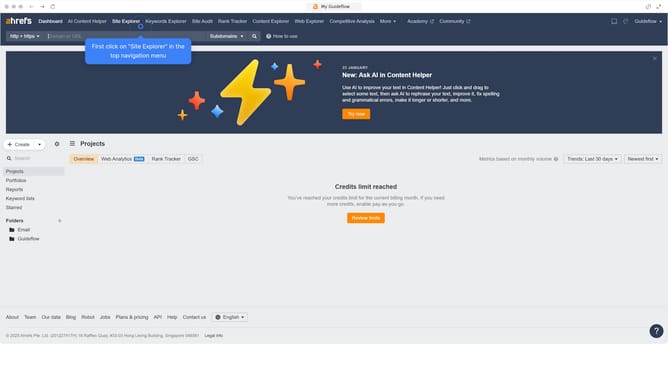
- First click on "Site Explorer" in the top navigation menu
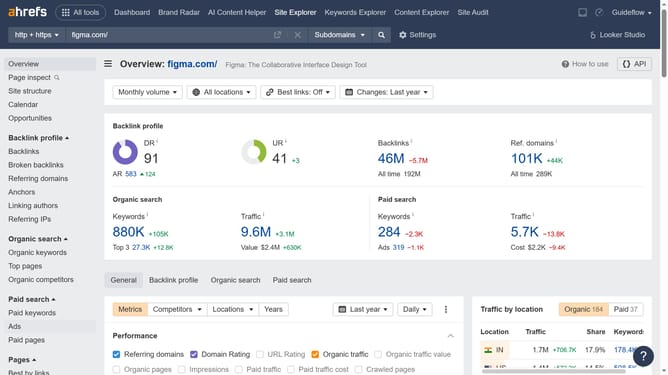
- In the search bar, click the domain input field to enter a URL
- Click the "Search" button to analyze the URL
- In the left sidebar menu, click on "Ads" under the "Paid search" section
- Click on the "Trends" dropdown filter
- Select the preferred date range from the trends dropdown menu
- The graph shows spikes that mean more ad traffic
Why should you track ad traffic trends over time in Ahrefs
Ahrefs is a comprehensive tool designed to optimize digital marketing by providing in-depth insights into website performance and competitor strategies.
Tracking ad traffic trends over time in Ahrefs offers a powerful way to understand the effectiveness of advertising campaigns, enabling you to see where and how your ad efforts drive traffic.
By leveraging this feature, you can identify patterns, adjust strategies promptly, and enhance the overall performance of your marketing activities, ensuring a data-driven approach to meeting business objectives.
Last update