How to check paid keywords by country in Ahrefs
Here is how to check paid keywords by country in ahrefs
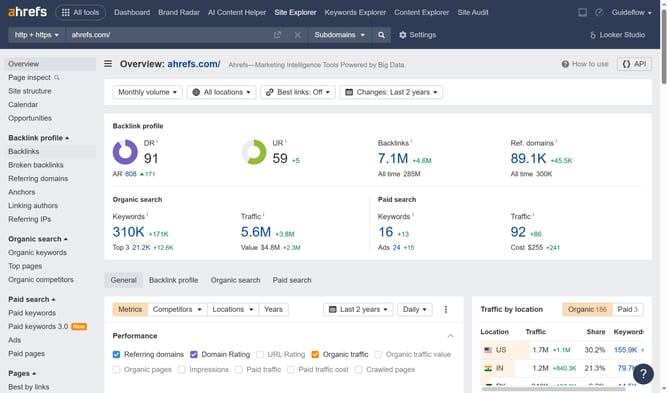
- First click on the "Site Explorer" link in the top navigation menu
- Then click on the domain input field to enter the website URL
- Then click the search button to analyze the URL
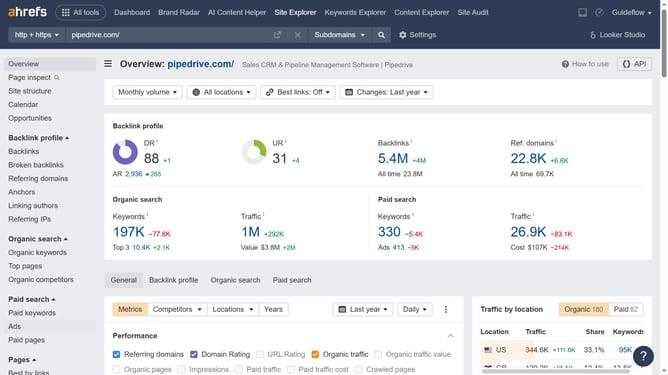
- After loading, click on "Paid keywords" in the left sidebar menu
- Then click on the country dropdown to change location
- Then choose the desired location from the dropdown list
- Finally click on "Show results" button to apply the location filter for United States
Why should you check paid keywords by country in Ahrefs
Ahrefs is a powerful tool designed to enhance your SEO and marketing strategies with insightful data and analytics.
Checking paid keywords by country in Ahrefs allows businesses to gain targeted insights into competitor strategies across different regions. This feature helps in understanding which keywords competitors are investing in, thereby identifying opportunities for your marketing campaigns.
By using this feature, you can tailor your strategy to align with regional trends, effectively maximizing your advertising budget and increasing ROI in specific markets.
Last update