How to compare referring domains by link type in Ahrefs
Here is how to compare referring domains by link type in ahrefs
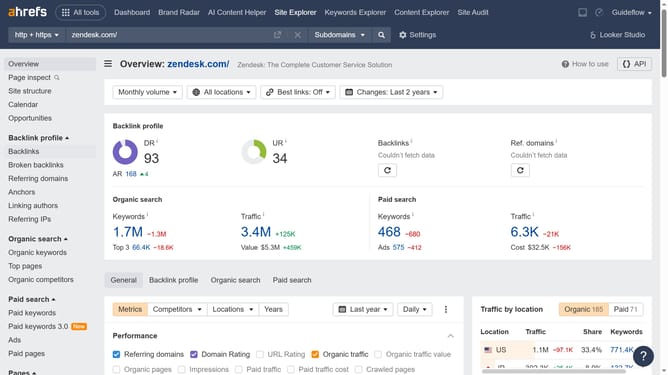
- First click on "Site Explorer" in the top navigation menu
- Enter the domain in the URL search field on the Site Explorer page
- Click the "Search" button to analyze the domain
- Then click on "Referring domains" in the left sidebar menu
- At the top of the table, use the filtering options to specify the link types you'd like to compare
- Finally click on the "Show results" button to apply the new filter
Why should you compare referring domains by link type in Ahrefs
Ahrefs is a powerful tool designed to enhance your SEO strategies by providing comprehensive backlink analytics.
One of its standout features is the ability to compare referring domains by link type. This functionality allows users to assess the quality and variety of links pointing to their site, offering valuable insight into their backlink profile's strength.
By distinguishing between different link types, you can identify areas for improvement and optimize your strategy, ensuring that your site has a well-rounded and diverse link portfolio for better search engine optimization.
Last update