How to identify toxic outbound links in Ahrefs
Here is how to identify toxic outbound links in ahrefs
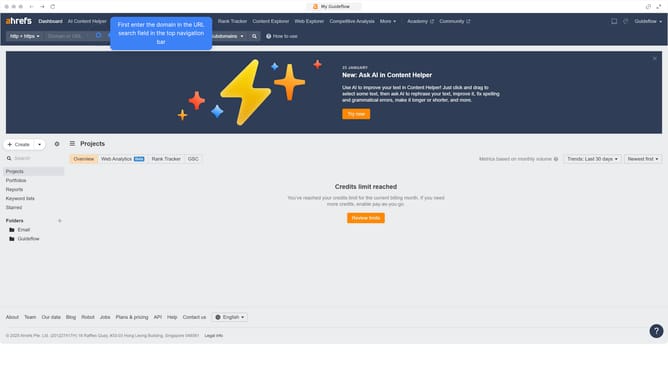
- First click on "Site Explorer" in the top navigation menu
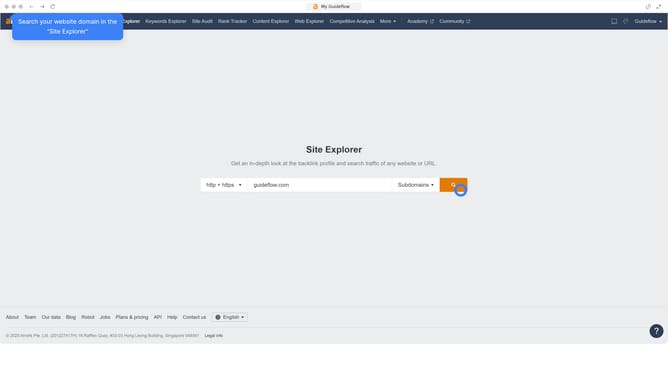
- In the search bar, click the domain input field to enter a URL
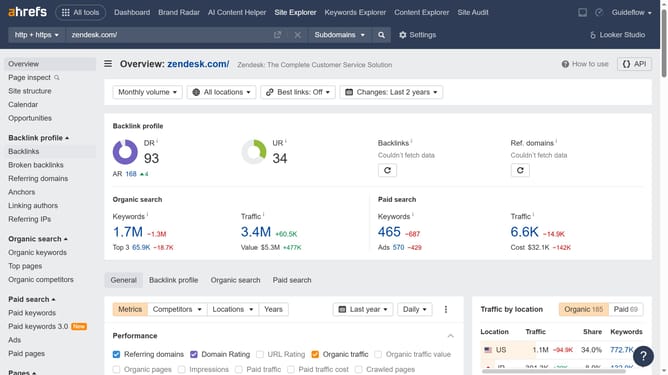
- Click the "Search" button to analyze the URL
- Then click on "Linked domains" in the left sidebar menu
- Next click on "Linked domains" in the left sidebar submenu
- Finally check the domains with low traffic or suspicious links to flag them as toxic links
Why should you identify toxic outbound links in Ahrefs
Ahrefs is a powerful SEO tool designed to elevate your website's performance by analyzing backlink profiles and keyword opportunities.
Identifying toxic outbound links through Ahrefs is crucial in maintaining your site's credibility and rankings. This feature helps detect potentially harmful links pointing from your site, ensuring that your link profile remains healthy.
Utilizing this function safeguards against SEO penalties, preserving your site's authority and trustworthiness. It contributes to a more strategic and optimized linking strategy, beneficial for organic growth.
Last update