How to track lost referring domains in Ahrefs
Here is how to track lost referring domains in ahrefs
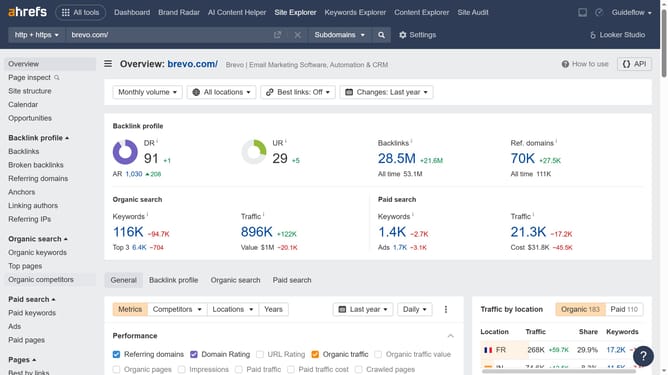
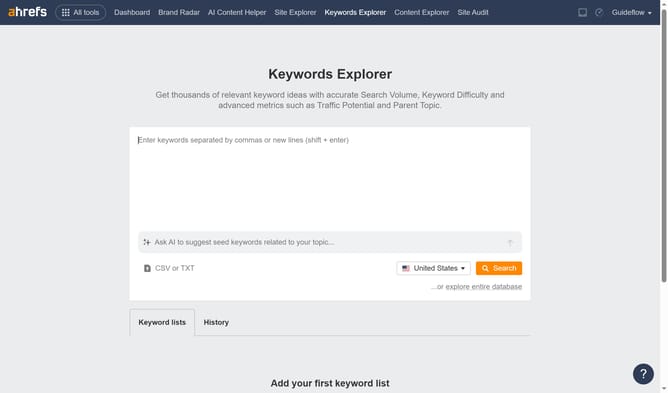
- First click on "Site Explorer" in the top navigation menu
- Then click on the URL input field in the center of the page to enter a domain
- Next click the "Search" button to analyze the domain
- Then click on "Referring domains" in the left sidebar menu
- Finally click on the "Lost" filter tab in the referring domains view
Why should you track lost referring domains in Ahrefs
Ahrefs is a comprehensive SEO tool tailored to enhance your online visibility by analyzing your website's performance.
The ability to track lost referring domains in Ahrefs allows you to monitor domains that once linked to your site but no longer do.
Identifying these lost links helps uncover potential issues with content or relationships, enabling you to promptly address them.
This feature is essential for maintaining robust link profiles, ensuring persistent traffic, and keeping your SEO strategy effective.
Last update