How to add organic/paid traffic overlays in Ahrefs
Here is how to add organic/paid traffic overlays in ahrefs
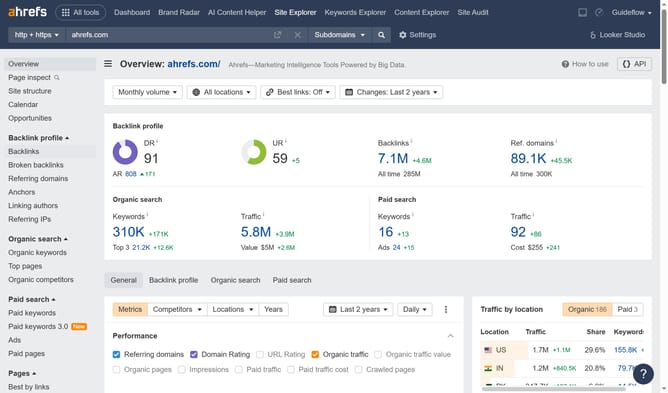
- First click on the "Site Explorer" button in the top navigation menu
- In the search bar, click the domain input field to enter a URL
- Click the "Search" button to analyze the URL
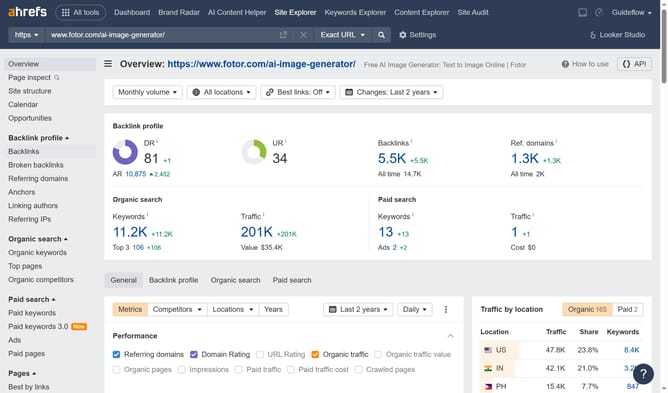
- Then click on the "Paid keywords" option in the expanded menu
- Then click on the "Paid keywords" option in the expanded menu
- Finally select the "Paid traffic" and "Organic traffic" checkbox in the columns dropdown menu
Why should you add organic/paid traffic overlays in Ahrefs
Ahrefs is a powerhouse SEO tool designed to enhance your online visibility through comprehensive data insights.
Adding organic/paid traffic overlays in Ahrefs enables a seamless view of both natural and paid search performances.
Utilizing this feature allows marketers to seamlessly compare how specific pages perform across organic and paid channels. These overlays offer a vivid snapshot of your efforts, helping refine strategies to optimize traffic and investment returns.
This integration paves the way for smarter keyword targeting and improved campaign management, elevating overall marketing effectiveness.
Last update