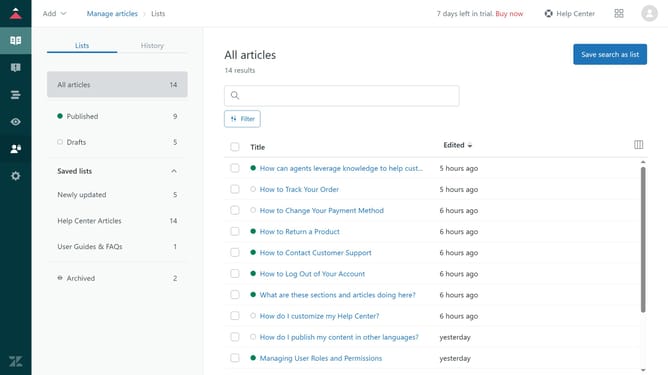
How to publish an article in Zendesk Guide Admin
Here is how to publish an article in zendesk guide admin
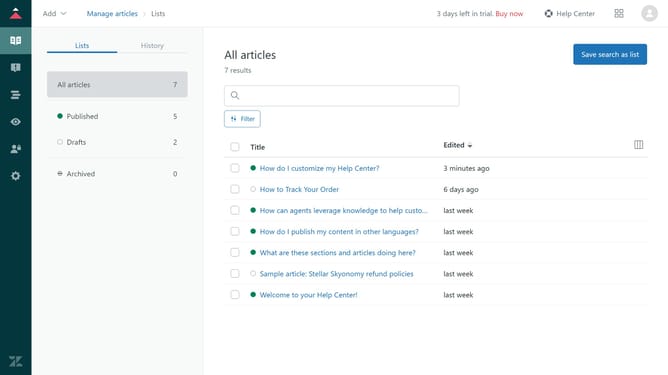
- First in Guide admin, click on the "Manage articles" icon in the left sidebar
- Then click on the draft article you want to publish from the list of articles
- Review the content and make any necessary changes
- Next click on the "Save" dropdown menu in the bottom-right corner
- Finally select "Publish" from the dropdown menu
Why should you publish an article in Zendesk Guide Admin
Zendesk is a powerful platform designed to enhance customer service experiences through seamless communication tools.
Publishing an article in Zendesk Guide Admin is an intuitive feature that allows you to efficiently organize and share essential information with your audience.
This feature streamlines the creation and dissemination of knowledge, empowering users to make informed decisions while increasing customer satisfaction.
By utilizing this functionality, businesses can maintain up-to-date resource libraries that are easy for both customers and internal teams to access and reference.
Last update