How to delete articles in bulk in Zendesk Guide
Here is how to delete articles in bulk in zendesk guide
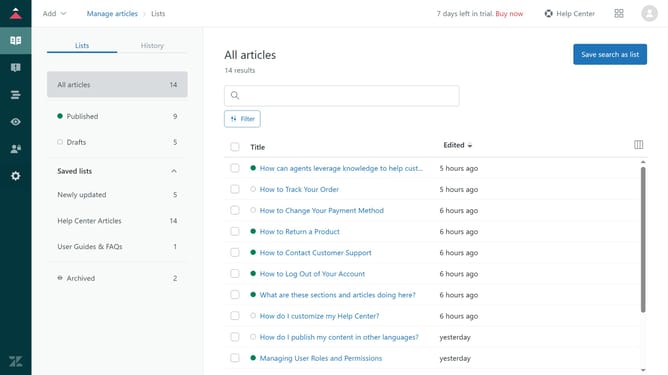
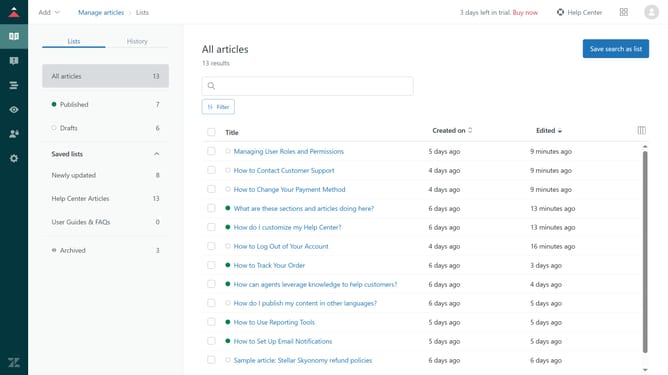
- First in Guide admin, click on the "Manage articles" icon in the left sidebar
- Then select the checkbox next to the articles you want to delete
- Next click on "Article settings" dropdown in the bottom toolbar
- Select the "Delete" option from the Article settings dropdown menu
- Finally click the "Delete" button in the confirmation dialog box
- The selected articles have now been successfully deleted
Why should you delete articles in bulk in Zendesk Guide
Zendesk is a comprehensive customer support platform designed to enhance communication and service efficiency.
One standout feature in Zendesk Guide is the ability to delete articles in bulk, streamlining content management.
This functionality is particularly beneficial for saving time and ensuring up-to-date, relevant information is shared with users, fostering a richer knowledge base.
By leveraging this feature, businesses can maintain an organized resource center, ultimately improving customer experience and engagement.
Last update