How to publish articles in bulk in Zendesk Guide
Here is how to publish articles in bulk in zendesk guide
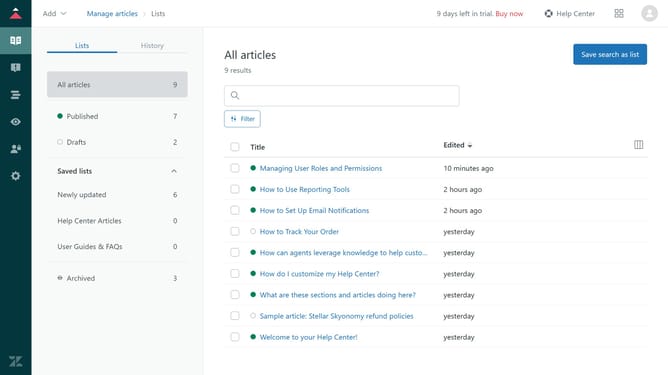
- First in Guide admin, click on the "Manage articles" icon in the left sidebar
- Then click on "Drafts" in the left sidebar menu
- Select the checkboxes next to the articles you want to publish
- Next click on the "Publication" dropdown button at the bottom of the page
- Select "Publish" option from the dropdown menu
- Finally, click the "publish" button in the confirmation dialog to confirm the action
- The selected articles will now be published and visible in your Help Center
Why should you publish articles in bulk in Zendesk Guide
Zendesk is a powerful tool designed to enhance customer service experiences through seamless support and collaboration.
One of its standout features is the ability to publish articles in bulk in Zendesk Guide. This feature streamlines the workflow for content managers by allowing multiple articles to be published simultaneously.
The efficiency gained from this capability saves valuable time, ensuring that your help center is always up-to-date. Additionally, it enhances consistency and reduces manual errors, improving the overall quality of your knowledge base.
Last update