How to set view permissions for articles in bulk in Zendesk Guide
Here is how to set view permissions for articles in bulk in zendesk guide
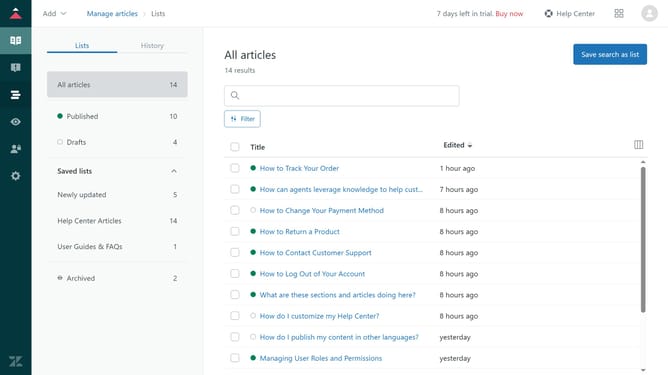
- First in Guide admin, click on the "Manage articles" icon in the left sidebar
- Then click the checkboxes next to the articles you want to set view permissions for
- Next click on "Article settings" dropdown in the bottom toolbar
- Select "Change permissions" from the dropdown menu
- In the permissions dialog, click on the "Permission type" dropdown
- Select "Visible to" option from the permissions type dropdown
- Then click on the visibility dropdown menu
- Select who can access to the selected articles from the list
- Finally, click the "Change permissions" button to confirm
Why should you set view permissions for articles in bulk in Zendesk Guide
Zendesk is a comprehensive customer service platform designed to enhance community and engagement experiences.
One useful feature in Zendesk Guide is the ability to set view permissions for articles in bulk.
This automation simplifies content management by allowing administrators to quickly manage who can access specific articles.
Implementing bulk view permissions enhances productivity, maintains consistency, and ensures that only the right users have access to the right information, enhancing both security and efficacy.
Last update