How to find paid keywords with high traffic in Ahrefs
Here is how to find paid keywords with high traffic in ahrefs
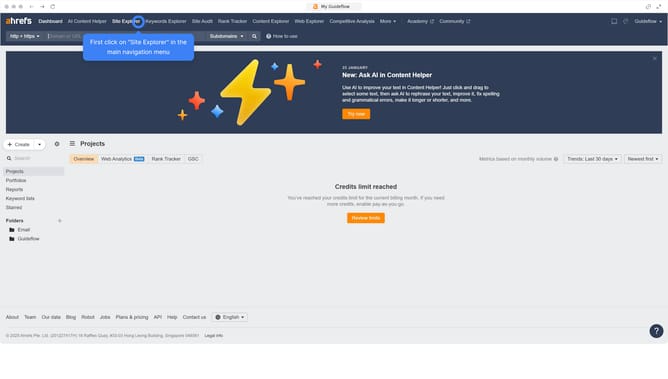
- First click on "Site Explorer" in the top navigation menu
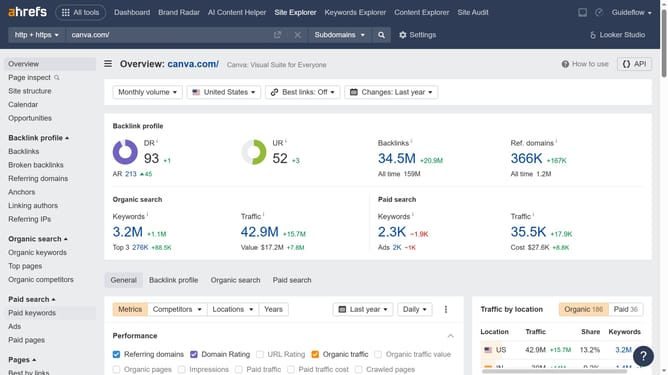
- In the search bar, click the domain input field to enter a URL
- Click the "Search" button to analyze the URL
- Next click on "Paid keywords" in the left sidebar menu
- Finally click on the "Organic traffic" column header to sort the keywords starting from the highest
Why should you find paid keywords with high traffic in Ahrefs
Ahrefs is a powerful tool designed to enhance your SEO and marketing strategies by providing comprehensive insights into search performance.
When aiming to identify paid keywords with high traffic, Ahrefs offers optimal features to discover these valuable assets effectively. Through a detailed breakdown of keyword analysis, marketers can leverage data to elevate their advertising campaigns.
By focusing on high-traffic paid keywords, businesses can strategically allocate their budgets, gaining greater visibility and ensuring a higher return on investment.
Last update