How to check paid pages by country in Ahrefs
Here is how to check paid pages by country in ahrefs
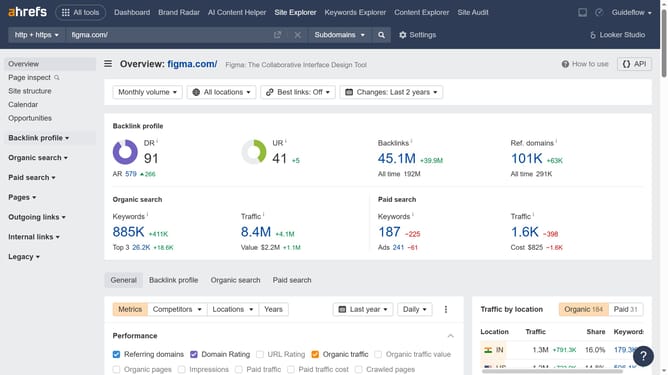
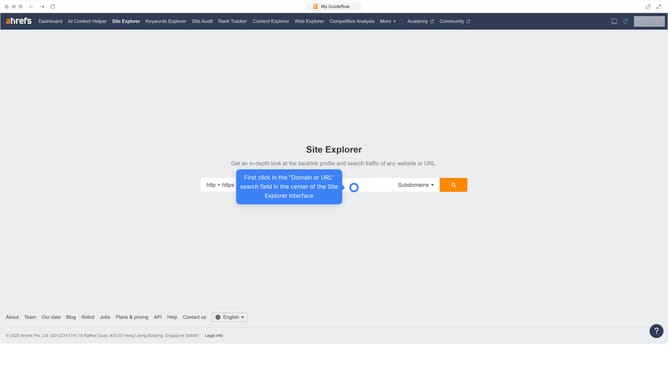
- First click on the "Site Explorer" link in the top navigation menu
- In the search bar, click the domain input field to enter a URL
- Click the "Search" button to analyze the URL
- In the left sidebar menu, click on the "Paid pages" link under the Paid search section
- Click on the "All locations" dropdown filter in the main content area
- Click your preferred country in the locations dropdown menu
- Finally click the "Show results" button to apply the country filter
Why should you check paid pages by country in Ahrefs
Ahrefs is a comprehensive SEO tool designed to enhance your website's search visibility and performance.
The feature that allows you to check paid pages by country is a must-have for marketers seeking targeted insights. Understanding how your competitors allocate their paid search efforts across different countries provides a competitive edge.
By utilizing this feature, you can fine-tune your global marketing strategies, ensuring that your advertising budget is spent wisely and opportunities for growth are fully leveraged.
Last update