How to create a report in Salesforce
Here is how to create a report in salesforce
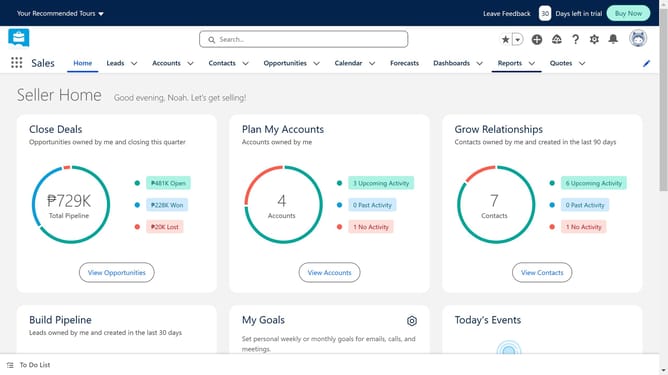
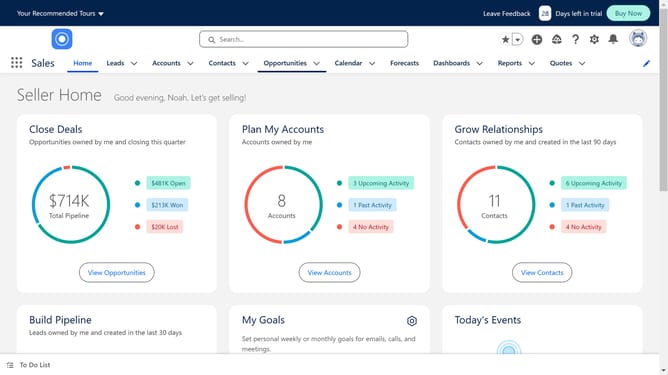
- First click on the "Reports" dropdown in the top navigation menu
- Then click on the "New Report" button in the reports page header
- In the Create Report dialog, click on the "All" category in the left sidebar
- Select the report type you want to create
- Click the "Start Report" button in the report details panel
- In the report builder, click on the "Filters" button in the left sidebar
- Update the Filters to suit your requirements
- Click the "Run" button in the top right corner of the report
- Click on the "Edit" dropdown menu in the top right corner
- Click on the "Export" option in the dropdown menu
- Finally click on the "Export" option again to download your report
Why should you create a report in Salesforce
Salesforce is a powerful customer relationship management platform designed to streamline business processes and enhance customer interactions.
Creating a report in Salesforce is a feature that enables users to transform raw data into valuable, actionable insights.
This functionality helps organizations identify trends, measure performance, and make informed decisions, thus optimizing operational efficiency.
By visualizing data through easy-to-understand formats, users can better strategize and drive business growth with confidence.
Last update