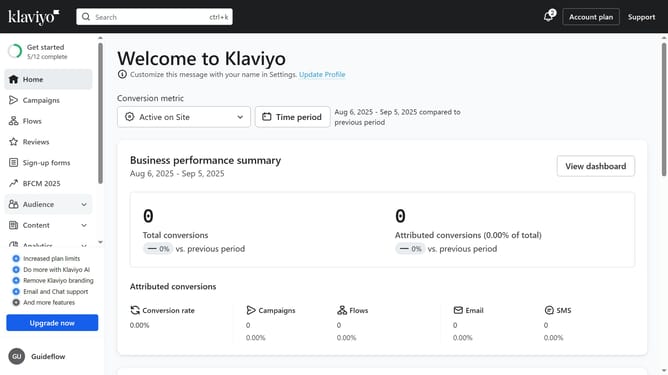
How to create a new sign-up form in Klaviyo
Here is how to create a new sign-up form in klaviyo
- First click on "Sign-up forms" in the left sidebar menu
- Next click on the "Create form" button in the top right corner
- Browse the library of pre-built form templates
- Then select the template you want to use
- On the preview modal that appears, enter a name for your form
- Next choose the list that your form will submit to
- Click the "Create form" button at the bottom of the modal to enter the form editor
- Your form has been successfully created. Finally you can customize its design and content
- Once your form is ready, click the "Publish" button to make it live if desired
Why should you create a new sign-up form in Klaviyo
Klaviyo is a powerful marketing platform designed to help businesses grow through personalized customer engagement.
Creating a new sign-up form in Klaviyo is a breeze, offering a seamless way to capture customer information. This feature allows businesses to effortlessly gather data to better understand their audience.
Utilizing sign-up forms enhances customer segmentation and boosts engagement by ensuring targeted communication. Plus, it's a direct and effective way to build a robust email list for future marketing campaigns.
Last update