How to compare Domain Rating (DR) trends with competitors using Ahrefs
Here is how to compare domain rating (dr) trends with competitors using ahrefs
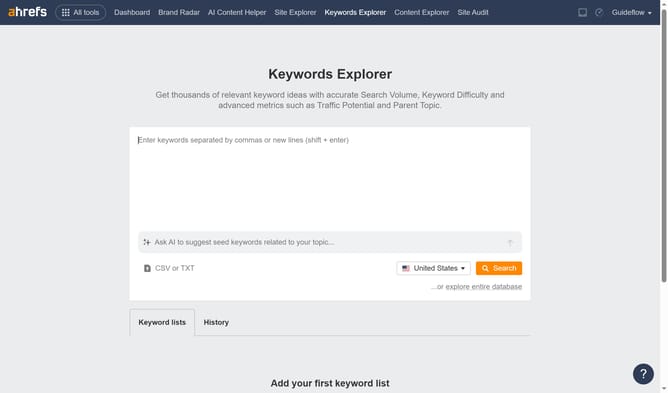
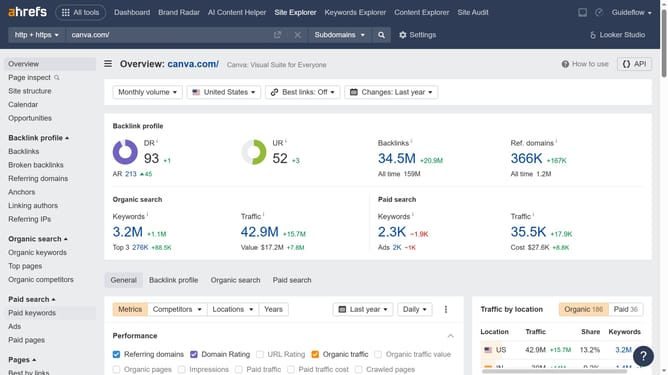
- First click on "Site Explorer" in the top navigation menu
- Then enter your website domain or URL input field in the search bar
- Click the "Search" button to analyze the domain
- In the Overview report, click on "General" tab
- Next click on "Competitors" button in the metrics toolbar
- Add your competitors by clicking the "Add Competitors" button and entering their URLs
- Click "Apply" button to add the competitors
- Next click on "Organic traffic" dropdown in the performance metrics
- Finally, select "Domain Rating" from the metrics dropdown menu
- You can now analyze the graph or table to observe how your Domain Rating (DR) trends compare with the competitors
Why should you compare Domain Rating (DR) trends with competitors using Ahrefs
Ahrefs is a powerful tool designed to empower your SEO strategy by analyzing your website's performance and visibility.
By comparing Domain Rating (DR) trends with competitors on Ahrefs, businesses can gain insights into their own strength and areas for growth. Monitoring these trends helps identify which strategies are effectively boosting your site's authority.
Utilizing Ahrefs for DR comparison allows companies to stay competitive by understanding how their domain's credibility stacks up against industry leaders. This context can supercharge your SEO efforts and strategic planning.
Last update