How to add yourself to the meeting gallery in Microsoft Teams
Here is how to add yourself to the meeting gallery in microsoft teams
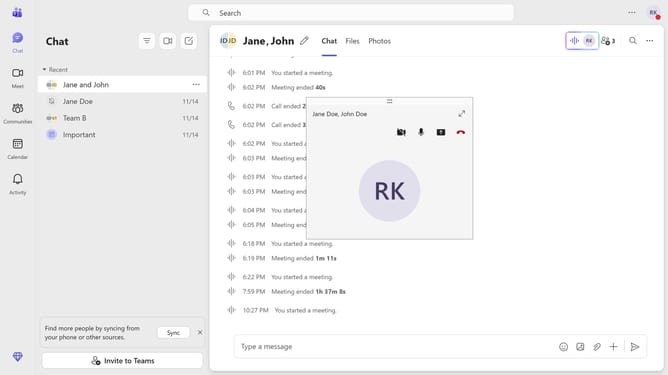
- First, click the Maximize button on the meeting call you are currently in
- Then click on the "People" button in the top meeting controls toolbar to open the participants panel
- Next click on the "More options" button (three dots) next to your name
- Finally click on the "Include me in gallery" option from the dropdown menu that appears
Why should you add yourself to the meeting gallery in Microsoft Teams
Microsoft Teams is a powerful collaboration platform designed to streamline communication and teamwork in professional settings.
Adding yourself to the meeting gallery in Microsoft Teams enhances your presence in a virtual meeting, providing a more comprehensive and interactive experience. This feature allows participants to fully engage by ensuring everyone is visible on screen, fostering a sense of inclusion and connection.
Embracing this capability can lead to more effective communication and collaboration, as seeing all participants helps in interpreting non-verbal cues, making meetings feel more personal and engaging.
Last update