How to add vision flow power-up in Trello
Here is how to add vision flow power-up in trello
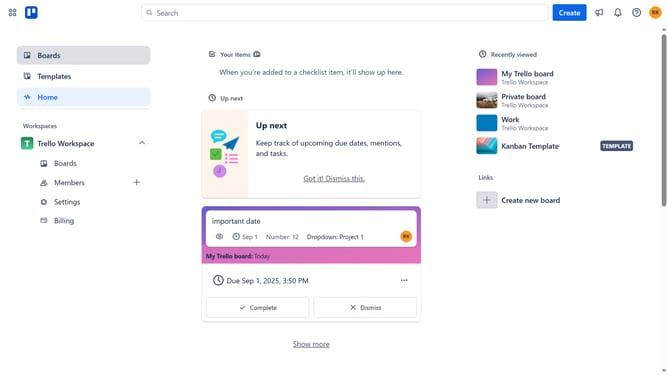
- First click on the "Boards" option in the left sidebar menu
- Then click on the "My Trello board" card in the workspace section
- Next click on the three dots menu button in the top-right corner
- Then click on the "Power-Ups" option in the dropdown menu
- Next click on "Board utilities" category in the left sidebar
- Then scroll down in the board utilities list
- Next click on the "Add" button for Vision Flow power-up
- Finally click on the "Add" button in the confirmation dialog to install the Vision Flow power-up
Why should you add vision flow power-up in Trello
Trello is a versatile tool designed to help users organize tasks and streamline projects with ease.
Adding the Vision Flow Power-Up to Trello enhances its functionality by offering a more visual approach to managing workflows. This feature is ideal for teams seeking intuitive ways to track progress and identify bottlenecks quickly.
By integrating Vision Flow, you gain clearer insights, which in turn boosts efficiency and improves collaboration among team members. Embrace this Power-Up to elevate your project management experience.
Last update