How to add filters for keyword research in Ahrefs
Here is how to add filters for keyword research in ahrefs
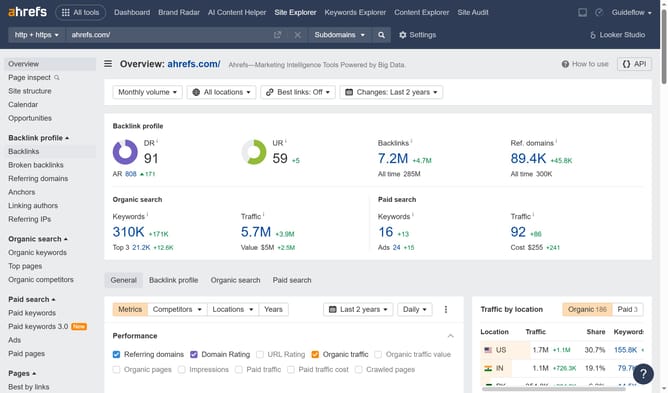
- Click on "Site Explorer" in the top navigation menu
- Click in the "Domain or URL" search field in the center of the page
- Type the domain in the "Domain or URL" search field
- Click the search button to analyze the domain
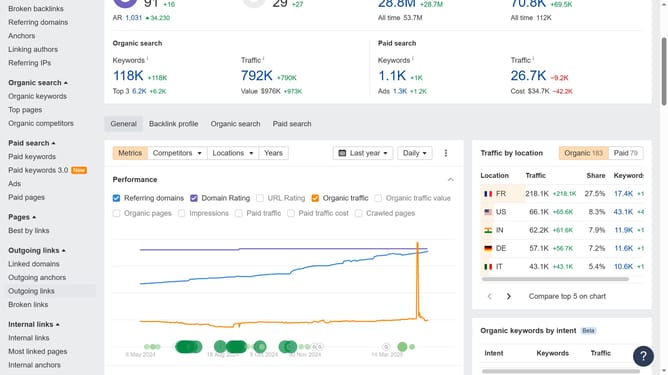
- Click on "Organic keywords" in the left sidebar menu
- Click on "Add filter" button in the filter options bar
- Click on the desired option from the dropdown menu
- Set the "From" and "To" values for your filter to define the desired range
- Click the "Apply" button to apply the word count filter
- Finally click the "Show results" button to apply the word count filter
Why should you add filters for keyword research in Ahrefs
Ahrefs is a comprehensive SEO tool designed to enhance your search engine visibility and traffic.
Adding filters for keyword research in Ahrefs is a strategic feature that allows users to refine results efficiently. By tailoring your search parameters, you can pinpoint specific keywords that cater to your niche, ensuring more targeted and relevant content creation.
This not only streamlines your research process but also uncovers high-potential keywords faster, empowering your marketing strategy and optimizing your SEO efforts for better search engine rankings.
Last update