Your team knowledge lives in six places at once. Slack threads. A Google Doc nobody can find. A Notion page one person owns. Three outdated PDFs. The head of a departed engineer. When someone asks "how does this actually work?" the answer takes twenty minutes to reconstruct, and it's wrong half the time.
That's the problem wiki software solves. A wiki platform gives your team one searchable, permissioned, version-tracked place to write things down and keep them current. The global wiki software market was valued at $1.12 billion in 2024 and is forecast to reach $3.45 billion by 2033 at a 13.2% CAGR, according to MarketIntelo (2024). Companies are consolidating scattered docs into structured knowledge bases because the alternative keeps costing them.
The hard part isn't deciding you need a wiki. It's picking one that stays usable as your content and headcount grow. Some tools are database-backed and modern. Others are flat-file and dead simple to back up. A few are built for a single person's notes. This guide breaks down seven options through the lenses a PM actually cares about: maintainability, permissions, search, deployment model, and whether it survives three years of edits.
What's inside
This guide is for PMs, ops leaders, founders, and knowledge-management owners choosing a wiki platform for internal documentation, team collaboration, or a personal knowledge base.
We picked tools based on four criteria:
- Deployment flexibility: hosted, self-hosted, or both
- Permissions and access control: who can read and edit what
- Search and version history: finding content and tracking changes
- Maintenance burden: how much upkeep it demands as content grows
Every tool here is open source, so you can run it without a license fee. We note where paid hosting or support exists.
TL;DR
- Best overall for teams: Wiki.js pairs a modern UI, markdown and WYSIWYG editing, and strong authentication for self-hosted docs.
- Best for simple self-hosting: DokuWiki needs no database, so backups are a folder copy and maintenance stays low.
- Best for enterprise: XWiki offers hosted and self-hosted options, structured data, and granular rights management.
- Best for a personal wiki: TiddlyWiki runs as a single portable HTML file that works offline.
- Best all-in-one platform: Tiki Wiki CMS Groupware bundles wiki pages with CMS and groupware features out of the box.
What is wiki software?
Wiki software is collaborative software for creating, editing, linking, and revising interconnected web pages, with built-in version history so every change is tracked and reversible. A wiki engine stores pages, renders markup or rich text, and lets multiple people contribute to a shared knowledge base without stepping on each other.
The term covers everything from a lightweight personal wiki to a company wiki software deployment serving thousands of employees. Most modern options are open source wiki software you can self-host, which matters when control, compliance, or data ownership are non-negotiable.
Core features to expect from a wiki platform:
- Collaborative documentation: multiple authors edit and link pages in a shared space
- Version history: every revision is stored, compared, and reversible
- Full-text search: find content across all pages fast
- Access control: permissions govern who reads and edits each page or namespace
- Markup or WYSIWYG editing: markdown, wiki syntax, or a visual editor
- Extensibility: plugins and extensions add features without a rebuild
- Deployment choice: self-hosted, on-premises, or managed hosting
The line between wiki software and knowledge base software is thin. Wikis favor open, collaborative editing where anyone with rights can change a page. Knowledge base software tends to favor structured, publishable help content with tighter editorial control. Many teams use a wiki as their internal knowledge base and reserve a separate tool for customer-facing docs.
Cloud-based deployments now account for over 64% of wiki software market revenue, per MarketIntelo (2024), and large enterprises drive roughly 57% of that revenue. But the self-hosted and open source side of the category remains strong, especially for teams that want to own their infrastructure outright.
When to use wiki software
Centralize scattered team documentation
When process knowledge lives across Slack, email, and personal drives, a wiki gives it one home. Version history means you see who changed what and roll back mistakes. Search means new hires find answers without pinging a senior teammate. This is the most common trigger for adopting company wiki software.
Run a self-hosted, compliant knowledge base
Some teams cannot put internal documentation on a third-party cloud. A self-hosted wiki keeps everything on infrastructure you control, which matters for regulated data, security review, or strict data-residency rules. Open source options let you audit the code and run it on-premises.
Maintain a personal or portable knowledge base
Not every wiki is for a team. A personal wiki suits individual note-taking, research, and reference material you want to own and carry anywhere. Portability and offline use matter more here than permissions or multi-user collaboration.
Wiki software comparison
Here's how the seven tools compare on deployment model, best-fit use case, pricing, and rating. Every option is open source, so the pricing column reflects the free software plus any paid hosting or support the vendor lists publicly.
| # | Product | Best for | Key use case | Pricing | G2 rating |
|---|---|---|---|---|---|
| 1 | Wiki.js | Modern self-hosted team wiki | Internal documentation with markdown and WYSIWYG | Free (open source) | 4.3/5 |
| 2 | DokuWiki | Simple database-free wiki | Lightweight internal knowledge base | Free (open source) | 3.9/5 |
| 3 | XWiki | Enterprise wiki | Structured knowledge management, hosted or self-hosted | Free Community; paid plans from €1.74/user/mo | 4.4/5 |
| 4 | MoinMoin | Developer-friendly wiki engine | Extensible self-hosted documentation | Free (open source) | Not listed |
| 5 | Tiki Wiki CMS Groupware | All-in-one wiki and groupware | Wiki plus CMS and collaboration | Free (open source) | 4.0/5 |
| 6 | PmWiki | Lightweight self-hosted docs | Simple flat-file documentation sites | Free (open source) | Not listed |
| 7 | TiddlyWiki | Personal knowledge base | Portable single-file notes, offline | Free (open source) | Not listed |
Best 7 wiki software tools for 2026
1. Wiki.js
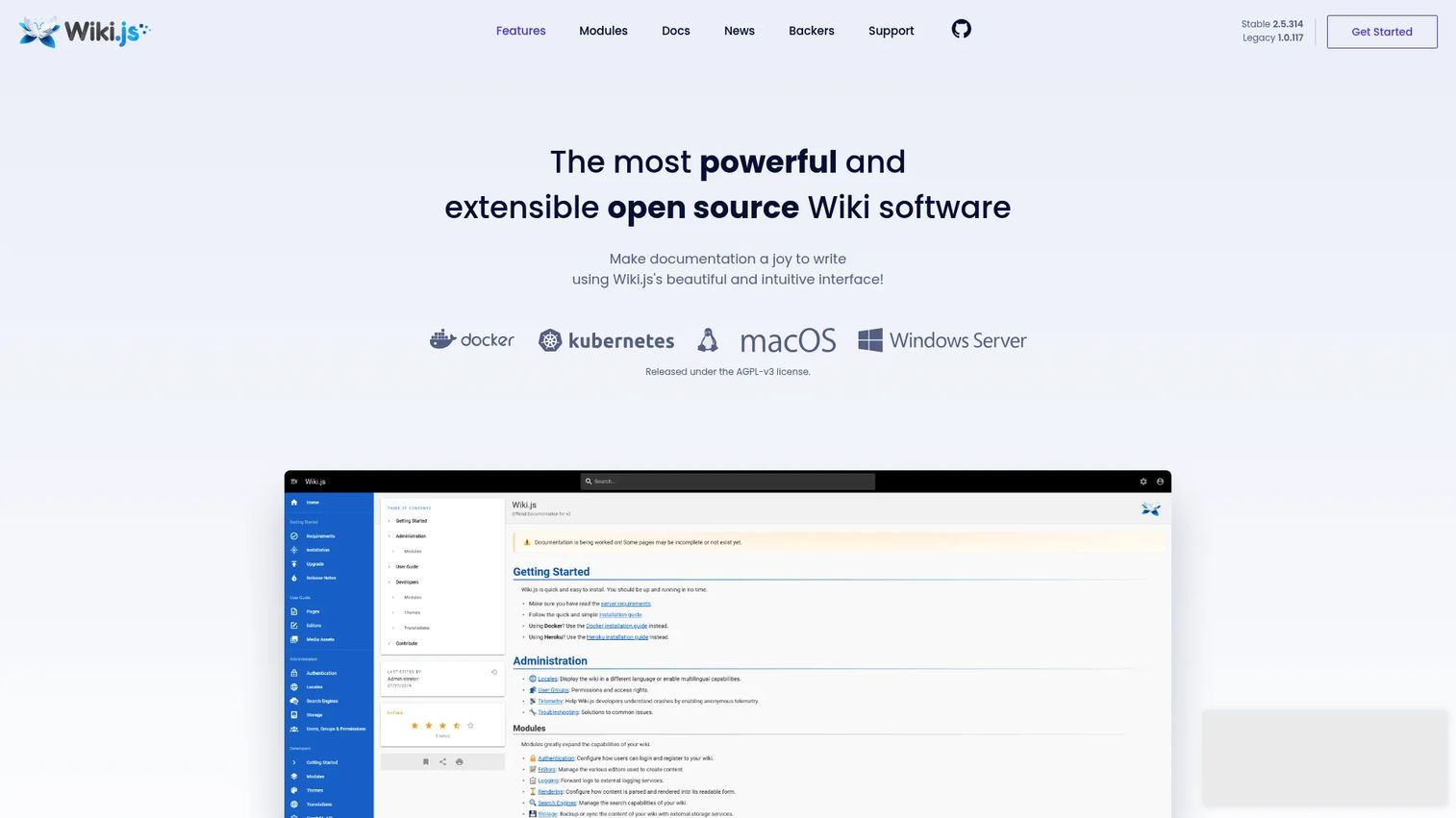
Wiki.js is open source, install-anywhere wiki software built for teams that want a modern interface without giving up self-hosted control. It runs on multiple databases, supports both a markdown wiki workflow and a WYSIWYG editor, and ships with authentication, full-text search, and version tracking out of the box. It's a common pick when a team wants their internal documentation to look and feel current rather than dated.
Best for: Teams that want a self-hosted, open source wiki with a modern UI for internal documentation.
Key strengths
- Markdown and visual editing side by side
- Version tracking with page comparison
- Authentication modules including LDAP, SAML, social login
- Runs on multiple database backends
- Localization and full-text search built in
Why choose Wiki.js: If your team wants the look and flexibility of a modern wiki platform but still needs to host it yourself, Wiki.js hits that combination. The authentication options make it a practical fit for larger internal deployments where SSO matters.
Wiki.js pricing: Wiki.js is open source and completely free. There are no paid tiers listed on the official site.
2. DokuWiki
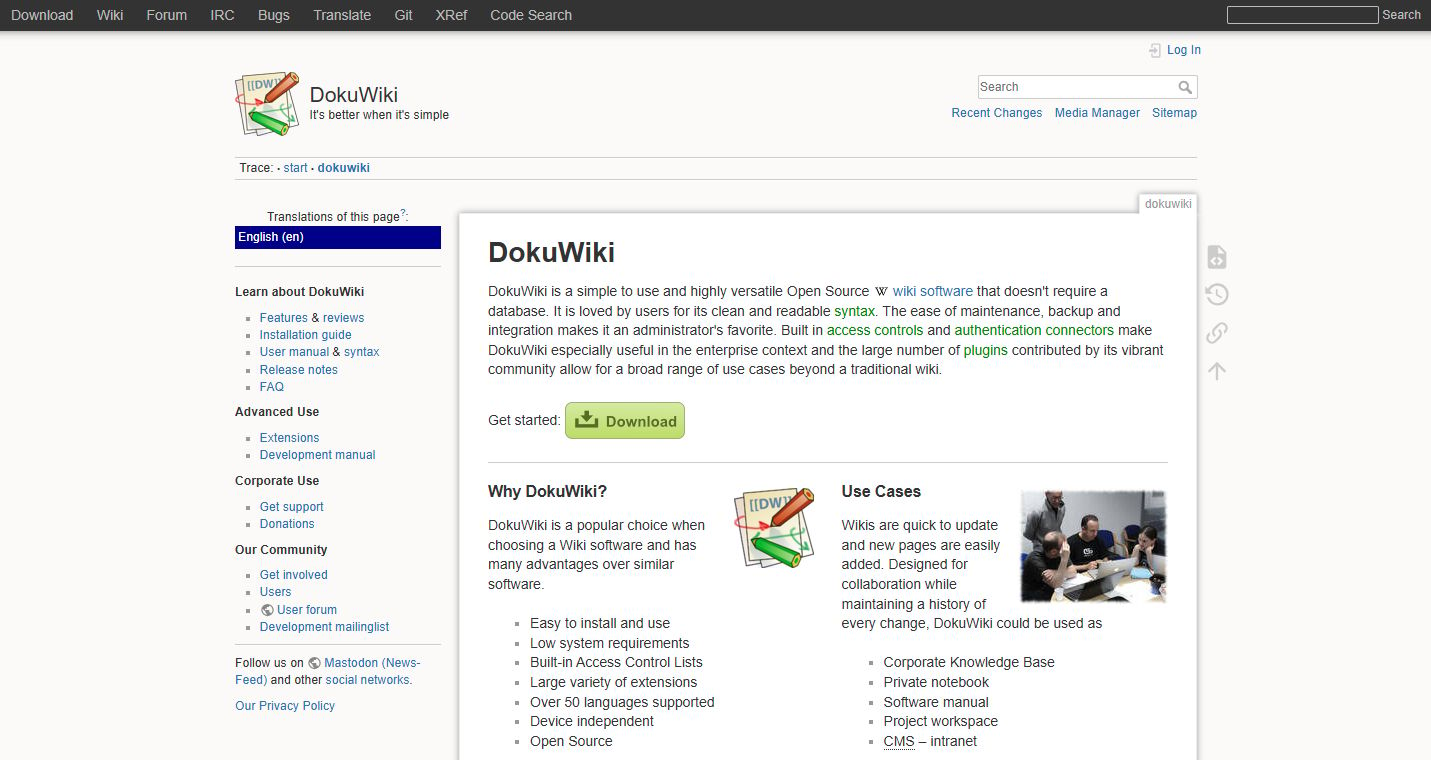
DokuWiki is simple, database-free wiki software that stores everything in plain text files. That flat-file storage is its defining trait: backups are a folder copy, migrations are painless, and there's no database to maintain or corrupt. It ships with built-in access control lists and a large plugin library, which makes it a durable choice for lightweight internal knowledge bases.
Best for: Teams needing a simple, self-hosted wiki for documentation or knowledge sharing without database overhead.
Key strengths
- No database required, plain-text flat-file storage
- Built-in access control lists for permissions
- Large library of plugins and extensions
- Easy to install and easy to back up
- Readable syntax that non-technical users pick up fast
Why choose DokuWiki: The backup and maintenance story is the selling point. If you want a wiki you can restore by copying a directory, and you'd rather not run a database server, DokuWiki is hard to beat. Its access control lists cover most internal permission needs.
DokuWiki pricing: DokuWiki is open source and free to use. No public paid pricing is listed on the official site.
3. XWiki
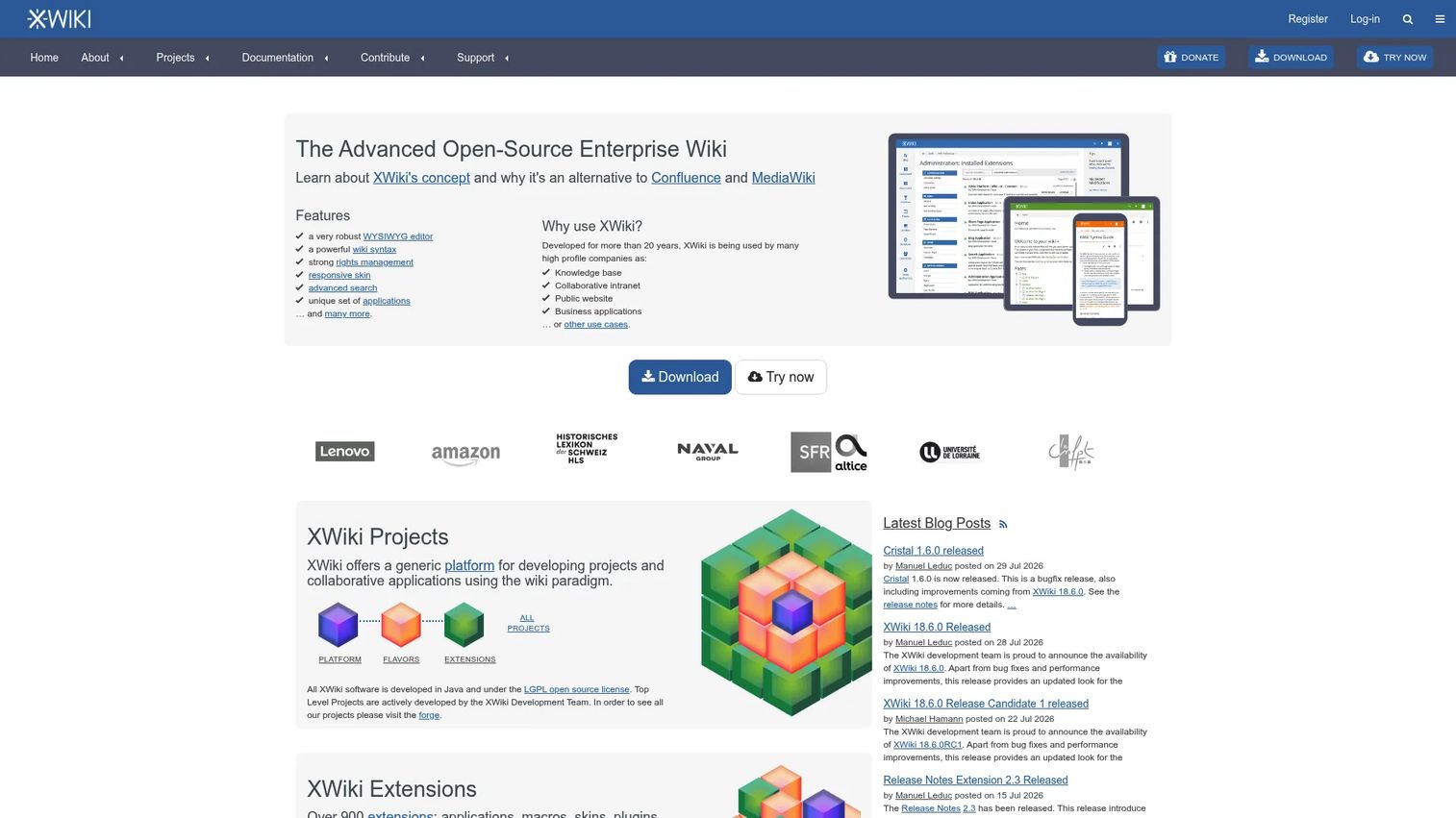
XWiki is an enterprise wiki platform that offers both hosted and self-hosted deployment. It goes beyond flat pages with a structured data model, page-based applications, WYSIWYG and wiki-syntax editing, version history with rollback, and granular rights management. Teams tend to reach for XWiki when they outgrow simpler wikis and need structured knowledge management with real access control.
Best for: Teams needing a customizable enterprise wiki or knowledge base with open source flexibility and a hosted option.
Key strengths
- WYSIWYG and wiki-syntax editing
- Version history with rollback
- Granular rights management and access control
- Structured data model and page applications
- Hosted and on-premises deployment options
Why choose XWiki: XWiki fits when a basic wiki no longer holds your knowledge management needs. The structured data model lets you build lightweight apps on top of pages, and the rights management is built for organizations with real permission requirements.
XWiki pricing: The Community edition is free. Paid plans start at €1.74 per user per month, with Starter, Business, and Enterprise tiers above that. Cloud and on-premises XWiki Pro and Support share the same pricing.
4. MoinMoin
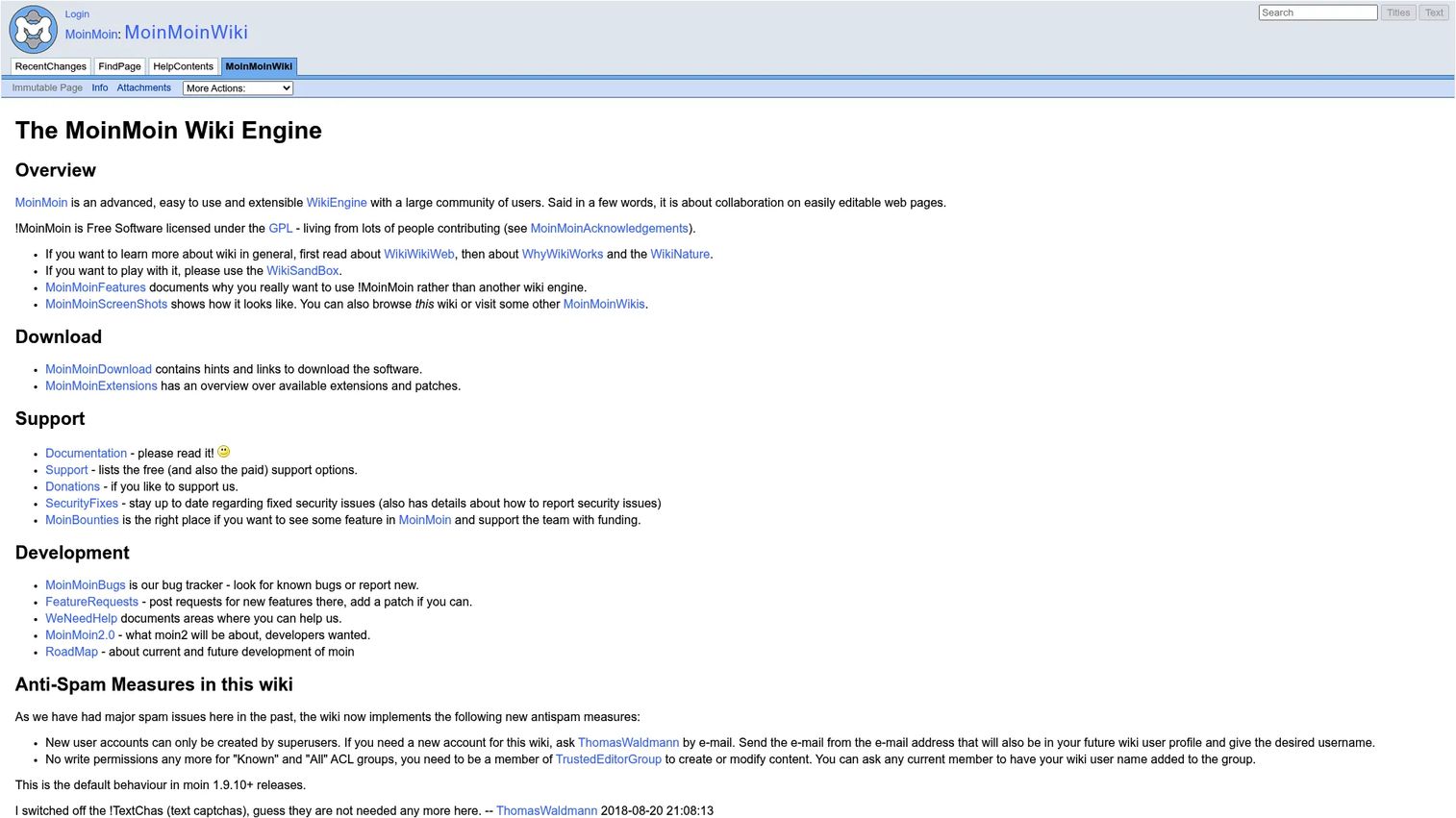
MoinMoin is a Python-based wiki engine focused on straightforward editing and extensibility. It supports both wiki markup and WYSIWYG editing, ships with search, page history, and revision history, and extends through plugins and macros. For developer-adjacent teams comfortable running a Python stack, it's a flexible self-hosted documentation option.
Best for: Teams needing a self-hosted, extensible wiki engine, especially those comfortable with a Python environment.
Key strengths
- Wiki markup and WYSIWYG editing
- Search, versioning, and page history
- Plugins, macros, and extensibility
- Collaborative page creation
- Free software under the GPL
Why choose MoinMoin: If your team already runs Python infrastructure and wants a wiki engine you can extend with macros and plugins, MoinMoin fits the workflow. It's a developer-friendly choice for collaborative documentation.
MoinMoin pricing: MoinMoin is free software licensed under the GPL. No paid plans are listed on the official site.
5. Tiki Wiki CMS Groupware
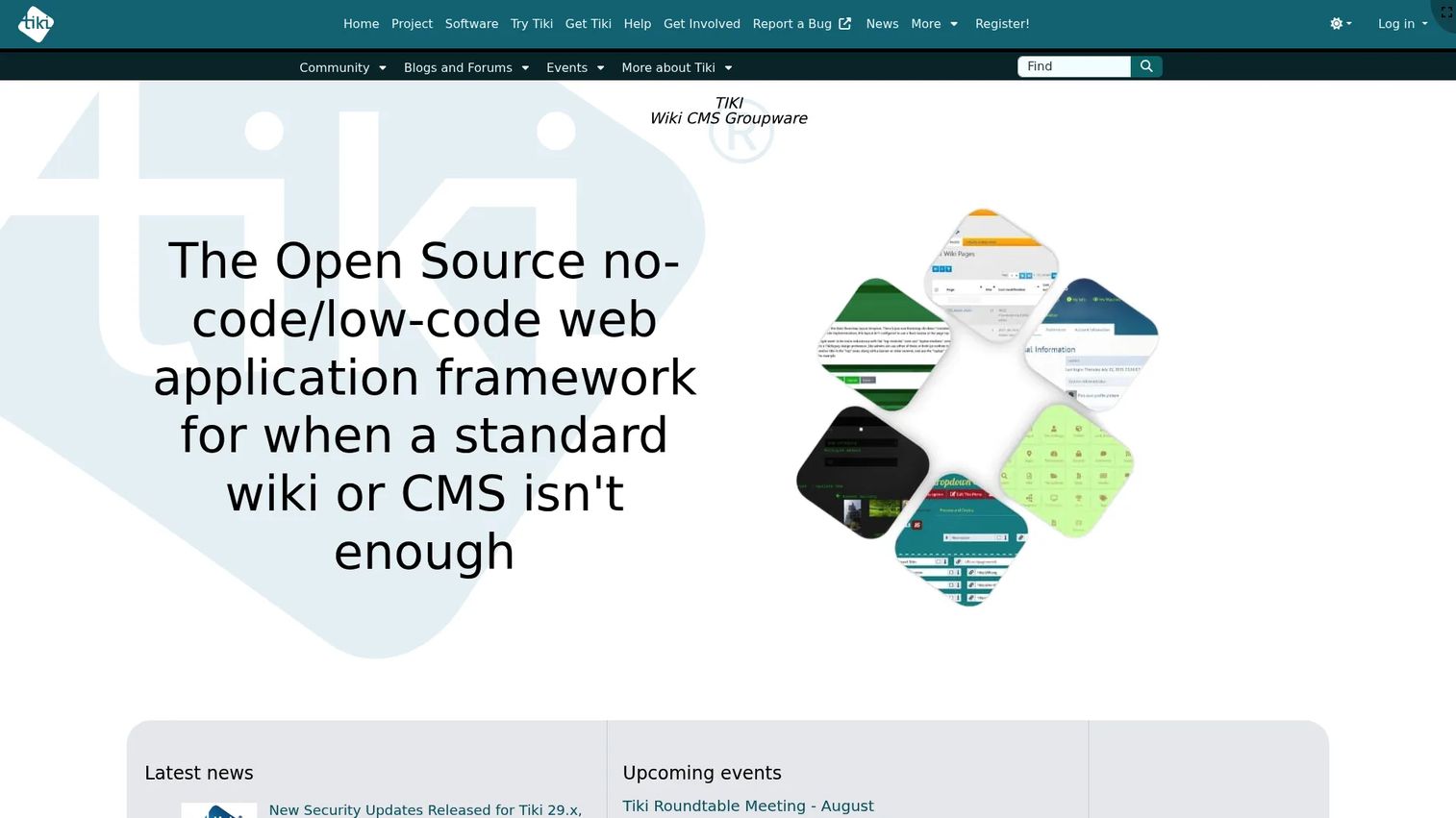
Tiki Wiki CMS Groupware blends wiki pages with a full CMS and groupware feature set. Instead of just wiki pages, you get groups, categories, permissions, workspaces, file and image galleries, and multilingual support in one package. It's the pick for teams that want more than a plain wiki and would rather not stitch together separate tools for content and collaboration.
Best for: Teams needing an all-in-one open source wiki, intranet, and groupware platform.
Key strengths
- Wiki pages plus collaboration features
- Groups, categories, and permissions
- Workspaces and content management tools
- File and image galleries
- Multilingual support
Why choose Tiki Wiki CMS Groupware: Tiki fits when a wiki alone isn't enough and you want CMS and groupware in the same install. It reduces tool sprawl by covering documentation, intranet, and collaboration from one platform.
Tiki Wiki CMS Groupware pricing: Tiki is free and open source. You can install and run it on your own server at no cost. No paid tiers are listed on the official site.
6. PmWiki
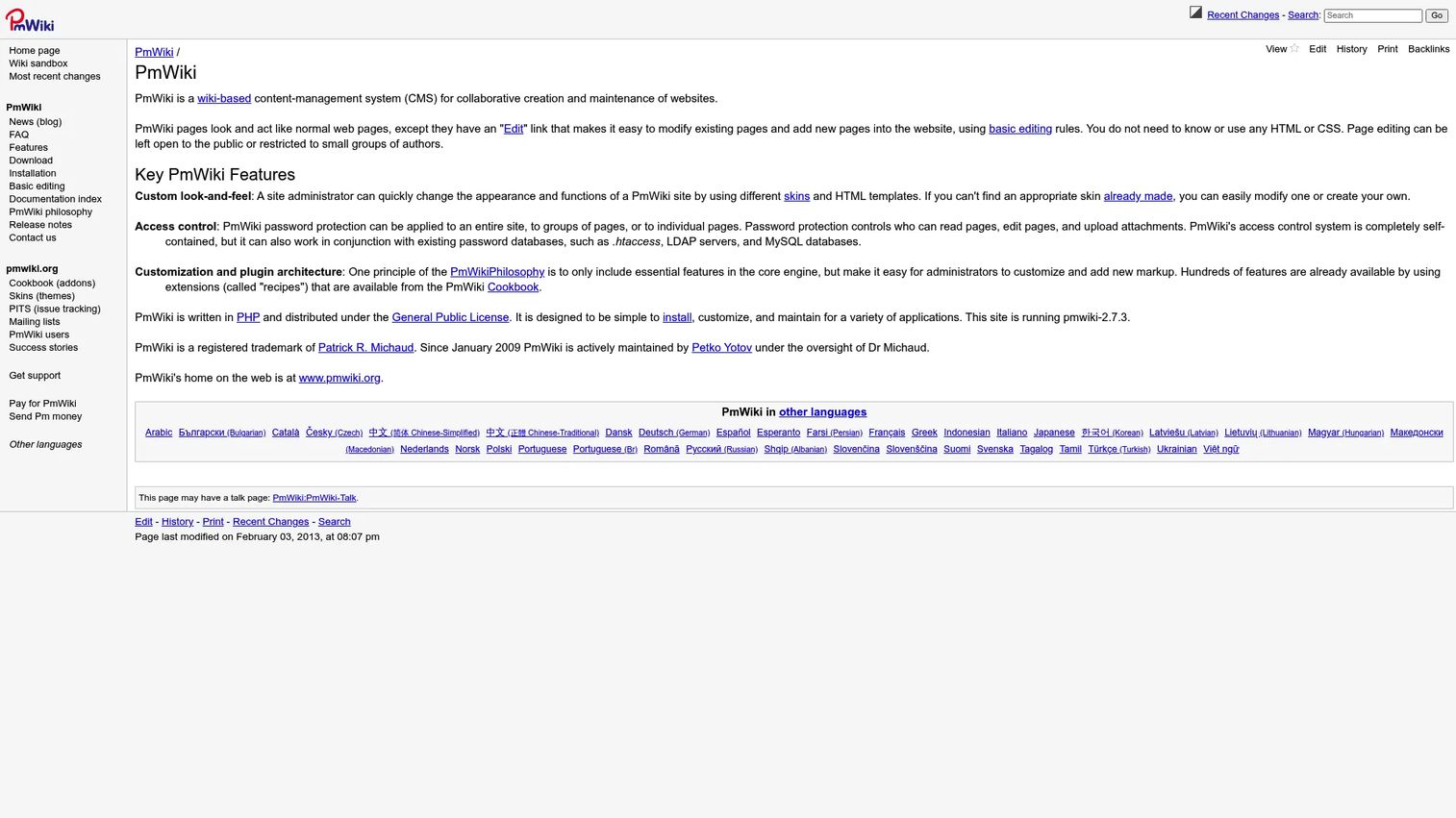
PmWiki is a lightweight, PHP-based wiki engine built for easy page creation and low-maintenance operation. Like DokuWiki, it uses flat-file storage, so there's no database to manage. It handles page history, revisions, and conflict resolution, and supports namespaces, categories, full-text search, and page lists. Small teams and documentation sites reach for it when they want something simple to stand up and maintain.
Best for: Teams wanting a lightweight, self-hosted, open source wiki for simple documentation.
Key strengths
- Flat-file storage, no database required
- Page history, revisions, and conflict resolution
- Namespaces, categories, and page lists
- Full-text search built in
- Highly customizable via configuration
Why choose PmWiki: PmWiki is a strong fit for small teams and self-hosted documentation sites that value simplicity. The flat-file approach keeps deployment and backup straightforward, and it's customizable enough to shape around your content.
PmWiki pricing: PmWiki is free software licensed under the GNU GPL. Paid support and development services are offered separately, but the software itself is free.
7. TiddlyWiki
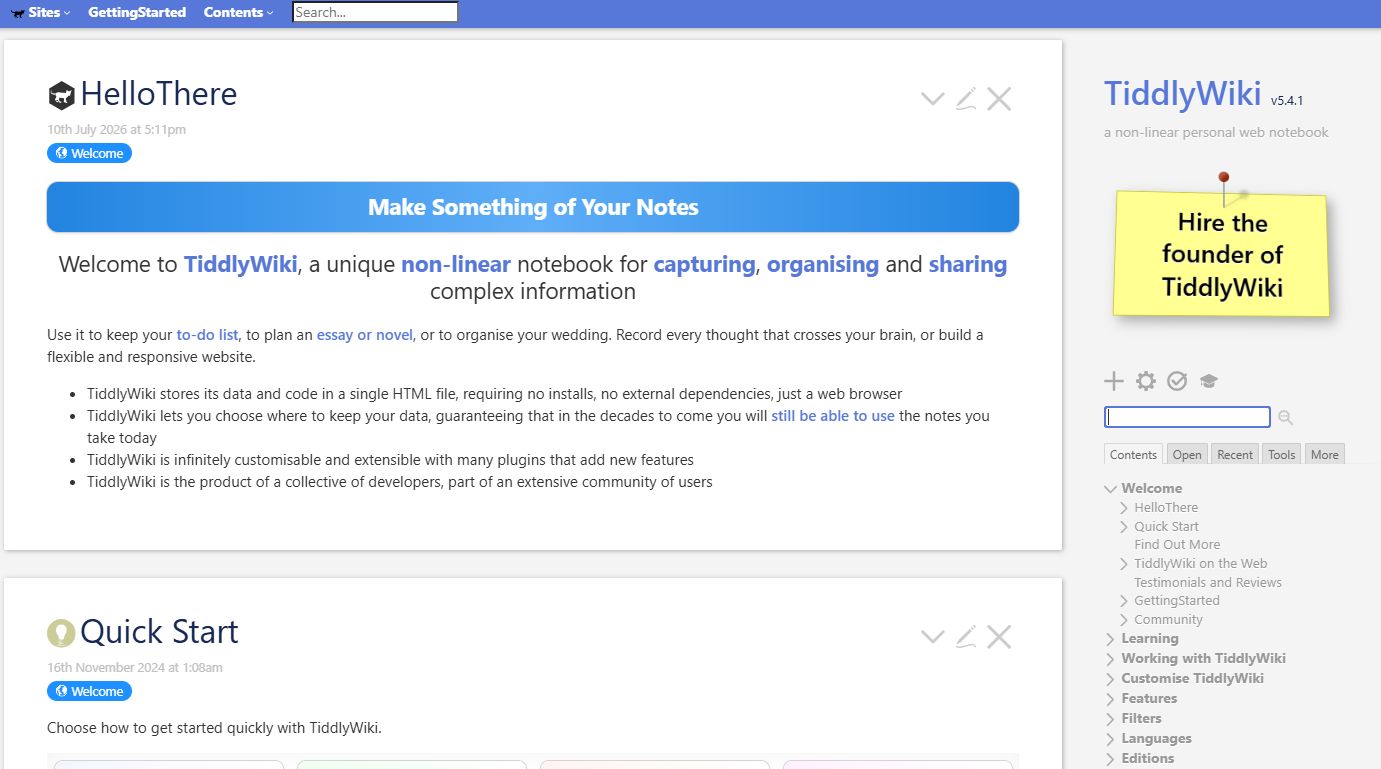
TiddlyWiki is a personal, portable wiki designed for individual knowledge bases and flexible note organization. Its defining feature is that the whole thing can live in a single HTML file with no installs and no external dependencies. It works online and offline, stores data wherever you choose, and extends through plugins. When you want a personal knowledge base you fully own and can carry on a USB stick, it's a different animal from team wiki tools.
Best for: Individuals or small teams wanting a highly customizable, self-owned note-taking and personal wiki system.
Key strengths
- Single HTML file, no installs or dependencies
- Works online and offline
- Infinitely customizable with plugins
- Data stored wherever you choose
- Non-linear organization for notes and research
Why choose TiddlyWiki: TiddlyWiki excels when portability and ownership matter more than multi-user collaboration. For a personal knowledge base or a self-hosted documentation file you want to keep forever, the single-file model is unmatched.
TiddlyWiki pricing: TiddlyWiki is free to use with no financial barrier to adoption. No paid pricing is listed on the official site.
Considerations before you choose
Deployment model
Decide whether you want hosted, self-hosted, or on-premises before anything else. A self-hosted wiki gives you full control and data ownership but means you run the infrastructure. Only XWiki here offers a managed hosted option alongside self-hosting; the rest are self-hosted open source.
Backup and portability
How hard is it to get your data out and restore it? Flat-file tools like DokuWiki and PmWiki make backups a folder copy. Database-backed tools like Wiki.js and XWiki need a database dump. Portability matters when you migrate or need disaster recovery, so weigh it against the features you gain.
Permissions and access control
Check how granular the access control is. DokuWiki uses access control lists, XWiki has granular rights management, and enterprise deployments need per-page or per-namespace permissions. If different teams need different access, confirm the tool handles it before you commit.
Search and version history
As content grows, full-text search and reliable version history stop being nice-to-haves. Confirm search covers all pages and that revision history lets you compare and roll back. This is what keeps a wiki usable at scale rather than becoming a write-only graveyard.
Maintenance burden
Every tool here is free to license, but your real cost is upkeep. Flat-file wikis demand less operational attention. Database-backed and enterprise platforms give you more capability in exchange for more to maintain. Match the burden to the engineering bandwidth you actually have.
Conclusion
The right wiki software depends on who's using it and where it runs. For a modern self-hosted team wiki, Wiki.js gives you a current interface, markdown and WYSIWYG editing, and strong authentication. For the simplest possible self-hosting, DokuWiki's database-free, flat-file storage keeps backups and maintenance trivial. When you need an enterprise wiki with hosted and self-hosted options, structured data, and granular rights, XWiki is the pick. And for a personal knowledge base you fully own and can carry anywhere, TiddlyWiki's single-file model stands alone.
Your next step is to match the deployment model and maintenance burden to your team's reality. If you have limited engineering bandwidth, start with a flat-file option like DokuWiki or PmWiki. If you need SSO and a polished UI, trial Wiki.js. If you're an enterprise with structured knowledge management needs, evaluate XWiki's hosted plan. Pick the one that stays usable as your content and headcount grow, then commit and keep it current.
FAQs
Wiki software is collaborative software for creating, editing, linking, and revising interconnected pages in a shared knowledge base. It stores every revision with version history, so changes are tracked and reversible. Multiple people can contribute without overwriting each other's work.
The best team wiki depends on permissions, search, version history, and collaboration needs. Wiki.js is a strong all-around pick for self-hosted teams that want a modern UI and SSO. The right choice also hinges on whether you want hosted, self-hosted, or enterprise features.
Self-hosted wiki software matters when control, compliance, or infrastructure ownership are priorities. Your shortlist should compare Wiki.js for a modern UI, DokuWiki for database-free simplicity, and XWiki for structured enterprise features. Match the choice to your maintenance bandwidth.
Personal wikis favor portability, offline use, and simple editing over multi-user permissions. TiddlyWiki is a strong fit because it runs as a single portable HTML file, works offline, and stores data wherever you choose. It's built for individual knowledge bases rather than large teams.
It depends on whether you need open collaboration or structured, publishable help content. Wiki software favors open editing where anyone with rights can change a page. Knowledge base software favors tighter editorial control for customer-facing docs. Many teams use both, a wiki internally and a knowledge base externally.
Prioritize access control, authentication, full-text search, version history, deployment flexibility, and integrations. PMs should also weigh maintenance overhead, since a capable platform that nobody can keep current becomes a liability. Structured data and rollback are useful when knowledge management gets complex.
Yes. Most open source wiki platforms, including Wiki.js, DokuWiki, MoinMoin, PmWiki, and Tiki Wiki CMS Groupware, can run on-premises or self-hosted. XWiki adds a managed hosted option alongside self-hosting. Always confirm the hosting model tool by tool before committing.
Wiki.js is database-backed with a modern UI, markdown and WYSIWYG editing, and flexible authentication. DokuWiki is flat-file with no database, which makes backups a folder copy and maintenance low. Choose Wiki.js for UI flexibility and SSO; choose DokuWiki for simplicity and easy portability.