Vaccination records arrive as uploaded photos. Inventory lives in a separate spreadsheet. Expiry dates surface too late for anyone to act. And when a compliance audit lands, three people spend a week reconstructing what actually happened.
That fragmentation is the real problem. The global vaccine management software market was valued at $1.8 billion in 2025 and is projected to reach $5.4 billion by 2034, according to MarketIntelo (2025). The category is growing because organizations keep discovering the same issue: Immunization tracking software built for one workflow rarely handles the adjacent ones.
A publicly funded ordering system cannot replace workforce vaccination compliance tracking. An HR tool cannot manage lot-level inventory. And a credentialing platform does not schedule clinic appointments. Buying the wrong category means running two systems where one should work.
Which workflow is breaking first: Records, clinic administration, employee compliance, or supply visibility? That question should drive your shortlist before you book a single vendor call.
What's inside
This guide covers 10 vaccine tracking software tools spanning public-health programs, clinic administration, employer compliance, healthcare credentialing, and vaccine inventory operations. Tools were selected based on four criteria:
- Record and administration depth: Whether the tool manages immunization records, dose documentation, or both
- Reporting and compliance capabilities: Dashboards, exports, and audit documentation
- Fit for the operating model: Public-health program, employer, clinic, or credentialing workflow
- Multi-site and multi-role controls: Location-level permissions, roster management, and centralized visibility
Note that some systems are restricted to approved public-health users, while others are commercial platforms available to any organization.
TL;DR
- Best for publicly funded vaccine ordering: Vaccine Tracking System (VTrckS), for CDC awardee and provider supply-chain workflows
- Best for public-health clinic administration: Vaccine Administration Management System (VAMS), for approved jurisdictions and organizations
- Best for inventory-led operations: Mitti covers multi-site frontline operations; UNICEF Vaccine Stock Management Tool covers government supply chains
- Best for employee vaccination tracking: Paycom Clue, for organizations managing workforce health data inside an HR platform
- Best for healthcare workforce evidence collection: PreCheck, for immunization records within a broader credentialing process
- Best for occupational health at scale: Enterprise Health, for employers running mass immunization programs alongside employee medical records
What is vaccine tracking software?
Vaccine tracking software is a digital system that records immunization status, supports vaccine administration or verification workflows, and helps organizations report on records, inventory, compliance requirements, or distribution activity.
The four types of vaccine tracking software
Understanding which category you need prevents the most expensive implementation mistake in this space.
1. Public-health supply-chain systemsUsed by publicly funded programs for vaccine ordering, distribution, provider inventory management, and jurisdiction-level accountability. Access is program-restricted, not open-market.
2. Clinic administration platformsUsed for patient registration, appointment scheduling, vaccine administration documentation, certificates, inventory, and clinic-level reporting.
3. Workforce vaccination tracking platformsUsed by employers for employee record collection, testing schedules, exemptions, reminder automation, and workforce policy reporting.
4. Healthcare credentialing and occupational-health platformsUsed for immunization evidence collection, clinical onboarding, certification status monitoring, mass immunization events, and audit documentation.
Core capabilities to look for
- Digital immunization records and document uploads
- Dose, lot, and expiry tracking
- Reminder and renewal workflows
- Reporting and exportable dashboards
- Multi-location access controls
- Roster imports and role-based permissions
- Integration with HR, clinical, or public-health systems
What vaccine tracking software does not always include
Inventory systems may not handle employee exemptions. Workforce tools may not administer vaccines at clinics. Public-health platforms typically require jurisdictional approval. Credentialing platforms track evidence but not supply-chain operations. Match the tool to the workflow before evaluating features.
When to use vaccine tracking software
Centralize immunization records across locations
Organizations managing records across clinics, worksites, campuses, or provider networks need a single view with consistent formats. Without centralized access controls and roster ownership, each location develops its own process. Reconciling those processes at audit time costs far more than standardizing them upfront.
Reduce missed renewals and manual follow-up
Booster schedules, expiring documentation, recurring tests, and incomplete uploads all require proactive alerting. Automated reminders only work when the source records are reliable and current. The system needs to own the data before it can act on it.
Manage vaccine inventory and administration workflows
Lot-level tracking, order status visibility, storage condition monitoring, and post-administration dose reconciliation require dedicated clinic or public-health tools. If supply and administration are the actual bottleneck, workforce compliance software will not close the gap.
Vaccine tracking software comparison
This table spans fundamentally different software categories. A jurisdictional ordering platform, a workforce compliance tool, and a credentialing system solve different operational problems. Do not compare every row on the same criteria; use the "Best for" column to filter by operating model first.
| # | Product | Best for | Key differentiator | Pricing | G2 rating |
|---|---|---|---|---|---|
| 1 | Vaccine Tracking System (VTrckS) | Publicly funded vaccine programs | CDC-connected ordering and distribution accountability | Program access only | Not listed |
| 2 | Vaccine Administration Management System (VAMS) | Approved public-health clinics | End-to-end clinic administration and recipient management | Free for approved users | Not listed |
| 3 | Mitti | Multi-site frontline operations | Inspections, checklists, incident reporting, and asset management | Free; paid from $24/seat/month | 4.6 |
| 4 | VaxCare Vaccine Management Software | Provider vaccine programs | Automated procurement, charting, billing, and replenishment | Contact vendor | Not listed |
| 5 | ArbiMed Vaccine Management Software | Medical and dental clinic inventory | Dose tracking, PAR-level reminders, multi-location transfers | Contact vendor | Not listed |
| 6 | Clinicea Vaccine Management Software | Practice-level immunization management | Immunization schedules, digital cards, SMS reminders | From INR 1,999/practitioner/month | Not listed |
| 7 | Paycom Clue | Employee vaccination and testing tracking | Workforce self-service with HR and payroll integration | Quote-based | 4.6 (Paycom overall) |
| 8 | PreCheck | Healthcare workforce credentialing | Immunization evidence inside a full credential and screening workflow | Contact vendor | Not listed |
| 9 | Enterprise Health | Occupational health and mass immunizations | Certified EHR with immunization, injury, and compliance modules | Contact vendor | 3.9 |
| 10 | UNICEF Vaccine Stock Management Tool | Government immunization supply chains | Free stock management with cold-chain monitoring, online and offline | Free | Not listed |
Pricing and G2 ratings verified October 2026 from each vendor's pricing page and G2 listing.
Best 10 vaccine tracking software tools for 2026
1. Vaccine Tracking System (VTrckS)
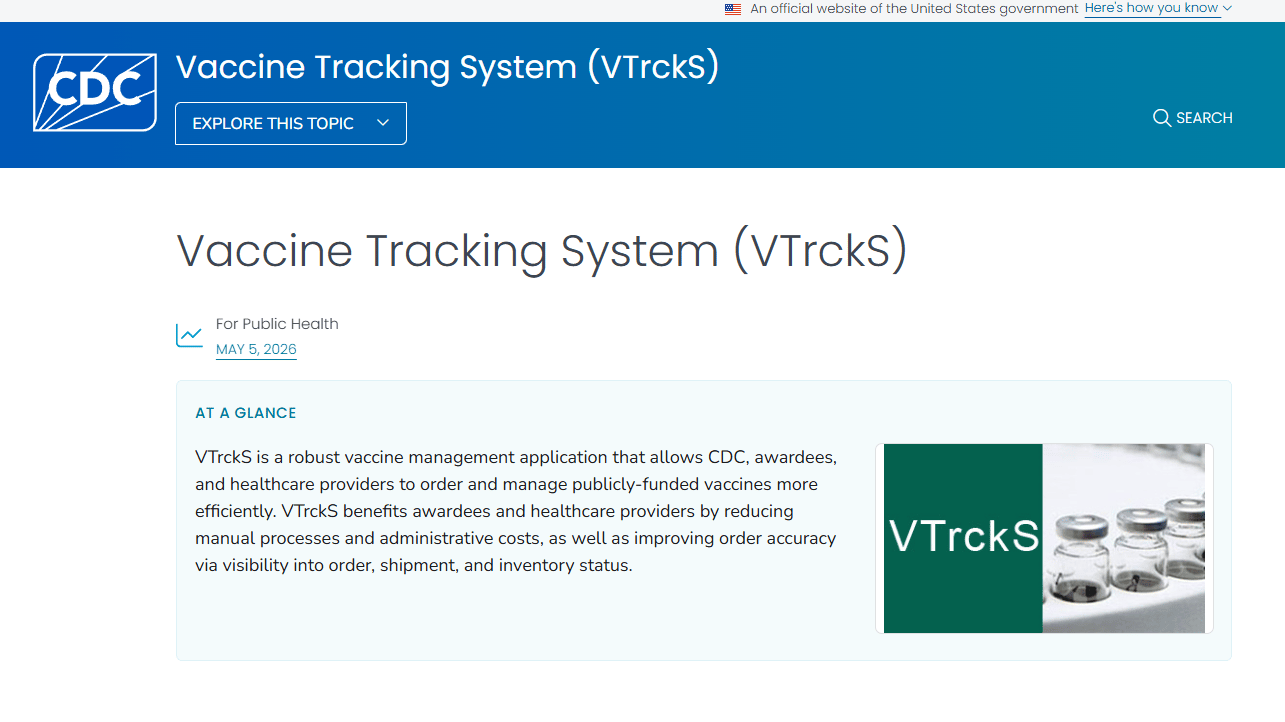
Vaccine Tracking System (VTrckS) is a secure, web-based CDC system for managing the publicly funded vaccine supply chain. It covers everything from online ordering and shipment visibility through provider inventory tracking, spend-plan management, and accountability reporting. Access is restricted to CDC program participants including awardees and enrolled healthcare providers.
Best for: Public-health programs and enrolled providers operating within publicly funded vaccine distribution workflows.
Key features
- Online vaccine ordering and order tracking
- Provider inventory and shipment visibility
- Vaccine allocation and spend-plan management
- Provider demand forecasting
- Accountability reporting across orders and account balances
Why choose Vaccine Tracking System (VTrckS): Choose VTrckS when the core job is managing publicly funded vaccine ordering and fiscal accountability within a CDC program. It is not a commercial platform for private employers or standalone clinics; access requires program enrollment and jurisdictional participation.
VTrckS pricing: Access is tied to public-health program participation rather than a subscription fee. Contact your CDC awardee or jurisdiction program office to confirm eligibility and enrollment requirements.
2. Vaccine Administration Management System (VAMS)
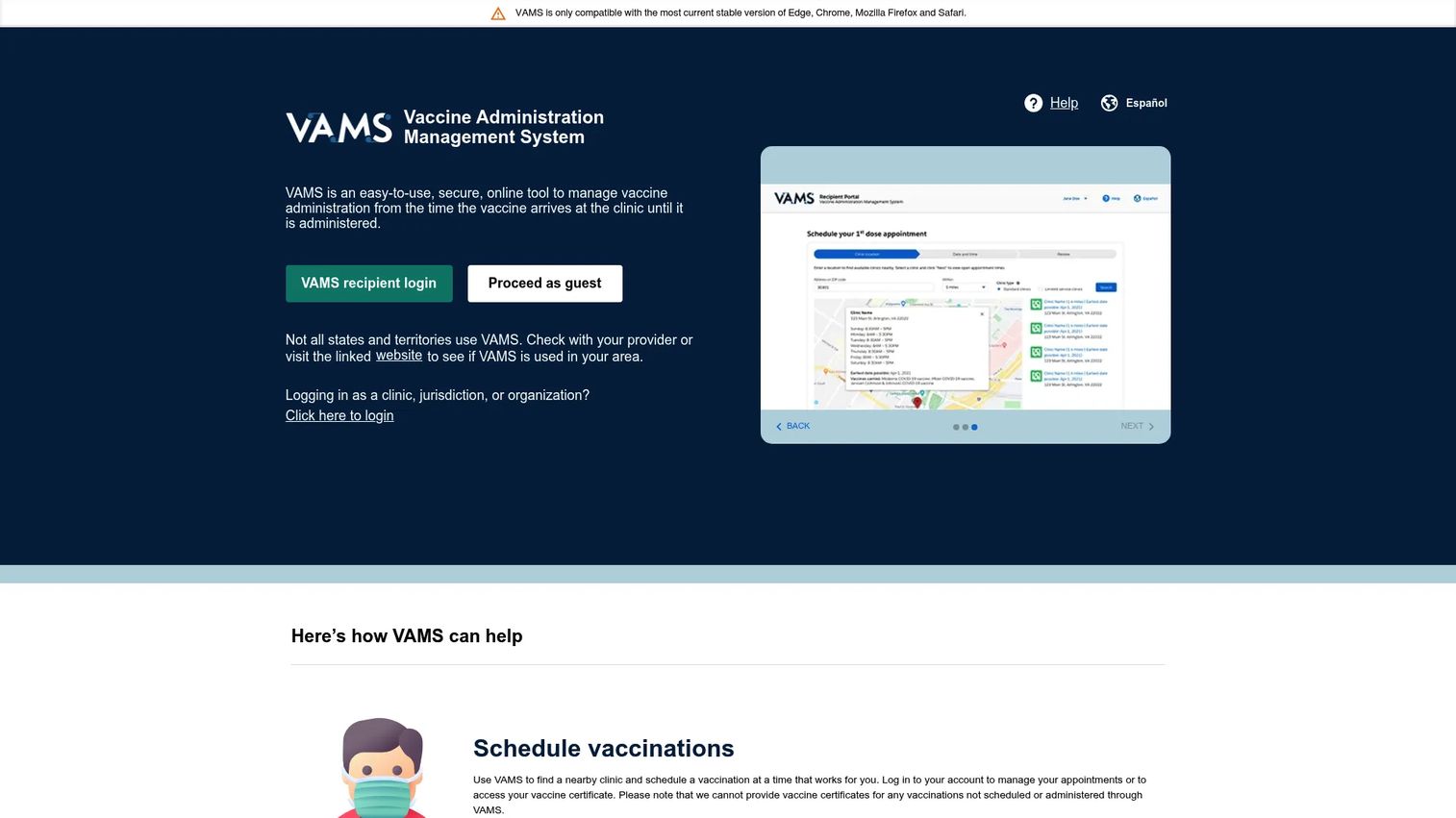
Vaccine Administration Management System (VAMS) is a CDC-developed web platform that manages vaccine workflows from the moment a dose arrives at a clinic through administration to recipients. It supports clinic registration, roster uploads, appointment scheduling, check-in, administration documentation, vaccine certificates, and inventory activity at the clinic and jurisdiction level.
Best for: Jurisdictions, federal agencies, organizations, and approved clinics enrolled in a CDC vaccination program.
Key features
- Clinic and organization registration management
- Recipient registration and appointment scheduling
- Inventory requests and barcode scanning
- Vaccine certificate generation
- Jurisdiction-level dashboards and data exports
Why choose Vaccine Administration Management System (VAMS): VAMS is the right platform when a public-health deployment needs to span clinic operations, organization rosters, and administration documentation under one system. Availability depends on program enrollment and is not open for commercial purchase.
VAMS pricing: The platform is free for public-health-approved clinics and organizations. Verify current eligibility criteria and enrollment requirements with the relevant CDC program or jurisdiction.
3. Mitti
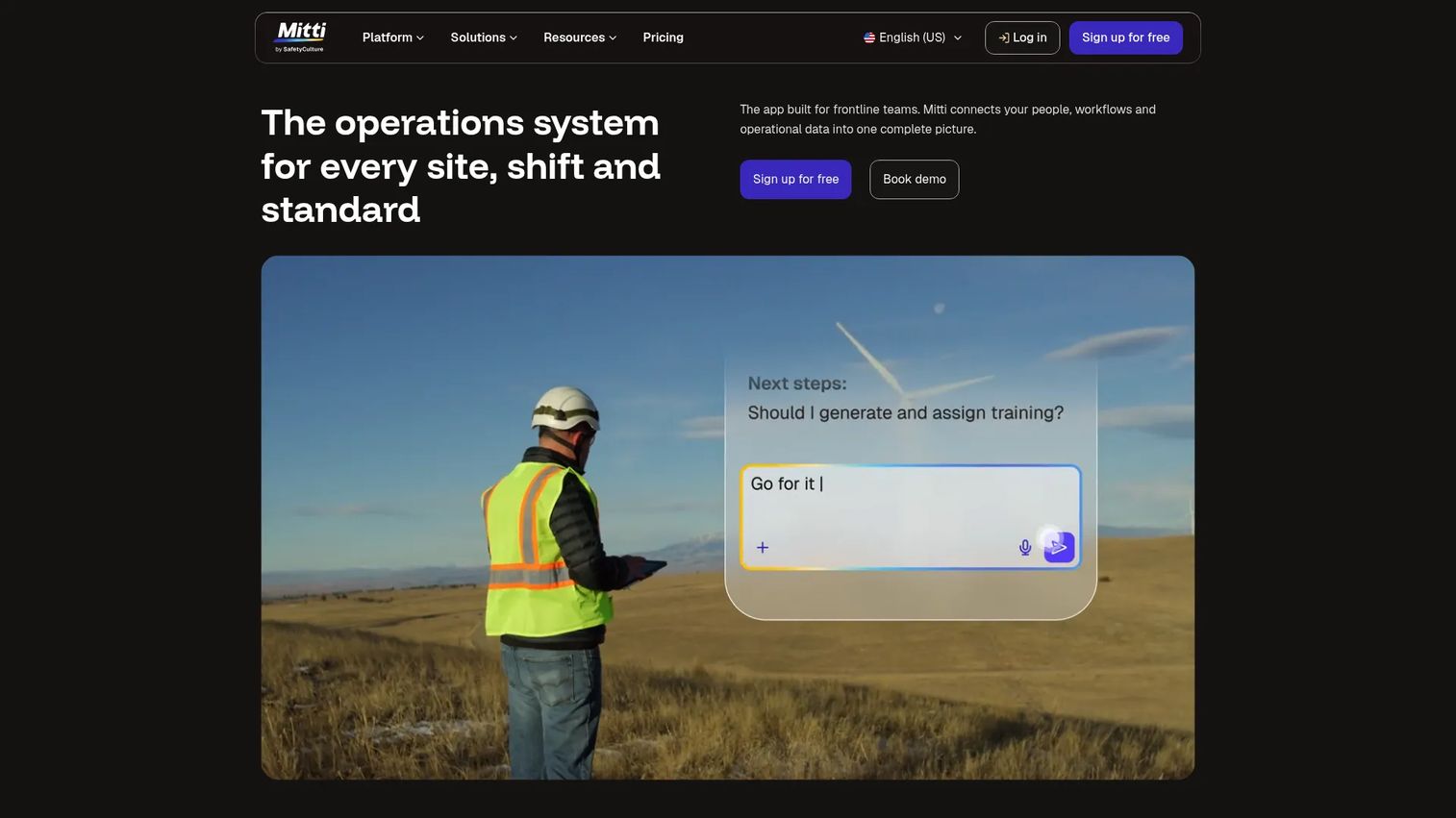
Mitti is a frontline workplace operations platform covering inspections, training, incident reporting, asset maintenance, compliance checklists, and operational workflows across multiple sites. It is used by safety, quality, and operations teams that need a single system for managing on-the-ground processes, including cold-chain-adjacent asset monitoring and corrective-action workflows relevant to vaccine storage operations.
Best for: Healthcare and operations teams managing multi-site inspections, asset compliance, and corrective actions where vaccine inventory integrity is one operational concern among several.
Key features
- Inspections and digital checklists
- Issue and incident reporting
- Asset maintenance tracking
- Task management and analytics
- IoT sensor and lone worker safety support
Why choose Mitti: Mitti fits organizations whose vaccine tracking requirement sits inside a broader operational compliance program. If the primary need is a dedicated vaccine administration or workforce record system, a purpose-built immunization platform is the better match.
Mitti pricing: The Free plan supports teams up to 10 seats. Premium plans start at $24 per seat per month billed annually, or $29 per seat per month on a monthly basis. Enterprise pricing is custom; contact Mitti for site-based rates.
Mitti holds a 4.6/5 rating on G2.
4. VaxCare Vaccine Management Software
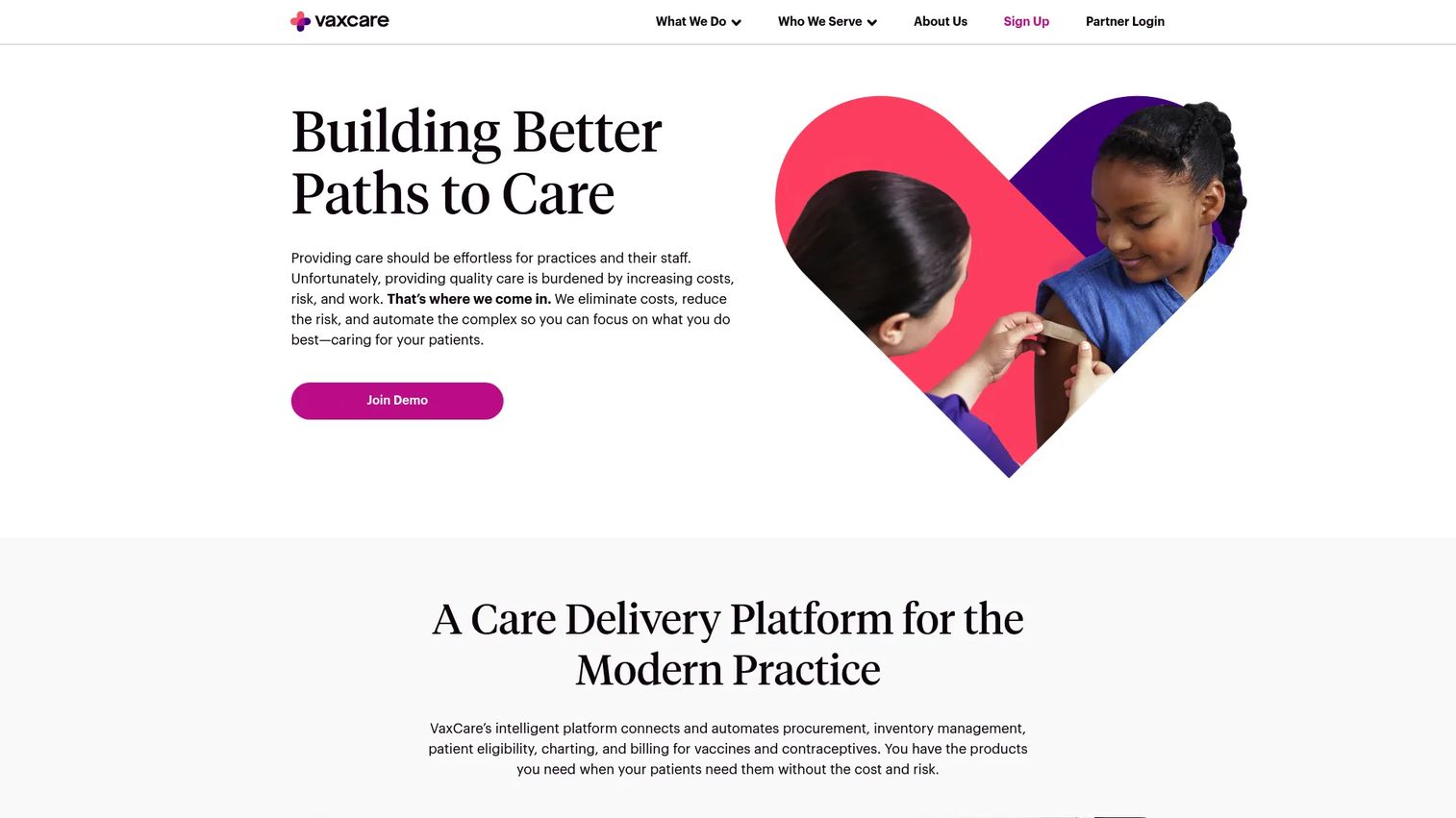
VaxCare is an integrated vaccine-care platform that automates vaccine procurement, inventory replenishment, EHR charting, patient eligibility verification, and billing for medical practices and health systems. VaxCare describes vaccines as provided at no cost to enrolled practices through its managed program model, handling supply and billing infrastructure that practices would otherwise manage independently.
Best for: Medical practices and health systems that want a managed vaccine program without the burden of purchasing, billing, and replenishing vaccine inventory themselves.
Key features
- Automatic vaccine ordering and replenishment
- EHR and EMR integration with automated charting
- Patient eligibility verification and point-of-care alerts
- Automated billing and claims handling
- Patient recall and adherence programs
Why choose VaxCare Vaccine Management Software: VaxCare suits provider organizations that want vaccine program operations handled as a service rather than managed internally. It is a provider-facing clinical tool, not an employer compliance platform or public-health supply-chain system.
VaxCare pricing: VaxCare operates a program-based model; vaccines are described as provided at no cost to practices. No software subscription price is listed on the vendor's site. Contact VaxCare directly for program terms and eligibility.
5. ArbiMed Vaccine Management Software
ArbiMed is cloud-based inventory management software built for medical, dental, and veterinary practices. Its vaccine management capabilities center on dose tracking, barcode printing, PAR-level purchase reminders, multi-location inventory transfers, and patient product assignment. For practices that need vaccine and supply management integrated into daily clinic operations, ArbiMed addresses the inventory side of that workflow.
Best for: Small to midsize medical, dental, and veterinary practices that need vaccine inventory tracking alongside broader supply management.
Key features
- Dose tracking and barcode label printing
- PAR-level purchase reminders and supplier ordering
- Multi-location inventory transfers
- Patient product assignment
- Purchase order management
Why choose ArbiMed Vaccine Management Software: ArbiMed reduces tool sprawl for practices that currently track vaccines separately from their other clinical supplies. It is an inventory-focused system; practices that also need appointment scheduling, patient records, or workforce compliance should evaluate whether a broader clinic platform better covers both requirements.
ArbiMed pricing: ArbiMed does not display subscription pricing on its website. Contact the vendor for current plan details, billing terms, and any trial availability.
6. Clinicea Vaccine Management Software
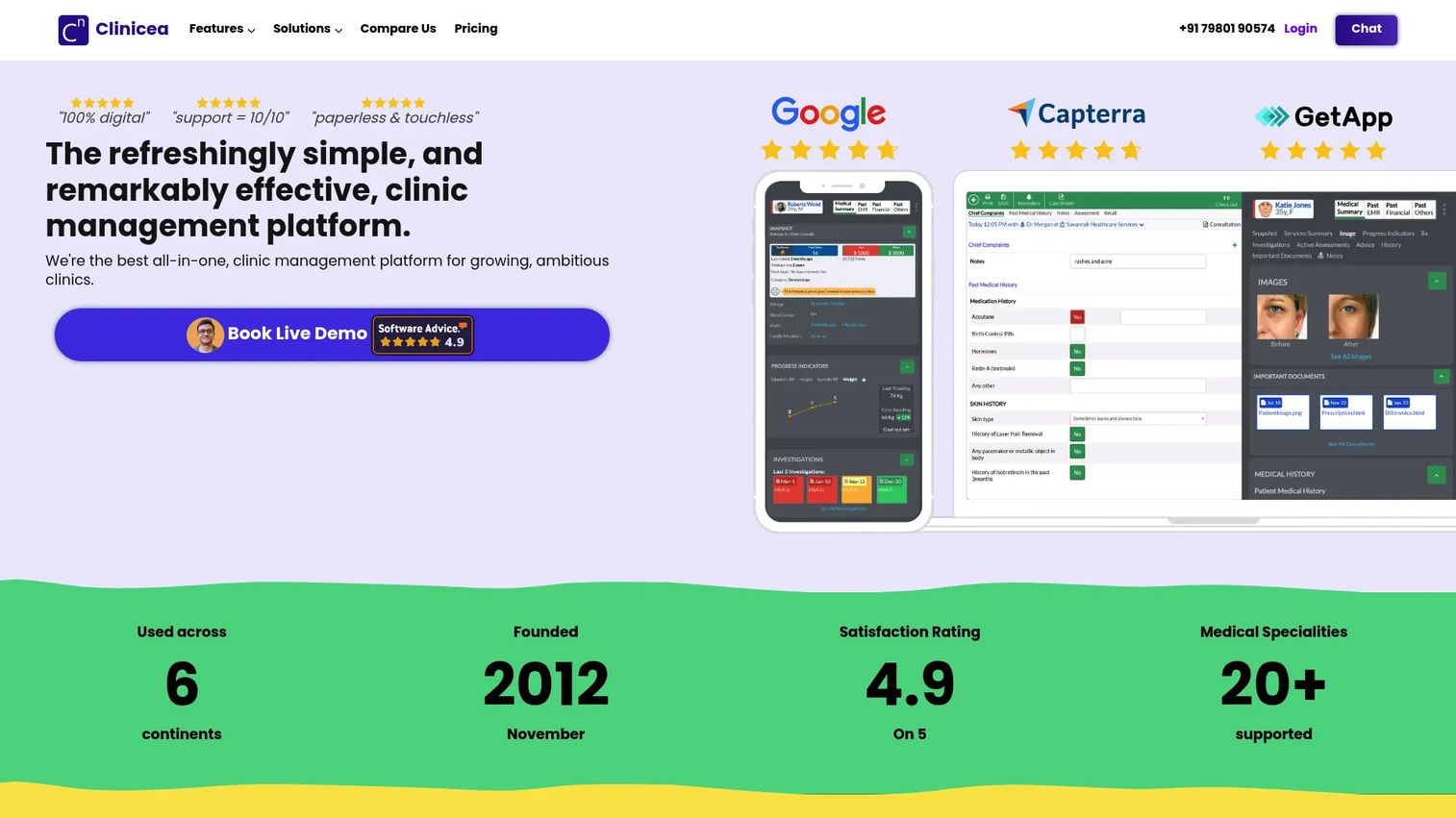
Clinicea is a clinic-management and EMR platform with built-in immunization scheduling, vaccination tracking, digital vaccination cards, and automated SMS reminders. It supports custom immunization schedules for children and adults, allergy-shot history tracking, and full administration documentation including dosage, reaction, and billing. Vaccination workflows sit alongside appointment booking, patient records, and practice analytics inside one platform.
Best for: Health centers and clinics that want immunization management embedded in a broader patient-management workflow, particularly practices in markets where INR pricing is relevant.
Key features
- Custom immunization schedules for children and adults
- Digital vaccination cards with full immunization history
- Automated SMS reminders for upcoming doses
- Allergy-shot and reaction documentation
- Vaccination billing and administration records
Why choose Clinicea Vaccine Management Software: Clinicea reduces the need for a separate immunization tool by building vaccination workflows into the core EMR. Practices evaluating this platform should confirm that INR-based pricing aligns with their operating market, and verify whether their reporting obligations require integrations not covered by the standard tiers.
Clinicea pricing: Plans start at INR 1,999 per practitioner per month for the Starter tier. The Pro tier is INR 2,999 per practitioner per month and the Enterprise tier is INR 3,999 per practitioner per month. A 14-day free trial is available across all plans.
7. Paycom Clue
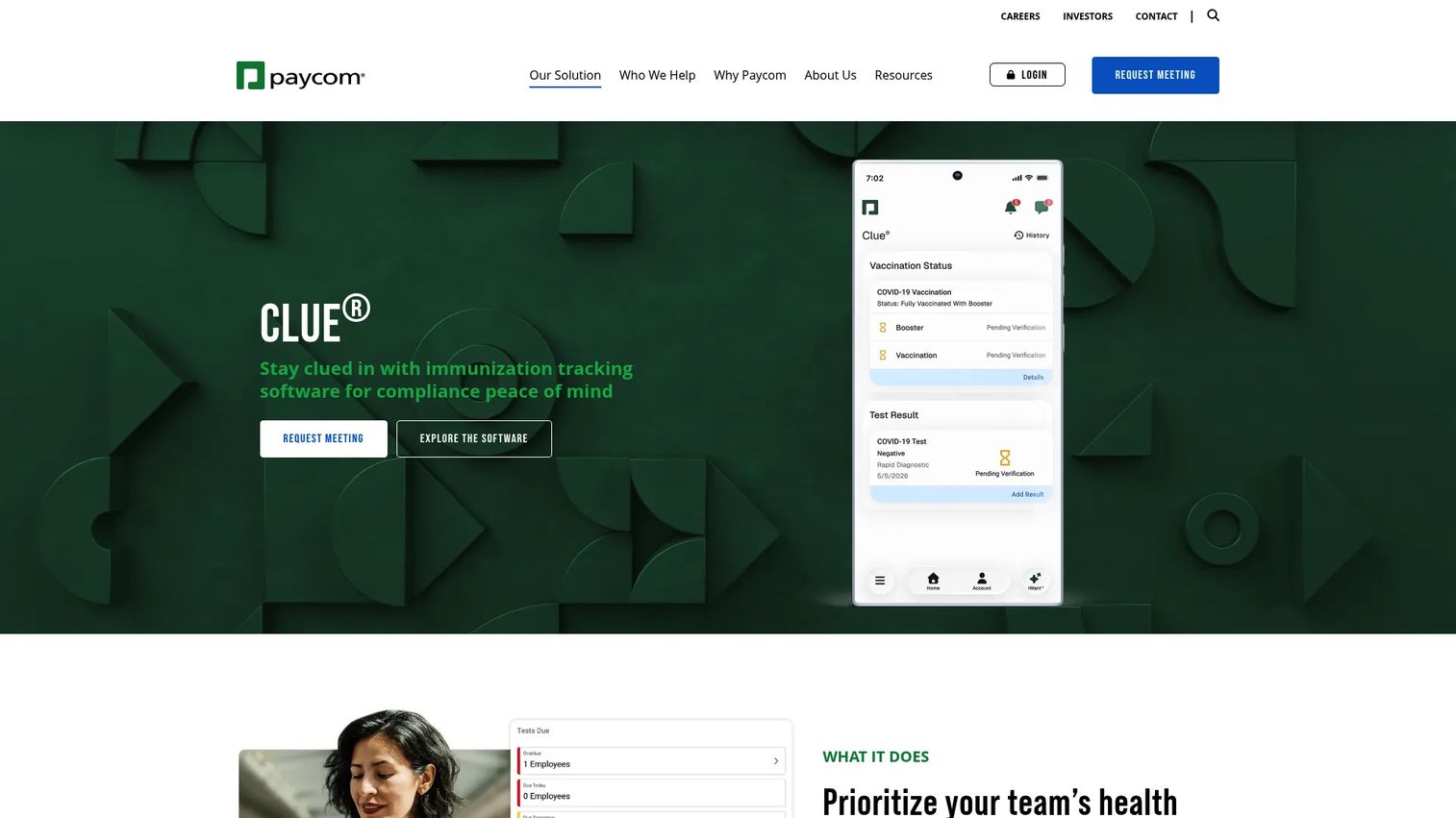
Paycom Clue is a workforce health management tool within the Paycom HR platform, designed for employee vaccination tracking, testing compliance, and status reporting. Employees self-upload vaccination cards, booster information, and test results. Managers access a real-time dashboard showing workforce vaccination and testing status, while the system sends automated reminders for recurring schedules and tracks exemption requests.
Best for: Organizations already using Paycom for HR and payroll that need vaccination and testing compliance workflows without adding a separate system.
Key features
- Employee self-service vaccination card and booster uploads
- Recurring testing schedules with automated alerts
- Real-time workforce vaccination status dashboard
- Exemption tracking for medical and religious requests
- Exportable reports for vaccination and testing status
Why choose Paycom Clue: The strongest case for Clue is consolidation. If your organization runs Paycom for payroll and HR, adding Clue keeps vaccination data inside the system employees already use rather than introducing a separate tool and login. It does not replace a clinical inventory platform or public-health ordering system.
Paycom Clue pricing: Paycom customizes pricing based on workforce size and the modules selected; no fixed price is listed on the website. Contact Paycom for a quote that reflects your employee count and required features.
The G2 rating of 4.6/5 reflects Paycom's overall platform, not Clue specifically.
8. PreCheck
PreCheck, operated by Cisive, is a healthcare-focused talent acquisition and background screening platform. Its immunization tracking capability sits within a broader credential and compliance workflow that includes background checks, drug testing, license monitoring, and electronic I-9 management. Healthcare organizations use PreCheck to collect immunization evidence from employees, students, clinical staff, and contractors as part of a structured onboarding and credentialing process.
Best for: Healthcare organizations that need vaccination documentation tracked alongside clinical credentials, license monitoring, and employment screening.
Key features
- Immunization record collection and document uploads
- License and certification monitoring
- Background checks and drug testing integration
- Healthcare credential compliance workflows
- Electronic I-9 processing
Why choose PreCheck: PreCheck makes most sense when immunization documentation is one piece of a larger workforce compliance requirement. If credential tracking, license renewals, and background screening all need to flow through one system, PreCheck handles the full picture. It is not the right match for clinical vaccine administration or vaccine supply-chain visibility.
PreCheck pricing: The platform operates on a sales-led model; pricing is not listed on the website. Contact PreCheck or Cisive for package details and contract terms.
9. Enterprise Health
Enterprise Health is an enterprise workforce and occupational health platform covering compliance management, clinical care, employee engagement, and organizational reporting. Its immunization module supports individual records, mass vaccination event documentation, injection tracking, and inventory deduction after administration. The platform also includes a certified electronic health record, OSHA reporting, interoperability with HR systems and laboratories, and employee portal workflows.
Best for: Large employers, health systems, and multi-site organizations that need occupational health and vaccine administration managed inside one clinical-grade platform.
Key features
- Immunization and injection management with inventory deduction
- Certified electronic health record
- Mass immunization event documentation
- Workplace illness and injury tracking
- OSHA reporting and compliance support
Why choose Enterprise Health: Enterprise Health fits organizations where vaccine administration is one part of a comprehensive occupational health program. The platform goes well beyond a basic record system, which makes it a strong match for large or complex organizations and a heavier commitment than a small employer needs if the only requirement is collecting vaccination cards.
Enterprise Health pricing: The platform uses a quote-based model; no pricing is listed on the website. Pricing reflects workforce size, module selection, and implementation scope. Contact Enterprise Health for a tailored estimate.
Enterprise Health holds a 3.9/5 rating on G2 from 11 reviews.
10. UNICEF Vaccine Stock Management Tool
The UNICEF Vaccine Stock Management Tool is a free, ready-to-use online and offline system developed jointly by UNICEF and WHO for vaccine supply-chain management. It tracks day-to-day stock operations across supply-chain levels, monitors cold-chain equipment, generates aggregated dashboards for store and national visibility, and supports key performance indicator tracking to identify supply-chain gaps. UNICEF covers software upgrades and ongoing platform maintenance at no cost to users.
Best for: Government immunization programs and vaccine managers needing stock visibility and cold-chain monitoring across public-health supply chains.
Key features
- Day-to-day vaccine stock operations across supply-chain levels
- Online and offline access
- Cold-chain equipment monitoring
- Aggregated national and store-level dashboards
- Key performance indicators for supply-chain gap identification
Why choose UNICEF Vaccine Stock Management Tool: This is the right choice when the priority is vaccine stock operations across a government or public-health supply chain, and cost is a constraint. It is not designed for HR vaccination verification, patient-facing clinic scheduling, or employer compliance workflows.
UNICEF Vaccine Stock Management Tool pricing: The tool is free for all users. UNICEF states that software upgrades and regular platform maintenance are covered by UNICEF. There are no license fees or annual charges.
Considerations when choosing vaccine tracking software
Identify the system of record first
Before evaluating features, decide where the source of truth should live. A clinical platform, HR system, public-health program, or credentialing system each carries different ownership and reconciliation implications. Running two databases against each other creates more work than the second system saves.
Separate record-keeping from inventory management
A vaccine record system tracks who received which dose and when. An inventory system tracks stock levels, lot numbers, orders, storage conditions, and dose counts. Some tools cover both functions, but you should confirm whether those functions share data or sit in disconnected modules before assuming the platform handles your full workflow.
Verify multi-location and multi-role controls
Ask specifically about location-level permissions, centralized reporting, and how roster ownership works across sites. A multi-location organization needs defined roles at each level. Shared access without permission controls leads to data integrity problems as the team grows.
Check reporting before you sign
Request the specific reports your compliance team, clinical operations, or public-health program will need on a regular cycle. Confirm that dashboards, audit logs, and historical exports cover those requirements. A platform with strong administration but weak reporting creates a gap at exactly the moment it matters most.
Map implementation ownership before launch
Identify who owns data migration, recurring roster updates, policy configuration, and exception handling. The right system should hand off cleanly from the person who bought it to the team that will maintain it. If the founder or project sponsor is still the only one who knows how the system works six months after launch, the implementation was incomplete.
Conclusion
The most common buying mistake in this category is picking the tool with the longest feature list instead of the one that owns the specific workflow causing the most operational drag.
VTrckS and VAMS are the right starting points for publicly funded programs. Neither is available for general commercial purchase. Mitti and the UNICEF Vaccine Stock Management Tool address stock operations and multi-site compliance, in commercial and government contexts respectively. Paycom Clue handles employee vaccination tracking for organizations already on the Paycom platform. PreCheck fits healthcare organizations where immunization evidence is one part of a broader credentialing requirement. Enterprise Health suits large employers running occupational health at scale. VaxCare, ArbiMed, and Clinicea each serve provider and practice-level vaccination workflows with different depth and pricing models.
The decision framework is straightforward: Choose the platform that removes the specific bottleneck you cannot afford to miss. Build your shortlist around your system of record, your reporting obligations, and your administration model before booking vendor calls.
FAQs
Vaccine tracking software is a digital system that records immunization status, tracks dose and lot information, and helps organizations manage reminders, reports, inventory, clinic administration, or public-health distribution. Feature sets vary sharply by product category. A public-health ordering system, a workforce record tool, and a clinic administration platform all carry the same label but serve fundamentally different workflows.
Immunization registries are typically government or health-authority systems that consolidate official immunization records for providers, public-health agencies, and families, and act as the jurisdictional source of record. Commercial vaccine tracking tools may record immunization data inside a clinic, employer system, or credentialing workflow without functioning as an official registry. The two sometimes connect through data exchange integrations, but they are not interchangeable.
Yes. Employer-focused tools support document collection, employee self-service uploads, policy reminders, exemption workflows, and status reporting. They are designed for workforce compliance and HR integration, not for clinical vaccine administration or public-health supply-chain operations. Choosing a workforce tool for inventory management, or an inventory system for workforce records, creates gaps that become expensive to fix during an audit.
Some platforms do. Inventory-focused systems can track stock levels, lot numbers, orders, storage conditions, and doses administered. Workforce compliance tools generally focus on employee records and status rather than vaccine supply. Before assuming a platform handles both, confirm whether inventory and record functions share data or run in separate modules with separate reporting.
Healthcare organizations typically need to monitor expiration dates, booster schedules, uploaded evidence documents, site-specific clinical requirements, professional credentials, training certifications, and reporting cycles. Immunization tracking works best when it is aligned with the broader credentialing and onboarding process rather than managed as a standalone database separate from other workforce compliance records.
It can be, if the platform supports role-based access at the location level, centralized reporting, and delegated administration. The critical questions are whether each location can operate independently while leadership retains a consolidated view, and whether permissions can be scoped by role rather than granted globally. Multi-site requirements should be verified with the vendor before purchase, not discovered during rollout.
Public-health systems such as VTrckS and VAMS are free for approved participants. Open-source or mission-driven tools like the UNICEF Vaccine Stock Management Tool carry no license cost. Commercial platforms typically use quote-based pricing, per-employee fees, per-practitioner monthly rates, or module-based contracts. Clinicea starts at INR 1,999 per practitioner per month. Mitti's paid tier starts at $24 per seat per month billed annually. Most enterprise and occupational health platforms require a direct quote based on workforce size and scope. Compare total implementation and administration costs alongside entry pricing.
Choose a clinic platform when you need appointment scheduling, vaccine administration documentation, patient records, and inventory workflows in one system. Choose workforce tracking when the primary job is collecting employee evidence, monitoring status against a policy, and reporting to HR or compliance leadership. The operating model determines the category. A clinic administering vaccines needs different tools than an employer verifying that employees are current on their required immunizations.