Your enterprise prospect asks for an HRIS integration. The next customer wants two accounting systems and a custom field. Engineering estimates months of work, and that estimate doesn't include the OAuth flows, version changes, rate-limit handling, and support cases that arrive after launch.
The real cost isn't the first build. It's the maintenance load that follows: Token refreshes that break silently, schema changes that cascade into your data model, and provider outages that your support team fields instead of the vendor.
Unified APIs exist to absorb a significant portion of that burden. Instead of building a separate connection for each provider, your team writes against one normalized interface per category, and the platform manages authentication, data mapping, and sync infrastructure on your behalf. The tradeoff is real: You gain speed and breadth, but you must still verify that the normalized model covers the specific reads, writes, and edge cases your product workflows require.
This guide compares 10 unified API platforms to help you match the right architecture to your roadmap.
What's inside
This guide is for B2B SaaS product managers evaluating integration infrastructure for customer-facing use cases. Platforms were selected based on four criteria:
- Category coverage: Depth and breadth across target integration domains
- Schema normalization: Quality of normalized data models and access to provider-specific fields
- Sync architecture: Webhook support, polling, real-time pass-through, and data freshness controls
- Pricing model: Cost at realistic adoption scale, not only pilot volume
TL;DR
- Best for broad B2B SaaS coverage: Merge for teams building normalized integrations across HRIS, ATS, CRM, ticketing, and accounting categories
- Best for real-time API access: Apideck for teams that need broad category coverage with a proxy API and real-time pass-through
- Best for code-first control: Nango for product and engineering teams that need custom mappings, provider-specific endpoints, and self-hosted infrastructure
- Best for AI agent integrations: Unified.to for teams planning multi-category coverage alongside MCP-connected AI workflows
- Best for HRIS and payroll specialist depth: Kombo for European HR tech stacks, Finch for US employment and payroll data access
What is a unified API?
A unified API is an integration layer that gives your application one normalized interface for connecting to multiple providers in the same software category.
Rather than building and maintaining a separate connection to each CRM, HRIS, or accounting system your customers use, your team integrates once against a normalized schema. The platform handles authentication, field mapping, and synchronization for each provider underneath.
Five components define how platforms in this category operate:
Authentication and authorization normalization
Platforms manage OAuth flows, API-key storage, token refresh cycles, and embedded authorization UI so your customers can connect their accounts without your engineering team handling each provider's auth model manually. Platforms differ significantly in how much of this they own versus how much they require you to configure.
Standardized schemas and endpoints
Normalized objects, such as Employee, Invoice, Contact, Ticket, or Message, let your application read and write across providers without adapting to each one's field naming conventions. The risk to evaluate: Normalized schemas sometimes omit provider-specific fields your customers' workflows depend on.
Reads, writes, and custom objects
Read-only integrations cover reporting and display. Integrations that create or update records, sync deductions, or trigger actions require verified write support. Custom field access and raw provider payload availability matter when the normalized model doesn't capture everything your product needs.
Webhooks, polling, and synchronization
Event-driven webhooks push updates when records change. Scheduled syncs pull data at defined intervals. Real-time pass-through requests hit the provider directly. Each approach creates different data-freshness guarantees, and your choice affects how much users trust the data your product shows them.
Where unified APIs fit
| Approach | Best for | Engineering ownership |
|---|---|---|
| Direct integrations | One strategic provider requiring deep, custom behavior | High, ongoing per provider |
| Unified API | Multiple providers in one category, normalized access | Lower initial build, validate edge cases |
| Embedded iPaaS | Customer-configurable automation workflows | Customer configuration, not data normalization |
| ETL or reverse ETL | Internal analytics and data warehouse movement | Not designed for customer-facing product integrations |
When to use a unified API platform
Ship a customer-requested integration category faster
Customers repeatedly request HRIS, CRM, accounting, or communication integrations. A unified API lets you validate demand across multiple providers before committing your roadmap to maintaining each connection directly. Shipping one normalized integration exposes whether customers adopt it before you invest in the next provider.
Standardize data inside your product
When your product imports employees, invoices, contacts, or calendar events, consistent field names and data types reduce the edge-case handling your application logic must manage. Consistent schemas also make analytics and instrumentation more reliable across customer segments.
Reduce integration maintenance across providers
Provider API versions change. Token refresh logic breaks. Rate limits shift without notice. A unified API platform absorbs a significant share of that overhead, though the operational model varies: Some platforms handle failures transparently, others surface them for your team to resolve. Verify support ownership before you sign.
Unified API platform comparison
Compare platforms by the depth they provide within your target integration category, not by raw connector counts. A platform listing 200 connectors that only support read access to three fields won't serve a product workflow that requires writes and custom objects.
| # | Product | Best for | Key differentiator | Pricing | G2 rating |
|---|---|---|---|---|---|
| 1 | Merge | Broad B2B SaaS integrations | Normalized APIs across HRIS, ATS, CRM, ticketing, and accounting | From $650/month | 4.7/5 |
| 2 | Apideck | Real-time customer-facing integrations | Proxy API plus unified categories with white-label Vault | From $599/month | 4.9/5 |
| 3 | Nango | Code-first custom integration control | Self-hosted option, provider-specific access, custom sync logic | From $0 (free tier) | 4.5/5 |
| 4 | Unified.to | Multi-category coverage and AI agent workflows | 34 categories, MCP support, native and virtual webhooks | From $750/month | 4.9/5 |
| 5 | Kombo | HRIS and payroll integrations, Europe focus | 250+ HR, ATS, payroll, and LMS integrations with real-time sync | Custom pricing | 4.8/5 |
| 6 | Paragon | Embedded integration UX inside SaaS products | White-labeled Connect Portal with managed sync and ActionKit | Custom pricing | 4.6/5 |
| 7 | Codat | Accounting and financial data for fintech | Financial data connectivity for lending, underwriting, and banking | Custom pricing | 4.6/5 |
| 8 | Finch | Employment and payroll data, US focus | 250+ HRIS and payroll providers, read and write deductions | From $65/month per connection | 4.7/5 |
| 9 | Nylas | Email, calendar, and scheduling integrations | Unified communications API with scheduling UI and AI Notetaker | From $0 (free tier) | 3.9/5 |
| 10 | Prismatic | Embedded integrations with customer self-service | Low-code and code-first builder with embedded marketplace | Custom pricing | 4.8/5 |
Pricing and G2 ratings verified October 2026 from vendor pricing pages and live G2 listings.
Best unified API platforms for 2026
1. Merge
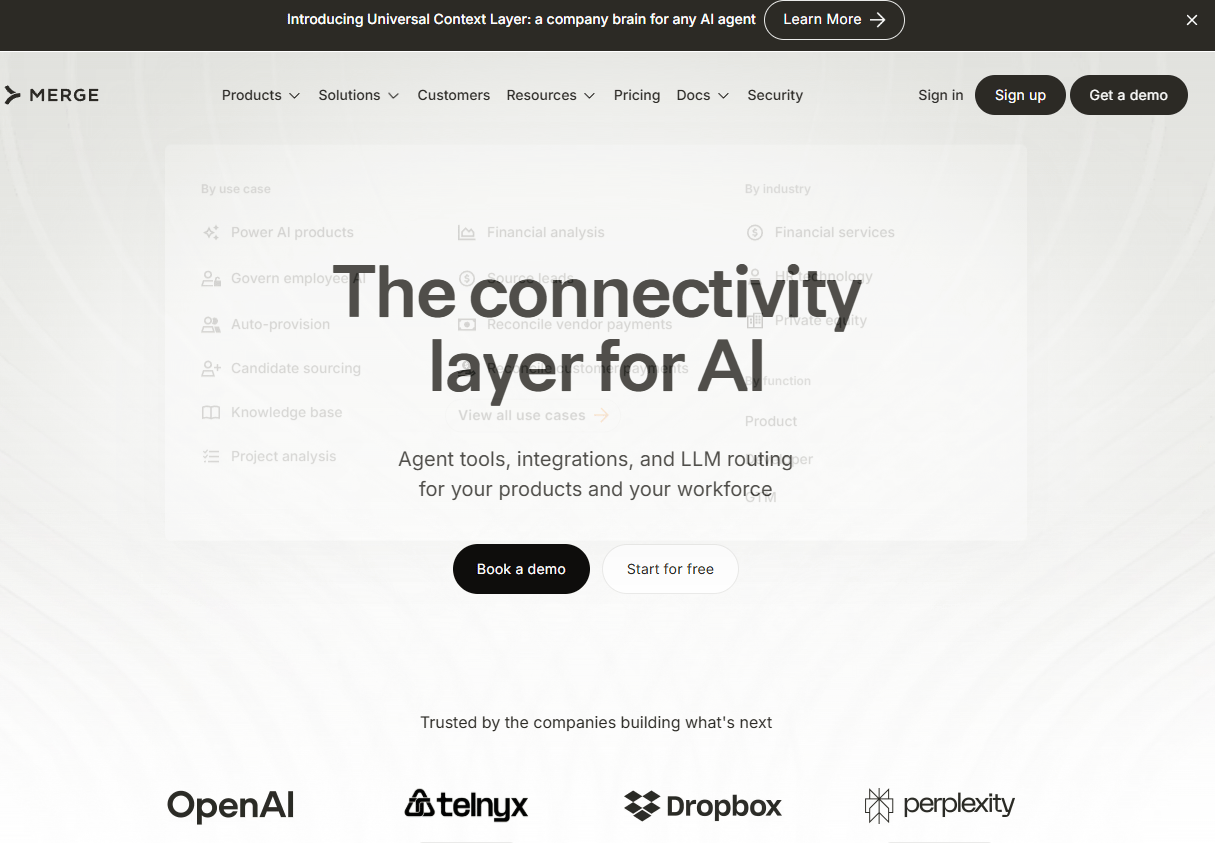
Merge is a unified API platform built for B2B SaaS teams that need normalized, customer-facing integrations across core business software categories. It covers HRIS, ATS, CRM, accounting, ticketing, file storage, and adjacent categories through a single integration layer. Beyond customer data integrations, Merge has also expanded to support secure agent tool access and LLM routing for AI product teams.
Best for: Product teams that need broad, normalized integration coverage across several B2B software categories without building each provider connection separately.
Key features
- Unified APIs across HRIS, ATS, CRM, accounting, ticketing, and file storage
- Normalized read/write access with field mappings and custom object support
- Integration observability with logs, issue detection, and resolution tools
- Embedded authentication and Linked Account management
- SOC 2 Type II, ISO 27001, HIPAA, and GDPR compliance
Why choose Merge: Merge suits product teams that want prebuilt normalized objects across multiple categories and prefer to have the platform own as much of the provider-specific complexity as possible. If your roadmap spans several integration categories and you need write access alongside reads, Merge is worth evaluating early.
Merge pricing: The Launch plan starts at $650/month for up to 10 production Linked Accounts, with the first 3 production Linked Accounts included free. Professional and Enterprise plans use contract-based pricing for higher volumes and advanced controls.
Merge holds a 4.7/5 rating on G2.
2. Apideck
Apideck provides unified APIs across accounting, CRM, HRIS, ATS, file storage, and ecommerce, with a Proxy API that allows direct pass-through requests to provider endpoints when the normalized model doesn't cover what you need. Its Vault component handles OAuth, API-key management, and token handling, and can be white-labeled so customers connect their accounts inside your product's UI.
Best for: SaaS teams that need broad category coverage and want real-time pass-through access alongside normalized API support.
Key features
- Unified APIs across accounting, CRM, HRIS, ATS, file storage, and ecommerce
- Proxy API for direct provider calls outside the normalized model
- White-label Vault for embedded customer authorization
- Custom field mapping and data scopes on Scale and above
- Webhook support, MCP server, and integration marketplace
Why choose Apideck: The Proxy API is the differentiator worth examining. When your customer workflows depend on provider-specific fields or endpoints that a normalized schema omits, pass-through access lets your team call the provider directly without abandoning the unified layer entirely.
Apideck pricing: The Launch plan runs $599/month (billed monthly) and includes one unified API category. Scale is $1,299/month and adds three categories, custom field mapping, and data scopes. Enterprise is custom pricing and includes unlimited categories, sandboxes, SSO, white-label Vault, and premium support. A 30-day free trial is available.
Apideck holds a 4.9/5 rating on G2.
3. Nango
Nango is a code-first integration platform for product and engineering teams that need control over provider-specific behavior, field mappings, and sync logic. It covers authentication and credential management for 900+ APIs, offers pre-built and custom syncs, and provides logs, metrics, and alerting for integration observability. A self-hosted deployment option is available for teams with data residency or security requirements.
Best for: Engineering teams that need custom integration behavior, provider-specific API access, or infrastructure they can own and control.
Key features
- Auth and credential management for 900+ APIs and MCPs
- Pre-built and custom syncs with real-time webhooks
- Provider-specific API access and custom field handling
- Logs, metrics, and alerting for integration observability
- RBAC, audit trail, SAML SSO, HIPAA support, and self-hosting
Why choose Nango: Nango fits when the integration workflows your customers need go beyond what a fixed normalized model covers. If your product depends on provider-specific objects, per-customer configuration, or non-standard mappings, Nango gives your engineering team direct control. That control comes with more engineering ownership than managed platforms require.
Nango pricing: A Free tier is available at $0/month with capped monthly limits. The Pay-as-you-go plan starts at $50/month and includes $50 in monthly credits plus usage-based rates for additional volume. Enterprise uses custom pricing with commitment discounts, self-hosting, MSA, and SLA options.
Nango holds a 4.5/5 rating on G2.
4. Unified.to
Unified.to is a real-time unified API platform covering 34 integration categories and over 1,000 integrations. It supports native and virtual webhooks, database sync, embedded authorization, and custom fields and objects. Its MCP server provides AI agents with read and write access to connected applications, positioning it for teams building AI-assisted product workflows alongside conventional integrations.
Best for: Teams planning integrations across many software categories and evaluating real-time access or AI-agent data connectivity alongside standard product integrations.
Key features
- Unified APIs across 34 categories and 1,000+ integrations
- Unified MCP with read and write access for AI agents
- Native and virtual webhooks plus database sync
- Custom fields, objects, and embedded authorization
- SDKs for TypeScript, Python, PHP, Java, C#, Ruby, and Go
Why choose Unified.to: The combination of broad category coverage and MCP support makes Unified.to worth examining if your product roadmap includes AI agent workflows that need to read and write data across connected customer applications. Before signing, confirm data storage regionalization and provider depth for your first required integrations with your security and engineering teams.
Unified.to pricing: Pricing is usage-based by monthly API calls. The Grow plan starts at $750+/month and includes 750,000 API calls. Pro is $1,500+/month for 2,000,000 calls, and Scale is $3,000+/month for 6,000,000 calls. Enterprise uses annual custom pricing. A 30-day free trial is available on Grow and Pro.
Unified.to holds a 4.9/5 rating on G2.
5. Kombo
Kombo is a specialist unified API for HRIS, ATS, payroll, assessment, and LMS integrations. Its catalog covers 250+ providers with a read/write API, real-time sync, and webhooks. The developer dashboard includes logs, error detection, a data explorer, and coverage visibility per provider, which helps product teams identify gaps before a customer requests an unsupported field.
Best for: HR technology product teams whose customers use diverse HRIS and payroll systems, particularly in European markets.
Key features
- 250+ HRIS, ATS, payroll, assessment, and LMS integrations
- Read/write API with webhooks and real-time synchronization
- Developer dashboard with logs, error detection, and data explorer
- Embedded authorization for customer account connection
- European HR software coverage alongside global providers
Why choose Kombo: When your product's activation workflow depends on employee records, absence data, payroll information, or workforce data, a specialist platform offers more coverage depth per provider than a broad horizontal tool. Kombo's developer tooling also makes it easier to verify what's available per provider before you commit to a workflow.
Kombo pricing: Kombo uses a fixed annual platform fee plus a variable per-customer connection fee across Start, Scale, and Enterprise plans. Numeric prices aren't displayed, so contact Kombo directly for a quote. A free proof-of-concept phase is available.
Kombo holds a 4.8/5 rating on G2.
6. Paragon

Paragon provides integration infrastructure for B2B SaaS and AI product teams who need customer-facing integration experiences embedded directly inside their application. Its white-labeled Connect Portal lets customers connect their accounts and configure integrations within your product's UI. The platform also includes managed sync for normalized data ingestion, an ActionKit API and MCP server for synchronous actions, and Workflows for asynchronous orchestration.
Best for: Product teams that need to ship embedded integration experiences where customers configure and manage their own connections inside the SaaS product.
Key features
- Managed Sync for normalized third-party data ingestion
- ActionKit API and MCP server for synchronous integration actions
- White-labeled Connect Portal or headless SDK
- 130+ pre-built connectors and custom connector builder
- Workflows for low-code or TypeScript-based orchestration
Why choose Paragon: Paragon fits PMs who need integration UX, not only a data abstraction layer. If your product strategy requires customers to see and control their integrations inside your application, Paragon's Connect Portal reduces the frontend build your team would otherwise own. Evaluate whether your priority is normalized data access or customer-facing configuration, since the two have different architecture implications.
Paragon pricing: Both Pro and Enterprise plans include unlimited integrations and the full product suite. Pricing scales on Connected Users. Numeric prices aren't displayed on the pricing page, so request a quote from Paragon directly.
Paragon holds a 4.6/5 rating on G2.
7. Codat
Codat provides financial data connectivity for commercial banks, fintechs, lenders, and payment platforms. Its integrations cover accounting, banking, and commerce platforms with standardized data models, two-way synchronization, and automated reconciliation. For lending workflows, Codat surfaces financial statements, bank transactions, commerce data, and liability insights through a unified interface.
Best for: Fintech products and financial institutions that need accounting and business financial data connectivity for lending, underwriting, or banking workflows.
Key features
- Standardized integrations with accounting, banking, and commerce platforms
- Two-way data synchronization and automated reconciliation
- Underwriting data: Financial statements, bank transactions, and liability insights
- Embedded connection flows for customer account authorization
- Business data access for eligibility and reporting workflows
Why choose Codat: Product fit depends on whether accounting or financial data sits at the core of your activation workflow. Codat is strongest when customers need to connect their accounting system so your product can make eligibility decisions, automate reconciliation, or generate reports. If your integration roadmap spans multiple categories beyond finance, a broader horizontal platform may cover more ground.
Codat pricing: Pricing is flexible and based on integration requirements, expected volume, or lending volumes. Contact Codat sales for a customized quote.
Codat holds a 4.6/5 rating on G2.
8. Finch
Finch is a specialist employment and payroll connectivity platform covering 250+ HRIS and payroll providers through a unified data model. It supports reading organization data, employee records, employment details, payroll runs, paystubs, and benefits. Write access for payroll deductions and employer contributions is available on Pro and Premier. Finch Connect provides the embedded authorization flow for employer onboarding.
Best for: Fintech, HR technology, and payroll-adjacent products that need to read or write employment and payroll data across a wide range of US providers.
Key features
- Unified data model across 250+ HRIS and payroll providers
- Read organization, employment, payroll, paystub, and benefits data
- Write payroll deductions and employer contributions (Pro and Premier)
- Finch Connect embedded authorization for employer onboarding
- Webhooks, SDKs, sandbox, API Explorer, and dashboard connection management
Why choose Finch: Specialist focus means Finch has covered more edge cases across payroll providers than a broad horizontal platform typically will. For products where employment data is the activation requirement, that depth matters. Validate geography (primarily US providers), required providers, and permissions model before committing.
Finch pricing: The Starter plan is $65/month per connection and covers up to 15 connections with access to 24 providers. Pro adds access to all 250+ providers, volume discounts, deductions write access, and support SLAs. Premier adds higher volume discounts, strategic account management, and uptime SLAs. A free sandbox is available.
Finch holds a 4.7/5 rating on G2.
9. Nylas
Nylas provides APIs for embedding email, calendar, contacts, and scheduling functionality into software applications. Its Scheduler component adds embeddable scheduling UI and booking APIs. Nylas also offers Notetaker for meeting recording, transcription, and summaries, and Agent Accounts for AI workflows that need Nylas-hosted mailboxes and calendars. Webhooks and notifications cover message, event, and grant changes across connected accounts.
Best for: Product teams building email, calendar, or scheduling functionality into a customer-facing application, including CRM activity capture and meeting intelligence features.
Key features
- Email, calendar, and contacts APIs across major providers
- Scheduler with embeddable scheduling UI and booking APIs
- Notetaker for meeting recording, transcription, and summaries
- Agent Accounts: Nylas-hosted mailboxes and calendars for AI workflows
- Webhooks and notifications for message and event changes
Why choose Nylas: Nylas fits when communications workflows sit at the center of your integration roadmap. Products that embed inbox functionality, scheduling, CRM activity sync, or meeting intelligence get more depth here than they would from a horizontal unified API platform. It doesn't cover HRIS, accounting, or other business system categories.
Nylas pricing: The Free plan is $0/month. Essentials is $15/month and Pro is $49/month (or $43/month on an annual commitment). Enterprise pricing is custom. All plans include email, calendar, Notetaker, and Agent Accounts; higher tiers provide larger included usage and lower overage rates.
Nylas holds a 3.9/5 rating on G2.
10. Prismatic
Prismatic is an AI-enabled embedded integration platform for B2B SaaS teams that need to build, deploy, and manage customer-facing integrations at scale. It supports code-first and low-code integration building, an embedded marketplace for customer self-service, an embedded workflow builder, MCP server support for AI-assisted development, and multi-tenant deployment with monitoring and logging.
Best for: SaaS product teams that need to ship and maintain embedded integrations as part of the product experience, with customer self-service and lifecycle management.
Key features
- Code-first and low-code integration building
- Embedded marketplace for customer self-service activation
- Embedded workflow builder for customer-configured automations
- AI-assisted development with MCP server support
- Multi-tenant deployment, monitoring, logging, and scaling
Why choose Prismatic: Prismatic fits PMs who need integration UX, deployment tooling, and operations alongside connectivity. If your product strategy includes letting customers browse, activate, and configure integrations inside your app, Prismatic's marketplace component reduces the frontend work your team would otherwise build. Assess whether your core need is a normalized data abstraction layer or a customer-facing integration platform, since the architecture priorities differ.
Prismatic pricing: Scale, Enterprise, and Custom plans are available, priced on volume per instance. Numeric prices aren't displayed on the pricing page. Schedule a demo with Prismatic to get a quote for your expected integration volume and customer count.
Prismatic holds a 4.8/5 rating on G2.
Considerations when choosing a unified API platform
Start with the workflow, not the connector count
Define the job your customers need to complete before evaluating platforms. Importing employee records requires different depth than syncing payroll deductions or updating custom fields. List the specific reads, writes, and webhook events that must work at launch, and verify each one against the platform's provider coverage documentation.
Test schema depth and escape hatches
Normalized schemas accelerate the initial build but can omit fields your customers' workflows depend on. Confirm access to custom fields, raw provider payloads, and provider-specific endpoints before you commit. Platforms that offer pass-through or proxy capabilities give you a fallback when the normalized model falls short.
Match data freshness to user expectations
A nightly sync works for reporting dashboards. It creates trust problems when customers expect current records in workflows that drive decisions. Compare webhooks, polling intervals, real-time pass-through options, and the platform's published data freshness guarantees against what your product experience actually requires.
Model the cost at projected scale
Pricing models vary significantly across linked accounts, API call volume, connections, active customers, and platform contracts. Build a cost model using your expected customer growth and integration adoption rate over 12 months, not only your pilot volume. A platform that looks affordable at 10 customers can price very differently at 500.
Plan ownership after launch
Assign responsibility across Product, Engineering, Support, and Customer Success before you go live. Integration failures produce support tickets. Provider changes produce regression risks. Document failure messaging, monitoring responsibilities, release testing processes, and customer escalation paths during implementation, not after the first incident.
How to choose the right unified API platform for your team
Choose a broad platform when your roadmap spans multiple business systems
For teams building integrations across several categories, HRIS alongside CRM, accounting alongside ticketing, Merge or Apideck cover the widest normalized ground. Merge is worth prioritizing if write access and multiple categories matter at launch. Apideck is the stronger fit when pass-through access to provider-specific endpoints is a requirement alongside normalized coverage.
Choose a code-first platform when your workflow needs custom behavior
Nango suits teams where critical customer workflows depend on custom mappings, provider-specific objects, or per-customer configuration that a fixed normalized model won't accommodate. Engineering ownership is higher, but the control is commensurately greater. Confirm you have the internal capacity before choosing this path.
Choose a specialist when one data domain drives your product value
Kombo and Finch serve HRIS and payroll use cases with more provider depth than horizontal platforms typically match. Kombo is the stronger choice for European HR tech stacks; Finch leads for US employment and payroll data. Codat is the right call when accounting and financial data drive activation, underwriting, or reconciliation workflows. Nylas covers communication workflows where a horizontal platform would provide less depth.
Choose embedded integration tooling when customer configuration is the product requirement
Paragon and Prismatic serve a different architecture need than unified APIs. When customers must browse, activate, and configure integrations inside your product, the embedded marketplace and workflow builder capabilities these platforms provide reduce your frontend build significantly. Verify whether your core requirement is normalized data access or customer-facing integration UX before choosing between these and the horizontal options above.
Conclusion
The right unified API platform depends on which integration categories your customers request, how much write access and custom field depth your workflows require, and how the platform's pricing model holds at your realistic customer growth rate.
For broad B2B SaaS coverage, Merge and Apideck give you the widest normalized starting point. Nango serves teams that need to own the integration logic. Unified.to suits teams planning multi-category coverage alongside AI agent workflows. Kombo and Finch are the specialists for HR and employment data. Codat is the right call for financial connectivity. Nylas covers communications. Paragon and Prismatic are the embedded platforms when customer self-service configuration is the product requirement.
Before you book platform calls, write a one-page integration requirements brief: List target providers, required objects, specific reads and writes, data freshness expectations, custom fields, failure state handling, and the customer outcome each integration should improve. That document will sharpen every vendor conversation and keep Engineering, Security, and Customer Success aligned from the start.
FAQs
A unified API is an integration layer that gives your application one normalized interface for connecting to multiple third-party providers in the same software category. Rather than building separate OAuth flows, schema mappings, and sync jobs for each provider, your product integrates once against a normalized model, and the platform manages provider-level complexity underneath.
A composite API combines multiple calls to your own backend services into a single request, reducing round trips for your application. A unified API normalizes access to many different external providers that offer similar capabilities, such as multiple CRM or HRIS systems, through one consistent interface. The two solve different architecture problems.
Unified APIs are faster to ship when your product needs similar integrations across many providers in one category. Direct integrations can be the better choice when you have one strategic provider whose specific functionality, custom objects, or edge-case behavior the normalized model won't cover adequately. The decision should follow the workflow requirements, not a general preference.
Verify target provider support, read and write endpoint availability per provider, custom field and raw payload access, webhook support and data freshness guarantees, pricing metric at projected adoption scale, support model for integration failures, and who owns maintenance after launch. These questions require answers from the vendor's documentation and sales team, not only from their marketing page.
Support varies by platform and by category within each platform. Some platforms expose raw provider payloads or pass-through APIs for fields outside the normalized model. Others require you to work within the normalized schema with no escape hatch. Verify custom object access and provider-specific endpoint availability against your actual workflow requirements before you commit.
Common pricing metrics include linked accounts or connections (Merge, Finch), monthly API call volume (Unified.to), and annual platform contracts with per-customer connection fees (Kombo, Paragon, Prismatic, Codat). Some platforms combine a base platform fee with usage-based components. Build your cost model at projected 12-month adoption, not pilot volume, to avoid budget surprises after you've shipped.
The categories overlap but solve different problems. Unified APIs center on normalized access to provider data and actions, reducing the engineering work of building and maintaining each provider connection. Embedded iPaaS products center on customer-configured workflows and automation that users build themselves inside your product. Some platforms (Paragon, Prismatic) blend both, but understanding which job is primary for your product will guide which type of platform serves you better.
A unified API can shorten the path to launching a category of integrations, which changes how you sequence your roadmap. Instead of allocating engineering time per provider, you can ship a category and instrument adoption before deciding which providers to deepen. The platform still doesn't eliminate product decisions: Supported workflows, error states, permissions, onboarding documentation, and maintenance ownership all remain your team's responsibility.