Your prospect wants a proposal by tomorrow. Your design team needs another two days to model shading, size the battery, and validate the string configuration. That gap costs deals.
Solar teams routinely stitch together five or six disconnected tools: One for aerial imagery, another for production estimates, a third for proposals, and something else entirely for permitting paperwork. Every handoff introduces mismatched assumptions, rework, and delay. The global solar design software market was valued at $974 million in 2025 and is projected to reach $2.0 billion by 2032, according to 360iResearch (2026), which reflects how seriously operators are taking this problem.
The right platform doesn't just digitize a paper process. It compresses the time between a site visit and a signed contract, standardizes assumptions across every rep and designer, and makes the design credible enough that lenders and inspectors don't push back. For a solar business trying to scale without the founder in every deal, that compression is where margin lives.
This guide maps the seven tools that matter most in 2026, with verified pricing, honest workflow fit, and the decision criteria you can hand to your VP of Operations on day one.
What's inside
This guide covers seven solar design software platforms for 2026, selected for workflow coverage, pricing transparency, and fit across residential, commercial, and permitting-heavy operations. Items were chosen based on four criteria:
- Site modeling accuracy: Imagery quality, shading methodology, and roof-geometry inputs
- Workflow coverage: Whether the tool spans design, proposals, storage, and documentation
- Pricing clarity: Verified plan structures, not just "contact us"
- Operational fit: Whether the platform replaces other tools or just adds another one
The guide is written for solar operators, founders, and sales leaders evaluating which platform can become repeatable infrastructure rather than a specialist silo.
TL;DR
- Best overall design-to-proposal platform: Aurora Solar for teams that need advanced site modeling, proposals, permitting support, and enterprise workflow controls
- Best free option: OpenSolar for installers that want a no-cost starting point covering design, proposals, and project management
- Best for all-in-one residential sales operations: Pylon for teams that want design, battery modeling, CRM, and payment workflows in one pay-as-you-go system
- Best for SolarEdge ecosystem workflows: SolarEdge Designer for teams standardized on SolarEdge hardware
- Best for commercial solar-plus-storage design: HelioScope for production modeling, storage analysis, and C&I projects
- Best for technical PV simulation: PVsyst for detailed engineering simulation and lender-grade analysis
- Best for permitting and field-to-plan coordination: Scanifly for contractors prioritizing electrical design and plan-set accuracy
What is solar design software?
Solar design software helps solar professionals model a site, configure a photovoltaic system, estimate energy production, generate customer-facing proposals, and prepare project documentation.
The category spans a wide range of workflow depth. Some platforms optimize the sales process, producing polished proposals fast. Others prioritize simulation accuracy or technical documentation for engineering review. A growing solar company may use one platform for most of its work and retain a specialist simulation tool for high-stakes modeling.
Core capabilities the category covers:
- Site and roof modeling: Satellite, aerial, drone, or field-derived inputs for roof geometry and usable area
- PV system layout: Panel placement, stringing, inverter selection, equipment configuration, and electrical design
- Production estimates: Irradiance data, weather assumptions, shading losses, and expected annual energy output
- Battery and backup planning: Storage sizing, tariff scenarios, load shifting, and resilience modeling
- Financial analysis: Savings projections, payback period, financing assumptions, and ROI
- Solar proposals: Visual presentations that turn a technical design into a sales conversation
- Documentation and handoff: Single-line diagrams, plan sets, contracts, e-signatures, and permitting outputs
- Workflow integrations: CRM, financing platforms, CAD tools, and monitoring systems
The sharpest line in the category separates sales-stage design from engineering-grade simulation:
| Dimension | Sales-stage design platform | Engineering-grade simulation platform |
|---|---|---|
| Primary user | Sales teams, installers, designers | Engineers, analysts, commercial developers |
| Main output | Proposal, layout, savings estimate | Detailed yield model, loss analysis, technical report |
| Workflow speed | Optimized for fast customer response | Optimized for model depth and defensibility |
| Typical follow-up | Contract, financing, installation handoff | Financing review, technical validation, EPC planning |
Most teams need the first layer for every project. They need the second layer when a deal involves commercial financing, engineering validation, or utility-scale complexity.
When to use solar design software
Build customer-ready proposals without rebuilding the design
When your sales team runs the same project twice, once for the proposal and once for engineering, you're paying for the same work twice. A platform that connects roof modeling to proposal output removes that loop. The right tool generates savings estimates, financing scenarios, and customer-facing visuals directly from the design inputs, cutting the gap between first call and signed contract.
Standardize rooftop, shading, and storage assumptions across your team
Variance between reps is invisible until it shows up as rework or a failed inspection. Consistent site imagery, shared equipment libraries, and standardized shade models mean a junior designer produces the same technical assumptions as a senior one. Storage sizing is particularly prone to inconsistency; teams that define default scenarios inside the platform avoid repricing surprises after the sale.
Move from a sales estimate to a technical model for commercial projects
A residential installation can close on a proposal-grade model. A commercial rooftop with a battery, a carport array, or a financing structure tied to an 8760 production report cannot. When a project requires engineering validation, lender review, or a detailed loss analysis, the team needs a tool built for simulation depth, not proposal speed. Knowing which tool fits which project type is the operating decision this guide addresses.
Solar design software comparison
The table below maps all seven tools by workflow fit, verified pricing, and current G2 ratings. Use it as a starting shortlist, then run a controlled test with a live project before committing.
Pricing and G2 ratings verified against each vendor's live pricing page and current G2 listing, October 2026.
| # | Product | Best for | Key differentiator | Pricing | G2 rating |
|---|---|---|---|---|---|
| 1 | Aurora Solar | Design-to-proposal workflows for growing solar teams | 3D site modeling, AI layout automation, proposals, and enterprise controls | From $135/user/mo (billed annually) | 4.7/5 |
| 2 | OpenSolar | Installers wanting a free full-workflow starting point | Free core platform covering design, proposals, and project management | Free core app | 4.8/5 |
| 3 | Pylon | Residential teams combining design, CRM, and payments | Pay-as-you-go pricing with battery modeling and built-in CRM | From $4.00/project | 4.7/5 |
| 4 | SolarEdge Designer | Teams standardized on SolarEdge hardware | Free automated layout, stringing, storage, and manufacturer ecosystem integration | Free | Not listed on G2 |
| 5 | HelioScope | Commercial solar-plus-storage modeling | Bankable production simulations, 8760 reports, and storage analysis | From $159/license/mo | 4.5/5 |
| 6 | PVsyst | Detailed PV simulation and technical validation | Hourly simulation, loss analysis, and extensive component databases | From CHF 700/year | 4.5/5 |
| 7 | Scanifly | Permitting and field-to-plan coordination | Drone-based 3D modeling, AI remote design, and permit-ready plan sets | Contact for subscription pricing | 4.7/5 |
Best 7 solar design software tools for 2026
1. Aurora Solar
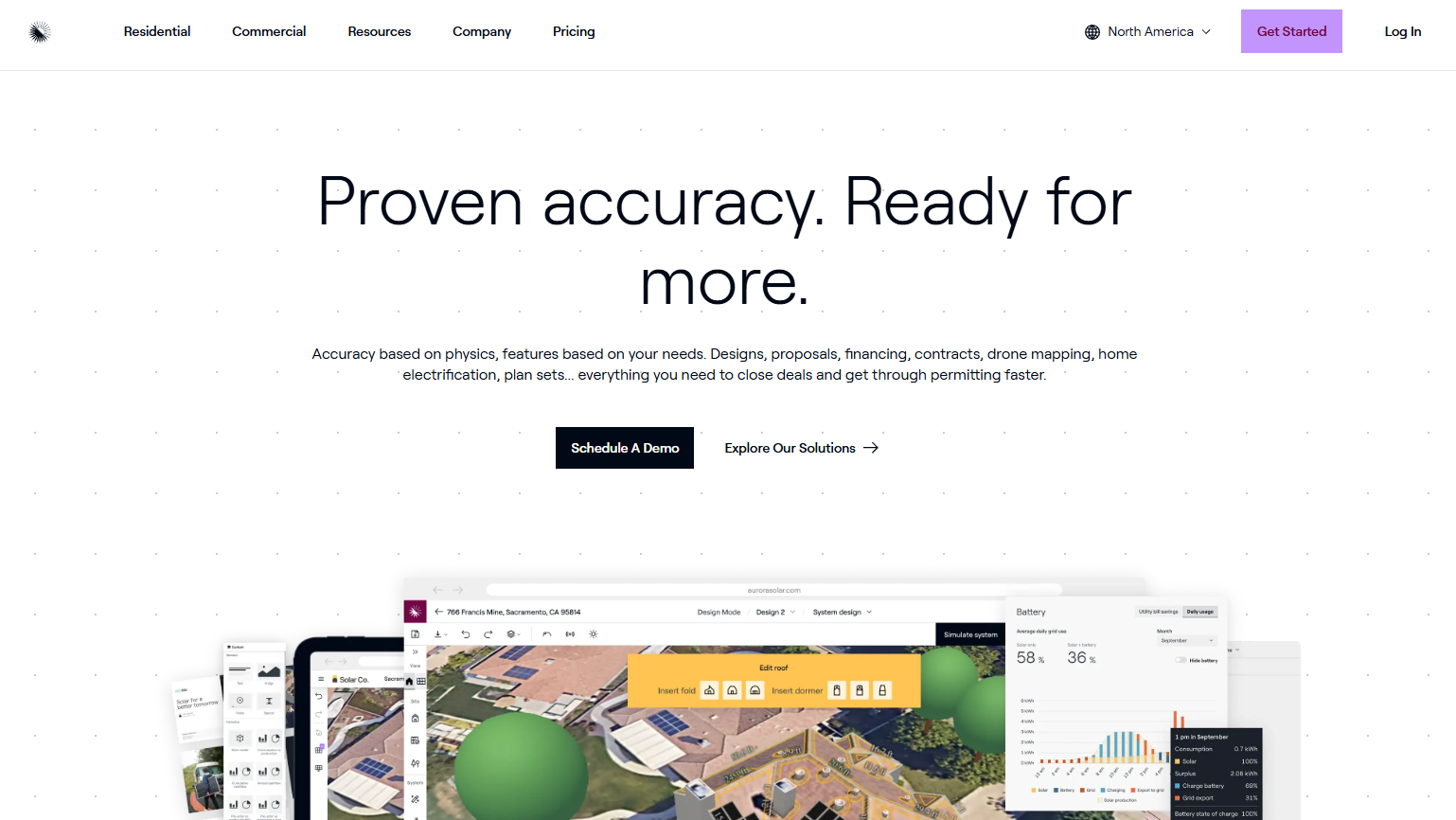
Aurora Solar is a cloud-based platform that covers solar design, sales, proposals, financing, and project delivery for residential solar professionals. Its breadth is the point: Teams that need a repeatable path from site assessment to signed contract, without handoffs between disconnected tools, find the integrated workflow directly reduces rework. The platform includes AI-assisted site modeling, interactive proposals with financing options, and engineering workflow support including plan sets.
Best for: Growing solar companies that need design credibility and a polished customer experience inside the same workflow.
Key features
- AI-assisted solar layout automation and panel placement
- 3D roof modeling with shading and production analysis
- Interactive proposals with financing options and e-signature
- Plan sets and engineering workflow support
- LIDAR-assisted modeling and bankable shade reports (Premium and above)
Why choose Aurora Solar: Aurora fits teams where design accuracy and proposal quality both matter to close rates. It makes the most sense when the business has enough volume to justify a per-user subscription and needs consistent assumptions across multiple designers and reps.
Aurora Solar pricing: Basic starts at $159/user/month billed monthly, or $135/user/month billed annually. Premium runs $259/user/month billed monthly, or $220/user/month billed annually. Enterprise pricing is custom per project. On-demand site models are available as an add-on from $9.99 each. No free tier is offered.
G2 rating: 4.7/5
2. OpenSolar
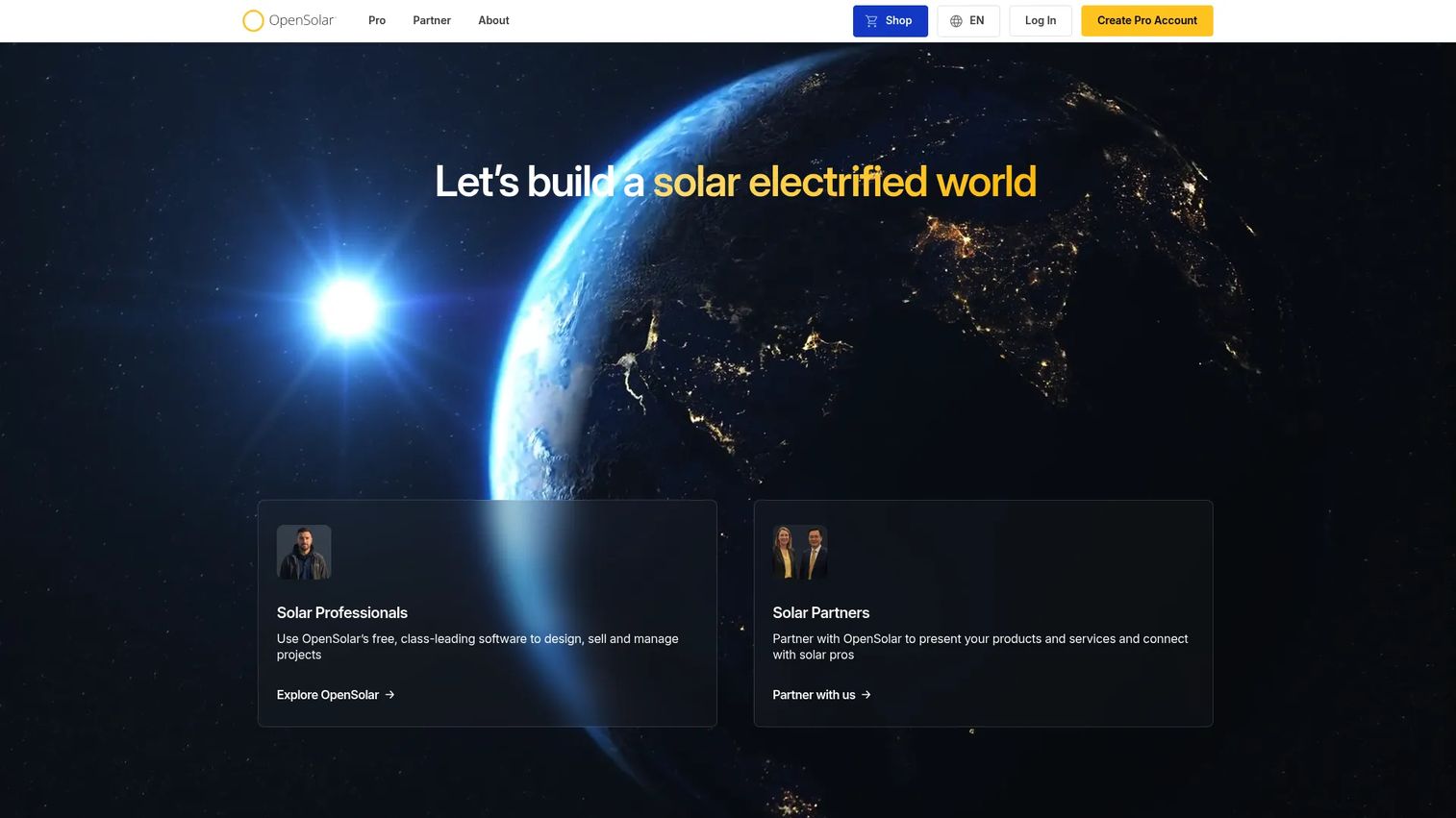
OpenSolar is a free end-to-end solar design, sales, and project-management platform built for solar professionals. The core app covers AI-powered 3D design with shading analysis, customizable proposals with payment options, e-signature, and payment processing, along with built-in CRM and hardware purchasing. For teams that want broad workflow coverage without a fixed software subscription, this is the clearest starting point in the category.
Best for: Smaller solar businesses and cost-conscious teams that want a broad starting point without a fixed monthly software expense.
Key features
- AI-powered automated 3D solar design with shading analysis
- Customizable proposals with e-signature and payment processing
- Built-in CRM, hardware purchasing, and bill-of-materials generation
- Project management tools and sales workflow support
- Partner and marketplace ecosystem for hardware and financing
Why choose OpenSolar: The free core app removes the overhead question entirely for early-stage teams. Teams with complex commercial simulation requirements will still want to pair it with a specialist technical tool, since OpenSolar is optimized for the residential and light-commercial sales workflow rather than engineering-grade yield modeling.
OpenSolar pricing: The core OpenSolar application is free. API access and supported connectors carry separate charges, though specific amounts for those paid add-ons are not published on the pricing page. Teams evaluating advanced integrations should contact OpenSolar directly for those figures.
G2 rating: 4.8/5
3. Pylon
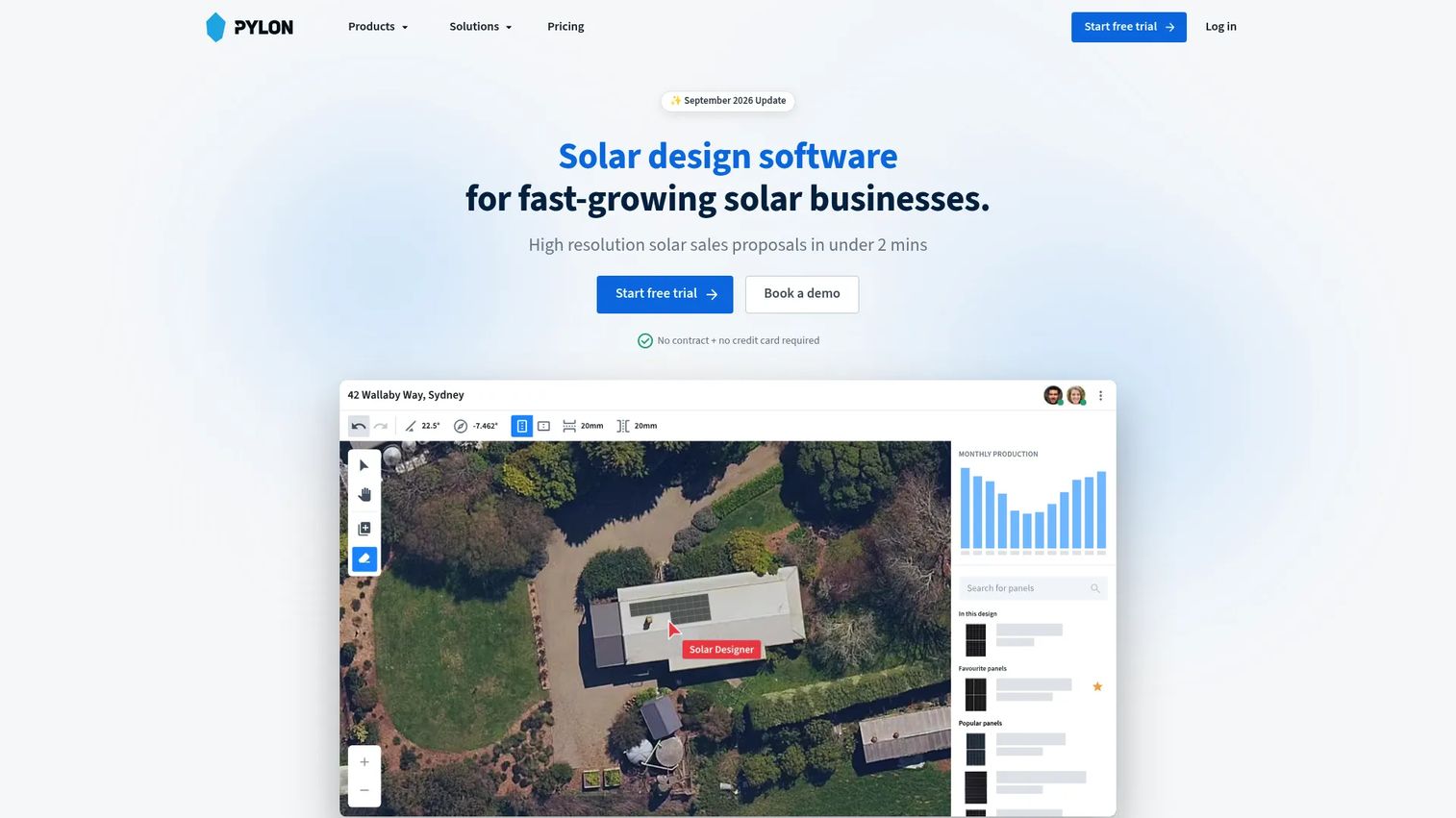
Pylon combines high-resolution aerial imagery, solar design, battery modeling, proposals, CRM, documentation, digital signatures, and payment workflows for residential solar teams. The pay-as-you-go pricing model is structurally different from every other tool in this list: You pay per project rather than per seat per month, which aligns software cost directly with output. For founders worried about fixed overhead during growth, that model deserves attention.
Best for: Residential solar teams that want sales, design, customer documents, and payment collection connected in one workflow without a per-seat subscription.
Key features
- High-resolution aerial imagery and solar panel placement
- 3D shading simulation, battery design, and interval data analysis
- Web and PDF proposals with financial projections and e-signatures
- CRM, SMS, and email workflows for sales follow-up
- Single-line diagrams and owner manuals
Why choose Pylon: The combination of per-project pricing and built-in CRM makes Pylon particularly strong for residential operations where the bottleneck is not design complexity, but converting estimates into signed projects and keeping follow-up activity from falling through the cracks. The Solar CRM add-on runs $49/user/month billed monthly if you want the full pipeline view.
Pylon pricing: Standard projects run $4.00 each on pay-as-you-go. Pro projects run $10.00 each. Enterprise pricing requires a sales conversation. The Solar CRM add-on is $49/user/month, and the Payment Gateway charges 2.50% per transaction. A free trial includes five Standard projects.
G2 rating: 4.7/5
4. SolarEdge Designer
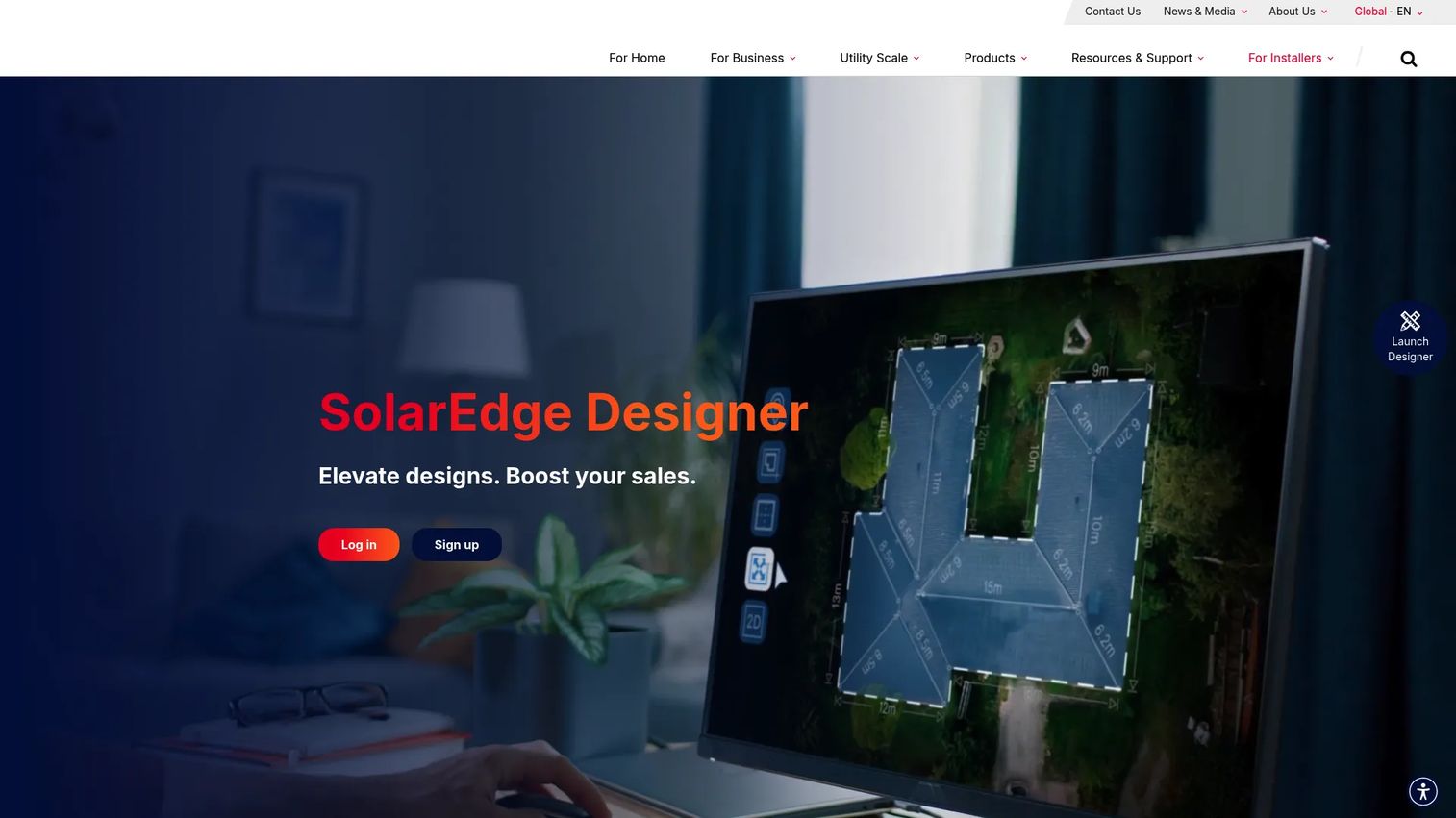
SolarEdge Designer is a free web-based solar PV design tool built specifically for creating, validating, simulating, and proposing systems around SolarEdge products. It covers HD satellite imagery, AI-assisted 3D roof modeling, automated layout, irradiance mapping, shading analysis, automatic stringing, DC cabling, battery and backup planning, financial analysis, and customer proposals. Integration with AutoCAD, PVsyst, and the SolarEdge Monitoring Platform rounds out the capability set.
Best for: Solar installers standardized on SolarEdge components who want design outputs aligned tightly with their hardware stack.
Key features
- HD satellite imagery and AI-assisted 3D roof modeling
- Automated rooftop layout, irradiance mapping, and shading analysis
- Automatic stringing and DC cabling design
- Battery and backup planning with smart load management
- Integration with AutoCAD, PVsyst, and SolarEdge Monitoring Platform
Why choose SolarEdge Designer: The free access and deep ecosystem integration make this the obvious choice for installers who have standardized on SolarEdge. The tool's value narrows significantly for teams that regularly specify other inverter and equipment brands, since the design outputs are tightly coupled to SolarEdge hardware. Verify current eligibility requirements on the SolarEdge product page before relying on the free access terms.
SolarEdge Designer pricing: Free, with no license or subscription fees. SolarEdge states that automatic upgrades are included at no additional cost.
G2 rating: Not listed on G2 at the time of publication.
5. HelioScope
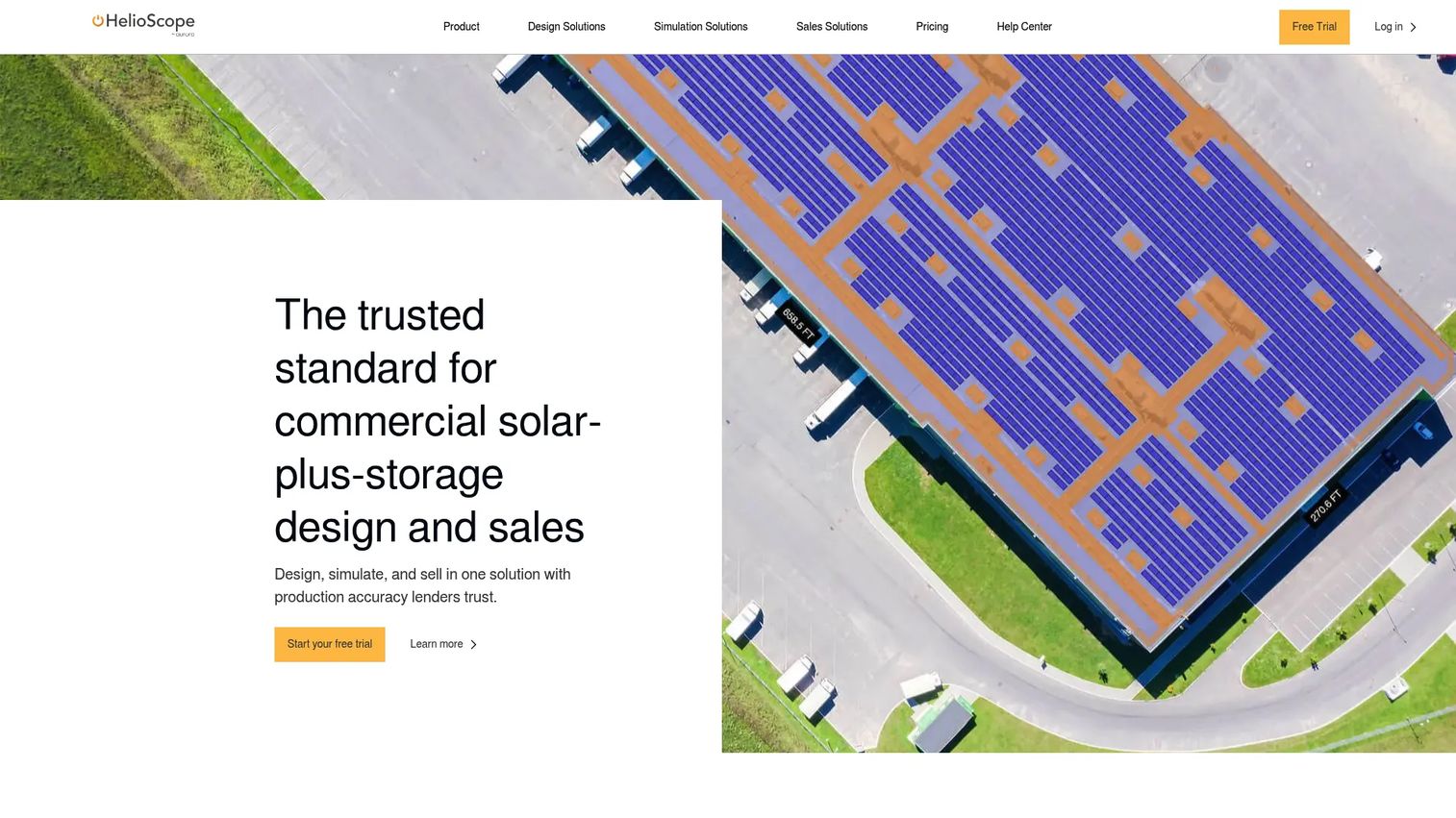
HelioScope is a commercial solar design and simulation platform that covers rooftop, carport, and ground-mount array design with storage, bankable production simulations, 8760 production reports, LIDAR-assisted modeling, AI-based obstruction detection, financial modeling, sales proposals, single-line diagrams, and CAD export. It sits within the Aurora Solar product family and is built for C&I teams that need something more technically credible than a standard residential proposal workflow.
Best for: Commercial and industrial solar teams that need production modeling with defensible assumptions for project financing or engineering review.
Key features
- Rooftop, carport, and ground-mount design with storage modeling
- Bankable solar production simulations and 8760 production reports
- LIDAR-assisted modeling and AI-based obstruction detection
- Financial modeling and sales proposals
- Single-line diagrams and CAD export; PVsyst export on Enterprise
Why choose HelioScope: Commercial project economics often depend on modeling quality, not just proposal polish. When a deal involves a lender, an EPC, or a procurement team that will scrutinize the yield assumptions, HelioScope's simulation depth reduces the risk of a project getting retraditioned after the sale. It's less suited to high-volume residential quoting where speed matters more than technical depth.
HelioScope pricing: Basic runs $159/license/month, or $1,620/license/year billed annually. Pro runs $259/license/month, or $2,640/license/year billed annually. Enterprise pricing is custom. No confirmed free tier.
G2 rating: 4.5/5
6. PVsyst
PVsyst is specialist photovoltaic simulation software for grid-connected, standalone, pumping, and DC-grid systems. It runs hourly and sub-hourly simulations, maintains extensive meteorological and component databases, calculates 3D shading, produces detailed loss diagrams, and includes profitability and economic evaluation tools. PVsystCLI adds command-line automation for teams running batch simulations or integrating results into larger workflows.
Best for: Solar engineers, analysts, and commercial or utility-scale teams that need detailed production simulations and defensible technical assumptions for financing or engineering review.
Key features
- Grid-connected and standalone PV system simulation
- Hourly and sub-hourly simulation with detailed loss analysis
- Extensive meteorological and component databases
- 3D scene and shading calculations
- Profitability and economic evaluation tools
Why choose PVsyst: PVsyst earns its place when technical credibility protects larger project revenue. Lenders, EPCs, and engineering consultants often specify it by name for bankable energy assessments. It was not designed to own the sales proposal, the CRM workflow, or the permitting package, so evaluate it alongside, not instead of, a sales-stage design tool.
PVsyst pricing: PVsyst 8 Professional is CHF 700/year. Education licenses run CHF 420/year. Student and Classroom licenses are CHF 25/year each. PVsystCLI (command-line automation) is CHF 3,000/year. All licenses are annual. A free trial period is available; no permanently free tier exists.
G2 rating: 4.5/5
7. Scanifly
Scanifly is a solar design and field-operations platform for residential and commercial solar contractors. It combines drone-based photorealistic 3D modeling, AI-assisted remote solar design, shading analysis, production modeling, digital field data collection, CAD exports, and permit-ready plan sets. The mobile app (currently iOS) enables customizable checklists, photo and video capture, annotations, and field uploads tied directly to the design workflow.
Best for: Solar contractors with permitting-heavy workflows who need tight coordination between site survey, electrical design, and plan-set preparation.
Key features
- Drone-based photorealistic 3D modeling and PV design
- AI-assisted remote solar designs and shading analysis
- Digital field data collection with mobile app (iOS)
- CAD exports and permit-ready plan set generation
- Production modeling and site plan workflows
Why choose Scanifly: Permit rework, survey gaps, and installation surprises can erase the margin gained through faster quoting. Scanifly is worth evaluating when the team's current bottleneck is field-to-plan accuracy rather than proposal speed. Service-request credits are published for specific outputs: Site Modeling runs 15 residential credits or 100 commercial credits; Plan Set runs 70 residential credits (commercial is custom). Subscription pricing requires a direct conversation with Scanifly.
Scanifly pricing: Subscription pricing is not displayed on the Scanifly website. Contact the company directly for plan details. Service-request credit costs are published on the help center for reference.
G2 rating: 4.7/5
Considerations when choosing solar design software
Match the tool to your most common project type
A residential reroofing proposal doesn't need the same platform as a 500 kW commercial carport with a battery system. Map your actual project mix before evaluating: Residential-only, commercial rooftop, ground mount, solar-plus-storage, or multi-site portfolio. The platform that wins the most projects for your team is rarely the most technically sophisticated one available.
Check how the tool handles site inputs
The proposal is only as accurate as the inputs behind it. Evaluate aerial imagery quality, shade assumptions, roof-modeling methodology, component libraries, and local utility rate data. A polished customer-facing output built on weak inputs creates liability, not confidence. Ask each vendor how it handles partial shading, attic ventilation obstructions, and systems in regions with limited satellite coverage.
Separate customer-facing workflow from technical validation
Ask whether the same users need to sell, design, permit, and model the system. Most teams do not. If your designers hand off to a separate engineering reviewer for commercial projects, prioritize clean data exports and PVsyst compatibility over an all-in-one claim. The tool that wins the proposal may not be the right tool for the bankable energy report.
Map the platform to your existing stack
Verify which CRM, financing, payment, CAD, monitoring, document-signature, and accounting connections each platform actually supports. A new tool should reduce the number of manual reconciliation steps between systems. If a vendor claims an integration, test it with a real workflow before committing. Integration depth varies significantly across tiers.
Model the total cost of rework
Software cost is the visible line item. The invisible one is proposal revisions, design errors, permit resubmissions, and lost follow-up. A $4/project platform that requires three manual steps between design and proposal can cost more in team time than a $259/user/month platform that eliminates those steps entirely. Run a controlled test with one live project in each shortlisted tool before deciding.
Conclusion
Solar design software is not a single category with one winner. It covers overlapping operating systems for site assessment, PV design, sales proposals, technical simulation, and project delivery.
Aurora Solar is the strongest broad option for growing teams that need design depth, proposals, and operational scale in one place. OpenSolar gives cost-conscious installers a full-workflow starting point at no fixed cost. Pylon's pay-as-you-go model fits residential operators who want design and sales workflow consolidation without a per-seat commitment. SolarEdge Designer is purpose-built for teams standardized on SolarEdge hardware. HelioScope handles commercial solar-plus-storage modeling with the kind of simulation depth that holds up under financing scrutiny. PVsyst is the specialist choice when lender-grade yield analysis is on the table. Scanifly fills the gap between field survey and permit-ready documentation for contractors where that handoff creates margin loss.
Pick two tools that match your project type. Rebuild one current project in each, then compare design time, estimate confidence, proposal quality, and handoff effort before committing.
FAQs
Residential teams most often need fast roof modeling, polished proposals, savings estimates, and financing scenarios without waiting on engineering. Aurora Solar, OpenSolar, Pylon, and SolarEdge Designer all cover this workflow, with meaningful differences in pricing model and depth. The right choice turns on hardware strategy (SolarEdge-centric or mixed), whether you want per-seat or per-project billing, and how much of the sales workflow you want inside the same tool.
OpenSolar's core application is free, covering design, proposals, and project management. SolarEdge Designer is also free for teams designing around SolarEdge products. Feature depth varies across free tiers: Check current limits around project count, imagery quality, storage modeling, exports, and team collaboration before treating a free plan as a long-term operating foundation.
Solar proposal software presents pricing, savings estimates, visualizations, and financing options to the customer. Solar design software goes deeper, covering panel layout, shading analysis, production estimates, equipment configuration, and technical documentation. Most modern platforms handle both, but the quality of each layer differs. A tool optimized for fast proposals may produce less defensible production estimates than a specialist simulation platform. The distinction matters when a project goes to commercial financing or engineering review.
Commercial projects typically require stronger production modeling, storage scenario analysis, detailed 8760 outputs, and engineering-grade documentation that holds up under lender or EPC review. HelioScope is built for this workflow, covering C&I rooftops, carports, and ground-mount arrays with bankable simulations. PVsyst adds deeper hourly simulation and loss analysis for projects where technical credibility is the deciding factor in financing approval. The proposal and CRM side can still run through a broader platform alongside either tool.
Many platforms support storage sizing and backup scenarios, but the depth varies significantly. Aurora Solar Premium adds advanced battery modeling. Pylon includes 3D shading simulation and battery design. HelioScope covers solar-plus-storage analysis with scenario modeling. SolarEdge Designer supports storage and backup planning within its ecosystem. Before purchasing, verify tariff modeling, time-of-use assumptions, load analysis depth, outage resilience scenarios, and which battery hardware the platform supports.
Shading analysis is standard across the category, but the methods differ. Platforms use satellite imagery, 3D roof models, LIDAR data, field inputs, and obstruction detection in varying combinations. Input quality directly affects production estimate accuracy: A shade model based on low-resolution imagery will produce different results than one built from drone-captured 3D data. Ask each vendor how its shading methodology is validated and what happens in regions with limited aerial coverage.
Several platforms offer plan-set support, single-line diagrams, electrical design, or documentation exports. Aurora Solar and Scanifly both cover this workflow with varying depth. Scanifly is specifically built around permit-ready plan sets and field-to-plan coordination. Local jurisdiction requirements vary, and software-generated documentation may require review by a licensed engineer before submission. Verify what your jurisdiction accepts before relying on generated permit packages.
Run one real project through two shortlisted tools. Compare time to first design, proposal quality, production assumptions, required manual edits, integration fit, and documentation outputs. Pay attention to where each tool requires you to leave the platform and complete a step somewhere else; those gaps become your recurring overhead. One project test surface more operational friction than any feature list comparison.