You enter the same shipment details twice. Once into your ERP, once onto a printed bill of lading. Then a driver waits at the dock while someone finds the right form, catches a typo in the weight field, and reprints. Small errors, big delays.
That friction is why bill of lading software exists. Instead of retyping shipment data into paper forms, a good bol software pulls details from systems you already run, generates the document, and stores it for retrieval later. The category is growing fast: the global bill of lading software market reached USD 2.31 billion in 2024 and is projected to hit USD 4.50 billion by 2035, according to WiseGuy Reports (2024).
The bigger shift is digital. Global adoption of electronic bills of lading among surveyed users rose from 33.0% in 2022 to 49.2% in 2024, per the ICC and FIT Alliance global survey (2024). If you are choosing a bol generator today, the real question is not "which template looks nicest." It is whether the tool matches your workflow, whether you need to create bol documents for printing, capture an e-signature, or push data through a REST API into your stack.
This guide ranks four tools. Some are classic bill of lading programs built for desktop printing. Others lean into electronic bill of lading software and transport visibility. A bol creator that fits a warehouse team will not fit a carrier the same way, so the goal here is fit, not feature count.
What's inside
This guide is for operations leads, product managers, and shipping teams comparing shipping documentation automation options before a trial or a purchase request.
We picked four tools and ranked them by workflow fit, using four criteria:
- Creation and printing: how fast you can generate and output a BOL.
- Automation: auto-population from shipment data and reduced rekeying.
- Storage and retrieval: shipment document retention, cloud storage, and search.
- Integration and compliance: ERP integration, WMS integration, hazmat support, and e-signature.
The shortlist mixes desktop-first bol software with cloud and eBOL-oriented tools, so you can match a tool to your actual operation.
TL;DR
- Best for shipment document automation: SmartBOL, for teams that want documents to flow out of their ERP, WMS, or TMS without manual entry.
- Best for desktop printing workflows: Star Bill of Lading, for shippers who still print forms and want a simple, one-time-purchase tool.
- Best for warehouse and inventory operations: Finale Inventory, for ecommerce and warehouse teams generating BOLs inside broader inventory work.
- Best for electronic bill of lading and transport visibility: Dashdoc, for carriers and transport teams that want a digital, end-to-end document process.
The right choice depends on whether you need printing, e-signature, cloud access, or system integration. A free trial or demo matters here. Test document creation and document retrieval before you commit.
What bill of lading software is
Bill of lading software is a tool that creates, stores, distributes, and retrieves bill of lading documents digitally, replacing manual paper forms with a repeatable workflow.
A bill of lading is the shipping document that records what is being shipped, who is shipping it, and where it goes. A bill of lading program turns that document from a one-off form into structured, searchable data. Most bill of lading programs cover the same core jobs.
- BOL creation and printing: generate standard and custom BOL forms, then print or export them.
- Electronic bill of lading generation: produce a digital bill of lading with e-signature capture and timestamps.
- Auto-population from shipment data: pull shipper, consignee, weight, and item fields from an ERP, WMS, or TMS.
- Document retention and retrieval: store BOLs in cloud storage so you can find any past document fast.
- Hazmat or regulatory support: add fields for a hazmat bill of lading and dangerous goods handling.
- ERP and WMS integrations: connect through connectors, a REST API, CSV import, or ODBC.
The core distinction to understand is paper versus electronic. A paper BOL is printed, signed by hand, and filed physically. An electronic BOL is generated, signed digitally, and stored in the cloud with an audit trail. Both are legally recognized in the US, but the digital path makes shipment document retention and document retrieval far faster during an audit or a freight dispute.
Terminology matters when you evaluate tools. A straight bill of lading is non-negotiable and names a specific consignee. A hazmat BOL requires regulated fields for hazardous materials. If your freight touches either, confirm the tool handles those cases before you trial it.
When to use bill of lading software
Replace manual shipping forms
If your team retypes shipment details into paper or PDF forms every day, that is the clearest trigger. Manual entry is where typos in weight, address, and freight class creep in. High-volume shippers generating dozens of BOLs a day get the most value, because the same fields repeat and a bol generator removes the rekeying. Repeatable document generation is the point.
Support electronic signatures and digital storage
Use eBOL when your process needs timestamped signatures, cloud access, and fast retrieval. An e-signature captured at pickup removes the "who signed, and when" question during a dispute. Digital storage lowers friction during shipping and at the back-office handoff, because anyone with access can pull the document instead of hunting through a filing cabinet.
Improve integration with ERP or WMS
When shipment data already lives in your ERP or WMS, integration becomes the deciding factor. If the software can read that data directly, you cut manual entry to near zero. For teams already running a business system, ERP integration and WMS integration usually matter more than any single document feature. Shipment data automation is the outcome you are buying.
Comparison table
Here is how the four bill of lading programs compare on fit, differentiator, price, and rating. SmartBOL leads because it is the clearest broad-fit option for teams that want documents to flow out of existing systems.
| # | Product | Best for | Key differentiator | Pricing | G2 rating |
|---|---|---|---|---|---|
| 1 | SmartBOL | Shipment document automation across ERP, WMS, and TMS | eBOL plus deep ERP and WMS integration | From $39/user per month | Not listed |
| 2 | Star Bill of Lading | Desktop printing workflows | One-time purchase, print-first Windows tool | From $199 one-time | Not listed |
| 3 | Finale Inventory | Warehouse and ecommerce operations | BOLs generated inside inventory workflows | From $499/month | 4.8/5 |
| 4 | Dashdoc | Electronic BOL and transport visibility | eBOL inside an end-to-end transport TMS | Custom pricing | Not listed |
Pricing and ratings reflect verified values at the time of writing. Ratings shown as not listed had no confirmed public score at drafting.
Best 4 bill of lading software tools for 2026
1. SmartBOL
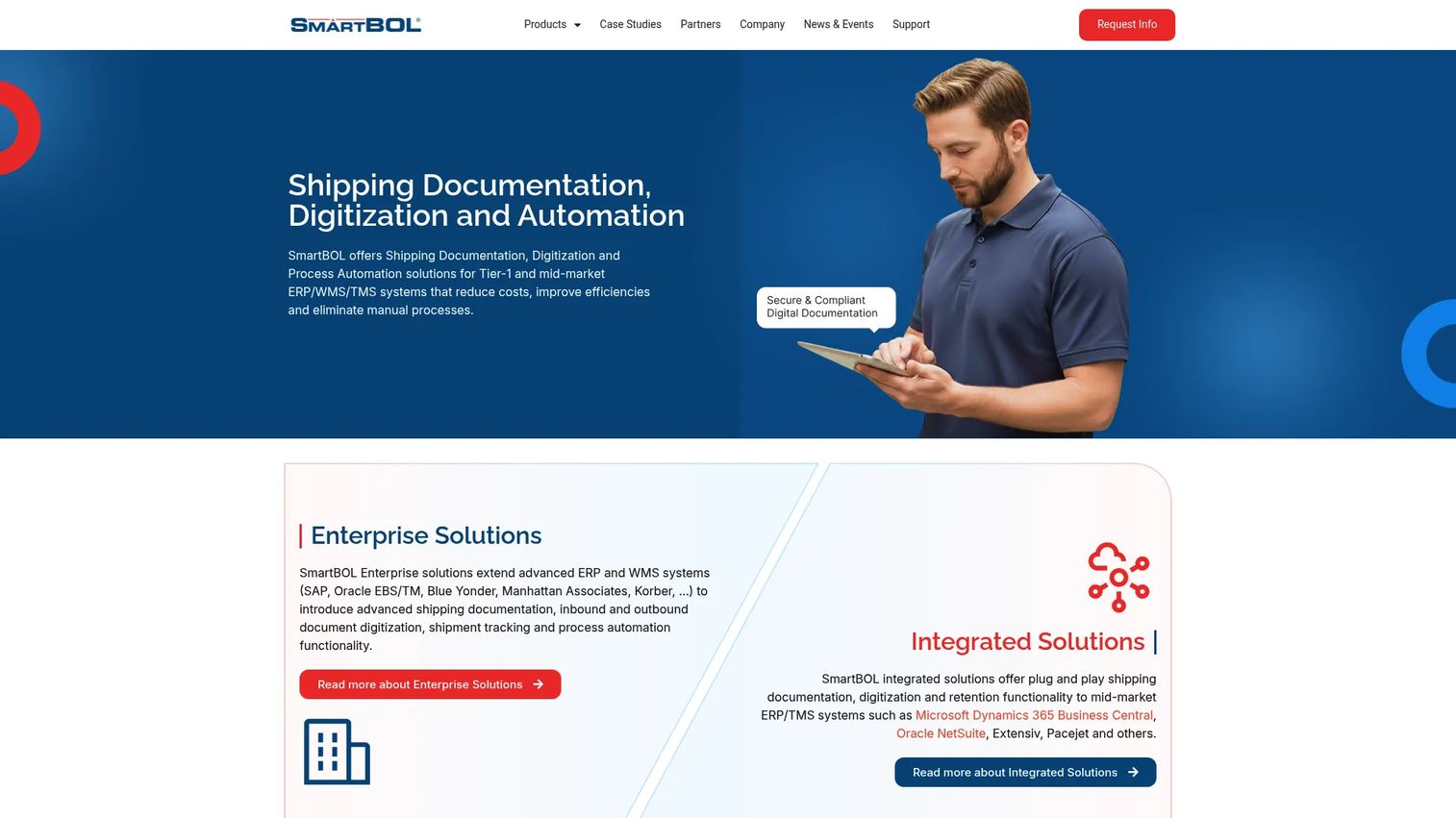
SmartBOL is shipping documentation, digitization, and process automation software built to plug into ERP, WMS, and TMS workflows. Instead of treating the BOL as a standalone form, it treats document creation as an output of the systems you already run. That makes it the strongest fit for teams whose shipment data lives in a business system and who want documents generated without rekeying.
The product covers electronic bill of lading generation, broader shipping documentation, and electronic proof of delivery. It also handles operational touchpoints like QR check-in and check-out and kiosk check-in and check-out, plus an API interface for connecting into your stack. For a product manager, that API interface is the interesting part: it means shipment data automation can flow from the ERP to the BOL and back without a person in the loop.
Best for: Mid-market and enterprise shippers that need electronic bill of lading and document automation tied to an ERP, WMS, or TMS.
Key strengths
- Electronic bill of lading and shipping documentation generation.
- Electronic proof of delivery for closing the loop after delivery.
- QR and kiosk check-in and check-out for dock operations.
- API interface for ERP integration and WMS integration.
- Cloud-based document retention and retrieval.
Why choose SmartBOL: If your shipment data already sits in a system like an ERP or WMS, SmartBOL turns that data into documents automatically, which is where the manual-entry savings come from. It suits teams that value integration and shipment document retention over a simple print button.
SmartBOL pricing: Base starts at $39 per user per month and Pro at $99 per user per month. The Solution tier starts from $1,699 and is contract-based. There is no free tier listed.
2. Star Bill of Lading
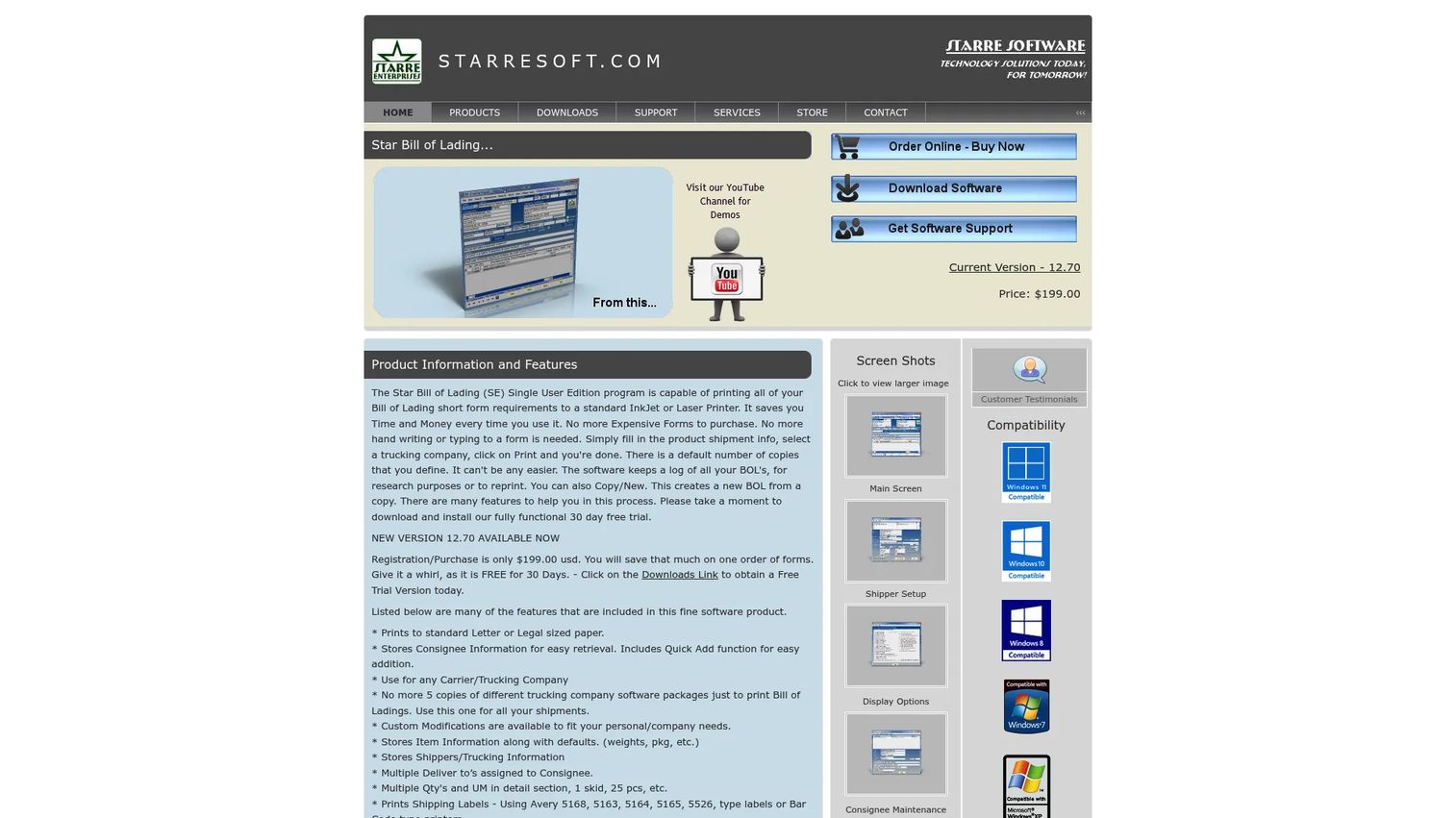
Star Bill of Lading is desktop software for creating and printing bills of lading. It is deliberately narrow. If you print forms to an inkjet or laser printer and want a tool that does that job without a subscription, this is the print-first bol creator that fits. It stores consignee, shipper, carrier, and item data so you are not starting from a blank form each time.
The strength here is the desktop printing workflow. It includes a log and reprint feature, so you can pull up a past shipment and reprint it, plus email, label, and import features. For teams still running paper or hybrid forms, that reprint-and-log flow is often exactly the shipment document retention they need without moving to the cloud.
Best for: Small to mid-sized shippers that still rely on Windows desktop printing and want a one-time-purchase tool.
Key strengths
- Prints BOL forms to inkjet or laser printers.
- Stores consignee, shipper, carrier, and item data.
- Log and reprint for pulling up past shipments.
- Email, label, and import features.
- Hazmat and dangerous goods handling for regulated freight.
Why choose Star Bill of Lading: This is the tool for shippers who want to keep printing without paying monthly. It also handles a hazmat bill of lading, which matters if your freight is regulated. The tradeoff is that it is desktop-bound, not a cloud platform.
Star Bill of Lading pricing: The Single User Edition is $199.00 as a one-time purchase, and the Network Edition is $399.00 one-time. A free 30-day trial is available.
3. Finale Inventory
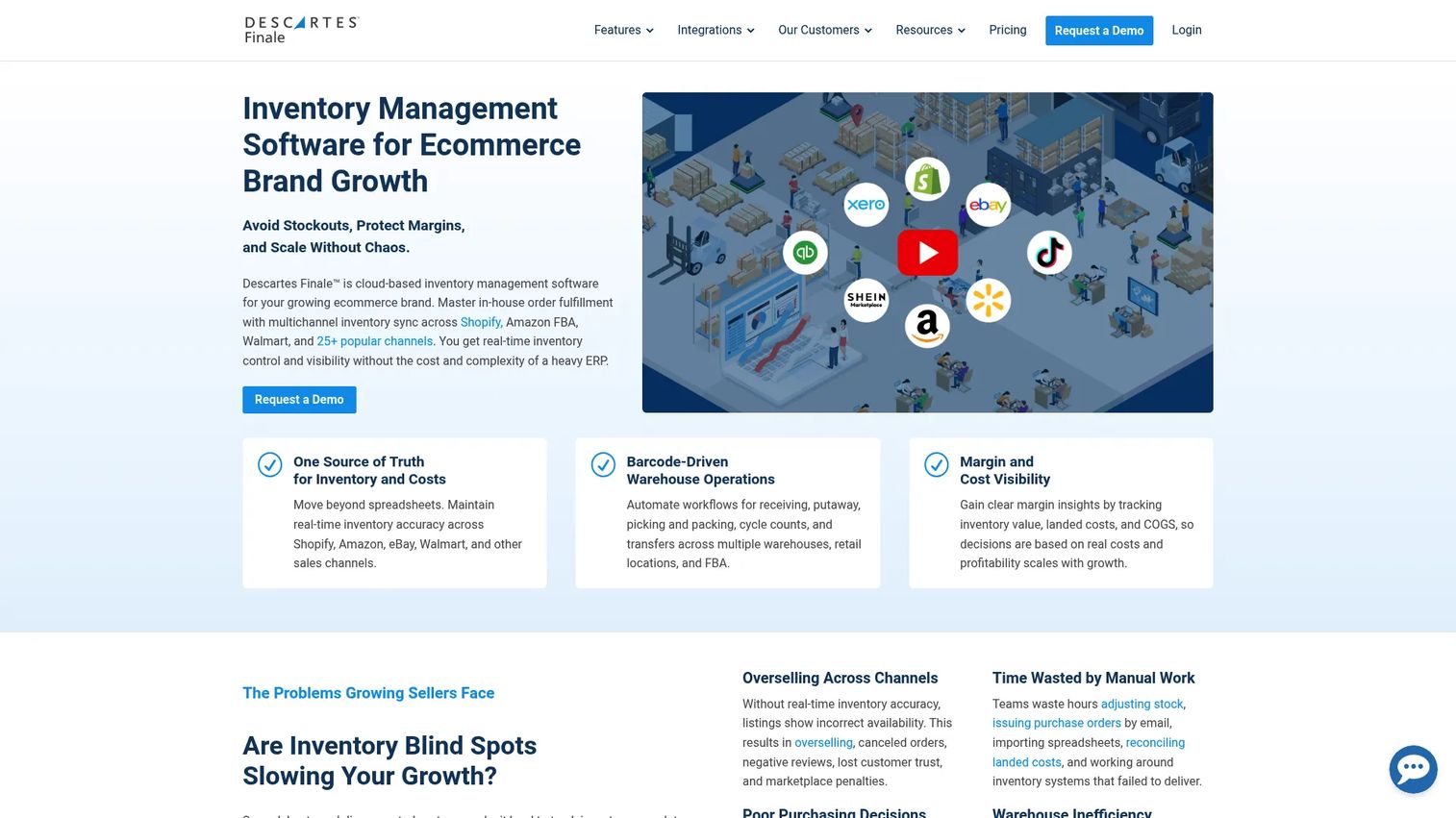
Finale Inventory is cloud-based inventory management software for growing ecommerce brands, and BOL creation lives inside that broader inventory workflow. You are not buying a standalone bol generator here. You are buying inventory control across channels and warehouses, with the ability to create bol documents from the same shipment record you already manage stock in.
That framing is the whole point. If your team already tracks orders, barcodes, and stock in one place, generating the BOL from that record avoids re-entering shipment data. Finale runs on barcode-driven warehouse operations and includes built-in reporting and accounting integrations, so the shipping document is one output of an operation that also handles picking, packing, and fulfillment.
Best for: Ecommerce sellers and warehouse teams that need inventory control across channels and want BOL creation inside that workflow.
Key strengths
- Multichannel inventory management across sales channels.
- Barcode-driven warehouse operations for picking and packing.
- BOL creation from the same shipment record.
- Built-in reporting and accounting integrations.
- Cloud storage and document retrieval.
Why choose Finale Inventory: Choose this when the BOL is a byproduct of warehouse operations, not the main job. Teams already living inside inventory software get the shipment data automation benefit without adding a separate documentation tool. It handles straight BOLs and hazmat fields inside the shipment tab flow.
Finale Inventory pricing: Plans start at $499 per month, with pricing based on users, integrations, order volume, and add-ons. There is no free tier, and Finale holds a 4.8 out of 5 rating on G2.
4. Dashdoc
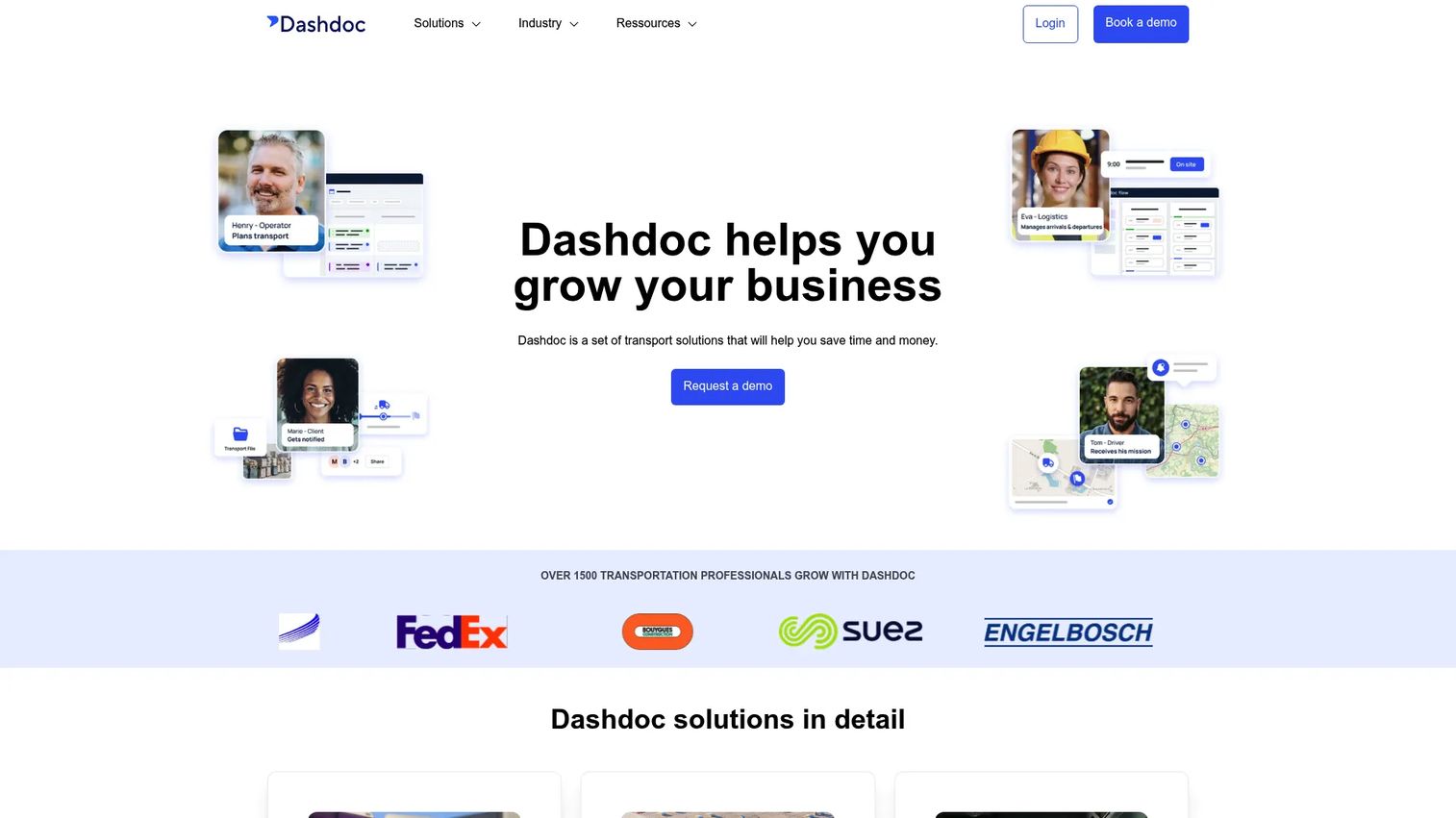
Dashdoc is a transport TMS with electronic bill of lading built into an end-to-end shipment process. Where the other tools focus on producing a document, Dashdoc frames the BOL as one step in a digital transport workflow: plan the shipment, run it, capture a digital signature, and file the document. That makes it the eBOL and transport-visibility choice on this list.
For US carriers and transport teams, the compliance and lifecycle angle is the draw. Digital signature capture at pickup and delivery, document lifecycle tracking, and a push toward a zero-paper process all sit inside one system. It also surfaces operational extras like CO2 reports and shipment planning, which matter to teams thinking beyond a single document. If you want the whole transport process digital, not just the BOL, this is the fit.
Best for: Carriers and transport teams that want electronic bill of lading inside a broader, digital transport workflow.
Key strengths
- Electronic bill of lading inside a transport TMS.
- Digital signature capture at pickup and delivery.
- Document lifecycle and retrieval across the shipment.
- Shipment planning and dispatch in one system.
- CO2 reporting and a zero-paper policy.
Why choose Dashdoc: Pick Dashdoc when the goal is an end-to-end digital transport process, not a standalone bol software. It suits teams that want signatures, tracking, and documents in one place. The tradeoff is scope: it is a TMS, so it carries more than teams who only need a BOL will use.
Dashdoc pricing: Dashdoc uses custom pricing tied to your team size and transport volume. Contact the vendor for a quote and to arrange a trial.
Considerations before you buy
Before you commit to any of these bill of lading programs, run through this checklist against your actual workflow.
Creation and output fit
Match the creation method to how you work today. If you print, confirm printer and copy support. If you send documents digitally, confirm the tool can export and generate an electronic bill of lading with an e-signature. Do not buy a cloud platform if you only need a print button, and do not buy a desktop printer tool if you need eBOL.
Automation and data source
The biggest time savings come from auto-population. Check whether the tool can read shipment data from your ERP, WMS, or TMS, or whether you will still enter fields by hand. If your data lives in a business system, prioritize ERP integration and WMS integration over standalone features.
Storage, retrieval, and retention
Confirm how the tool handles shipment document retention. Look for cloud storage, fast document retrieval, and a clear audit trail. During a freight dispute or an audit, the speed of pulling up a signed BOL is worth more than most feature checklists suggest.
Compliance and hazmat
If you ship regulated freight, confirm hazmat bill of lading fields and dangerous goods handling before you trial. Compliance requirements vary by country, so verify the tool covers your specific shipping lanes. A generic BOL form is not enough for regulated cargo.
Integration paths
Check the exact integration methods offered: connectors, a REST API, CSV import, or ODBC. A REST API suits ongoing shipment data automation, while CSV import or ODBC can bridge older systems. Confirm the tool supports the method your stack actually uses.
Conclusion
The right bill of lading software depends on your workflow, not on who has the longest feature list. Paper-heavy, warehouse-heavy, and eBOL-heavy teams do not need the same tool.
If your shipment data lives in an ERP, WMS, or TMS and you want documents generated automatically, SmartBOL is the broad-fit pick. If you still print forms and want a simple one-time purchase, Star Bill of Lading does that job. If BOL creation is one part of a larger warehouse and inventory operation, Finale Inventory keeps it inside the workflow you already run. And if you want an end-to-end digital transport process with eBOL and signatures, Dashdoc covers the full lifecycle.
The practical next step: shortlist the two tools that match your workflow, then use a free trial or demo to test document creation, document retrieval, and export. Star Bill of Lading offers a 30-day trial, and the others offer demos on request. Workflow fit shows up fast once you generate a real BOL, so test before procurement signs off.
FAQs
Bill of lading software is used to create, manage, and retrieve shipping documents faster than manual paper forms. It auto-populates shipment details, generates the BOL, and stores it for later retrieval. The main payoff is fewer manual errors in fields like weight and address, plus cleaner recordkeeping for audits and disputes.
A paper bill of lading is printed, signed by hand, and filed physically. An electronic bill of lading, or digital bill of lading, is generated in software, signed with an e-signature, and stored in the cloud with a timestamped audit trail. The digital version makes storage and document retrieval far faster, which is why eBOL adoption is climbing.
Yes, if the tool includes the right fields. A hazmat bill of lading requires regulated fields for hazardous materials and dangerous goods that a generic form does not carry. Star Bill of Lading and several others support hazmat handling. Always confirm the tool meets your country-specific compliance requirements before you rely on it.
For warehouse teams, the best fit is software that generates the BOL inside your existing inventory and fulfillment workflow. Finale Inventory suits this case because it creates BOLs from the same shipment record used for picking and packing, and supports barcode-driven operations. Inventory-system alignment and print support usually matter more than a long feature list.
The best products do. They pull shipment data directly from your ERP or WMS so you avoid rekeying fields. Look for a REST API for ongoing shipment data automation, plus connectors, CSV import, or ODBC for bridging older systems. SmartBOL, for example, offers an API interface built for ERP and WMS integration.
Yes. Workflow fit matters more than any feature checklist, and a trial is how you confirm it. During a free trial, test the three paths you will use daily: document creation, document retrieval, and export or print. If those feel smooth on your real shipment data, the tool fits.
Focus on four things: automation that pulls shipment data automatically, storage and retrieval that keeps documents findable, compliance coverage for hazmat and regulated freight, and integrations that match your stack. Support for digital signatures and document distribution rounds out a strong bol generator.
Yes, especially when manual paperwork is creating errors or slowing down dock handoffs. Smaller teams often benefit most from removing repetitive rekeying. For them, simplicity and pricing usually matter most, so a one-time-purchase desktop tool like Star Bill of Lading can be a better fit than a full platform.