You have 40 stores, three fixture types, and a merchandising team still dragging product images into a spreadsheet grid. Every reset means rebuilding layouts from scratch. Every file handoff between planning and store execution loses something. And when a category manager asks why a slow-moving SKU is still occupying prime eye-level facings, nobody has a fast answer.
That friction is not a niche annoyance. The global on-shelf availability solutions market is estimated at USD 6.85 billion in 2026 and projected to reach USD 13.59 billion by 2035, according to Business Research Insights (2026). Retailers and suppliers are spending real money to close the gap between how a shelf is planned and how it actually looks in-store.
Shelf planning software exists to close that gap. It turns manual layout work into repeatable, visual, data-connected planograms that teams can build once, standardize across locations, and hand cleanly to store execution. The right tool cuts the time between "we should reset this aisle" and "the reset is live and compliant." The wrong one just moves the spreadsheet into a slightly nicer window.
For a product manager or merchandising lead, the real question is not "which tool draws the prettiest shelf." It is which one reduces manual work, scales layouts across formats and regions, and connects planning to the reporting and execution data you already track. This guide ranks seven options against exactly those criteria.
What's inside
This guide covers seven shelf planning and planogram tools built for retail teams that need layout creation, fixture replication, reporting, and clean data exchange. It is written for the people who own the workflow, not just the pixels: merchandising leads, category managers, and product managers evaluating a tool their team will live in every week.
We selected and ranked tools against five criteria that matter most for real merchandising work:
- Ease of use and speed to a finished shelf layout
- Shelf and fixture visualization, including 2D and 3D views
- Export and interoperability with planogram file formats and retail data systems
- Reporting depth for space, profit, and compliance analysis
- Fit for different workflows, from a single shelf to a multi-store rollout
TL;DR
Short on time? Here is who each pick is for:
- Best for fast, lightweight shelf layout creation: Retail Shelf Planner
- Best for 2D and 3D planogram modeling and communication: PlanogramBuilder
- Best for profit analysis and category reporting: Shelf Logic
- Best for cloud-based, keyboard-driven speed: GoPlanogram
- Best for shelf execution and planogram compliance from store photos: Store360
- Best for planogram distribution and in-store execution tracking: PlanoHero
- Best for advanced category management and assortment depth: DotActiv
What is shelf planning software?
Shelf planning software is a tool that helps retail teams design, edit, and manage product layouts on store shelves, pegboards, and fixtures, then share those layouts across planning and execution teams. It is the digital workspace where merchandising decisions become visual, standardized plans instead of loose spreadsheets and hand-drawn diagrams.
The category overlaps heavily with terms you have probably seen used interchangeably. Planogram software and retail planogram software** describe the same core job: building a planogram, the visual map of where each product sits on a shelf. Retail space planning software and retail store planning software widen the scope to include floor plans and fixture placement across a whole store. Shelf management software** leans toward ongoing execution and compliance. In practice, most tools in this space blend several of these labels.
Core capabilities to expect from a strong shelf planning tool:
- Create shelf, pegboard, and fixture layouts with real product dimensions and facings
- Edit product facings and space allocation by unit, brand, or category
- Visualize stores in 2D or 3D, so buyers and store teams see the shelf before it is built
- Export and share layouts across teams using standard planogram file formats
- Connect to retail data systems for sales, margin, and inventory inputs
- Report on space performance, profit per facing, and planogram compliance
Good planogram software for a retail store does more than draw. It ties the layout to the numbers behind it, so space allocation reflects what actually sells rather than what looked balanced on screen.
When to use shelf planning software
Not every team needs the same depth. Here is how to pattern-match your situation to the category.
Build store shelf layouts faster
If your team rebuilds shelf layouts from scratch every season, you are burning hours on work a tool should templatize. Shelf planning software lets you plan assortments and product placement against real fixture dimensions, reuse layouts across similar stores, and swap products without redrawing the whole aisle. This is the baseline use case: turning slow, manual shelf work into repeatable output.
Standardize merchandising across locations
Consistency breaks down fast when 50 stores each interpret a layout their own way. Shelf planning tools give you a single source of truth for each planogram, then let you flex it by store format, region, or fixture count. That keeps the brand experience consistent while still respecting that a 2,000 square foot store cannot hold the same assortment as a flagship.
Connect planning to reporting and execution
The highest-value use case is closing the loop. When planning connects to sales data, you can allocate space by performance instead of habit. When it connects to execution, you get shelf reset support, distribution tracking, and planogram compliance checks that confirm the store actually matches the plan. This is where shelf planning stops being a design exercise and starts driving revenue.
Comparison table
The best tool here depends entirely on your workflow. Some teams want the simplest path from idea to finished shelf. Others need deep profit analysis, multi-store rollout control, or AI-driven compliance from store photos. The table below sorts seven options by relevance to core shelf planning software needs, with intent, primary use case, pricing, and rating where publicly confirmed.
| # | Product | Intent | Key use case | Pricing | G2 rating |
|---|---|---|---|---|---|
| 1 | Retail Shelf Planner | Lightweight planogram planning | Fast shelf and pegboard layouts | From US$1,250/user/year | Not available |
| 2 | PlanogramBuilder | 2D/3D planogram creation | Visual shelf modeling and communication | Subscription, by version | Not available |
| 3 | Shelf Logic | Planogram + analysis | Profit and category reporting | From $14.99/month | Not available |
| 4 | GoPlanogram | Cloud planogram design | Keyboard-driven speed and scale | From $1,995/user/year | Not available |
| 5 | Store360 | Shelf execution + compliance | AI image recognition from store photos | Not publicly listed | Not available |
| 6 | PlanoHero | Planogram + execution | Distribution and execution tracking | From $199/month | 5.0/5 |
| 7 | DotActiv | Category management depth | Assortment and planogram optimization | From $0/year | 4.5/5 |
1. Retail Shelf Planner
Retail Shelf Planner is planogram and retail shelf space planning software aimed at teams that want to build layouts quickly without a heavy learning curve. It handles planogram creation and editing, moves files in and out across multiple planogram formats, and adds visual analyses and scorecards so a layout is not just drawn but assessed. For retailers, manufacturers, and wholesalers that need a straightforward planner, it keeps the workflow lean.
Best for: Retail, manufacturer, and wholesale teams that want fast, no-fuss shelf and pegboard planning without enterprise overhead.
Key strengths
- Fast planogram creation: Build and edit shelf and pegboard layouts quickly against real product dimensions.
- Broad file interoperability: Import and export across multiple planogram file formats to fit into existing workflows.
- Visual analyses and scorecards: See how a layout performs on space and facings without exporting to another tool.
Why choose Retail Shelf Planner: If your team values speed and a shallow learning curve over deep category management features, this is a practical fit. It suits merchandisers who need to produce clean planograms and share them, without paying for analytics layers they will not open. The multi-format file support also makes it a reasonable bridge tool if you exchange planograms with partners on other systems.
Retail Shelf Planner pricing: Retail Shelf Planner lists three editions with annual, per-user pricing. Express starts at US$1,250 per user per year, Enterprise is US$2,200 per user per year, and Enterprise + is US$3,125 per user per year. There is no free tier. The per-user model makes it easy to scope for a small planning team and scale seats as merchandising headcount grows.
2. PlanogramBuilder
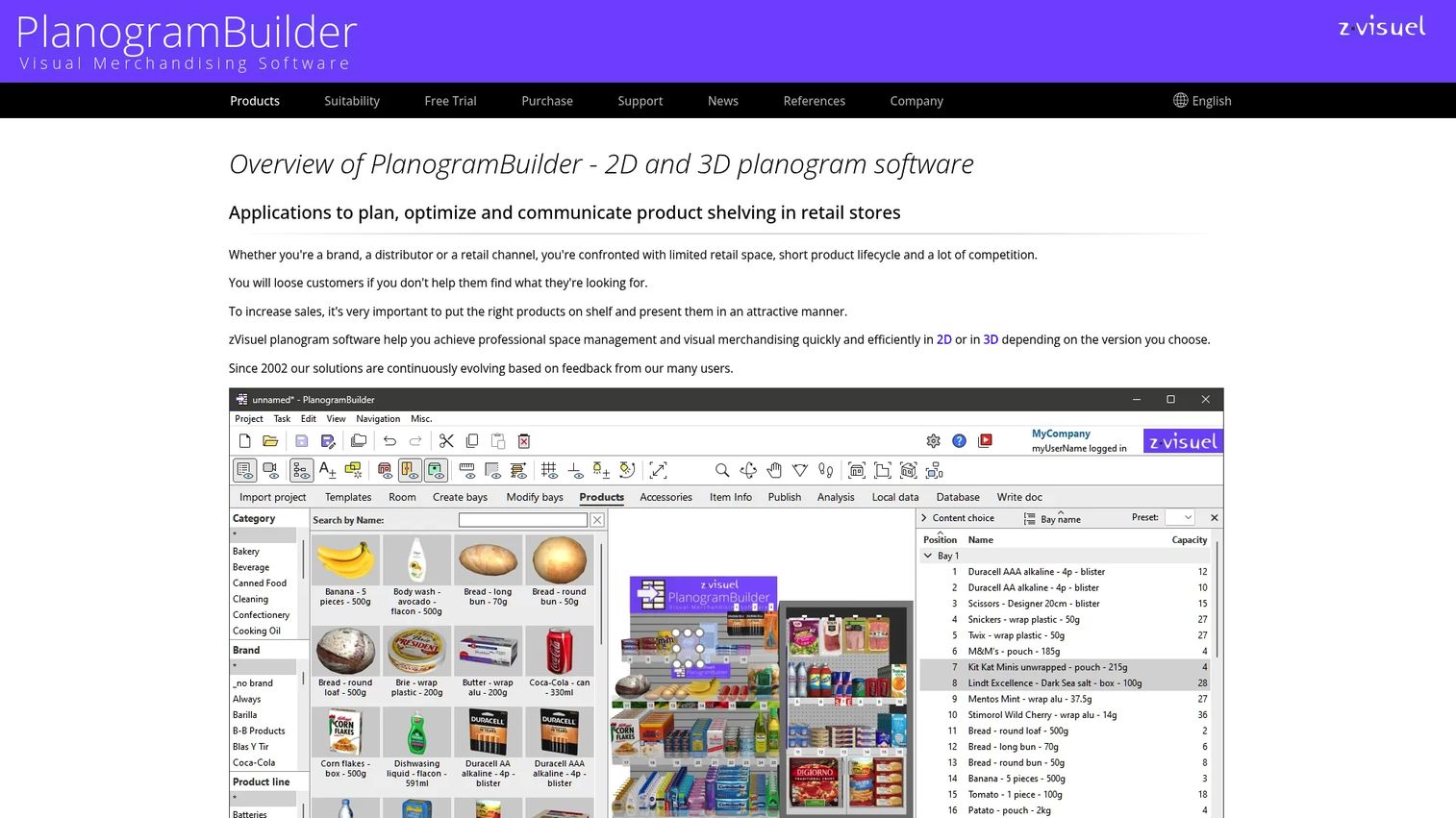
PlanogramBuilder is 2D and 3D planogram software built for planning, optimizing, and communicating retail shelf layouts. Its standout is real-time visualization: you build in 2D for precision and switch to 3D to see the shelf as a store team or buyer will. A cloud-shared product database and projects let distributed teams work from the same source, and its analysis, reporting, and publishing tools turn finished planograms into shareable output.
Best for: Retail brands, distributors, and consultants that need strong visual modeling and want to communicate shelf plans clearly to stakeholders.
Key strengths
- Real-time 2D and 3D editing: Design with dimensional precision, then present in 3D for buyer and store buy-in.
- Collaborative cloud database: Share a single product library and project set across a distributed team.
- Analysis and publishing tools: Generate shelf metrics and publish planograms in a format stakeholders can act on.
Why choose PlanogramBuilder: Choose this when communication matters as much as construction. Teams that present shelf plans to category buyers, franchise operators, or clients get a visual model that lands better than a flat spreadsheet. The shared cloud database also reduces version drift, a common problem when several planners touch the same category.
PlanogramBuilder pricing: PlanogramBuilder offers a Full (3D) version and a Light (2D) version, both on subscription. Pricing is configured by version, license type, number of users, and subscription length, and a free option is referenced on its site. Because the final price depends on your configuration, request a quote through the pricing page to match seats and version to your team.
3. Shelf Logic
Shelf Logic is planogram software for creating, managing, and viewing retail shelf layouts, with a strong analysis and reporting layer. Beyond layout construction, it supports product analysis and reporting so you can weigh space against performance, and it offers web-based planogram viewing on mobile devices, which helps field and store teams reference the plan on the floor.
Best for: Retail suppliers and merchants that want planogram creation paired with profit and category analysis in one tool.
Key strengths
- Planogram creation and editing: Build and manage shelf layouts with standard planogram controls.
- Product analysis and reporting: Evaluate space allocation against product performance for smarter facings.
- Mobile web viewing: Let store and field teams view planograms on a phone or tablet without desktop software.
Why choose Shelf Logic: Pick Shelf Logic when analytics belong next to the layout, not in a separate spreadsheet. Its tiered lineup also gives it unusual pricing flexibility, from a low monthly viewing subscription to one-time perpetual licenses. That range makes it approachable for a small supplier and still viable for a larger merchant that wants an owned license.
Shelf Logic pricing: Shelf Logic publishes several options. ProView subscription tiers run $14.99, $24.99, and $49.99 per month for viewing-focused access. For full editing, the Master Edition is $995 for one copy, the Enterprise Edition is $4,995, and Enterprise Plus is $7,495, all one-time purchases. There is no free tier, but the low-cost ProView tiers make it easy to give more people read access.
4. GoPlanogram
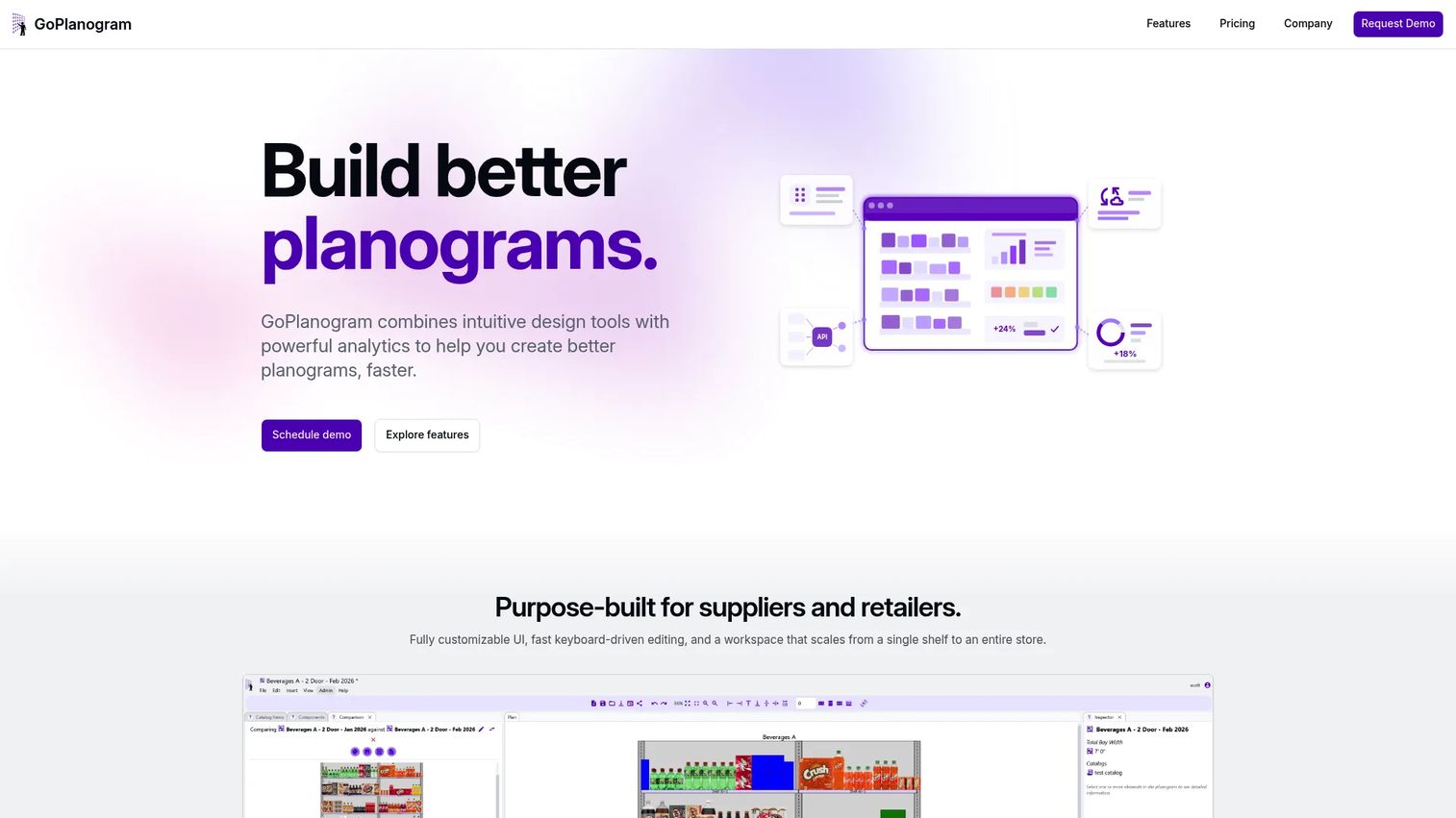
GoPlanogram is cloud-based planogram design and retail space-planning software built for speed and scale. Drag-and-drop editing plus keyboard-driven controls let planners move quickly, while real-time 3D and top-down views cover both presentation and precision. Heatmaps, comparisons, and reports add an analytics layer, and PSA file support plus APIs make it a strong fit for teams that need to exchange data with other retail systems.
Best for: Suppliers and retailers that want a modern cloud workspace for planogram creation, collaboration, and analytics, scaling from a single shelf to a full store.
Key strengths
- Drag-and-drop plus keyboard editing: Move fast on layout work without fighting the interface.
- Real-time 3D and top-down views: Switch between presentation-ready 3D and precise top-down planning.
- PSA files and APIs: Exchange planogram data and integrate with the retail systems you already run.
Why choose GoPlanogram: This is the pick for teams that prioritize a modern, cloud-native experience and interoperability. The API and PSA support matter for product and ops teams that want planning data to flow into reporting and execution systems rather than sit in a silo. Heatmaps and comparison reports also help justify space decisions with evidence.
GoPlanogram pricing: GoPlanogram uses annual SaaS pricing. Individual licenses start at $1,995 per user per year. The Standard plan is $5,500 per year and includes five users, Professional is $9,000 per year and also includes five users, and Enterprise is custom via sales. There is no free tier. The bundled five-user plans make it cost-effective for a small central planning team.
5. Store360
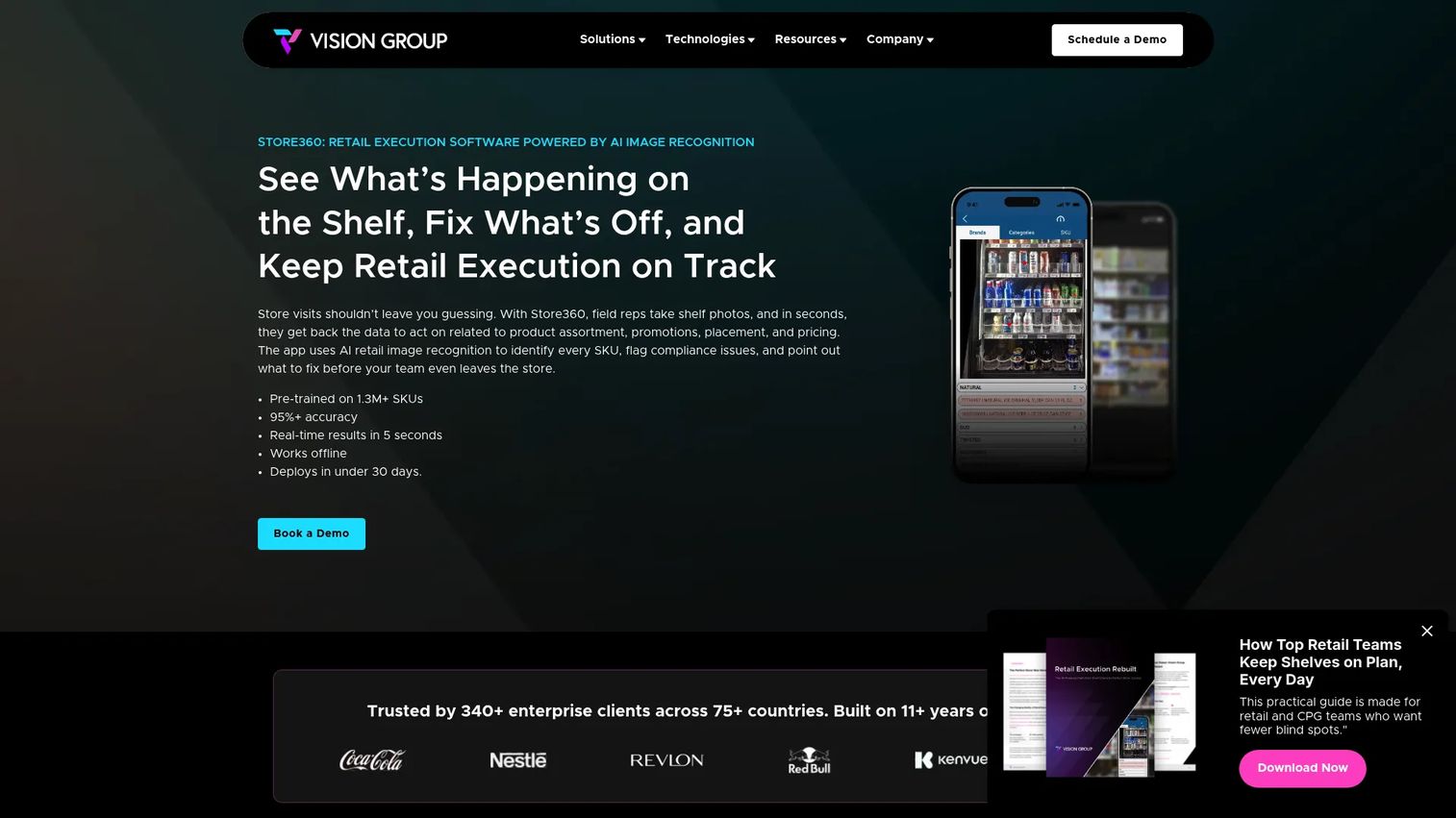
Store360 approaches the shelf from the execution side. It is AI retail image recognition software that reads shelf photos to check planogram compliance, detect out-of-stocks, and verify pricing. Its offline mobile app lets field reps capture shelves without connectivity, and API integrations push that shelf intelligence into the systems that act on it. Rather than only planning the shelf, it confirms the real shelf matches the plan.
Best for: CPG and retail field teams that need reliable shelf compliance and availability insight from store photos.
Key strengths
- AI image recognition: Turn a shelf photo into structured data on products, gaps, and placement.
- Compliance and out-of-stock detection: Flag planogram deviations and empty facings automatically.
- Offline mobile app with APIs: Capture in-store without signal, then integrate results into your stack.
Why choose Store360: Choose Store360 when your gap is execution, not design. If your team already builds solid planograms but struggles to verify compliance across many stores, image recognition scales that check far beyond manual audits. It complements a planning tool rather than replacing it, closing the loop between the intended shelf and the actual one.
Store360 pricing: Store360 does not publish pricing on its site, which is common for AI-driven, integration-heavy retail platforms sold to field teams. Pricing typically depends on store count, image volume, and integration scope, so you will need to contact Vision Group Retail for a scoped quote based on your deployment.
6. PlanoHero
PlanoHero is cloud-based planogram and retail merchandising software that spans creation, distribution, and execution. You build planograms in its editor, plan store floor layouts and fixture configuration, then distribute those planograms to stores and track whether they are actually executed. That end-to-end span, from design to store follow-through, is its defining strength.
Best for: Retail chains and suppliers that need planogram creation plus real control over in-store execution.
Key strengths
- Planogram builder and editor: Create and edit shelf layouts in a cloud workspace.
- Store floor planning: Configure fixtures and plan the full store, not just a single shelf.
- Distribution and execution tracking: Push planograms to stores and monitor execution against the plan.
Why choose PlanoHero: Choose PlanoHero when the handoff to stores is where your process breaks. Many tools stop at a finished planogram; PlanoHero carries it through distribution and execution tracking, which is exactly the loop multi-store teams struggle to close. The SKU and planogram limits on the entry tier also make it easy to start small and scale.
PlanoHero pricing: PlanoHero publishes clear pricing. The Lite plan is $199 per month and includes up to 5,000 SKUs and up to 100 planograms. The Enterprise plan is custom and adds unlimited SKUs, planograms, and store floor plans plus custom rules. There is no free tier, but a 14-day free trial is available. On G2, PlanoHero holds a 5.0 out of 5 rating.
7. DotActiv
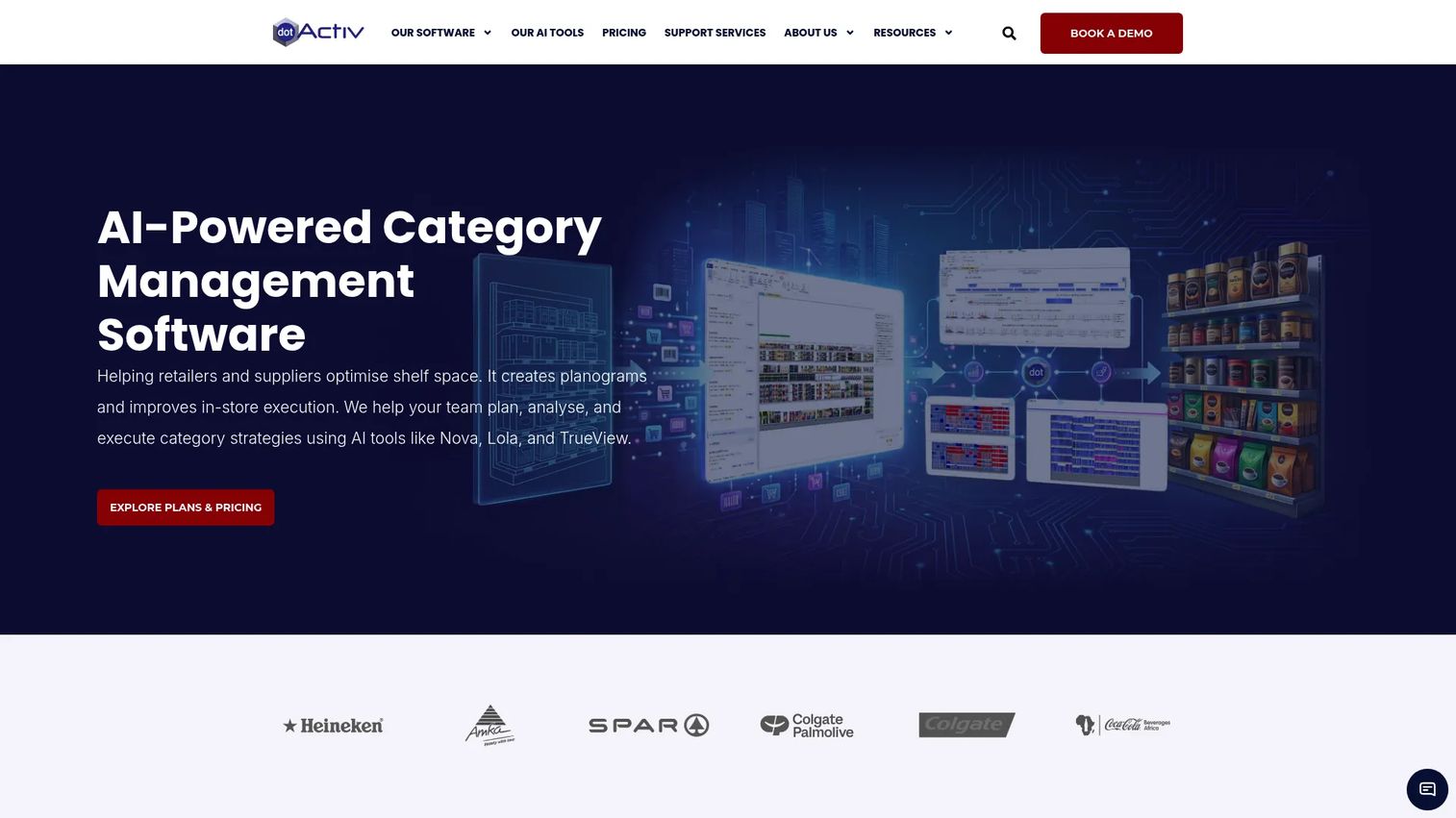
DotActiv is category management software for retailers and suppliers, with planogramming as one part of a deeper stack. It offers AI-powered planogram generation, assortment and cluster optimization, plus floor planning, retail analytics, and database integration. For teams that treat shelf planning as one piece of a larger category strategy, DotActiv reaches further up the workflow than a pure layout tool.
Best for: Retailers and suppliers that need planogramming alongside assortment and category management in one platform.
Key strengths
- AI-powered planogram generation: Generate data-driven planograms rather than building each from scratch.
- Assortment and cluster optimization: Optimize the product mix and cluster stores by performance.
- Analytics and database integration: Connect retail data and floor plans into the planning process.
Why choose DotActiv: Choose DotActiv when planogramming is only half of what you need. Teams running full category management, from assortment decisions through store clustering to shelf layout, get a connected platform instead of stitching separate tools together. Its free tier also makes it low-risk to test before committing to a paid edition.
DotActiv pricing: DotActiv publishes annual software editions. It starts with a Free tier at $0 per year, then Lite at $800, Pro at $2,000, Enterprise at $4,500, and Ent. AI at $7,500 per year. That laddered pricing lets a supplier begin free and scale into AI-driven category tools as needs grow. On G2, DotActiv holds a 4.5 out of 5 rating.
Considerations before you buy
Before you commit to any shelf planning tool, run your shortlist through these criteria. The goal is to match the tool to how your team actually works, not to buy the longest feature list.
Shelf and fixture realism
Evaluate how accurately the tool models real fixtures, product dimensions, and facings. A layout that ignores true shelf depth or pegboard spacing looks fine on screen and fails at the store. Check whether it supports the fixture types your stores actually use.
2D versus 3D workflow fit
Decide whether your team needs 3D visualization or works faster in 2D. Presentation-heavy teams that pitch buyers benefit from 3D; teams focused on rapid layout production may move faster in a precise 2D view. Some tools give you both, which future-proofs the choice.
Exports and interoperability
Confirm the tool exchanges the planogram file formats your partners and internal systems expect, and check for API access. Interoperability is what keeps planning connected to reporting and execution instead of trapped in a silo. This is often the difference between a tool that scales and one that creates rework.
Reporting and compliance depth
Look at how the tool ties layouts to sales, margin, and space data, and whether it supports planogram compliance checks. Teams that need to prove space decisions with numbers, or verify that stores match the plan, should weigh reporting depth heavily.
Pricing model and scale
Compare per-user, per-tier, and one-time license models against your team size and store count. A cheap monthly seat is great for a small team but may not scale; a perpetual license may suit a stable, larger operation better. Map the pricing model to your real headcount and rollout plan.
Conclusion
The right shelf planning software depends on where your workflow strains most. For the simplest, fastest path to a finished shelf, Retail Shelf Planner keeps things lean. If visual communication and buyer buy-in matter, PlanogramBuilder's 2D and 3D modeling stands out. Teams that want analytics next to the layout should look at Shelf Logic, while GoPlanogram suits those prioritizing a modern cloud workspace and clean data exchange.
For execution and compliance, Store360 verifies the real shelf against the plan from store photos, and PlanoHero carries planograms all the way through distribution and execution tracking. Teams needing full category management depth get the most reach from DotActiv.
Your next step: shortlist two or three tools based on three variables, your shelf complexity, your reporting and compliance needs, and your integration requirements. Run a real category through each in a trial, not a demo of a sample layout. The tool that produces a store-ready planogram fastest, with the fewest handoff losses, is the one worth buying.
FAQs
Shelf planning software is used to design, edit, and manage product layouts on store shelves, pegboards, and fixtures. Retail and supplier teams use it to build planograms, allocate space based on product performance, standardize layouts across stores, and share plans with store execution teams. The goal is to make merchandising decisions visual, repeatable, and tied to real sales data.
They overlap heavily and are often used interchangeably. Planogram software refers specifically to building the visual map of where products sit on a shelf. Shelf planning software is a slightly broader term that can include planogram creation plus fixture planning, space allocation, and execution. In practice, most tools in this category do both, so the distinction matters less than the specific features you need.
It depends on the workflow. 2D views are faster and precise for rapid layout production, which suits teams building many planograms quickly. 3D visualization helps when you present shelf plans to category buyers, franchise operators, or store teams who need to see the shelf as it will look. Many tools offer both, so teams that do both production and presentation get the most flexibility.
The features that matter most are accurate fixture and product modeling, clear 2D or 3D visualization, export and file interoperability, reporting that ties layouts to sales and margin data, and planogram compliance support. For multi-store teams, distribution and execution tracking also rank high. Prioritize the capabilities that address where your current process breaks down rather than the longest feature list.
They are often the deciding factor for teams operating at scale. Support for standard planogram file formats lets you exchange plans with partners and other systems, while API access connects planning to reporting and execution data. Without solid interoperability, planning stays trapped in a silo and creates manual rework. If your planograms need to feed retail data systems, treat exports and integrations as a hard requirement.
Retailers and suppliers with multiple stores, large assortments, or frequent resets benefit most, because manual shelf work does not scale. Grocery, convenience, pharmacy, and specialty retail all rely heavily on planograms. Suppliers and CPG brands also use it to propose shelf layouts to their retail partners. Even smaller operations benefit when consistency across locations or space-to-performance analysis matters.
Planogram compliance is the check that a store's actual shelf matches the approved plan. Some tools support this by distributing planograms to stores and tracking whether they are executed, while others use AI image recognition to read shelf photos and flag deviations, out-of-stocks, and pricing errors automatically. Both approaches close the loop between the intended shelf and the real one, which is where planning turns into measurable execution.