



You want to add a custom water effect. Or a dissolve transition. Or a heat haze on a background. So you open a tutorial, and within ten minutes you are staring at three unfamiliar things at once: a shading language you have never written, an editor that assumes you already know the pipeline, and a rendering API you have to pick before you write a single line.
The tool you choose decides most of this for you. Some hand you a node graph so you never touch code. Some drop you straight into GLSL in a browser tab. Some bury shader work inside a full game engine or a 3D suite where it lives next to everything else you build.
The 3D rendering software market sat at USD 5.64 billion in 2024 and is projected to reach USD 13.86 billion by 2029, a 20.0% CAGR, according to The Business Research Company (2025). Real-time graphics is no longer niche. But that growth also means more tools, more overlap, and more chances to pick the wrong one for your workflow.
So the real question is not "which shader software is best." It is "best for what you are actually doing."
What's inside
This guide compares 7 shader software options for 2026 across learning, authoring, and rendering workflows. It is written for anyone choosing a tool to write, preview, or ship shaders, whether you are a product manager scoping a graphics-heavy feature or a developer picking your first editor.
We selected tools based on:
- Shader language and API support (GLSL, HLSL, SPIR-V, Metal Shading Language)
- Workflow fit (code-first, node-based, or engine-native)
- Platform compatibility (OpenGL, Vulkan, Direct3D, WebGL, WebGPU)
- Learning curve and iteration speed (concept to working output)
TL;DR
- Best for engine-native game work: Unity and Unreal Engine, where shaders live next to gameplay, lighting, and assets.
- Best for free learning and fast prototyping: Shadertoy, a browser GLSL editor with a huge public library.
- Best for node-based visual work: Godot or Blender, both with visual shader graphs and no license cost.
- Best for material and texture pipelines: Adobe Substance 3D, built around physically based materials.
- Best for live visuals and installations: TouchDesigner, a node-based real-time media environment.
- Best for cross-platform rendering: any tool with strong GLSL, HLSL, and SPIR-V coverage.
What is shader software?
Shader software is any tool that helps you write, preview, edit, or deploy shaders, the small programs that run on the GPU and control how geometry and pixels get drawn.
A shader is a program the GPU executes during rendering. Instead of running once on the CPU, it runs in parallel across many vertices or pixels at once. That parallelism is why shaders can compute lighting, distortion, or color grading across a full screen in real time. If you have ever asked "what are shaders," the short answer is: they are the code that decides how your scene actually looks.
Most shader software supports one or more of the major shader types:
- Vertex shaders: transform geometry, positions, and vertex attributes
- Fragment shaders: compute per-pixel color, also called pixel shaders
- Geometry shaders: generate or modify primitives on the GPU
- Tessellation shaders: subdivide surfaces for finer detail
- Compute shaders: run general-purpose GPU work outside the draw pipeline
- Ray-tracing shaders: handle ray generation, hits, and misses in modern pipelines
Shaders are written in a shading language, then compiled for a specific graphics API. The common languages are GLSL for OpenGL and Vulkan, HLSL for Direct3D, and Metal Shading Language for Apple platforms. SPIR-V is an intermediate representation that Vulkan and WebGPU consume, so many tools compile down to it for portability.
That compilation step is where cross-platform choices get made. A shader authored once can target OpenGL, Direct3D, Vulkan, WebGL, or WebGPU depending on how the tool compiles it. Some editors abstract this away with a node-based shader editor that generates the underlying code. Others expect you to write the shading language directly. Both approaches are valid, and the right one depends on whether you value control or speed to first output.
When to use shader software
Learn shader programming from scratch
If you are new to shaders, start where the feedback loop is shortest. A browser-based or visual tool lets you change a line and see the result instantly, with no build step or engine setup. This is the fastest way to understand how vertex and fragment shaders behave before you commit to a full engine. Move to engine-level implementation once the fundamentals click.
Build real-time graphics in a game engine
When shaders are part of a game or interactive app, engine-native tools make the most sense. Unity, Unreal Engine, and Godot keep shader authoring next to lighting, materials, and assets, so you are not stitching tools together. You also inherit the engine's cross-platform compilation, which handles GLSL, HLSL, and SPIR-V targets for you.
Prototype visual effects or generative art
For post-processing effects, generative visuals, or live shows, reach for fast visual or browser-based tools. TouchDesigner and Shadertoy let you iterate on a look in minutes without a game project around it. This is the right path when the output is the art itself, not a feature inside a larger product.
Comparison table
Here is a quick side-by-side of all 7 tools. Pricing and ratings reflect verified vendor and G2 data at the time of writing. Where a rating was not verifiable from a primary source, it is marked as not listed.
| # | Product | Best for | Key differentiator | Pricing | G2 rating |
|---|---|---|---|---|---|
| 1 | Unity | Cross-platform game and app teams | Shader Graph plus HLSL inside a full engine | Free; Pro $210/mo | Not listed |
| 2 | Unreal Engine | High-fidelity real-time 3D | Node-based Material Editor, Nanite, Lumen | Free under $1M revenue | 4.5/5 |
| 3 | Godot | Open-source and indie projects | Visual shader graph plus its own shading language | Free (MIT) | Not listed |
| 4 | Blender | Artists doing full 3D creation | Node-based material system across a full suite | Free (open source) | 4.6/5 |
| 5 | Adobe Substance 3D | Material and texture pipelines | Node-based material authoring and scanning | From $24.99/mo | 4.6/5 |
| 6 | TouchDesigner | Live visuals and installations | Node-based real-time media environment | Free non-commercial; Pro $2,200 | Not listed |
| 7 | Shadertoy | Learning and browser prototyping | GLSL editor with a large public library | Free | Not listed |
Best shader software for 2026
1. Unity
Unity is a real-time 2D and 3D development platform for games and interactive applications. Shader work happens two ways inside it: Shader Graph, a node-based visual editor, and hand-written HLSL for full control. Both feed into Unity's render pipelines, so your shaders ship across desktop, mobile, console, and web from one project.
The advantage for teams is that shaders do not live in isolation. They sit next to gameplay logic, lighting, and asset management, which matters when a product manager is scoping how long a visual feature will actually take. Cross-platform compilation is handled by the engine, so you target multiple APIs without maintaining separate shader code.
Best for: Teams building cross-platform games or interactive 3D applications.
Key features
- Unity Engine for cross-platform game and app development
- Shader Graph node-based visual shader editor
- Hand-written HLSL support for full control
- Unity Cloud collaboration and asset management
- Unity AI, AI Gateway, and AI Credits
Why choose Unity: Pick Unity when you need shaders as part of a shipping game or app across many platforms, not as standalone experiments. It fits teams that value one project handling both gameplay and graphics.
Unity pricing: Unity Personal is free. Unity Pro is $210 per month, or from $2,310 per year. Unity Enterprise and Unity Industry are custom pricing by quote.
2. Unreal Engine
Unreal Engine is a real-time 3D engine built for high-fidelity games and interactive experiences. Its Material Editor is a node-based system where you build shaders visually, connecting nodes for color, normals, roughness, and more. Under the hood it compiles to HLSL and targets multiple graphics APIs.
Unreal is the go-to when visual fidelity is the priority. Features like Nanite and Lumen handle geometry detail and dynamic lighting, and the material system is deep enough for complex production visuals. Teams working on cinematics, architectural visualization, or high-end game graphics tend to land here.
Best for: Studios and creators building high-fidelity real-time 3D games and interactive content.
Key features
- Node-based Material Editor for visual shader authoring
- Nanite and Lumen visual fidelity features
- World building and terrain tools
- Characters, animation, and simulation workflows
- Virtual production support
Why choose Unreal Engine: Choose Unreal when photorealism and complex real-time visuals are the goal. It suits teams that want maximum rendering quality and a mature node-based material workflow.
Unreal Engine pricing: Free for users under $1 million USD in revenue. Games and apps above $1 million USD lifetime gross revenue pay a 5% royalty. Certain non-game commercial use over $1 million USD annual revenue is $1,850 per seat per year.
3. Godot
Godot is a free and open-source 2D and 3D game engine. It offers both a visual shader graph and its own C-like shading language, which is close enough to GLSL that concepts transfer easily. Shaders compile for Godot's cross-platform exports, so one project can target desktop, mobile, and web.
The appeal for smaller teams is the combination of zero license cost and a light footprint. There is no revenue threshold, no royalty, and no seat pricing, which makes it a low-risk choice for indie builders and rapid experimentation. The MIT license also means you can ship commercially without owing anything.
Best for: Teams or solo developers building games with a free, open-source engine.
Key features
- Visual shader graph plus a GLSL-like shading language
- 2D and 3D game development
- Cross-platform exports
- Built-in scripting and editor
- Fully open source under the MIT license
Why choose Godot: Go with Godot when you want engine-native shader work without any licensing cost or commercial strings. It fits indie developers and small teams who value a lightweight, open toolchain.
Godot pricing: Godot is free and open source under the MIT license. There are no paid tiers, royalties, or revenue thresholds.
4. Blender
Blender is a free and open-source 3D creation suite covering modeling, animation, rendering, compositing, and VFX. Its shader work runs through a node-based material system, where you build materials by connecting nodes rather than writing code. That makes it a strong fit for artists who think visually.
Shaders in Blender rarely exist on their own. They are part of a larger 3D pipeline, so material work sits next to modeling, texturing, and rendering. For technical generalists and artists doing procedural visuals, that all-in-one range is the draw. You are not paying for it, and the community around it is large.
Best for: Individuals and studios needing a full-featured, no-cost 3D creation suite.
Key features
- Node-based material editor for procedural shaders
- Modeling, sculpting, and UV tools
- Animation and rigging
- Rendering, compositing, and motion tracking
- Built-in video editing
Why choose Blender: Choose Blender when shader work is one part of broader 3D creation, not the whole job. It suits artists and generalists who want materials, modeling, and rendering in one free suite.
Blender pricing: Blender is free and open source. There are no paid tiers.
Blender holds a 4.6 out of 5 rating on G2.
5. Adobe Substance 3D
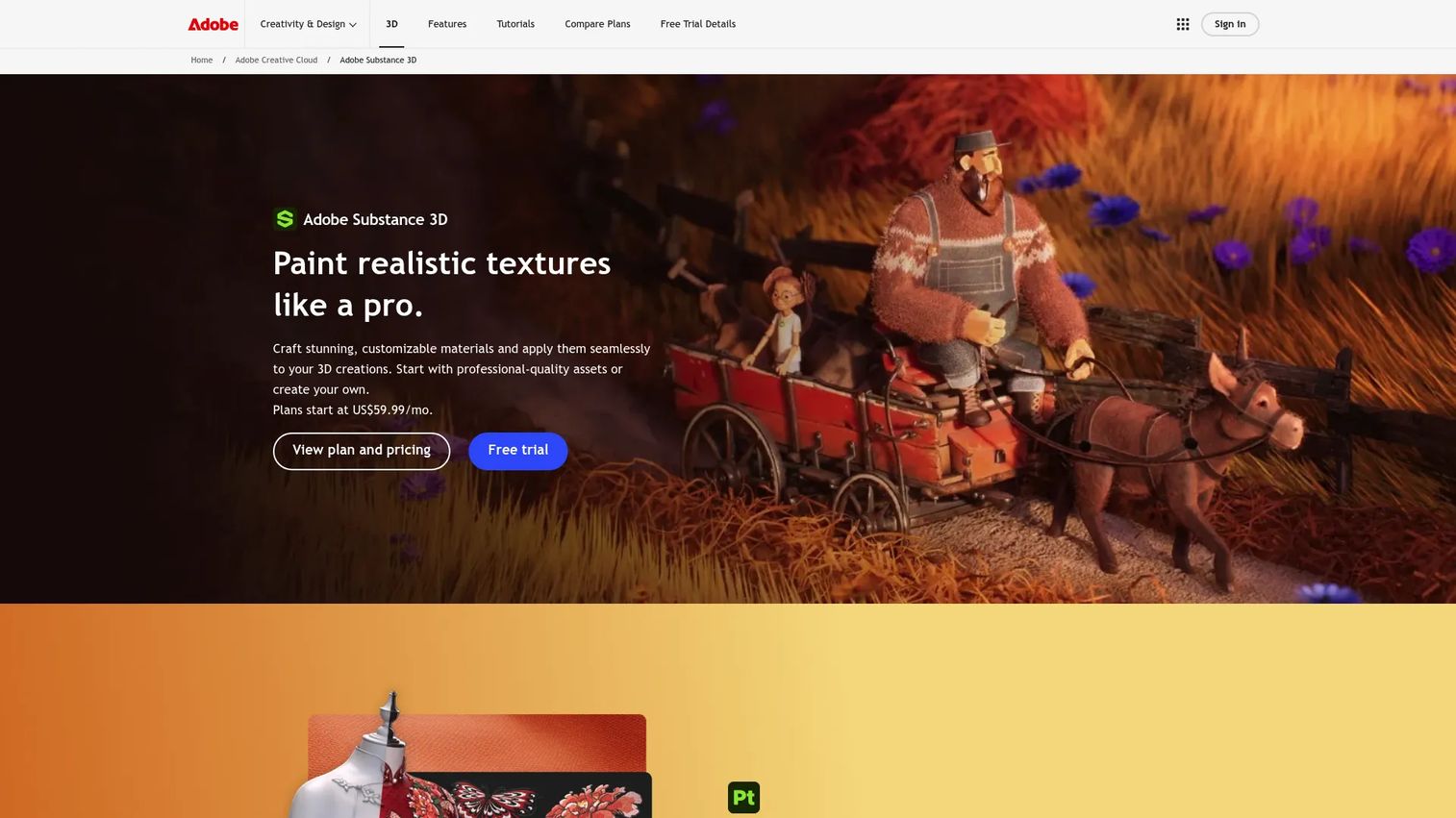
Adobe Substance 3D is a suite for creating, capturing, texturing, and rendering 3D content. It sits adjacent to pure shader coding: instead of writing fragment shaders, you author physically based materials that game engines and renderers then shade. Substance Designer uses a node-based, parametric approach, while Painter handles real-time texture painting.
For teams building asset pipelines, this is where materials get made before they reach Unity, Unreal, or a renderer. Sampler turns real-world images and scans into materials, which speeds up product visualization and game asset work. It is the material half of the shading story, complementary to code-first tools rather than a replacement.
Best for: 3D artists and product teams that need photorealistic texturing and digital twin workflows.
Key features
- Painter: real-time texture painting with smart materials and masks
- Designer: node-based, parametric material authoring
- Sampler: turns images and scans into materials, models, or lights
- Physically based material output for engines and renderers
Why choose Adobe Substance 3D: Choose Substance 3D when your work centers on materials and textures feeding an asset pipeline, rather than writing shaders by hand. It fits production teams building reusable, photorealistic assets.
Adobe Substance 3D pricing: The Substance 3D Texturing plan starts at US$24.99 per month, or US$249.88 per year. The Substance 3D Collection plan is US$59.99 per month, or US$599.88 per year.
Adobe Substance 3D Painter holds a 4.6 out of 5 rating on G2.
6. TouchDesigner

TouchDesigner is a real-time, node-based visual programming environment for interactive 2D and 3D applications and media systems. You build systems by wiring nodes together, and you can drop into GLSL directly for custom shader effects. That combination makes it a favorite for live visuals where the output is the art itself.
Where game engines target shipped software, TouchDesigner targets live performance, installations, and interactive media. It talks to devices, protocols, and external tools, and includes built-in VST audio plugin support for audio-reactive work. For non-game interactive graphics, it hits a sweet spot that engine-native tools do not.
Best for: Interactive visuals, live shows, and real-time media applications.
Key features
- Node-based real-time application building
- Direct GLSL shader authoring
- Interoperability with devices, protocols, and external tools
- Built-in VST audio plugin support
- Real-time outputs for installations and events
Why choose TouchDesigner: Choose TouchDesigner when you are building live or interactive visuals rather than a game or app. It fits media artists, VJs, and event teams who need real-time, node-based control.
TouchDesigner pricing: The Non-Commercial license is free. The Educational license is $300 USD, Commercial is $600 USD, and Pro is $2,200 USD.
7. Shadertoy
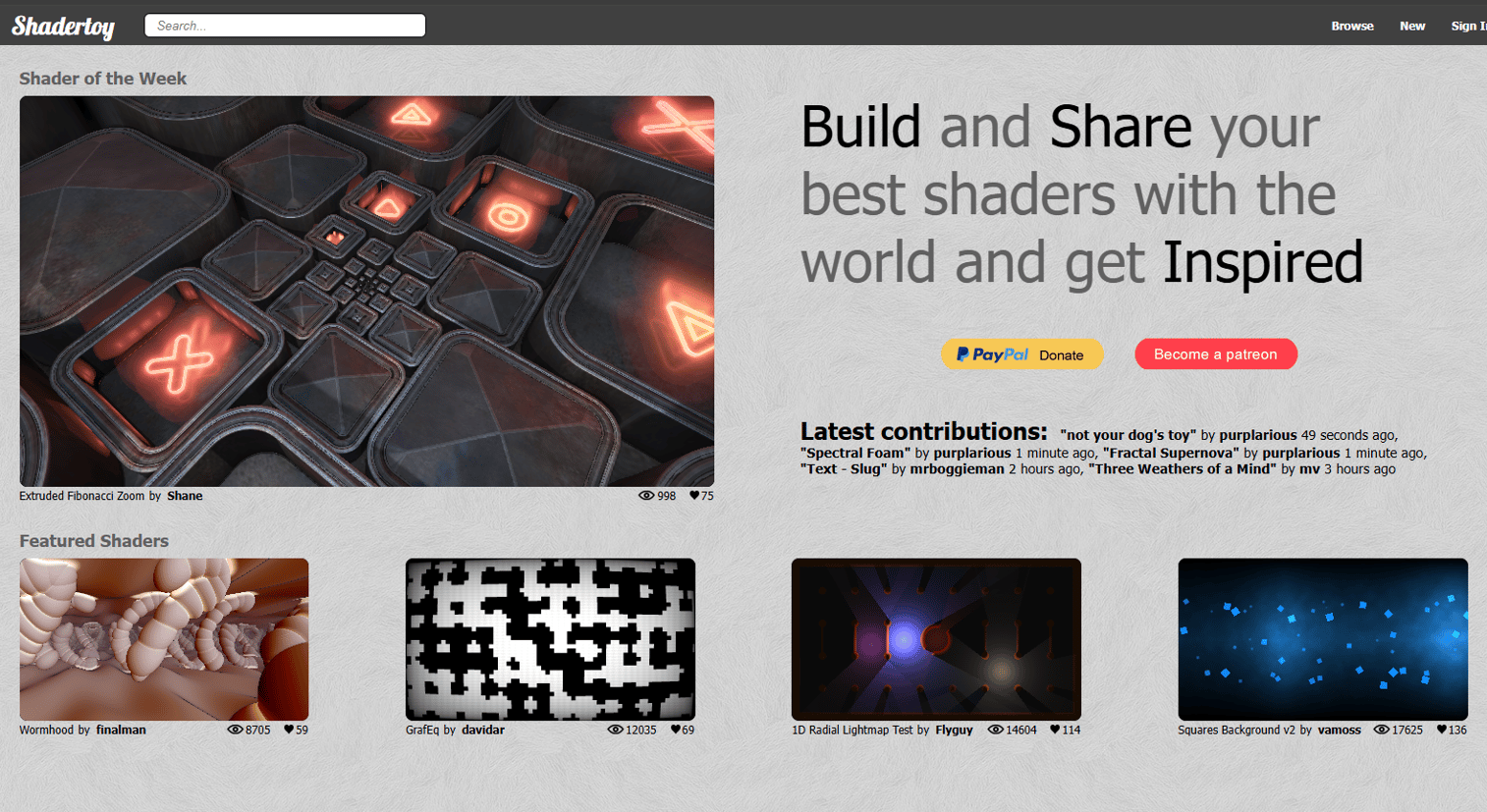
Shadertoy is a web-based shader coding and sharing platform. You write GLSL directly in the browser and see the result render live, with no install, no build step, and no engine. It is one of the fastest ways to understand what a fragment shader is actually doing.
The other half of its value is the community. Thousands of public shaders are open to read, fork, and learn from, which makes it a strong starting point for shader software for beginners. Built-in inputs for time, resolution, mouse, textures, audio, and webcam let you prototype real effects quickly before porting them into a bigger tool.
Best for: Shader developers and graphics hobbyists who want to prototype and share real-time visuals.
Key features
- GLSL and WebGL shader editor in the browser
- Shader browsing and community sharing
- Built-in inputs: time, resolution, mouse, textures, audio, webcam
- Live rendering with no build step
Why choose Shadertoy: Choose Shadertoy when you want to learn shader programming or prototype an effect fast with zero setup. It fits beginners and anyone iterating on a look before moving to a full engine.
Shadertoy pricing: Shadertoy is free to use for writing, sharing, and browsing shaders in the browser.
Considerations
Before you commit to a tool, run through this short checklist against your actual workflow.
Language and API support
Check which shading languages a tool speaks: GLSL, HLSL, SPIR-V, or Metal Shading Language. This determines what you can write and how much of it transfers. GLSL and HLSL cover most engine and browser work, while SPIR-V matters for Vulkan and WebGPU targets.
Workflow fit
Decide whether you want code-first, node-based, or engine-native. Code-first tools like Shadertoy give you direct control. Node-based editors in Godot, Blender, and TouchDesigner speed up iteration. Engine-native tools in Unity and Unreal keep shaders next to everything else you build.
Cross-platform needs
Your target platforms narrow the field. Shipping to web pushes you toward WebGL and WebGPU support. Console and desktop games lean on Vulkan, Direct3D, and OpenGL. Engines handle much of this compilation for you, which is a real time saver if you ship widely.
Learning curve and iteration speed
Measure how fast you can go from concept to working output. Browser tools have near-zero setup. Full engines and suites take longer to learn but pay off when shaders are one part of a larger project. Match the ramp to how central shaders are to your work.
Asset and pipeline compatibility
Consider how a tool fits the rest of your stack. Substance 3D materials flow into engines and renderers. Blender materials stay inside its own pipeline. Confirm that your shader software plays well with the tools already in your production chain.
Conclusion
There is no single best shader software, only the best fit for what you are building. If you are learning or prototyping, start in the browser with Shadertoy, where the feedback loop is instant and the public library is a free classroom. If you are shipping a game or interactive app, Unity and Unreal Engine keep shaders next to gameplay, lighting, and assets, with Unreal leaning toward high-fidelity visuals. For open-source and indie work, Godot gives you engine-native shaders with no license cost.
For visual and node-based work outside games, Blender covers full 3D creation, Adobe Substance 3D owns the material and texture pipeline, and TouchDesigner handles live and interactive visuals.
The simple decision rule: match the tool to whether shaders are the whole job or one part of a bigger project, then check language and platform support against your targets. Pick the shortest feedback loop that still reaches your production stack, and start there.
Start your journey with Guideflow today!
FAQs
Shader software is used to write, preview, and deploy shaders, the GPU programs that control how geometry and pixels are drawn. It powers real-time lighting, post-processing effects, distortion, color grading, and generative visuals across games, film, and interactive media.
Shadertoy is the most beginner-friendly because it runs in the browser with no install or build step. You write GLSL, see the result live, and can read thousands of public shaders to learn from. Node-based tools in Godot and Blender are also gentle starting points if you prefer visual editing over code.
Neither is universally better; they target different APIs. GLSL is used with OpenGL and Vulkan, while HLSL is the language for Direct3D. Many engines compile from one to the other or down to SPIR-V, so the language you write in often depends on your tool and target platform rather than a quality difference.
For pure learning, Shadertoy is hard to beat thanks to its instant feedback and open community library. If you want to learn shaders inside a project context, Godot and Blender offer visual shader graphs plus code, so you can grow from nodes into the underlying shading language.
Yes. Browser tools like Shadertoy let you write and run GLSL with no engine at all. TouchDesigner also supports direct GLSL for live visuals, and Blender handles shaders through its material nodes as part of a 3D suite rather than a game engine.
A standalone shader editor focuses only on authoring and previewing shaders, usually with a fast feedback loop. A game engine shader tool sits inside a full engine, so your shaders connect directly to gameplay, lighting, assets, and cross-platform builds. Editors are great for learning and prototyping; engine tools are built for shipping.
Unity, Unreal Engine, and Godot all handle cross-platform compilation, targeting OpenGL, Vulkan, Direct3D, WebGL, and WebGPU depending on your build. Tools with strong GLSL, HLSL, and SPIR-V coverage give you the widest portability, since SPIR-V feeds both Vulkan and WebGPU.
For game development, use an engine-native tool like Unity, Unreal Engine, or Godot so shaders integrate with the rest of your build. For visual effects, live visuals, or generative art, TouchDesigner and Shadertoy let you iterate on a look fast, while Blender and Adobe Substance 3D cover pre-rendered effects and material work.










