You drew the scaffold layout in one tool. You counted the gear in a spreadsheet. You built the quote in a separate document. Then a spec changed, and you did all three again.
That gap between design, material lists, and quoting is where scaffold teams lose hours and margin. A single mistake in the takeoff shows up as either a truck that arrives short or a quote that leaves money on the table. Both cost you.
The market is big enough that the software has caught up. The global scaffolding market is projected to grow from USD 59.81 billion in 2026 to USD 79.6 billion by 2034, at a 3.6% CAGR, according to Fortune Business Insights (2025). More work means more jobs to plan, quote, and manage, and doing that on disconnected tools does not scale.
One note on the term itself. "Scaffolding software" has two meanings. One is code scaffolding, where developers auto-generate project structure and boilerplate. The other, and the focus of this article, is scaffold-industry software: tools for scaffold design, planning, estimating, quoting, inventory, and operations. Everything below is about the second meaning.
This guide walks through seven tools built for scaffold contractors, designers, estimators, and operations teams. We look at where each one fits, so you can match the software to your actual workflow instead of buying features you will never touch.
What's inside
This list covers scaffold design software, scaffold planning software, scaffold estimating software, and scaffold management software, including full operational suites that add inventory and invoicing.
We selected tools based on four criteria that affect real buying decisions:
- Design depth: 3D scaffold plans, elevations, and structural checks
- Estimating and quoting: material lists tied to the design, plus quote turnaround
- Operational breadth: inventory, rental, and job management where relevant
- Platform fit: browser-based, SketchUp-based, Revit and BIM, or standalone
The audience here is contractors, temporary works teams, estimators, and operations managers comparing scaffold software before committing budget.
TL;DR
- Best for design plus structural calculations in the browser: Scaffcalc, which pairs 3D planning with load checks and auto material lists.
- Best for 3D design with estimating support: ScaffPlan, built around SketchUp and Tekla workflows with automated modelling and gear lists.
- Best for an operational suite: Scaffolding Software, with modules spanning design, quoting, and rental.
- Best for fast SketchUp-based layouts: Scaffmax, for teams already drafting in SketchUp Pro.
- Best for standardized Layher planning: LayPLAN Classic, for erectors running predefined Layher applications.
- Best for design plus operations control: Avontus, which adds inventory, tracking, and rental management.
- Best for BIM-heavy projects: NTI Scaffplanner, a Revit plugin for coordinated construction and industrial work.
What is scaffolding software?
Scaffolding software is a category of tools that scaffold contractors and temporary works teams use to design scaffold structures, plan layouts, calculate materials, produce quotes, and manage inventory and operations across jobs.
The core workflow runs in four stages. Design comes first, where a team builds a 3D scaffold plan or 2D elevation from site drawings. Planning turns that into a buildable structure with the right components. Estimating produces a material list and a quote tied to the design. Operations handles what happens after the win: gear allocation, inventory, transport, inspections, and invoicing.
Different tools cover different parts of that chain. Some are pure scaffold design software focused on drawing and structural checks. Others are full suites that fold in scaffold inventory software and scaffold ERP software features.
Key capabilities to look for across the category:
- 3D scaffold design software: build models from blueprints, generate elevations, and visualize the structure before it goes up
- Structural calculations: load, wind, and stability checks that support temporary works software requirements
- Material lists: automatic bills of materials so the gear list matches the design exactly
- Quotations: scaffold quotation software features that turn a material list into a priced tender fast
- BIM and CAD integration: BIM scaffold software workflows through Revit, plus SketchUp and Tekla compatibility for scaffold drawing software tasks
- Inventory and rental tracking: scaffold rental software features for gear location, availability, and hire periods
- Project management: scaffold project management software features for scheduling, handovers, and site documentation
The right mix depends on whether your bottleneck is drawing, quoting, or running the yard.
When to use scaffolding software
Not every team needs the same thing. Here is how to pattern-match your situation before you scan the list.
Design scaffold layouts faster
If your team still drafts scaffold layouts by hand or in generic CAD, a dedicated scaffold design software tool removes the repetitive drafting. You build the structure once in 3D, generate elevations automatically, and adjust when the spec changes without redrawing everything. For temporary works, 3D scaffold design software also gives you a model you can check against load and stability requirements. The payoff is fewer errors carried downstream and less rework when a client moves a tie point.
Build more accurate material lists and quotes
When estimating is the bottleneck, the fix is tying the gear list directly to the design. Scaffold estimating software generates the bill of materials from the model, so the count reflects what you actually drew. That matters most during tender prep, when quote turnaround decides whether you get to the shortlist. Scaffold material list software also protects margin, since a miscounted takeoff either shorts the truck or underprices the job. Faster, accurate quotes win more of the work you bid on.
Manage operations across rental, inventory, and invoicing
Once you run multiple crews and a yard full of gear, a single-purpose planner stops being enough. This is where scaffold management software and full suites earn their place. You need to know where components are, what is on hire, what is due back, and what to invoice. Scaffold inventory software and scaffold ERP software features connect the design and quote to the physical operation, so a job that is planned, priced, and won also gets tracked, delivered, and billed without a separate spreadsheet for each step.
Comparison table
Here is a side-by-side view of the seven scaffold software tools, sorted by relevance to the primary keyword. Use it to separate design-first tools from suite-style scaffold plan software quickly. Public pricing and G2 ratings were not available for several of these vendors, so those cells are marked accordingly.
| # | Product | Intent | Key use case | Pricing | G2 rating |
|---|---|---|---|---|---|
| 1 | Scaffcalc | Design plus calculations | 3D planning, load checks, auto material lists and quotes | Plan-based (Go, Pro, Expert, Enterprise); no public price | Not listed |
| 2 | ScaffPlan | Design plus estimating | Automated 3D modelling and gear lists via SketchUp or Tekla | From £2,600/yr per user | Not listed |
| 3 | Scaffolding Software | Operational suite | iScaf, iQuote, iRent across design, quoting, inventory | Contact sales | Not listed |
| 4 | Scaffmax | Design | SketchUp-based scaffold layout drafting | Not public | Not listed |
| 5 | LayPLAN Classic | Design | Automated planning of standard Layher structures | Ordered via myLayher; no public price | Not listed |
| 6 | Avontus | Design plus operations | 3D design, inventory, rental, and site tracking | From $199 every 28 days + startup fee | Not listed |
| 7 | NTI Scaffplanner | BIM design | Revit-based scaffold planning and documentation | Quote-based | Not listed |
1. Scaffcalc
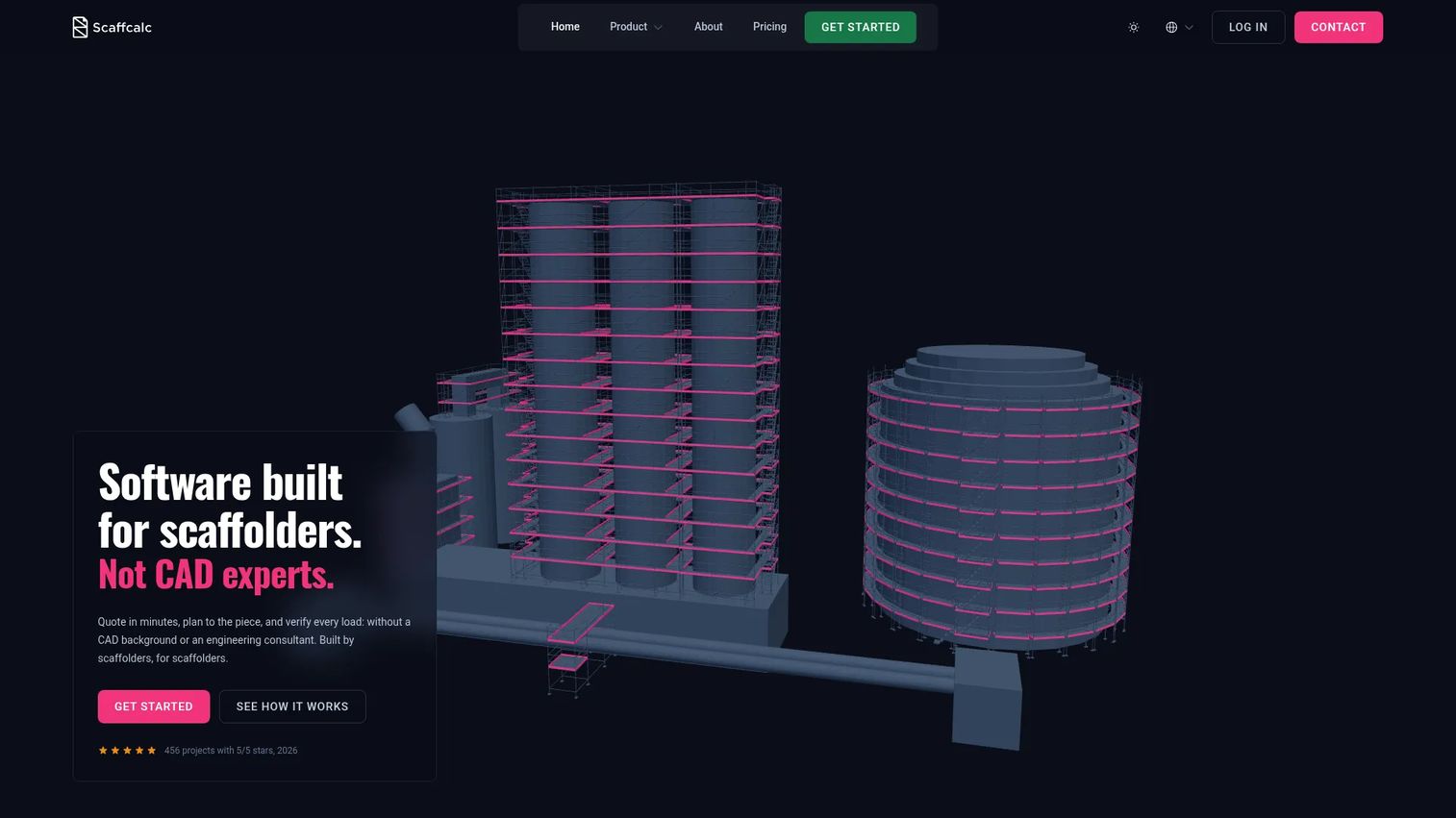
Scaffcalc is a browser-based scaffolding design, calculation, and quoting platform. It brings 3D planning, structural load checks, and material lists into one place, so a designer can model a scaffold from a blueprint and get to a priced quote without switching tools. Because it runs in the browser, there is nothing to install, which suits teams that want people planning from the office and the site.
Best for: Scaffolding contractors that need 3D planning, quoting, and load checks in one tool.
Key strengths
- 3D scaffold planning from blueprints: build the structure directly from site drawings and visualize it before erection
- Automatic material lists and quotations: generate the bill of materials from the model, then turn it into a quote
- Integrated structural load calculations: run load checks inside the same tool that holds the design
Why choose Scaffcalc: If your workflow bottleneck is jumping between a drawing tool, a spreadsheet, and a quote document, Scaffcalc collapses that into a single browser workflow. It fits contractors who want design, calculations, and estimating handled together rather than stitched across three systems. The structural calculation angle matters for teams that carry temporary works responsibility and want the check tied to the model.
Scaffcalc pricing: Pricing is plan-based across Go, Pro, Expert, and Enterprise tiers, and depends on the package and export volume. The public pricing page does not show a numeric starting price, so contact Scaffcalc for a figure that matches your usage. Confirm which tier includes the export volume and calculation features your team relies on before committing.
2. ScaffPlan
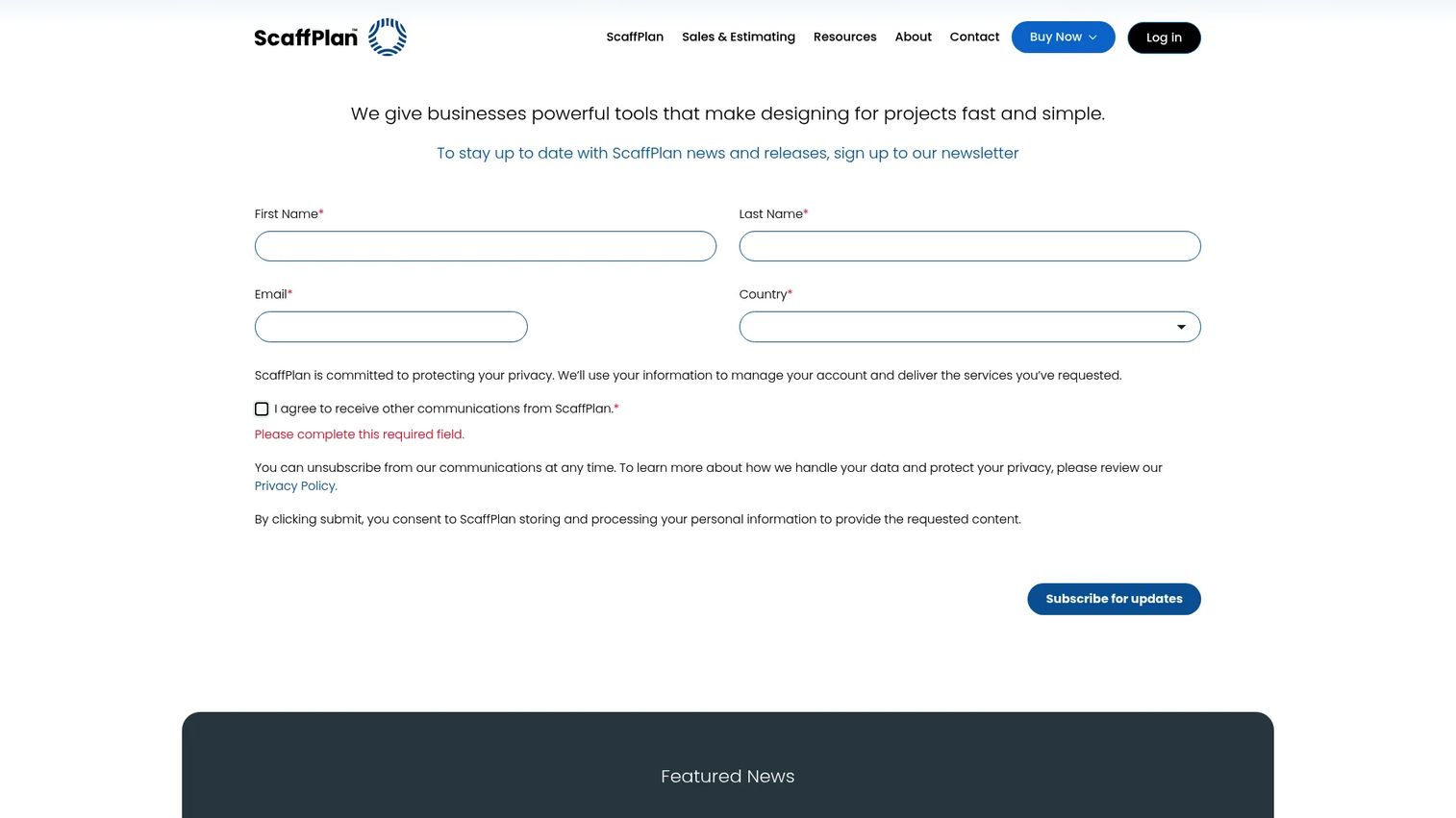
ScaffPlan is scaffolding and temporary works software for planning, designing, and delivering projects. It layers automated scaffold modelling on top of SketchUp and Tekla, so teams that already draft in those environments can build scaffold structures faster and generate gear lists from the model. Project visibility runs through 3D collaboration, which helps when several people touch the same job.
Best for: Scaffolding contractors needing 3D scaffold design and project management.
Key strengths
- Automated scaffold modelling: build scaffold structures faster inside SketchUp or Tekla
- Gear list generation: produce material lists straight from the model for accurate takeoffs
- 3D collaboration via Trimble Connect: share and review the model across the team
Why choose ScaffPlan: ScaffPlan fits teams that want scaffold design software plus estimating support and already live in SketchUp or Tekla. The temporary works framing signals it is built for teams that treat design rigor as part of the job, not an afterthought. The collaboration layer suits contractors coordinating designers and site teams on the same project.
ScaffPlan pricing: ScaffPlan for SketchUp starts at £2,600 per user per year, billed annually. ScaffPlan for Tekla is £3,550 per user per year. Monthly instalment options exist over a 12-month term, and a bundle is also available. A free trial is offered, but there is no permanent free tier. Check whether SketchUp or Tekla matches your existing drafting stack before choosing a plan.
3. Scaffolding Software
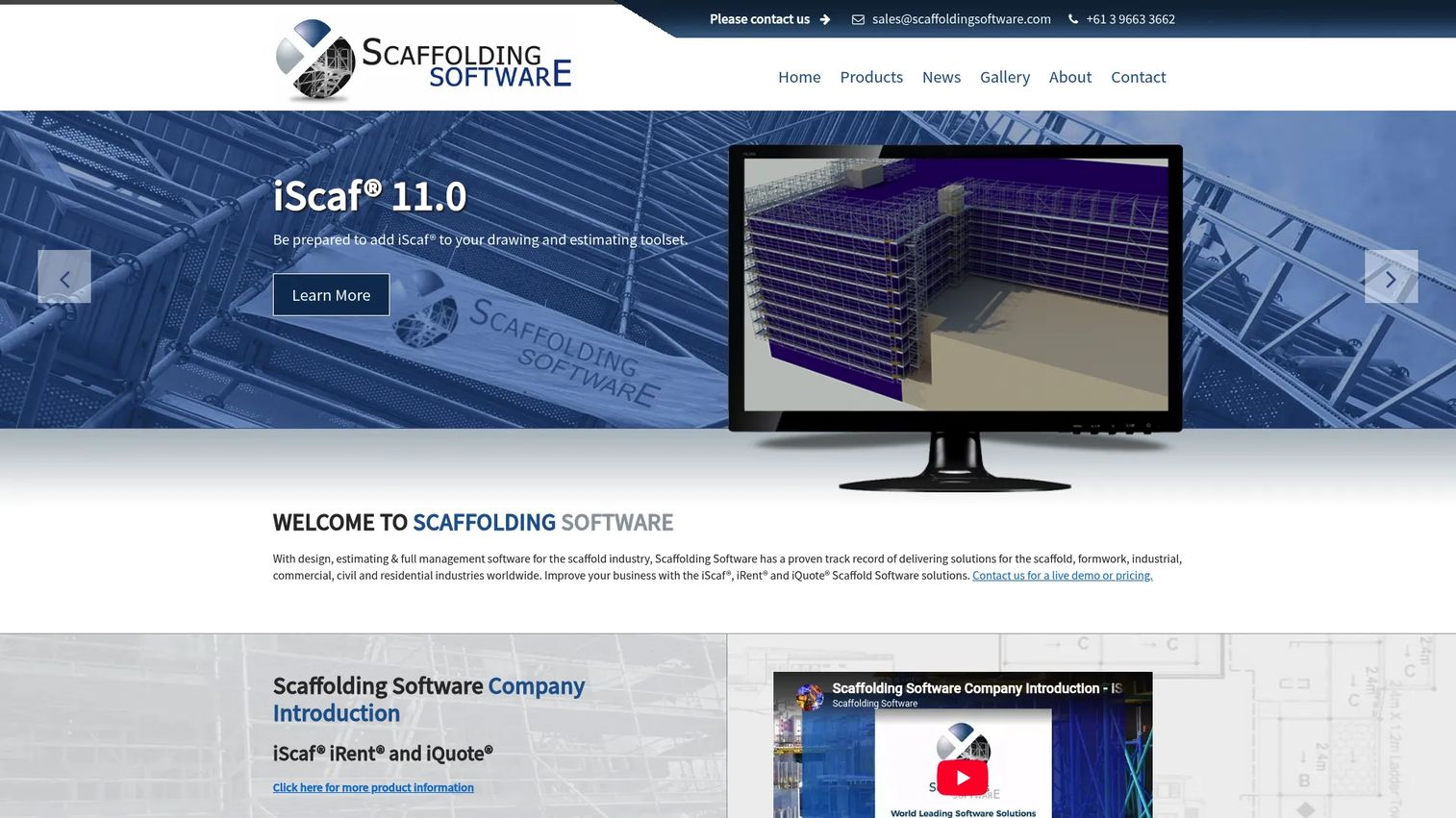
Scaffolding Software offers software for scaffold design, estimating, quotation, and management as a connected suite rather than a single planner. Its modules cover the full chain: iScaf for design, iQuote for quoting, and iRent for rental and inventory. That makes it a fit for teams that want the design, the quote, and the yard operation running on one system.
Best for: Scaffold businesses needing design, estimating, and management tools.
Key strengths
- Plan, elevation, and 3D scaffold drawings: produce the full drawing set for a job
- Automatic component counting and material lists: tie the takeoff to the drawing to cut counting errors
- iScaf, iQuote, and iRent product suite: move from design to quote to rental in one connected system
Why choose Scaffolding Software: This suite appeals to teams that want an operational platform rather than a single-purpose scaffold plan software tool. If your pain is data falling between design, quoting, and inventory, the modular structure keeps those stages connected. It suits larger operations where the yard and invoicing matter as much as the drawing.
Scaffolding Software pricing: Public pricing is not shown on the official site. The company directs prospects to contact them for a live demo or pricing. Ask which modules are included in a base package and which cost extra, since the value depends heavily on whether you need iScaf, iQuote, iRent, or all three.
4. Scaffmax
Scaffmax is a scaffold planning tool positioned around SketchUp-based layout work. It fits teams that already draft in SketchUp Pro and want a faster path to scaffold layouts inside that environment. The appeal is drafting speed for teams comfortable in SketchUp who do not want to learn a separate platform.
Best for: Teams already using SketchUp Pro that want faster scaffold layout drafting.
Key strengths
- SketchUp-based planning: work inside the SketchUp environment your team already knows
- Layout speed: create scaffold layouts quickly without a separate platform
- Familiar drafting workflow: keep your existing SketchUp habits and files
Why choose Scaffmax: If SketchUp is already your drafting home, a plugin approach avoids the switching cost of moving to a standalone tool. Scaffmax suits smaller design teams and drafters who prioritize speed inside a familiar environment over a broad operational suite. It is a design-focused pick, so pair it with separate quoting or inventory tools if you need those.
Scaffmax pricing: Public pricing was not available from the vendor's site at the time of writing. Contact Scaffmax directly to confirm current pricing, licensing terms, and whether it fits your SketchUp Pro version before you commit.
5. LayPLAN Classic

LayPLAN Classic is stand-alone scaffolding planning software for automated planning of predefined Layher scaffolding applications. It is built to plan standard facade scaffolds and protection-roof jobs quickly, generating 2D assembly sketches and offering a 3D viewer. For teams running Layher systems, it removes manual planning steps on routine jobs.
Best for: Scaffolding erectors needing quick planning for standard facade and protection-roof jobs.
Key strengths
- Automated planning of standardized scaffolding structures: plan predefined Layher applications without manual layout
- Automatic 2D assembly sketches: generate assembly documentation straight from the plan
- Integrated 3D viewer: review the planned structure in 3D before assembly
Why choose LayPLAN Classic: LayPLAN Classic is the right pick when your operation runs in a Layher system environment and most of your work is standard applications. It trades broad platform flexibility for speed on predefined jobs, which is exactly what you want if your fleet and methods are already Layher-standard. Teams working across mixed systems should weigh whether a system-specific tool fits their range of work.
LayPLAN Classic pricing: Layher's product pages confirm the features and that licenses are ordered through myLayher, but no public price is shown on the first-party site. Order or request pricing through myLayher, and confirm which Layher applications are supported for the job types you plan most often.
6. Avontus
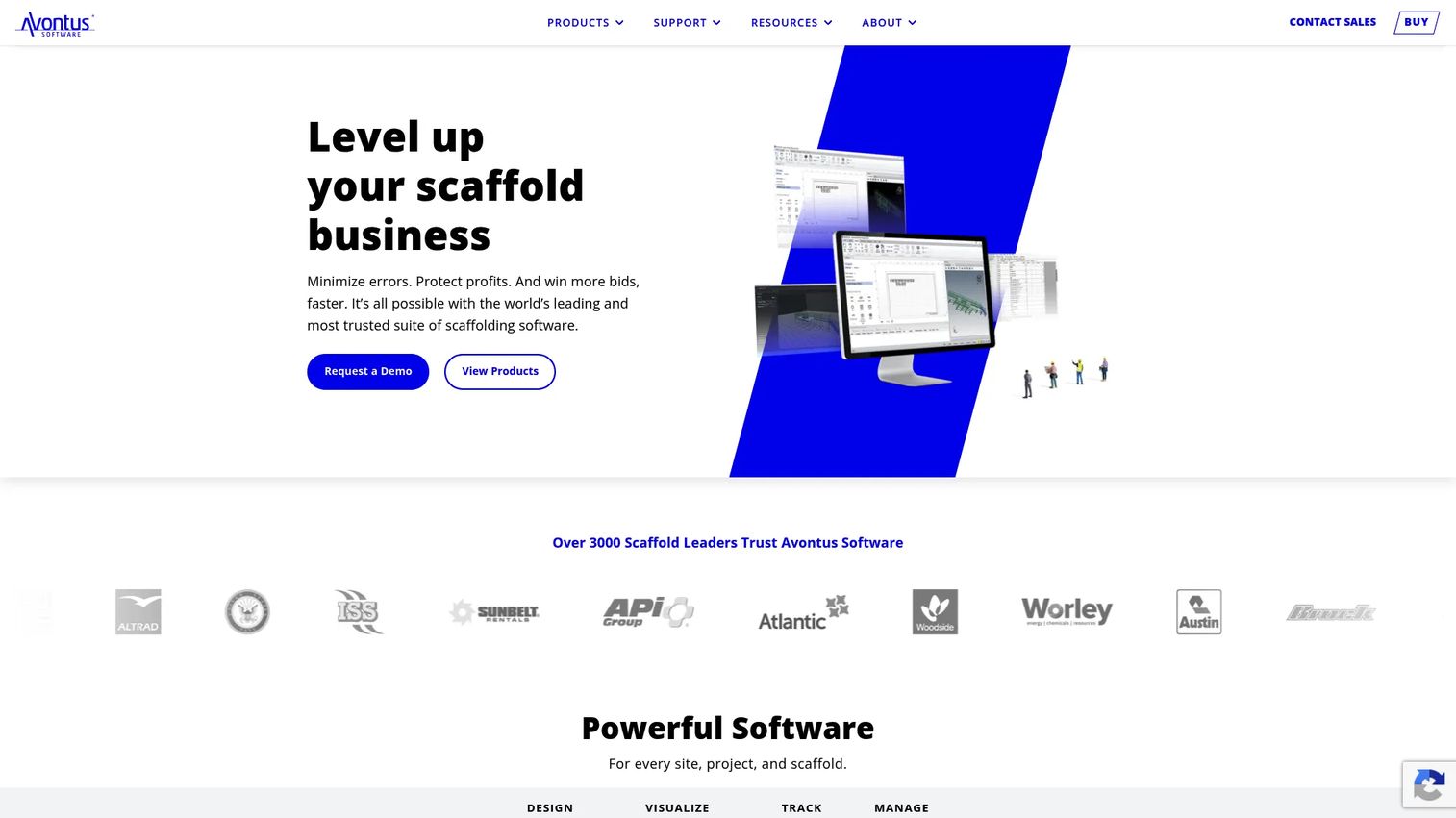
Avontus is a scaffolding software suite for design, inventory, visualization, and site management. It spans 3D scaffold design with instant bills of materials through to inventory, logistics, rental management, and site documentation. That breadth makes it a fit for teams whose priority is operational control rather than design depth alone.
Best for: Scaffolding contractors needing design plus operational control.
Key strengths
- 3D scaffold design and instant bill of materials: design the scaffold and get the material list immediately
- Inventory, logistics, and rental management: track gear, hires, and movement across jobs
- Scaffold tracking, inspections, handovers, and safety documents: manage the paperwork and compliance a live site demands
Why choose Avontus: Avontus matters most for teams that care about rental, inventory, and project visibility as much as the drawing. If gear tracking, inspections, and handovers are eating time across your operation, the suite connects those to the design and material list. It suits mid-size and larger contractors running multiple crews and a busy yard.
Avontus pricing: Avontus Designer starts at $199 every 28 days plus a $545 startup fee for the Kwikstage plan, with a Professional plan at $299 every 28 days plus a $645 startup fee. Quantify Small Business runs $349 every 28 days plus a $1,495 startup fee, and ScaffoldIQ is $39.99 per user every 28 days. Avontus Viewer is described as free to download. Some higher-end licenses are contact-sales only, so confirm the exact package for your team.
7. NTI Scaffplanner
NTI Scaffplanner is a BIM plugin for Autodesk Revit that supports digital scaffolding planning, design, and documentation. It brings automated 3D scaffolding planning and full BIM integration into the Revit environment, generating material lists, quantities, and transport weights. For teams already working in Revit on coordinated construction and industrial projects, it keeps scaffold planning inside the same model.
Best for: BIM teams needing Revit-based scaffolding planning for construction and industrial projects.
Key strengths
- Automated 3D scaffolding planning: plan scaffold structures automatically inside Revit
- Full BIM integration with Revit: keep scaffold data coordinated with the project model
- Instant material lists, quantities, and transport weights: produce quantities and logistics data straight from the plan
Why choose NTI Scaffplanner: NTI Scaffplanner is strongest in BIM-heavy project environments where scaffold planning has to sit alongside the wider construction model. If your projects already run through Revit and coordination matters, keeping scaffold work in the same BIM scaffold software environment avoids clashes and rework. It is a specialist fit for industrial and large construction work rather than standalone facade jobs.
NTI Scaffplanner pricing: Pricing depends on your organizational setup and requirements, and NTI offers a tailored quote on request. There is no public price on the brand site. Request a quote and clarify licensing across the number of Revit seats you plan to use.
Considerations before you buy
Before committing to any scaffold software, work through this checklist against your real team process, not a demo scenario.
Design depth
Decide how much design and structural capability you actually need. A team carrying temporary works responsibility needs load and stability checks tied to the model, while a drafter producing standard facade layouts may need speed more than depth. Match the tool to the complexity of the jobs you bid, not the most complex job you ever ran.
Quoting accuracy
The value of scaffold estimating software is only as good as the link between design and material list. Check that the bill of materials generates directly from the model, not from a manual re-entry step. A miscounted takeoff either shorts the delivery or underprices the tender, so verify the count matches what you drew.
Inventory and operations breadth
If you run a yard and multiple crews, a design-only tool leaves gaps. Confirm whether you need scaffold inventory software and rental tracking now, or whether design and quoting alone cover you. Buying an operational suite you will not fully use is as costly as outgrowing a single-purpose planner.
Platform fit
Scaffold software splits by environment: browser-based, SketchUp-based, Layher-system-specific, and Revit and BIM. Pick the one that matches your existing drafting stack and file formats. Forcing a team off SketchUp or Revit to adopt a new platform adds a switching cost that can outweigh the feature gains.
Implementation effort
Ask what it takes to get productive. Confirm output formats, whether the software runs in the browser or needs installs, and how it handles your existing drawings. The fastest path to value is a tool that fits how your team already works.
Conclusion
The right scaffold software depends on where your workflow breaks, not on which vendor has the longest feature list.
If your bottleneck is design and structural checks, Scaffcalc pairs 3D planning with calculations and quotes in the browser, while NTI Scaffplanner fits teams working in Revit and BIM. If you already draft in SketchUp or Tekla, ScaffPlan adds automated modelling and estimating, and Scaffmax focuses on fast SketchUp layouts. For teams running standard Layher jobs, LayPLAN Classic removes manual planning steps.
If your problem is operational, where design, quoting, inventory, and invoicing keep drifting apart, look at the suites. Scaffolding Software connects design, quoting, and rental through its modules, and Avontus adds inventory, tracking, and rental management on top of design.
Start by naming your single biggest bottleneck. If it is drawing, buy for design depth. If it is quote turnaround, buy for estimating accuracy. If it is running the yard, buy for operational breadth. Then request a demo and test the tool against a real job you have already run, so you can see whether the numbers and outputs match reality before you commit budget.
FAQs
Scaffolding software is used to design scaffold structures, plan layouts, calculate materials, produce quotes, and manage inventory and site operations. Some tools focus on scaffold design software and structural checks, while others are full suites that add scaffold estimating software, rental tracking, and invoicing. The goal is to connect design, quoting, and operations so data does not fall between separate spreadsheets and drawing tools.
No. Code scaffolding is a software development concept where developers auto-generate project structure and boilerplate code, often in MVC frameworks. Scaffold-industry software, the subject of this article, refers to tools for scaffold design, planning, estimating, and management in construction. They share a name but solve completely different problems.
The features that matter most in scaffolding design software are 3D planning, automatic elevations, material lists tied to the model, structural load and stability checks, and quotation support. For temporary works, load calculations linked to the design are especially important. The strongest tools generate the bill of materials directly from the 3D scaffold design software model so the takeoff matches the drawing.
It depends on your existing drafting environment. If your projects already run through Revit on coordinated construction jobs, BIM scaffold software like a Revit plugin keeps scaffold planning inside the project model. If your team drafts in SketchUp, a SketchUp-based tool avoids a switching cost. If you use neither, a standalone or browser-based tool may fit better.
For inventory management, look at operational suites rather than design-first tools. Scaffold inventory software and scaffold ERP software features track gear location, availability, hire periods, and returns across jobs. Avontus and Scaffolding Software both fold inventory and rental management into their platforms, which suits teams running a yard and multiple crews rather than teams that only need scaffold plan software for drawing.
Choose a specialist tool when your bottleneck is a single stage, such as design or quoting, and you already have systems for the rest. Choose an all-in-one suite when data keeps drifting between design, quoting, inventory, and invoicing across a larger operation. The tradeoff is design depth and speed versus operational breadth, so weigh which problem is costing you more time and margin today.
Yes. Scaffold quotation software generates a priced quote from the material list, which in turn comes from the design. That link speeds up tender prep and reduces counting errors, both of which matter when quote turnaround decides whether you make a shortlist. Accurate scaffold material list software also protects margin by ensuring the count reflects what you actually drew.
Verify workflow fit against a real job you have already run, not a demo scenario. Confirm output formats, platform requirements such as browser versus installed software, integration with your existing drawings, and whether the material list generates directly from the model. Check that the tool supports your team's actual process for design, quoting, and operations before committing budget.