You spent an hour customizing that demo. The prospect canceled fifteen minutes before the call. When they finally reschedule, they bring three colleagues who weren't part of the original conversation, and now you're starting from scratch.
Most SaaS demos fail not because the product is wrong, but because the format and approach are. This guide covers the 12 SaaS demo best practices that separate demos that close from demos that stall in pipeline limbo. It also explains how to measure whether your demos are actually working.
Key takeaways
- Effective SaaS demos solve specific buyer problems rather than listing features. Tailor every demo to the prospect's pain points, role, and industry.
- Diagnose before you prescribe. Spend the first portion of any demo asking questions, not showing features.
- Keep demos under 30 minutes. Shorter demos force discipline and respect buyer time.
- Offer self-serve options for buyers who won't book calls. Many prospects research independently and resist scheduling before they've evaluated the product.
- Track engagement signals after the demo ends. Use analytics to see what resonated and prioritize follow-up based on real buyer behavior.
What is a SaaS demo and why it matters
A SaaS demo is any experience where a prospect sees your product in action. It's where interest converts to intent, and it's often the single most influential touchpoint in the buyer journey.
Demos come in several formats, each suited to different moments:
- Live demo: A scheduled call where a rep walks through the product in real time. Best for complex deals and qualified prospects in active evaluation.
- Recorded demo: A pre-recorded video walkthrough prospects watch asynchronously. Useful for early-stage nurturing, but passive and one-way.
- Interactive demo: A self-serve, clickable product experience prospects explore on their own. Combines recorded convenience with live engagement.
- Sandbox: A full product environment where prospects test workflows freely without affecting production data.
The format you choose depends on where the buyer is in their journey and how much hands-on evaluation they want before committing to a conversation.
Why most SaaS demos fail to convert
Before diving into SaaS demo best practices, it helps to understand what kills conversion.
Feature dumping without discovery
Launching into a product tour without understanding what the buyer actually needs is the most common mistake. Reps show their favorite features, not the ones that matter to this prospect.
Discovery means asking questions before you demonstrate anything. What triggered their search? What's broken in their current process?
Who else is involved in the decision? Without this context, you're guessing at relevance.
One size fits all presentations
Different stakeholders care about different outcomes. An end user wants to see daily workflows. A CTO wants to understand integrations and security.
A CFO wants ROI framing. Building an interactive demos library helps sales teams systematically address these varied needs.
When you ignore these different lenses, each stakeholder leaves the demo unconvinced because you never addressed what they actually care about.
No option for buyers who refuse to book calls
Modern B2B buyers research independently. If your only demo option requires a meeting, you lose prospects because 61% of B2B buyers prefer a rep-free buying experience.
Self-serve interactive demos address this gap by letting buyers experience the product on their own terms.
Zero visibility into engagement after the call
After a demo ends, most reps have no idea what resonated. Did the prospect share it internally? Which features did they revisit?
Without engagement signals, follow-up is generic and ineffective. You can analyze engagement data to see exactly what buyers explored, where they dropped off, and what they shared with colleagues.
12 SaaS demo best practices that close deals
1. Respond to demo requests in under 5 minutes
Speed-to-lead is a competitive advantage because leads contacted within 5 minutes are 21x more likely to qualify. Responding doesn't mean just sending an email. It means qualifying and booking, or sending a self-serve demo link immediately so the prospect can start exploring while interest is high.
Set up automated workflows that trigger instant responses when someone fills out a demo request form. Include calendar links for immediate booking, or provide direct access to an interactive demo if they prefer self-service. The goal is to capture attention while the prospect is actively researching, before they move on to a competitor or get pulled into other priorities.
2. Research the account before you open your mouth
Pre-call research sets the foundation for relevance. Look at company size, industry, likely use cases, and who else might be on the buying committee.
Use LinkedIn to identify the prospect's role, tenure, and recent activity. Check the company website for recent announcements, funding rounds, or strategic initiatives that might signal buying triggers. Pull CRM data to see if anyone else from their organization has engaged with your content or attended past demos.
Look for technology stack information using tools like BuiltWith or their job postings to understand what systems they currently use. This context helps you position integrations and migration paths. Personalization starts before the demo begins, not during it.
3. Set a clear agenda and stick to it
The opening minute earns or loses attention. Confirm time, state what you'll cover, and ask if anything changed since they booked.
A strong agenda sounds like this: "We have 30 minutes. I'll spend 5 minutes understanding your current workflow, 15 minutes showing how we solve that specific challenge, and leave 10 minutes for questions. Does that work, or is there something else you'd like to prioritize?"
An agenda creates structure and shows you respect their time. It also gives the prospect permission to redirect if their priorities have shifted. When you stick to the stated timeframe, you build trust and make it easier for them to say yes to the next meeting.
4. Diagnose before you prescribe
Think of yourself as a doctor. You wouldn't prescribe medicine without understanding symptoms first. Spend the first portion of your demo asking questions, not showing features.
This discovery phase typically takes 5-10 minutes but determines whether the rest of your demo lands or falls flat. Listen for pain intensity, timeline urgency, and decision-making dynamics. Take notes on specific language the prospect uses to describe their challenges - you'll mirror this language back when positioning features.
Good discovery questions include:
- What triggered your search for a solution now? (Uncovers urgency and buying triggers)
- What's your current process, and where does it break down? (Reveals specific pain points to address)
- Who else is involved in this decision? (Maps the buying committee early)
- What would success look like in 90 days? (Defines measurable outcomes to anchor your demo)
- What have you tried before, and why didn't it work? (Surfaces objections and competitive context)
- What's the cost of not solving this problem? (Quantifies urgency and budget justification)
The answers to these questions shape which features you show, which use cases you highlight, and how you frame ROI in your follow-up.
5. Make it interactive and exploratory
Shift from presentation mode to exploration mode. Let the prospect click, ask questions, and guide the conversation. Instead of saying "Let me show you," try "What would you like to see first?" or "Click here to explore how this works for your team."
During live demos, pause frequently to invite questions. Share your screen but hand control to the prospect when appropriate. For self-serve demos, design clickable paths that let buyers choose their own journey based on role or use case.
Interactive formats increase engagement because 80% of buyers opt for interactive demos during research. This applies to both live calls and self-serve demos. Prospects remember what they do, not what they watch passively.
6. Personalize content for every stakeholder
Personalization goes beyond using their company name because 94% of buyers say tailored demos matter. Tailor the use case, the data shown, and the outcomes highlighted to match their role and industry.
For a marketing director, show campaign workflow automation with sample data from their industry. For a CFO, lead with cost savings and integration with their existing finance stack. For an end user, demonstrate daily tasks and time savings. Each stakeholder evaluates through a different lens, so your demo should reflect their specific priorities.
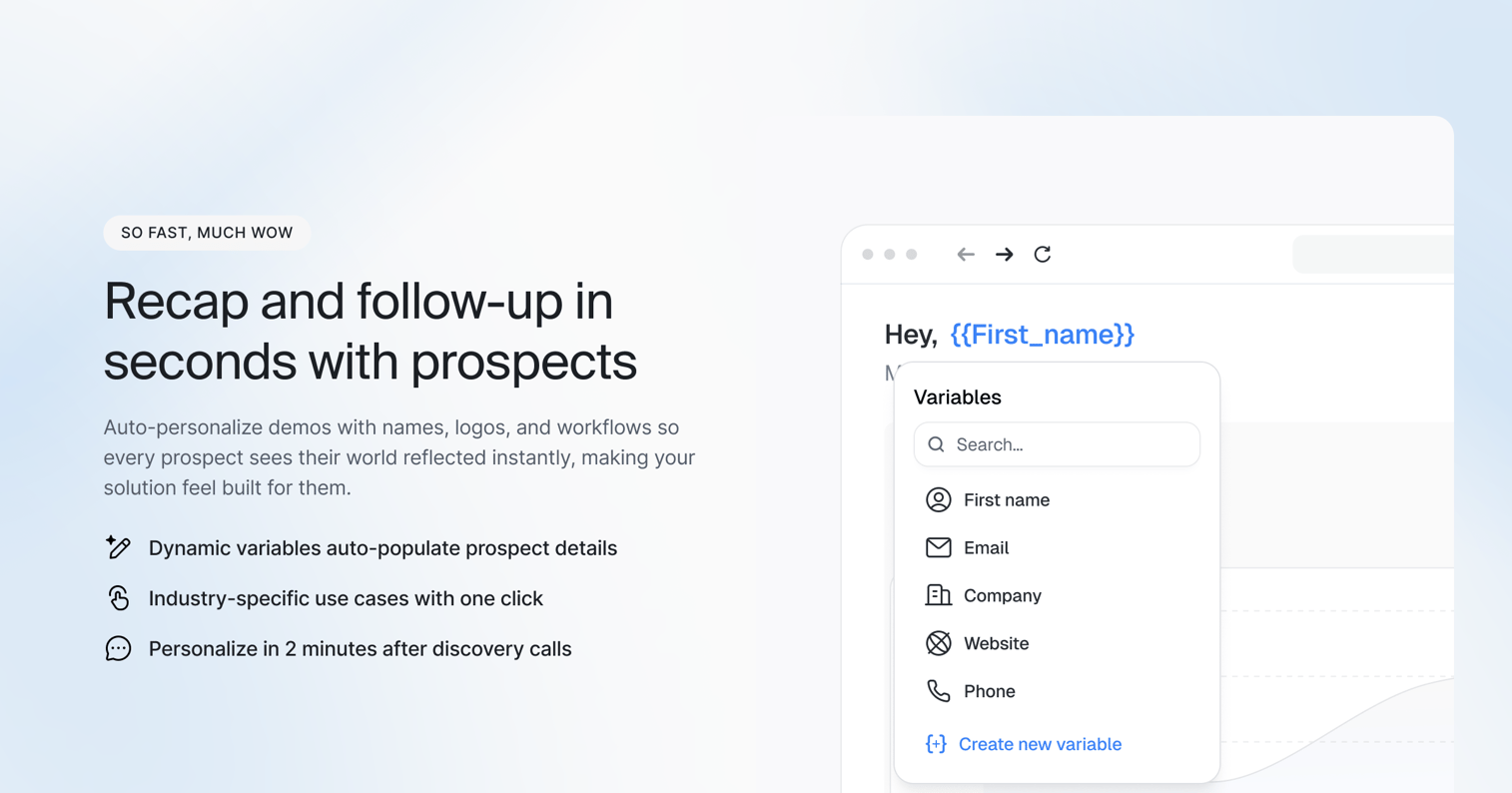
You can personalize demos at scale using dynamic variables that pull from your CRM, so each prospect sees a tailored experience without manual rebuilding. Variables like company name, industry, team size, and role automatically populate throughout the demo, creating the impression of a custom-built experience.
7. Show only what solves their specific problem
Resist the urge to show everything. Based on discovery, select the 2-3 features most relevant to their stated pain. If they mentioned struggling with manual data entry, show automation. If they're worried about team adoption, demonstrate the user interface and onboarding flow.
Everything else is noise that dilutes your message. Each additional feature you show without clear relevance reduces the impact of the features that actually matter. Save the comprehensive product tour for later stages, after they've seen proof that you solve their core problem.
When prospects ask "Can it do X?" resist the temptation to immediately pivot and show that feature. Instead, note it for follow-up and stay focused on the narrative you've built around their primary use case.
8. Keep demos under 30 minutes
Shorter demos force discipline. They also respect the buyer's time and leave room for questions. A 30-minute demo typically breaks down to 5 minutes of discovery, 15 minutes of focused product walkthrough, and 10 minutes for questions and next steps.
If you can't demonstrate value in 30 minutes, you haven't prioritized. The constraint forces you to cut everything that doesn't directly address the prospect's core problem. For complex products, break the demo into multiple focused sessions rather than one extended walkthrough. Schedule a technical deep-dive as a separate follow-up for implementation details.
Ending on time (or early) builds trust and makes it easier for prospects to say yes to the next meeting. Running over signals poor preparation and disrespect for their calendar.
9. Handle objections with questions not defenses
When a prospect raises a concern, don't immediately counter. Ask clarifying questions to understand the root issue. Objections are often symptoms of deeper concerns that won't surface unless you probe.
"Help me understand what you mean by..." works better than "Actually, we do support that." Follow up with questions like "What would need to be true for this to work for your team?" or "How have you handled this in the past?" Objections often reveal unstated priorities or concerns about implementation, change management, or past vendor experiences.
Sometimes an objection signals a genuine misfit. Acknowledging limitations honestly builds credibility and helps you both avoid a bad-fit deal that churns later.
10. Close every call with a specific next step
Vague commitments like "I'll follow up next week" kill momentum. Propose a concrete action: schedule the next meeting, send access to a sandbox environment, or introduce another stakeholder.
Strong next steps sound like this: "Let's schedule 30 minutes next Tuesday to walk through this with your CFO. I'll send a calendar invite and a personalized demo she can review beforehand. Does 2pm work?" Name the action, the participants, the timing, and what you'll deliver before that meeting.
Vague next steps kill deals because they create ambiguity about who owns what. When both sides leave with clear commitments, deals move faster and stall less often.
11. Send a follow-up that delivers additional value
The post-demo email shouldn't just recap. Include an interactive demo they can share internally, a link to relevant documentation, or a personalized sandbox. Add a one-page ROI summary based on the numbers they shared during discovery, or a comparison doc addressing the alternatives they mentioned evaluating.
Give them something to forward to their buying committee. Your champion can't recreate your demo from memory, and they shouldn't have to. Make it easy for them to sell internally by providing shareable assets that reinforce your key points without requiring you to be in the room.
Reference specific moments from the call to prove you were listening: "You mentioned your team currently spends 10 hours per week on manual reporting. Here's how the automation we discussed cuts that to under an hour."
12. Track engagement signals and iterate
Use demo analytics to see which sections prospects watched, where they dropped off, and what they shared. Feed this data back into your demo script and follow-up strategy. If 80% of prospects skip a particular section, either move it later in the flow or cut it entirely.
A prospect who revisits the demo three times and shares it with five colleagues signals strong buying intent. Prioritize follow-up accordingly. Someone who opened it once for 30 seconds may need re-engagement or wasn't the right fit. Use engagement data to segment your pipeline and tailor outreach based on actual behavior, not assumptions.
Track patterns across your entire demo library. Which demo paths convert best? Which personalization variables correlate with faster close rates? Use these insights to refine templates and coach reps on what's working.
How to choose between live demos and self-serve demos
When live demos are the right choice
Live demos work best for complex products requiring deep customization, high-ACV deals with executive buyers, and prospects who explicitly request a call. They're also valuable when real-time Q&A or technical deep-dives are necessary. The tradeoff is scalability: live demos are limited by rep capacity.
When self-serve interactive demos convert better
Self-serve demos excel at early-stage awareness, reaching prospects who won't book a call, and scaling demo capacity without adding headcount. Many teams now build demo centers to centralize these experiences. They're particularly effective for reaching multiple stakeholders at once and enabling asynchronous evaluation across time zones.
How to use both formats across the buyer journey
The hybrid approach works well: self-serve demos for initial exploration and qualification, live demos for deeper evaluation and negotiation.
| Factor | Live demo | Self-serve interactive demo |
|---|---|---|
| Buyer control | Rep-led | Buyer-led |
| Scalability | Limited by rep capacity | Unlimited |
| Personalization | High (real-time) | Medium (templated variables) |
| Best for | Complex, high-ACV deals | Early qualification, multi-stakeholder reach |
| Engagement visibility | Relies on rep notes | Built-in analytics |
How to measure SaaS demo effectiveness
Demo to opportunity conversion rate
Of all demos delivered, what percentage become qualified opportunities? This metric reveals whether your demos are moving deals forward or just filling calendars.
Track this segmented by demo type (live vs. self-serve) and by rep to identify what's working and where coaching is needed.
Engagement depth and feature interest signals
For self-serve demos, track steps completed, time spent per section, features clicked, and drop-off points. If you notice consistent drop-off at a specific step, that's where you're losing attention.
The content may not be relevant, or the value proposition may be unclear.
Sales cycle length after demo
Measure how long it takes to close deals after the demo. Shorter cycles often indicate stronger demos. Many presales software tools now include built-in analytics to track these metrics automatically.
Compare this across demo formats and reps to identify patterns. If one rep's demos consistently lead to faster closes, study what they're doing differently.
Stakeholder reach and internal sharing
Track how often demos are shared with other buyers inside the account. High share rates indicate the demo works as an internal sales tool. Low rates suggest it's not compelling enough to forward, or it's not in a shareable format. This is where interactive demos outperform live calls: they can be shared without requiring your champion to recreate the experience.
Turn every demo into qualified pipeline
Following SaaS demo best practices means treating demos as conversion events, not presentations. The shift from "showing the product" to "creating buying intent" separates teams that hit quota from teams that wonder why qualified leads go silent.
With Guideflow, teams create, personalize, and share interactive demos in minutes without technical resources. Capture your product flow directly from your browser, customize it for each prospect, and track engagement to prioritize follow-up.
FAQs about SaaS demo best practices
Keep live demos under 30 minutes and self-serve interactive demos under 10 clicks. Shorter demos force focus and respect buyer time.
Use dynamic variables (company name, role, industry) and templated paths that adapt based on persona. Create once and personalize automatically for each prospect.
For top-of-funnel awareness, ungated access increases reach. For mid-funnel evaluation, gating captures contact information for follow-up.
Mid-week mornings (Tuesday through Thursday) typically see higher attendance and engagement. Self-serve demos eliminate scheduling constraints entirely.
This varies by deal complexity and buying committee size. Most SaaS sales involve multiple demo touchpoints across different stakeholders before closing.
Include a brief recap of their key pain points, a link to an interactive demo or sandbox they can share internally, and a specific proposed next step with a date.