Your risk log is a spreadsheet. Someone owns column B. No one's updated it in three weeks. A dependency slipped two sprints ago, and the only person who noticed was the engineer who quietly worked around it.
That's not a process failure. It's a visibility problem. Once project complexity crosses a certain threshold, static tracking breaks. Owners drift, statuses go stale, and mitigation plans become historical artifacts rather than live commitments.
The risk management software market reflects how seriously organizations take this problem. According to 360iResearch (2026), the global risk management software market reached USD 16.86 billion in 2025 and is projected to grow at a 14.01% CAGR through 2032. Despite that investment, a study published by Vilnius Gediminas Technical University found that only 20% of project managers use formal risk management tools, with the majority still relying on qualitative methods.
The gap between available tooling and actual adoption tells you something useful: Most teams are looking for software that fits real project workflows, not systems that require a full-time administrator to maintain.
This guide helps you close that gap.
What's inside
This guide covers seven project risk management tools evaluated for teams ranging from small product squads to enterprise PMOs.
Tools were selected based on:
- Risk register depth: Structured identification, scoring, and status tracking
- Integrations: Compatibility with project management and scheduling tools like Microsoft Project, Jira, and Primavera P6
- Reporting and governance: Dashboards, audit trails, and rollup visibility
- Pricing transparency: At least one publicly available tier or verified range
TL;DR
- Best for flexible work management risk logs: Smartsheet gives PMs a configurable grid and dashboard layer without requiring a dedicated risk tool
- Best for enterprise risk visibility and governance: Riskonnect handles portfolio-level rollups, Monte Carlo analysis, and audit-ready reporting
- Best for quantitative schedule risk analysis: RiskyProject (by Intaver Institute) runs Monte Carlo simulations directly against Microsoft Project and Primavera P6 schedules
- Best for workflow-native tracking inside Jira: Jira works well for teams that already manage work there and want risk items in the same issue flow
- Best for risk documentation and version control: Confluence pairs with Jira to create a traceable, collaborative record of risk decisions
- Best for teams already on the Atlassian platform: Atlassian's combined toolset covers documentation, issue tracking, and reporting without adding new vendors
What is project risk management software
Project risk management software is a dedicated category of tools that helps teams identify, document, score, assign, monitor, and mitigate risks that could affect project schedule, cost, or scope.
This category sits between general project management software and enterprise risk management (ERM) platforms. General project management tools track tasks and timelines. ERM platforms aggregate risk across an entire organization. Project risk management software focuses specifically on the risks attached to individual projects and programs, with enough structure to support audit trails and reporting.
Core capabilities to look for:
- Risk register: A live, structured log of identified risks with probability, impact, owner, and status fields
- Risk scoring and prioritization: Quantitative or qualitative scoring to rank risks by exposure
- Monte Carlo simulation: Probabilistic analysis that models schedule and cost exposure across thousands of scenarios
- Schedule and cost integration: Import/export compatibility with scheduling tools to tie risks directly to delivery dates and budgets
- Dashboards and reporting: Real-time views of risk status by project, program, or portfolio
- Audit trail and version control: Timestamped change history for governance and compliance purposes
- Integrations: Connections to CRM, project management, and analytics tools your team already uses
How it differs from adjacent categories:
| Category | Focus | Risk depth |
|---|---|---|
| Spreadsheets | Flexible but manual | No structure, no ownership enforcement |
| General project management | Tasks, schedules, resources | Basic risk fields at best |
| Project risk management software | Risk identification through mitigation | Full register, scoring, rollups, reporting |
| Enterprise risk management (ERM) | Organization-wide risk | Cross-domain, compliance-heavy |
When to use project risk management software
Track risks before they hit delivery dates
When a project has more than a handful of active dependencies, informal tracking creates blind spots. Dedicated risk software gives each risk an owner, a probability score, and a mitigation status that updates in real time. This is the difference between finding out about a blocker in a standup and seeing it flagged two sprints before it becomes a problem.
Replace spreadsheet-based risk logs
Spreadsheets work until three things happen: Multiple owners, regular updates, and reporting requirements. Once a risk log needs to be shared across stakeholders, version-controlled, and rolled up into a program report, manual files create more overhead than they save. Purpose-built risk registers enforce structure from the start.
Roll risks up across programs or portfolios
PMOs managing more than one concurrent project need cross-program visibility. When each project team runs its own risk log, leadership sees nothing until escalation happens. Portfolio rollup features let risk managers see aggregate exposure across all active work without chasing status updates from individual PMs.
Project risk management software comparison
Use this table to narrow your shortlist by primary use case. Pricing reflects verified figures from vendor sites as of August 2026.
| # | Product | Best for | Key differentiator | Pricing | G2 rating |
|---|---|---|---|---|---|
| 1 | Smartsheet | Flexible risk logs and dashboards | Configurable work management with templates and automations | From $9/member/mo | 4.4/5 |
| 2 | Riskonnect | Enterprise risk visibility and governance | Portfolio rollups, Monte Carlo, bowtie analysis | Custom pricing | 4.4/5 |
| 3 | RiskyProject | Quantitative schedule and cost risk analysis | Monte Carlo simulation with MS Project and Primavera integration | From $685/year | 4.0/5 |
| 4 | Jira | Workflow-native risk tracking | Issue-based risk items inside existing agile workflows | Free plan available | 4.3/5 |
| 5 | Confluence | Risk documentation and version control | Collaborative pages with templates and change history | From $5.42/user/mo | 4.1/5 |
| 6 | Atlassian | Teams already in the Atlassian ecosystem | Jira, Confluence, and Jira Service Management combined | Free plan available | 4.4/5 |
| 7 | Intaver Institute | Quantitative analysis for schedule-driven PMOs | RiskyProject editions covering Lite through Enterprise | From $685/year | 4.0/5 |
Best 7 project risk management software for 2026
1. Smartsheet
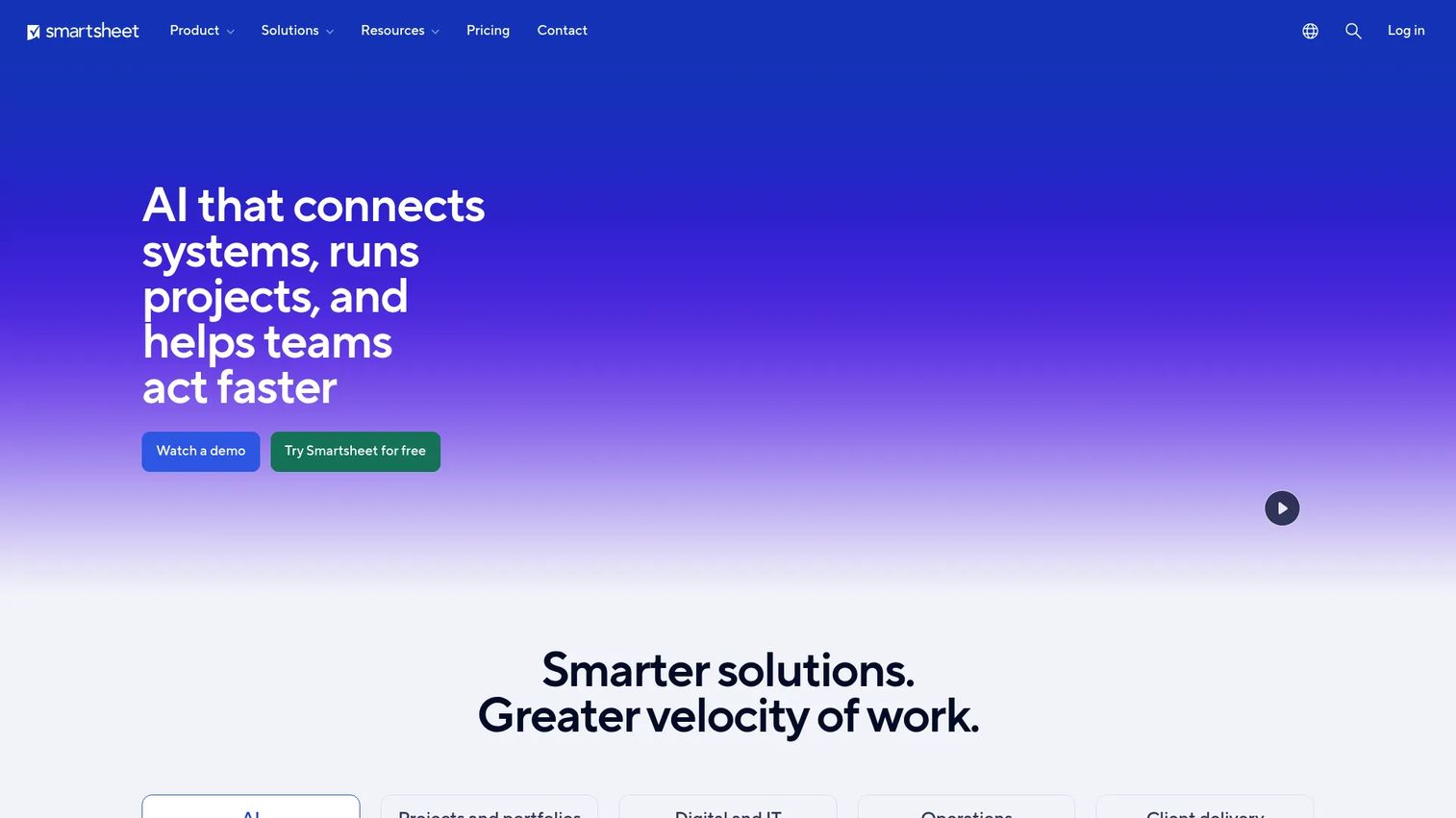
Smartsheet is a flexible work management platform that supports project risk tracking through configurable grids, dashboards, and automated workflows. Teams use it as a risk register by customizing columns for probability, impact, owner, mitigation status, and review date. Pre-built risk management templates reduce setup time, and automation rules can trigger notifications when risk scores change or review deadlines approach.
Best for: PMs and project teams that want a configurable, low-overhead risk log without switching to a purpose-built risk platform.
Key strengths
- Risk register templates with customizable probability and impact fields
- Real-time dashboards that pull from live sheet data
- Automation rules for status changes and escalation alerts
- Multiple views: Grid, Gantt, card, and calendar
- Native integrations with Salesforce, Jira, Microsoft Teams, and more
Why choose Smartsheet: Smartsheet fits well when the team already uses it for project tracking and wants risk items in the same environment. It won't run probabilistic simulations, but for teams that need structured registers, visibility across projects, and reporting without added tooling, it reduces opportunity cost compared to adopting a separate system.
Smartsheet pricing: Plans start at $9 per member per month (Pro, billed annually) and $19 per member per month (Business, billed annually). Enterprise and Advanced Work Management plans require a quote. A free trial and free plan are available.
Smartsheet holds a 4.4/5 rating on G2.
2. Riskonnect
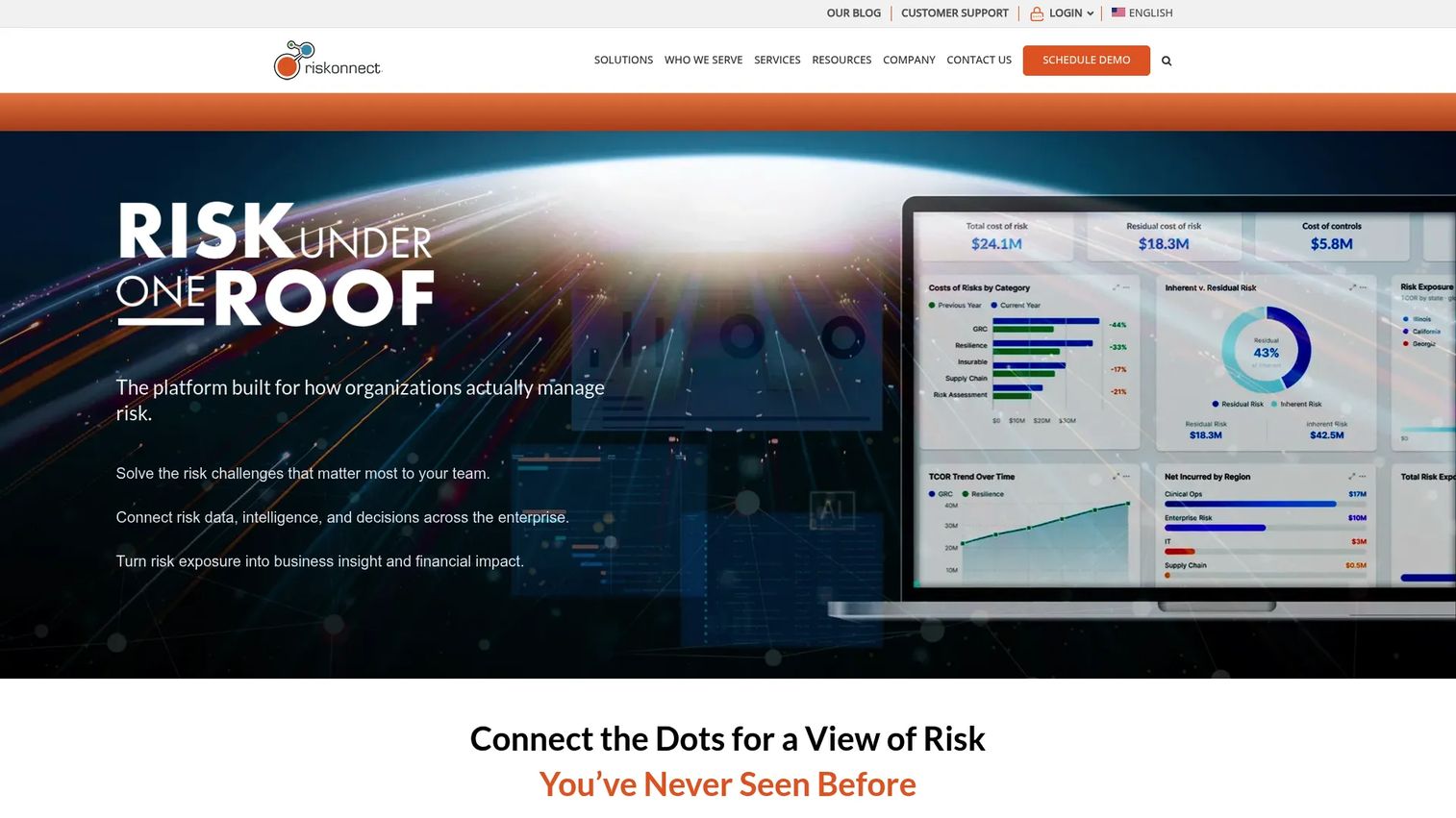
Riskonnect is a cloud-based governance, risk, and compliance platform that covers project risk as part of a broader integrated risk management suite. It includes live risk registers, Monte Carlo schedule and cost impact analysis, bowtie visualization, and rollup reporting from individual projects up to portfolio and enterprise level. Security and deployment flexibility make it a common fit for organizations with strict governance requirements.
Best for: Enterprise teams that need a single platform for project risk, operational risk, claims management, and business continuity, all with audit-ready reporting.
Key strengths
- Live risk register with project-to-enterprise rollups
- Monte Carlo analysis for schedule and cost exposure modeling
- Bowtie analysis for cause-and-consequence visualization
- Governance, audit trail, and compliance reporting
- Configurable deployment and security controls
Why choose Riskonnect: Riskonnect suits organizations where risk reporting has to hold up in an audit or board review. The breadth of the platform means it handles more than project risk alone, which is an advantage for enterprise risk functions but adds scope that smaller teams may not need.
Riskonnect pricing: Pricing is not listed on the Riskonnect site. The vendor requires a demo request to discuss scope and configuration before quoting. Contact Riskonnect directly for a proposal.
Riskonnect holds a 4.4/5 rating on G2.
3. RiskyProject
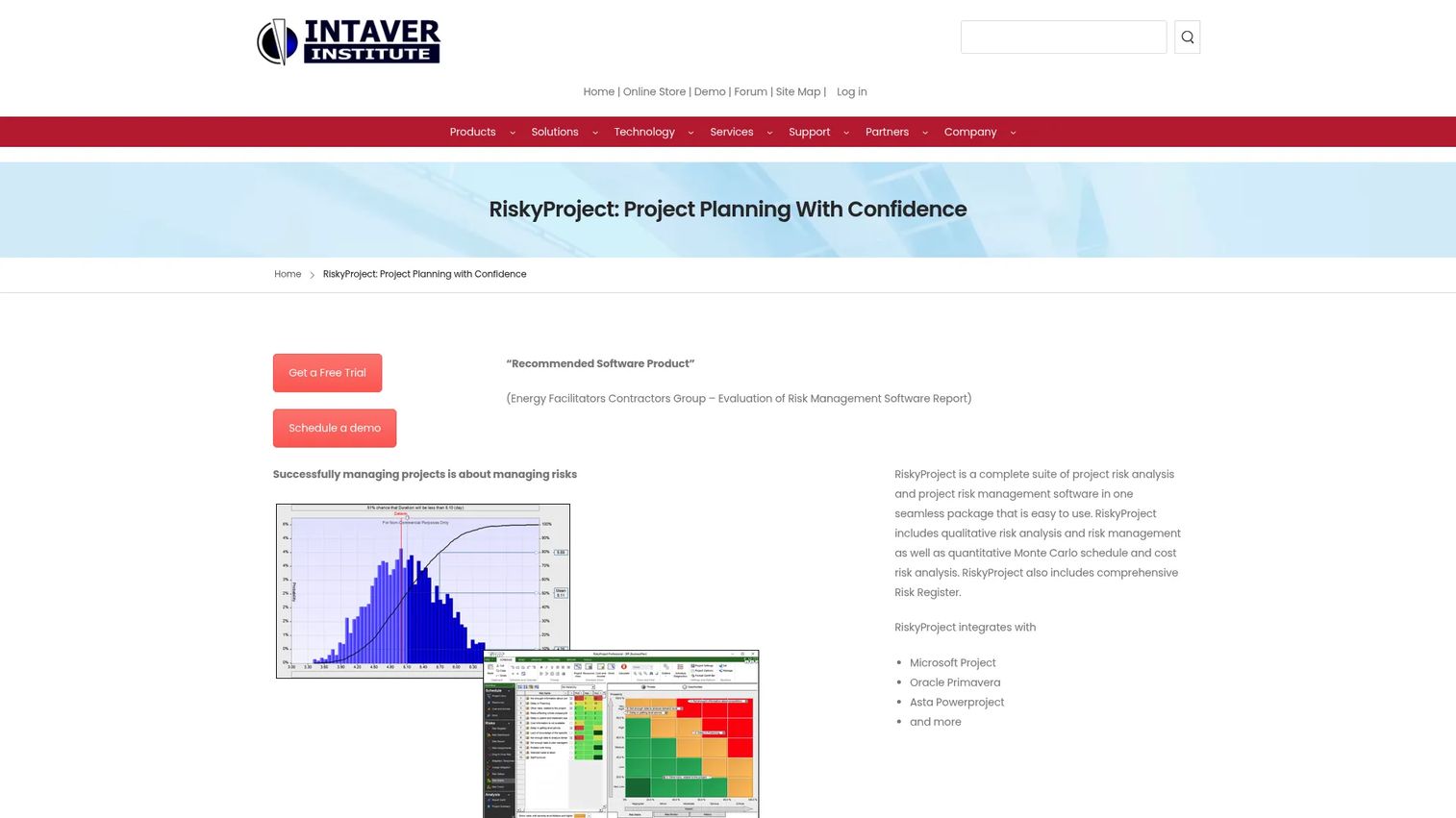
RiskyProject is a desktop-based project risk analysis tool built specifically for quantitative schedule and cost risk modeling. It integrates directly with Microsoft Project and Oracle Primavera P6, imports and exports to Excel, and runs Monte Carlo simulations to produce probabilistic completion dates, cost distributions, and schedule quality scores. The tool includes a built-in risk register with risk ranking and mitigation tracking alongside its analytical capabilities.
Best for: PMOs, schedule engineers, and project controls teams that need quantitative analysis tied directly to scheduling tools rather than a general work management platform.
Key strengths
- Monte Carlo schedule and cost risk analysis
- Direct import from Microsoft Project and Oracle Primavera P6
- Risk register with probability, impact scoring, and risk matrix
- Probabilistic cash flow and schedule quality checks
- Excel import and export for data interchange
Why choose RiskyProject: If your team runs project schedules in Microsoft Project or Primavera and needs to model schedule risk quantitatively, RiskyProject is purpose-built for that workflow. It's not a collaboration hub or a portfolio dashboard, but it does quantitative analysis more directly than any general work management tool.
RiskyProject pricing: RiskyProject Lite starts at $685 per year (annual subscription) or $299 for a download-only purchase. RiskyProject Professional is $979 per year or $699 download-only. Enterprise pricing requires contacting Intaver Institute.
RiskyProject holds a 4.0/5 rating on G2.
4. Jira
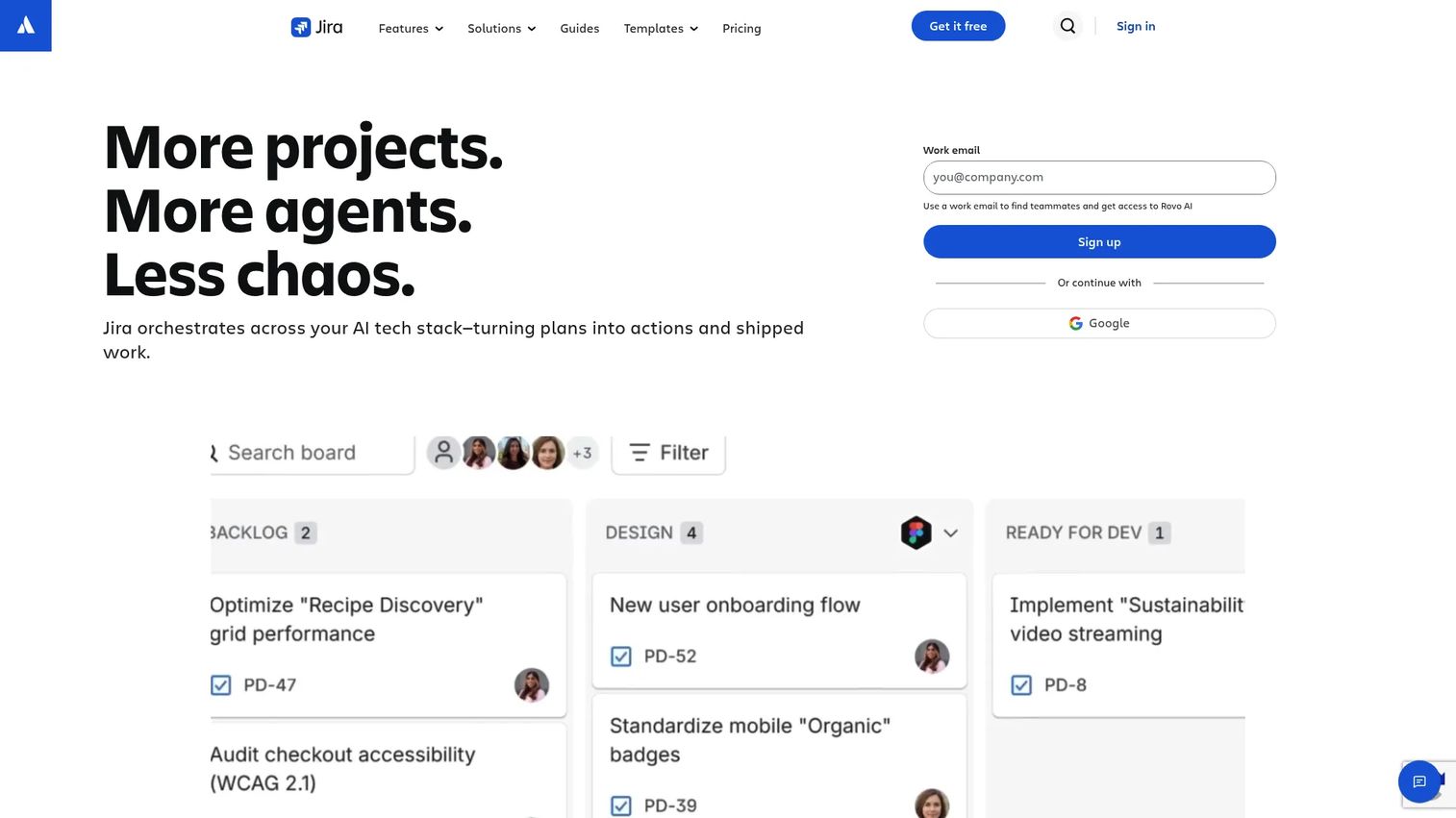
Jira is Atlassian's issue and project tracking platform. While it's not a dedicated risk tool, many teams track project risks as issues with custom fields for probability, impact, and mitigation status. Custom issue types, workflow statuses, and automation rules let teams build a functional risk register inside their existing Jira project. Dashboards and reporting pull from the same data engineers and PMs already update during sprints.
Best for: Engineering and product teams that manage all work in Jira and want risk items in the same workflow without adopting a separate system.
Key strengths
- Custom issue types and fields for risk tracking
- Automation rules for escalation and status notifications
- Agile boards (Scrum and Kanban) for visibility
- Native integrations with Confluence, Slack, and CI/CD tools
- Free plan available for teams up to 10 users
Why choose Jira: Jira reduces adoption friction when the team already lives there. Risk items stay alongside the work they affect, and engineers don't need to update a separate tool. The tradeoff is that Jira isn't purpose-built for risk management, so it won't run probabilistic analysis or produce governance-ready audit trails without significant configuration.
Jira pricing: A free plan is available for up to 10 users. Standard, Premium, and Enterprise plans are available with per-user pricing that scales progressively. Exact Standard and Premium per-user monthly rates are available on the Atlassian pricing page.
Jira holds a 4.3/5 rating on G2.
5. Confluence

Confluence is Atlassian's collaborative documentation platform. Teams use it to maintain risk registers as structured pages with tables, templates, and version history. Every edit is tracked, which gives teams a traceable record of how risks were identified and resolved over time. Confluence works best when paired with Jira: Confluence holds the documentation and historical record, while Jira tracks active mitigation actions.
Best for: Teams that need a single, version-controlled source of truth for risk documentation that non-technical stakeholders can access and contribute to.
Key strengths
- Risk register templates with structured table views
- Full version history and page-level change tracking
- Collaborative editing with inline comments
- Integration with Jira for linking risks to active issues
- Free plan available for teams up to 10 users
Why choose Confluence: Confluence works well when risk decisions need to be documented, reviewed, and archived in a way that survives staff turnover or audit requests. It's not an analytical tool, and it won't alert you to probability changes. Its value is in traceability and cross-team access rather than active risk monitoring.
Confluence pricing: A free plan covers up to 10 users. Standard plans start at $5.42 per user per month, and Premium plans start at $10.44 per user per month. Enterprise pricing requires contacting Atlassian sales.
Confluence holds a 4.1/5 rating on G2.
6. Atlassian
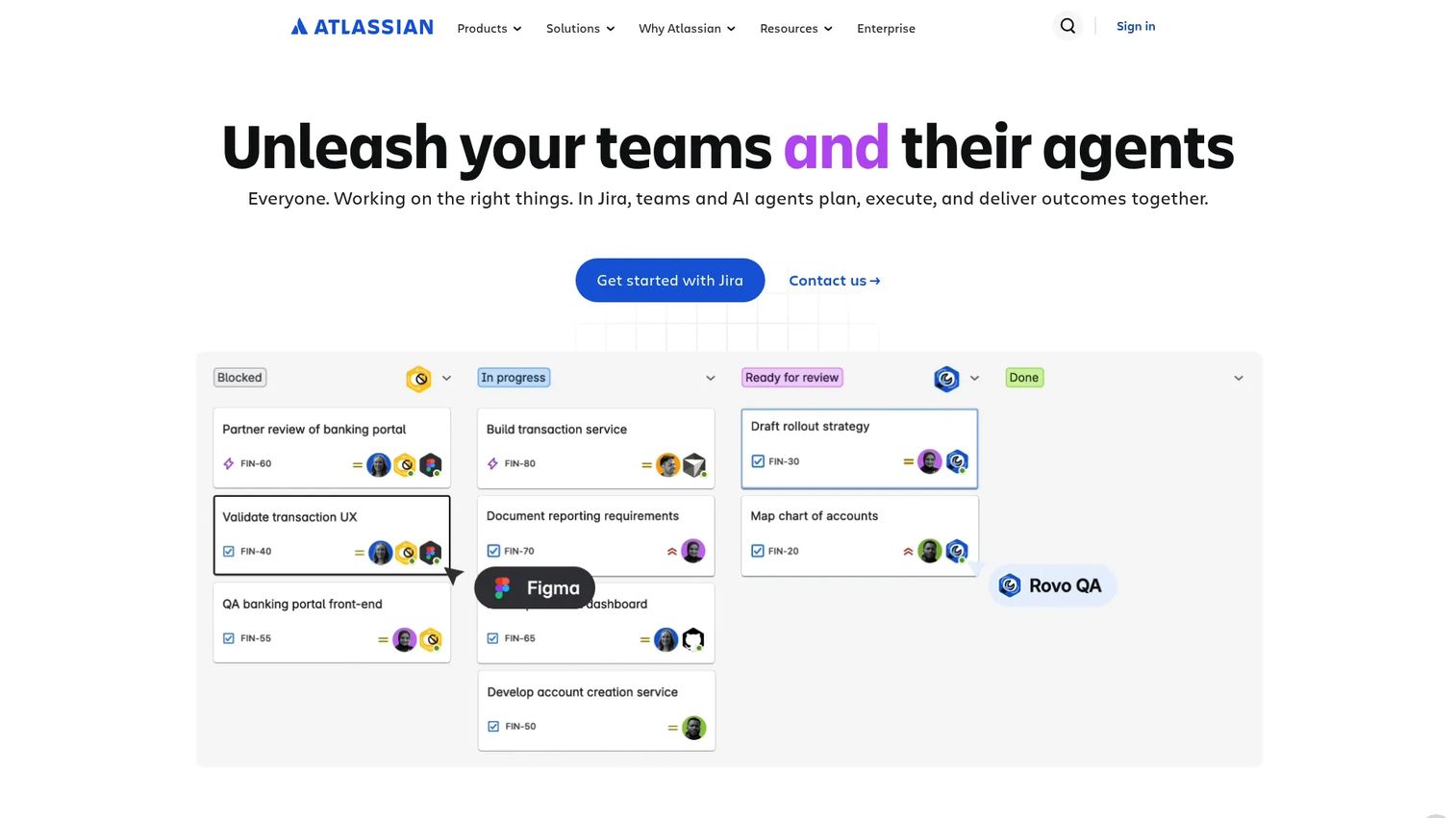
Atlassian as a platform brings together Jira, Confluence, Jira Service Management, and Rovo AI-powered search into a coordinated work environment. For teams already running project delivery in Jira and documentation in Confluence, adding structured risk workflows doesn't require a new vendor. Risk issues sit in Jira, documentation and historical context live in Confluence, and service requests or incident escalations route through Jira Service Management.
Best for: Teams and PMOs already invested in the Atlassian ecosystem that want to formalize risk tracking without expanding the tool stack.
Key strengths
- Jira handles active risk issue tracking and status
- Confluence maintains risk documentation and decision history
- Rovo AI supports search and agent-assisted workflows across the suite
- Cross-product integrations with no connector overhead
- Free tiers available across core products
Why choose Atlassian: The platform argument here is consolidation. If you're already paying for Jira and Confluence, layering in structured risk workflows costs configuration time rather than additional software spend. The gap is analytical depth. The Atlassian suite doesn't run Monte Carlo simulations or produce schedule exposure reports. For quantitative analysis, a tool like RiskyProject fills that gap alongside the Atlassian workflow.
Atlassian pricing: Confluence Free is available for up to 10 users. Confluence Standard is $5.42 per user per month and Premium is $10.44 per user per month, billed monthly or annually. Enterprise plans require contacting Atlassian.
Atlassian holds a 4.4/5 rating on G2.
7. Intaver Institute
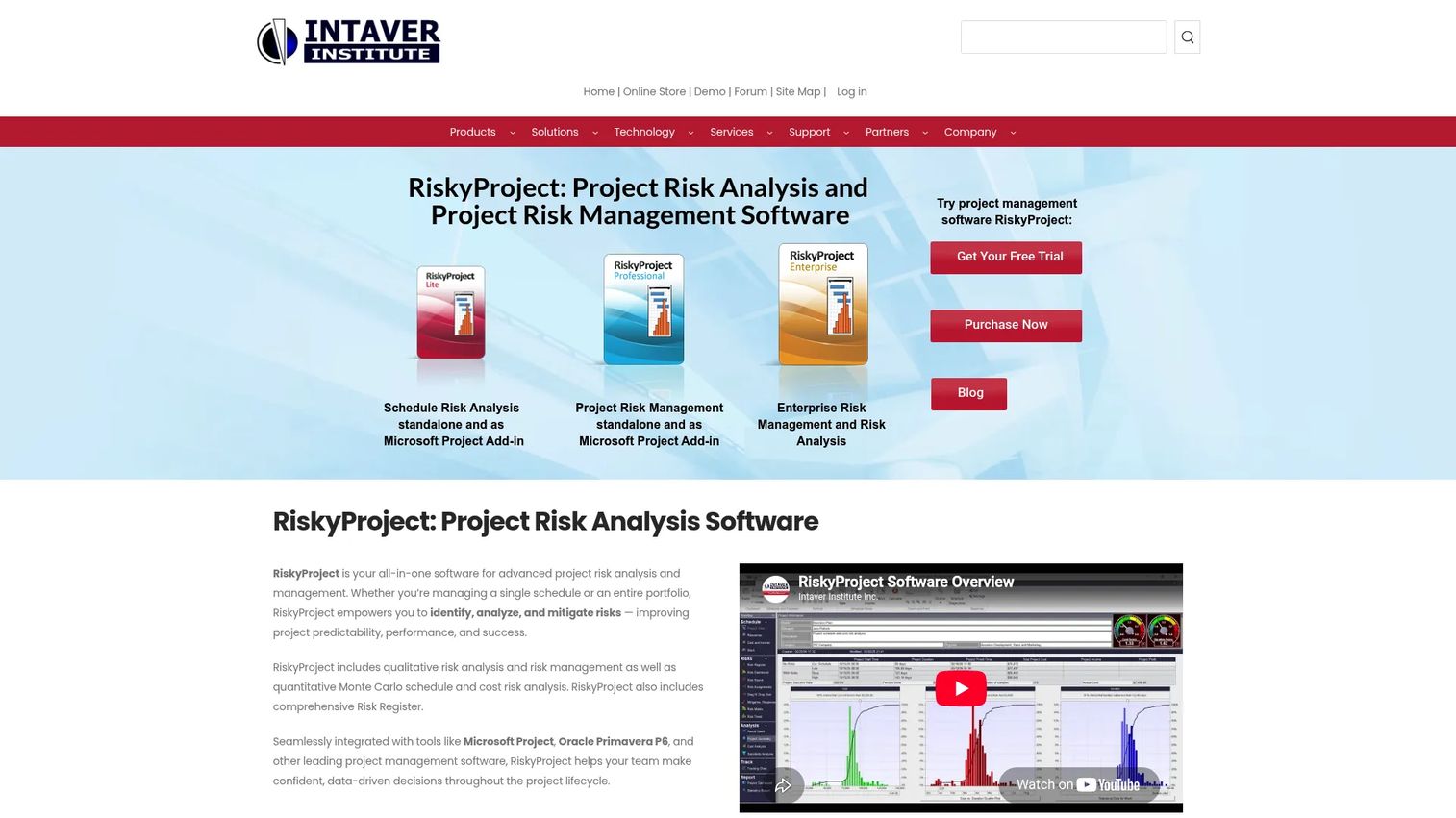
Intaver Institute is the company behind RiskyProject. At the company level, their product suite spans Lite, Professional, and Enterprise editions, with each tier adding analytical depth and portfolio scope. Lite covers risk registers and Monte Carlo analysis for single projects. Professional adds advanced risk modeling features. Enterprise extends coverage to portfolio risk management with rollup reporting across multiple projects.
Best for: Schedule-driven PMOs and project controls teams that need quantitative risk analysis at scale, with direct compatibility with Microsoft Project, Primavera P6, and Excel-based workflows.
Key strengths
- Portfolio risk management in the Enterprise edition
- Monte Carlo simulation for schedule and cost
- Risk register with risk matrix and ranking across all editions
- Microsoft Project and Oracle Primavera P6 integration
- Excel-based data import and export for interoperability
Why choose Intaver Institute: The full product range covers everything from single-project analysis to multi-project portfolio rollups. Teams that start with RiskyProject Lite for one project can scale to Enterprise without switching platforms. This is a desktop-focused tool, so cloud-first or remote teams should weigh the deployment model against alternatives.
Intaver Institute pricing: RiskyProject Lite is $685 per year on an annual subscription. RiskyProject Professional is $979 per year. One-time download options are also available: Lite at $299 and Professional at $699. Enterprise pricing requires contacting Intaver Institute.
Intaver Institute holds a 4.0/5 rating on G2.
Considerations
Before committing to a project risk management tool, evaluate these criteria against your team's specific situation.
Risk register depth
Not all risk registers are equal. Some tools offer simple list views with text fields. Others enforce probability-impact matrices, owner assignments, review cycles, and mandatory status transitions. Identify the minimum structure your team will actually maintain. A highly structured register that no one updates creates false confidence, while a basic one that gets consistent attention provides real visibility.
Reporting and analytics requirements
Determine whether qualitative tracking is enough or whether your stakeholders require quantitative analysis. Monte Carlo simulation matters when you need to report schedule confidence intervals to leadership or model cost exposure under uncertainty. If your risk reporting is narrative-based and reviewed in weekly standups, a tool like Smartsheet or Confluence handles that well without added complexity.
Integrations and interoperability
Risk data is most useful when it connects to the tools where delivery happens. Check whether the tool integrates with your scheduling platform (Microsoft Project, Primavera P6), your issue tracker (Jira), and your reporting stack. Poor integration means risk data and delivery data live in separate silos, which defeats most of the purpose of adopting dedicated software.
Security, deployment, and compliance
Enterprise teams often face requirements around data residency, access controls, and audit trails. Confirm whether the vendor supports your deployment model (cloud, on-premise, or hybrid), what access control options exist, and whether change history meets your audit or governance requirements. Riskonnect and Atlassian Enterprise both provide audit-grade configurations. Smaller tools vary significantly on this dimension.
Implementation and maintenance cost
The right tool is one your team will use six months after rollout. Evaluate onboarding complexity, administration overhead, and the risk of adoption decay as team members change. Desktop-installed tools like RiskyProject have different maintenance profiles than SaaS platforms. Factor total cost of ownership, not just license price, into the decision.
Conclusion
The seven tools in this guide cover the main segments of project risk management. Smartsheet fits teams that want configurable registers inside a broader work platform. Riskonnect suits enterprises with governance and audit requirements. RiskyProject and Intaver Institute serve schedule-driven teams that need quantitative analysis. Jira and Confluence work well for teams running delivery in the Atlassian stack who want to formalize risk tracking without adding new tools.
The clearest way to choose is to start with your reporting requirements. If leadership needs schedule confidence intervals, go quantitative (RiskyProject or Riskonnect). If the team needs structured documentation with version control, start with Confluence. If risk items need to sit next to delivery work, Jira is the lowest-friction option. If you need a flexible middle ground, Smartsheet covers most of it without a specialist tool.
Pick the tool that your team will maintain under real project pressure, not the one with the most features on the spec sheet.
Start your journey with Guideflow today!
FAQs
General project management software tracks tasks, timelines, and resources. Project risk management software adds structured risk identification, scoring, ownership assignment, mitigation tracking, and reporting specifically designed to surface schedule and cost exposure before it becomes a problem. Some general PM tools include basic risk fields, but dedicated platforms enforce the workflows and audit trails that serious risk tracking requires.
Monte Carlo analysis matters when you need to report probabilistic outcomes rather than single-point estimates. If your stakeholders want to know there is a 70% chance the project completes by a specific date, or if you're modeling cost exposure across a range of scenarios, you need quantitative tools like RiskyProject. For teams running qualitative registers and narrative reporting, Monte Carlo adds complexity without proportional value at the operational level.
Yes, with configuration. Jira supports custom issue types, fields, and workflows that can replicate a risk register. The advantage is that risk items live alongside the delivery work they affect. The gap is analytical depth. Jira won't model schedule risk probabilistically or produce governance-grade audit reports without significant customization or third-party add-ons.
A well-structured risk register includes a unique identifier for each risk, a plain-language description, the project phase or area affected, a probability score, an impact score (cost, schedule, scope), a combined risk score or ranking, an assigned owner, a mitigation or response plan, a current status, and a review date. Version history and change timestamps improve traceability, especially for projects with governance requirements.
Purpose-built risk tools log every change to a risk entry with a timestamp and user attribution. This creates a traceable record of when risks were identified, how assessments changed over time, what mitigations were planned, and whether they were executed. In regulated industries or projects with contractual risk reporting obligations, that audit trail is evidence of due diligence rather than an optional feature.
The highest-value integrations depend on where your project data lives. If you manage schedules in Microsoft Project or Primavera P6, direct import/export matters for connecting risk to delivery dates. If your team tracks work in Jira, risk items linked to active issues reduce manual updates. Connections to reporting and analytics tools let risk data appear in the same dashboards leadership already reviews, reducing the overhead of maintaining parallel reports.
These tools solve different problems. Smartsheet is a work management platform that handles risk tracking through configurable grids and dashboards. It's the right choice when the team wants structured registers, reporting, and automation in a single environment. RiskyProject is a quantitative analysis tool built specifically for schedule and cost risk modeling. Choose RiskyProject when your team runs formal schedule risk analysis, integrates with Microsoft Project or Primavera P6, or needs to report probabilistic outcomes to leadership.
PMOs should evaluate four dimensions before selecting a tool. First, the scope of coverage (single project versus multi-project portfolio rollup). Second, the analytical requirements (qualitative tracking versus quantitative Monte Carlo modeling). Third, the integration footprint (compatibility with the scheduling, issue tracking, and reporting tools already in use). Fourth, the governance requirements (audit trails, access controls, and data residency needs). Shortlist tools that satisfy all four, then evaluate adoption risk based on onboarding complexity and administration overhead under real project conditions.