Adding a new hire should take minutes. In many Microsoft 365 tenants, it triggers a chain of license assignments, group membership changes, mailbox configuration, Teams provisioning, and audit log checks scattered across multiple admin portals.
The operational cost compounds quickly. Slow onboarding delays access to product systems and internal documentation. Stale permissions accumulate across SharePoint sites, Teams channels, and shared mailboxes. Security reviews expose gaps that nobody owns. And when IT capacity is limited, every manual administration task is engineering time that does not go to product delivery.
Microsoft 365 commercial paid seats exceeded 430 million in April 2025, up 7% year over year, according to Microsoft (2025). At that scale, even modest per-tenant administration overhead adds up to significant operational drag.
The right office 365 management tools reduce that drag by centralizing administration, automating repetitive workflows, making configuration changes auditable, and giving cross-functional teams visibility into access and usage across Exchange Online, Teams, SharePoint, Entra ID, and hybrid Active Directory environments.
What's inside
This guide covers eight Microsoft 365 administration platforms evaluated for operational fit, governance depth, reporting coverage, automation capability, and maintainability. It targets Product Managers and cross-functional leaders who need to assess these tools on business impact, not just feature checklists.
Selection criteria:
- Management coverage: Which Microsoft 365 services does the tool actually reach?
- Automation and delegation depth: Can it reduce manual provisioning and distribute admin work safely?
- Reporting and audit visibility: Does it produce usable evidence for security reviews and operational decisions?
- Governance and maintainability: How well does it hold up as the tenant grows and the org structure changes?
TL;DR
- Best native starting point: The Microsoft 365 admin center handles baseline tenant administration, service health, and user lifecycle for most organizations.
- Best for reporting and audits: AdminDroid 365 offers deep Microsoft 365 reporting, scheduled exports, and audit visibility across Exchange, Teams, and SharePoint.
- Best for bulk administration: ManageEngine M365 Manager Plus covers delegated admin workflows, templates, and large-scale changes across multiple services.
- Best for hybrid environments: Easy365Manager manages Microsoft 365 licenses and Exchange mailboxes directly inside Active Directory Users and Computers.
- Best for enterprise governance: CoreView fits enterprises needing delegated administration, policy enforcement, and multi-tenant control at scale.
- Best for migration projects: Quest On Demand Migration handles tenant-to-tenant consolidations, mergers, and identity transitions.
- Best for SharePoint and Teams governance: AvePoint Cloud Governance and SysKit Point address collaboration sprawl from different angles: Lifecycle automation versus permissions visibility.
What are office 365 management tools?
Office 365 management tools are software platforms that help administrators manage identities, licenses, mailboxes, Teams, SharePoint, security controls, reporting, and governance across a Microsoft 365 tenant.
The category spans a wide range. Some platforms provide reporting and audit dashboards on top of native Microsoft data. Others automate provisioning, bulk changes, and delegated workflows. A third group focuses on collaboration governance, controlling how Teams channels, SharePoint sites, and Microsoft 365 Groups are created, maintained, and retired.
Core capabilities these tools cover
- User and license administration: Create accounts, assign licenses, manage groups, and automate offboarding across the tenant
- Exchange Online management: Configure mailboxes, shared mailboxes, forwarding rules, permissions, and mail flow settings
- Teams and SharePoint governance: Control workspace creation, ownership assignment, external sharing, naming policies, and lifecycle expiration
- Entra ID and identity operations: Maintain identities, privileged roles, conditional access context, and access reviews across the directory
- Microsoft 365 reporting tools: Track usage patterns, configuration changes, permissions, risky activity, and compliance evidence for audits
- Automation and delegation: Standardize recurring provisioning tasks, bulk changes, approval flows, and help desk role assignments
- Hybrid administration: Coordinate on-premises Active Directory changes with Microsoft 365 objects where legacy infrastructure remains
Scope boundary
These tools are distinct from Microsoft 365 backup products, standalone migration platforms, endpoint management software, and generic IT service management platforms. A Product Manager evaluating this category should ask a specific question: Where is administration creating the most operational overhead today? The answer determines which layer of the stack needs attention.
When to use office 365 management tools
Standardize onboarding and offboarding
Every new hire needs licenses, group memberships, mailbox settings, Teams access, and SharePoint permissions configured consistently. When multiple people own pieces of that workflow, the result is inconsistent setups and delayed productivity. Microsoft 365 administration tools give teams repeatable provisioning templates, approval workflows, and clear audit trails for every change. Offboarding benefits equally: Fast, complete deprovisioning reduces the access review findings that derail security certifications.
Audit permissions and configuration changes
Regulated teams and security-conscious organizations need evidence that administrator actions, group changes, and external sharing decisions are traceable. Native Microsoft 365 audit logs exist, but extracting useful reports often requires PowerShell or significant manual effort. Specialist Microsoft 365 auditing tools provide pre-built report libraries, scheduled exports, and alert policies that make evidence collection a routine operation rather than a pre-audit scramble.
Reduce portal switching as the tenant grows
Small tenants can manage users, licenses, Exchange, Teams, and SharePoint through the native admin centers without significant overhead. Multi-department environments with regional teams, delegated IT support, and complex collaboration governance reach a point where context switching across six separate portals creates errors and delays. That is the signal to evaluate reporting layers, delegation platforms, or governance automation that consolidates the work into a single operational surface.
Office 365 management tools comparison
The eight tools below address different layers of Microsoft 365 operations. Start by identifying your primary bottleneck: Baseline administration, audit visibility, bulk automation, hybrid identity management, tenant governance, or migration. Then use the comparison to narrow to the platforms that match that job.
| # | Product | Best for | Key differentiator | Pricing | G2 rating |
|---|---|---|---|---|---|
| 1 | Microsoft 365 admin center | Native tenant administration | First-party control plane for users, licenses, and service health | Included with eligible Microsoft 365 subscriptions | N/A |
| 2 | AdminDroid 365 | Reporting, auditing, and alerts | Large report library with audit visibility across all Microsoft 365 services | Free plan available; paid plans by quote | 4.6/5 |
| 3 | ManageEngine M365 Manager Plus | Bulk administration and delegated operations | 700+ reports, templates, and help desk delegation | Free edition up to 25 users; paid plans by quote | 4.3/5 |
| 4 | Easy365Manager | Hybrid Active Directory and Microsoft 365 management | Microsoft 365 management inside Active Directory Users and Computers | From EUR 1,150/year; 30-day free trial | 4.0/5 |
| 5 | CoreView | Enterprise and multi-tenant governance | Role-based delegation, policy enforcement, and configuration resilience | Custom pricing | 4.6/5 |
| 6 | Quest On Demand Migration | Microsoft 365 tenant migration | Tenant-to-tenant migration for Exchange, SharePoint, Teams, and Entra ID | Custom pricing | 5.0/5 |
| 7 | AvePoint Cloud Governance | Teams and SharePoint lifecycle governance | Provisioning, lifecycle automation, and approval workflows for collaboration resources | Custom pricing | 4.5/5 |
| 8 | SysKit Point | SharePoint and Teams permissions visibility | Permissions reporting, ownership tracking, and collaboration inventory | From EUR 10/user/year; 21-day free trial | 4.4/5 |
Best office 365 management tools for 2026
1. Microsoft 365 admin center
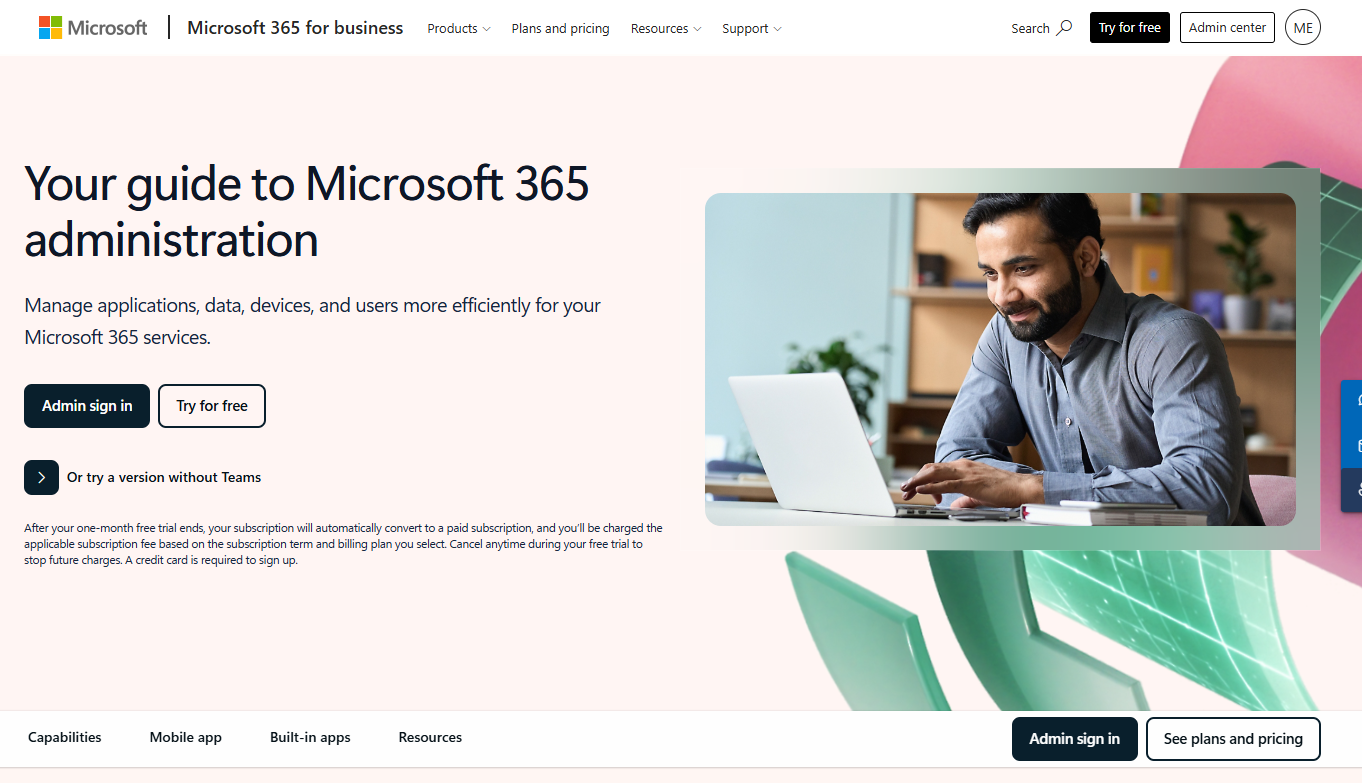
Microsoft 365 admin center is the native web portal for managing users, groups, licenses, domains, billing, and service health across a Microsoft 365 tenant. Every administrator starts here because it is the first-party control plane that connects to all specialized Microsoft admin centers, including Exchange, Teams, SharePoint, and Entra ID.
Best for: IT administrators managing standard Microsoft 365 environments before additional reporting, automation, or governance platforms become necessary.
Key features
- User, group, and license administration (add, remove, restore, reset)
- Domain and email configuration
- Service health monitoring and message center
- Microsoft 365 usage reports and support requests
- Admin mobile app for on-the-go management
Why choose Microsoft 365 admin center: Every eligible Microsoft 365 subscription includes the admin center, making it the logical first layer for any tenant. Growing organizations may find native reporting and bulk operations limited compared to specialist platforms, but the admin center remains the baseline that everything else builds on.
Microsoft 365 admin center pricing: Access is included with eligible Microsoft 365 subscriptions. Higher-tier plans unlock additional security controls, compliance features, and governance capabilities that affect which admin functions are available to your organization.
2. AdminDroid 365
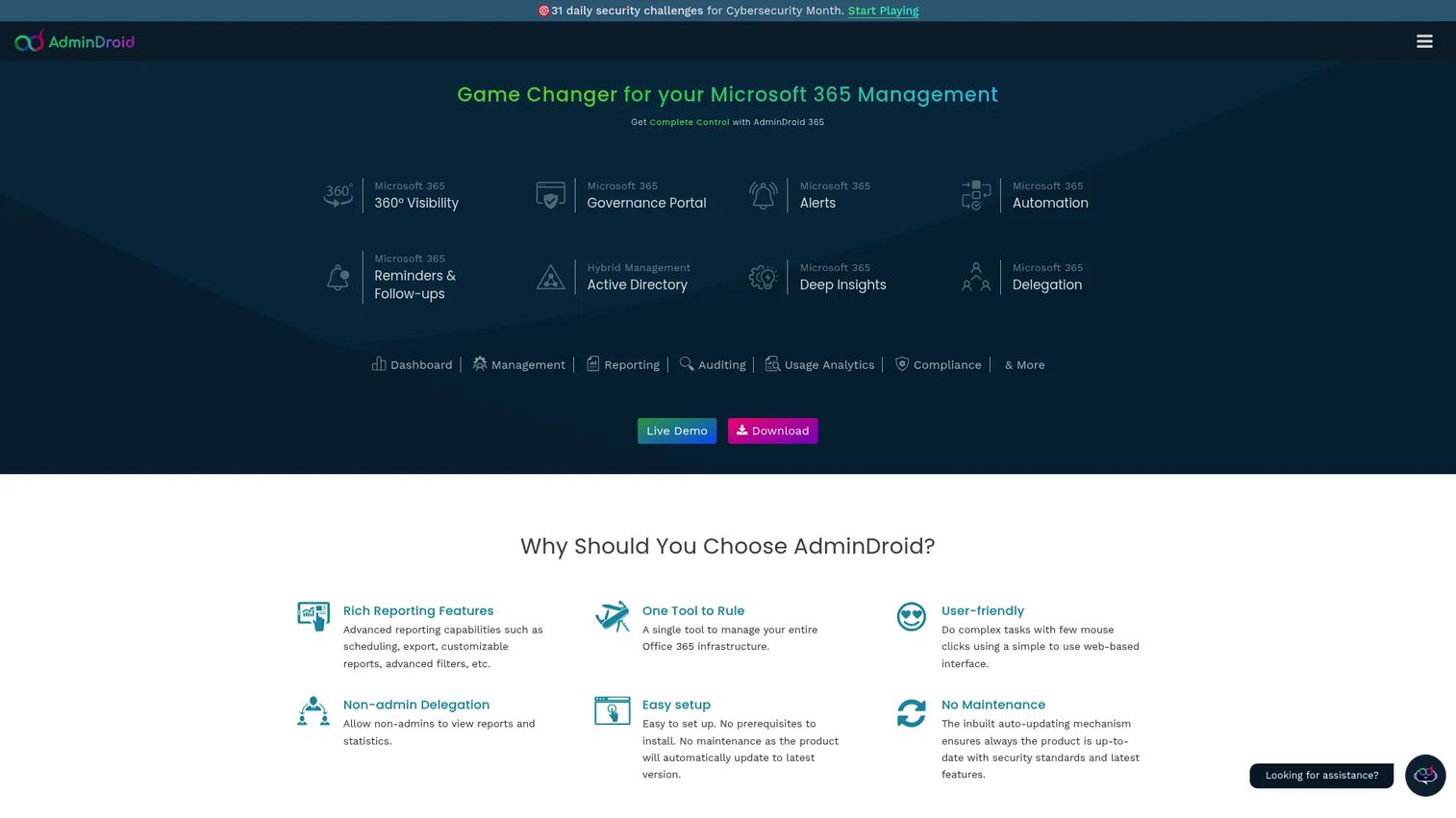
AdminDroid 365 is a Microsoft 365 and Active Directory reporting, auditing, and management platform built for IT administrators, security teams, and compliance teams. It provides deep visibility into tenant activity through a large library of pre-built reports covering Exchange Online, Teams, SharePoint, OneDrive, and Entra ID, supplemented by scheduled report delivery, alert policies, and delegated administration controls.
Best for: IT and security teams that need detailed Microsoft 365 reporting, scheduled audit exports, and operational alerts without building custom PowerShell queries for every reporting need.
Key features
- Microsoft 365 and Active Directory reporting and dashboards
- Compliance reporting, usage analytics, and auditing
- Scheduled report delivery and alert policies
- Delegated administration with granular role controls
- Workflow automation and governance capabilities
Why choose AdminDroid 365: The tool earns its place when native Microsoft reporting lacks the export flexibility, scheduling, or cross-service visibility needed for security reviews. For a Product Manager, the practical value is instrumentation: Understanding which teams are using which workloads, where access patterns look risky, and whether onboarding results in active adoption or stale accounts.
AdminDroid 365 pricing: A free plan is available with no time limit. Standard, Pro, and Pro Plus plans are offered; pricing is environment-specific, so contact AdminDroid for a quote based on your tenant size and required features.
G2 rating: 4.6/5
3. ManageEngine M365 Manager Plus
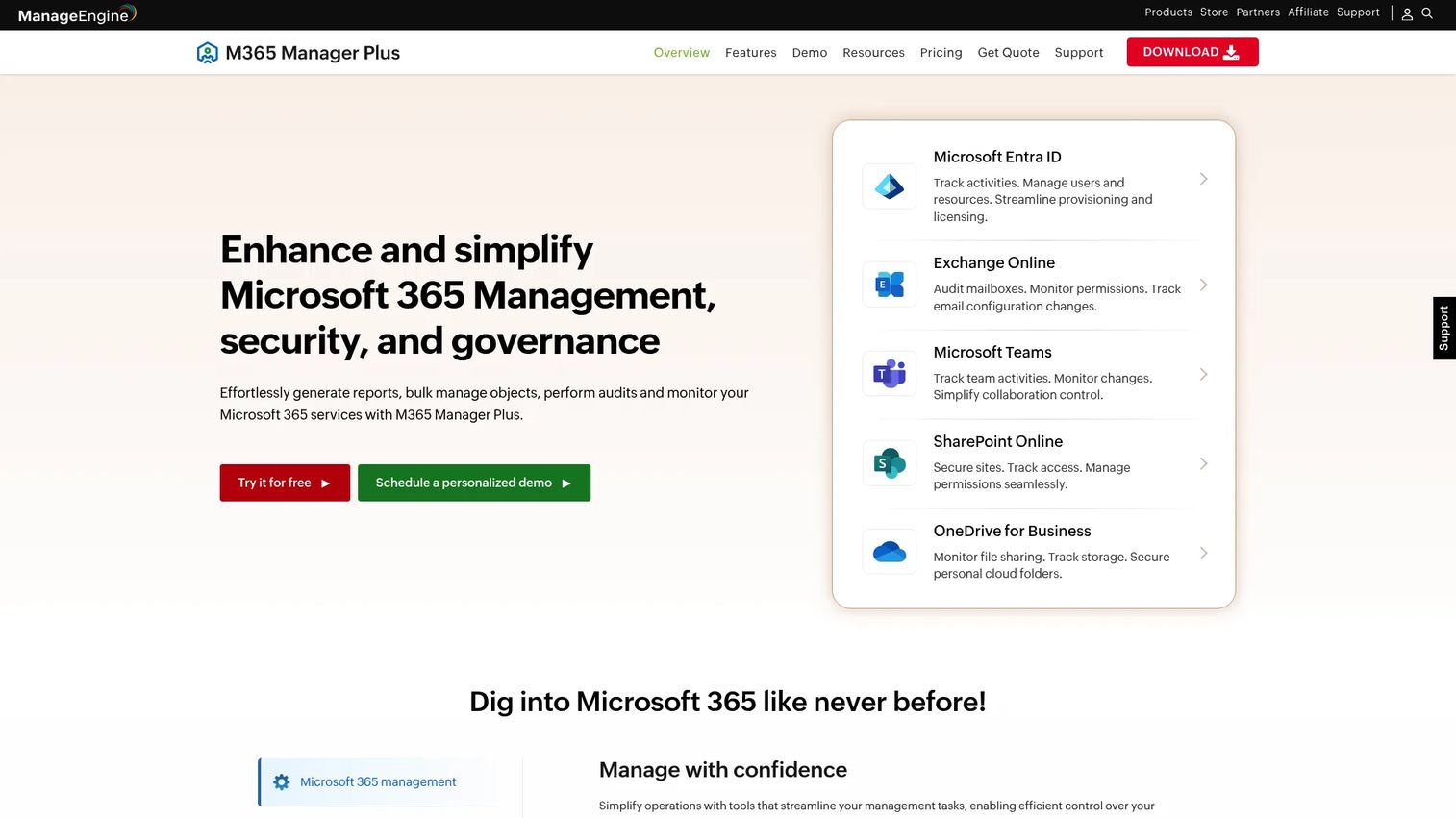
ManageEngine M365 Manager Plus is a centralized Microsoft 365 administration, reporting, auditing, and automation platform. It covers Exchange Online, Entra ID, Teams, SharePoint, OneDrive, and Skype for Business from a single interface, with over 700 pre-configured reports, bulk management operations, and help desk delegation controls that distribute administrative work without requiring global admin privileges.
Best for: Larger IT teams managing Microsoft 365 bulk administration across many users, departments, or business units who need templates, automation, and delegated help desk roles.
Key features
- 700+ pre-configured Microsoft 365 reports
- Bulk user and license changes via templates and CSV imports
- Exchange mailbox administration and audit reporting
- Teams and SharePoint management
- Delegated help desk roles with scoped permissions
Why choose ManageEngine M365 Manager Plus: The platform makes operational sense when the same provisioning tasks repeat across large employee cohorts. For Product Managers, the relevant question is how much IT capacity gets consumed by manual provisioning cycles that delay access to product systems and internal collaboration. Buyers should map the modules they need against actual workflows: A team seeking only Microsoft 365 auditing tools may find a reporting-focused platform sufficient.
ManageEngine M365 Manager Plus pricing: A free 30-day trial and a permanent free edition for up to 25 users or mailboxes are both available. Standard and Professional editions require a quote from ManageEngine based on tenant size and included modules.
G2 rating: 4.3/5
4. Easy365Manager
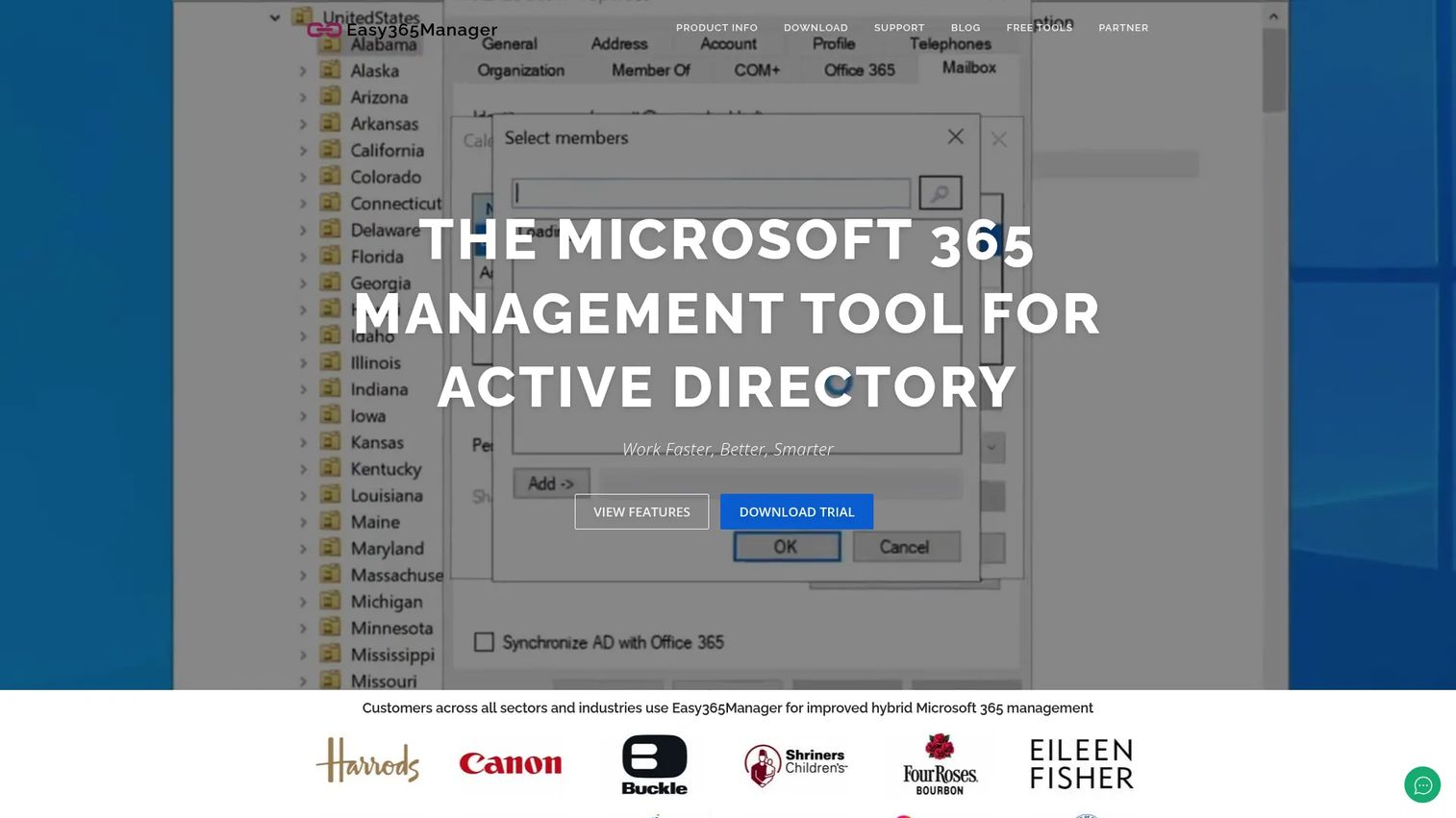
Easy365Manager is a Microsoft 365 management snap-in that runs inside Active Directory Users and Computers, letting administrators handle Microsoft 365 licenses, Exchange Online mailboxes, and mailbox attributes without switching to cloud portals. It supports hybrid Active Directory environments by extending the familiar on-premises administrative interface to cover cloud identity and Exchange Online management tasks.
Best for: IT support teams in hybrid environments who manage Microsoft 365 and Exchange Online from within Active Directory workflows and want to avoid constant portal switching.
Key features
- Microsoft 365 administration inside Active Directory Users and Computers
- License assignment and Exchange Online mailbox management
- Mailbox delegation, calendar permissions, and forwarding configuration
- Shared, room, and equipment mailbox creation
- Bulk edit of user and distribution group properties
Why choose Easy365Manager: The tool fits organizations where on-premises Active Directory remains the primary identity source and administrators are more productive working inside familiar tools. For teams with cloud-only Microsoft 365 deployments, a platform built around Microsoft 365 reporting, governance, or bulk automation will deliver more relevant capability.
Easy365Manager pricing: Licensing starts at EUR 1,150 per year, covering one tenant with unlimited administrator users, unlimited installations, and software upgrades included. A fully functional 30-day trial is available at no cost.
G2 rating: 4.0/5
5. CoreView
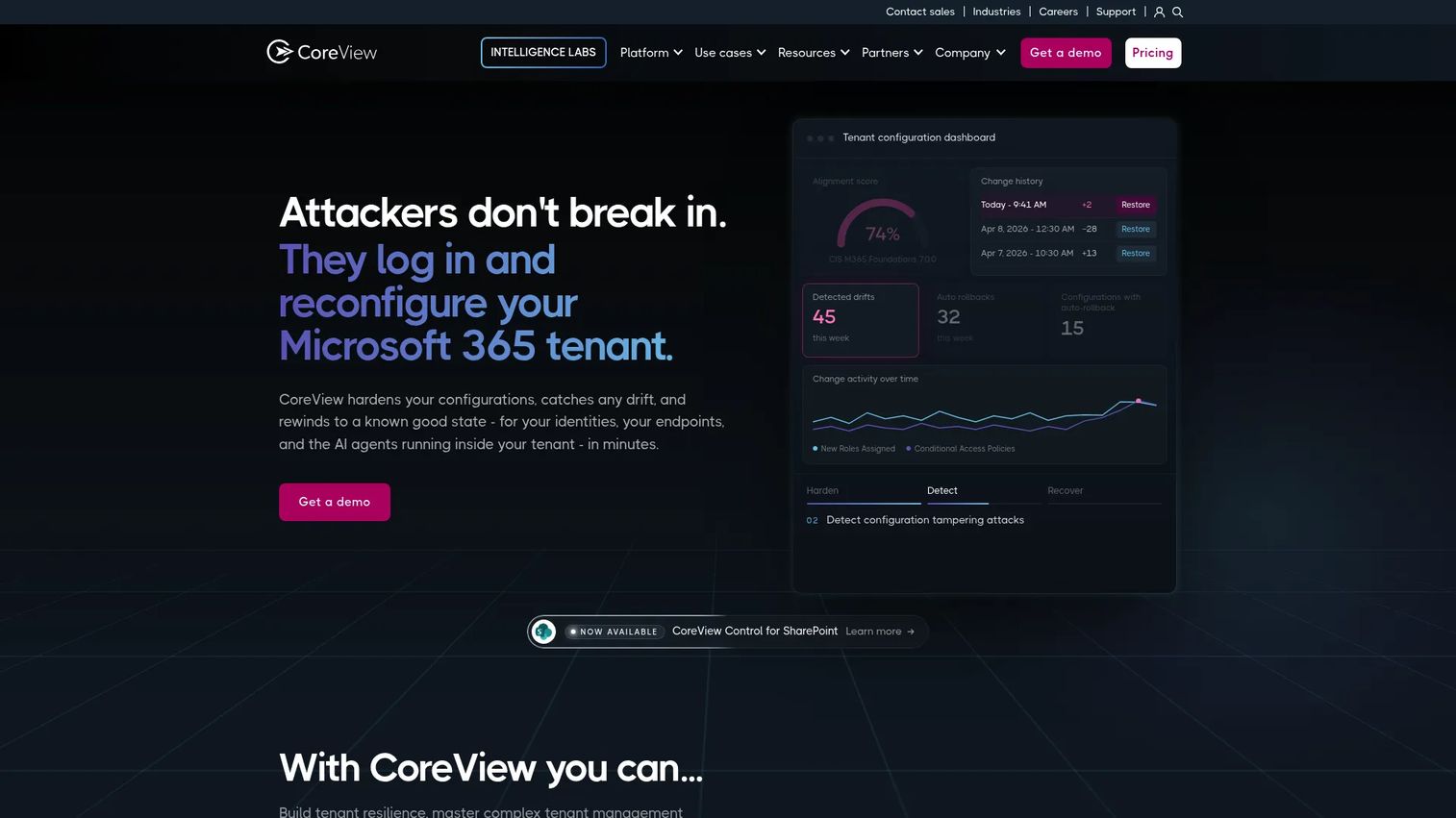
CoreView is a SaaS platform for securing, governing, automating, and administering Microsoft 365 environments at enterprise scale. Its Governance Center provides 130+ out-of-the-box reports alongside configuration drift detection, policy-based automation, and Virtual Tenants that segment the Microsoft 365 environment into independently administrable units, allowing regional or departmental admin teams to operate without accessing objects outside their scope.
Best for: Enterprise and mid-market IT and security teams managing complex or multi-tenant Microsoft 365 environments that need controlled delegation, policy enforcement, and configuration resilience.
Key features
- 130+ governance reports and customizable dashboards
- Configuration drift detection, backup, and restoration
- Policy-based automation with automated remediations
- Delegation management with Virtual Tenants
- Hybrid management covering Microsoft 365, Active Directory, and Exchange
Why choose CoreView: CoreView addresses the governance overhead that appears when Microsoft 365 administration scales past what global admin access can safely handle. It is the right choice when administrative rights need distribution across regional teams, acquired business units, or outsourced support providers, without creating security exposure through overprivileged roles. For Product Managers at organizations operating across multiple regions or business units, it prevents identity and collaboration controls from becoming a launch blocker.
CoreView pricing: Custom pricing. Contact CoreView directly for a quote based on tenant size and required capabilities.
G2 rating: 4.6/5
6. Quest On Demand Migration
Quest On Demand Migration is a SaaS platform for Microsoft 365 tenant-to-tenant migration, designed for organizations moving through mergers, acquisitions, divestitures, or large-scale tenant consolidations. It handles Exchange Online, OneDrive, SharePoint, Teams, Microsoft 365 Groups, and Active Directory and Entra ID identity migration, with built-in project management, diagnostics, and AI-powered issue analysis.
Best for: Organizations handling Microsoft 365 tenant consolidations, mergers, acquisitions, or major identity transitions where structured migration workflows and coexistence support are the primary requirements.
Key features
- Tenant-to-tenant migration for Exchange, OneDrive, SharePoint, Teams, and Power BI
- Active Directory and Entra ID user, group, and device migration
- Migration planning, diagnostics, and project monitoring
- Coexistence and transition support during active migrations
- AI-powered issue analysis and reporting
Why choose Quest On Demand Migration: The tool applies specifically to migration projects rather than routine daily administration. Once a migration completes, teams typically manage the resulting environment through other platforms. For Product Managers, the operational value comes during organizational transitions, where predictable access to collaboration history, shared documentation, and customer-facing workflows determines whether delivery teams stay productive through the change.
Quest On Demand Migration pricing: Subscription plans are available under Quest Secure Migration packaging. Numeric pricing is not published; contact Quest for a quote based on migration scope and workload type.
G2 rating: 5.0/5
7. AvePoint Cloud Governance
AvePoint Cloud Governance is a Microsoft 365 governance platform focused on managed self-service provisioning, policy enforcement, and lifecycle management for Teams, SharePoint, Microsoft 365 Groups, and other collaboration resources. It gives organizations structured control over how workspaces are created through service catalogs and questionnaires, how they are governed through approval workflows and policy rules, and how they are retired through renewal, recertification, archiving, and deletion processes.
Best for: Organizations that need to control rapid Teams and SharePoint growth while still allowing teams to provision their own workspaces through a governed request process.
Key features
- Service catalogs and business-focused provisioning questionnaires
- Automated policy enforcement and conditional approvals
- Renewal, recertification, archiving, and deletion workflows
- Delegated administration and audit, security, and lifecycle reporting
- Collaboration resource inventories and automated lifecycle management
Why choose AvePoint Cloud Governance: The platform suits organizations where collaboration sprawl has outpaced IT's ability to maintain naming standards, ownership records, and external sharing rules manually. Product teams working on roadmap planning, customer discovery, and launch coordination inside Teams and SharePoint benefit when workspace ownership is clear and access does not silently expire.
AvePoint Cloud Governance pricing: Custom pricing through a request-for-pricing process. Contact AvePoint for packaging details based on your tenant size and governance requirements.
G2 rating: 4.5/5
8. SysKit Point
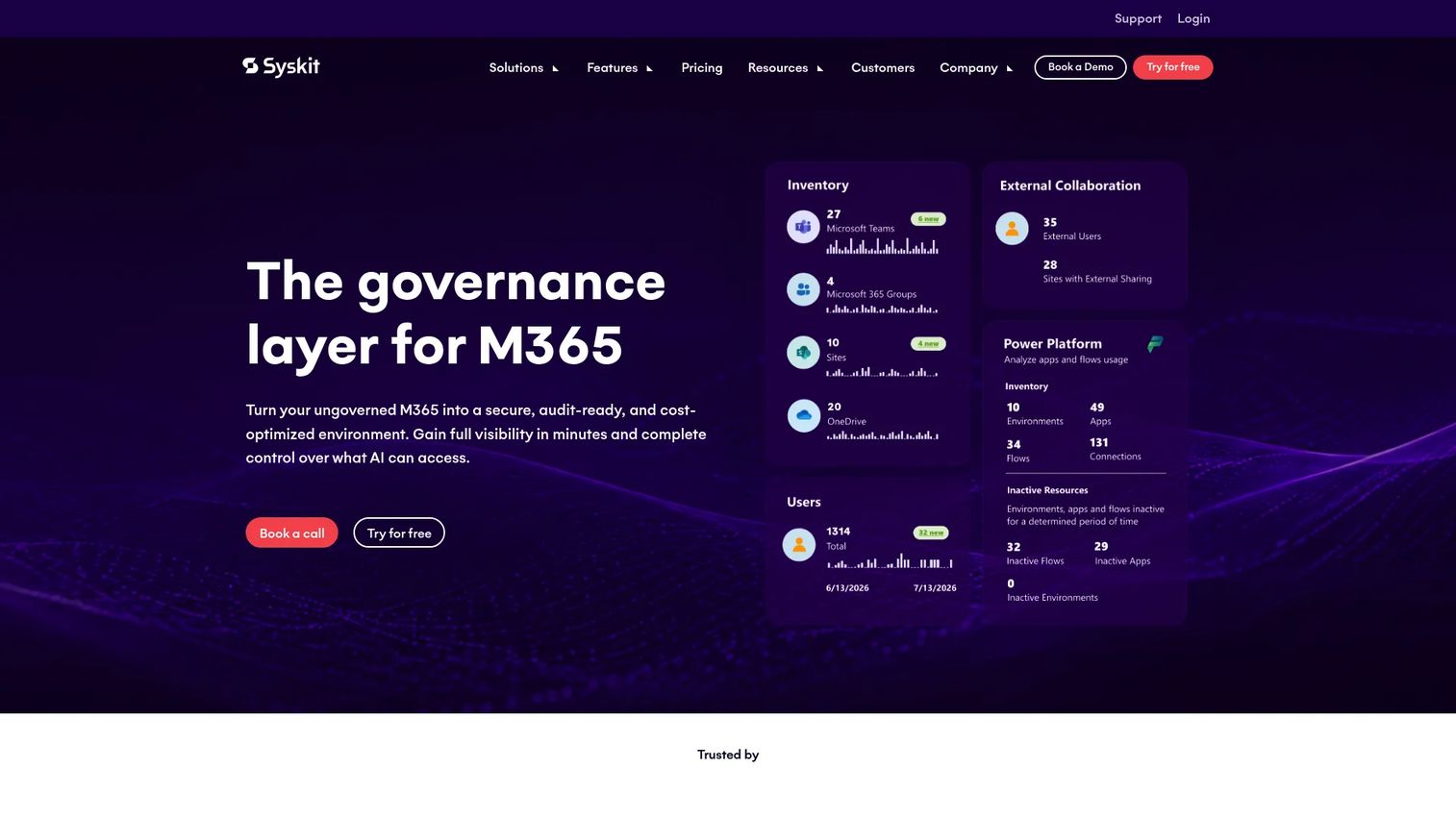
SysKit Point is a Microsoft 365 governance, security, and management platform focused on giving IT teams complete visibility into SharePoint, Teams, Microsoft 365 Groups, and OneDrive. It maps permissions, tracks ownership, identifies inactive workspaces and external sharing exposure, and automates lifecycle policies that prevent collaboration inventory from becoming unmanageable.
Best for: IT teams that need to understand who owns what, who has access to what, and where stale or risky collaboration resources have accumulated across the Microsoft 365 tenant.
Key features
- SharePoint permissions reporting and management
- Teams and Microsoft 365 Group inventory
- Ownership visibility and external sharing reports
- Workspace lifecycle management and policy automation
- Storage insights and optimization
Why choose SysKit Point: SysKit Point is the right tool when the core problem is visibility rather than provisioning automation. It helps administrators find missing owners, excessive permissions, and unmanaged external sharing before these become security findings or support escalations. Teams seeking broad Exchange Online administration or migration capability should compare it against platforms built specifically for those jobs.
SysKit Point pricing: Cloud plans start at EUR 10 per user per year for the Management Plan, EUR 20 for the Security Plan, and EUR 30 for the Governance Plan (all billed annually, minimum 100 users). The Enterprise Plan carries custom pricing with a minimum of 1,000 users. A 21-day free trial is available.
G2 rating: 4.4/5
Considerations when choosing office 365 management tools
Match the tool to the administration layer
This category spans at least five distinct operational layers: Baseline tenant administration, reporting and auditing, bulk automation and delegation, collaboration governance, and migration. Buyers often overbuy a broad platform when they need only a reporting add-on, or underinvest in governance when tenant complexity demands lifecycle controls. Identify the layer creating the most operational overhead before evaluating specific products.
Map coverage to the services you actually manage
List the services generating the most support requests and administrative work today: Entra ID, Exchange Online, Teams, SharePoint, OneDrive, or on-premises Active Directory. A tool with strong Exchange mailbox management and weak SharePoint governance coverage may not address the right bottleneck. Evaluate against real workflows, not feature checklists.
Test delegation and approval controls
Global administrator access does not scale as the tenant grows and IT support becomes distributed. Look for role-based access controls, scoped delegation, approval steps, and audit logs that let help desk teams handle routine tasks without accessing objects outside their scope. Governance gaps in this area create both security risk and operational drag.
Verify reporting depth and export flexibility
Identify the reports that leadership, security, and compliance teams require before running a trial. Evaluate whether the platform supports scheduled delivery, historical views, custom filters, and data exports in formats your team can use. A useful Microsoft 365 monitoring tool produces evidence that holds up during security reviews without requiring manual extraction.
Account for total cost across modules
Pricing for several tools in this category scales with tenant size, administrator seat counts, or the number of managed objects. Entry-tier prices may not include reporting, governance, or migration modules that the organization actually needs. Confirm what the paid tiers include and how the price changes as the tenant grows before committing to a contract.
Conclusion
The right Microsoft 365 administration platform depends on where the tenant creates the most operational drag today.
The Microsoft 365 admin center is the baseline every tenant uses. AdminDroid 365 adds the reporting depth that security and compliance teams need for audits and monitoring. ManageEngine M365 Manager Plus handles bulk administration and delegation at scale. Easy365Manager serves hybrid environments where on-premises Active Directory remains central. CoreView fits enterprises that need policy enforcement and controlled delegation across large or distributed Microsoft 365 deployments. Quest On Demand Migration applies specifically to tenant consolidation and organizational transitions.
For Teams and SharePoint governance, AvePoint Cloud Governance and SysKit Point address the same category from different starting points: AvePoint automates the provisioning and lifecycle management side, while SysKit Point starts with permissions visibility and inventory.
Start by identifying whether your primary bottleneck is routine operations, audit visibility, governance, hybrid infrastructure, or migration. Then run trials with the two or three platforms that match that specific job.
Start your journey with Guideflow today!
FAQs
Office 365 management tools are software platforms that help IT administrators manage users, licenses, mailboxes, Teams workspaces, SharePoint sites, security controls, and governance workflows across a Microsoft 365 tenant. They range from reporting and auditing platforms that surface visibility on top of native Microsoft data to full administration suites that automate provisioning, delegation, and lifecycle management.
For smaller organizations with straightforward administration needs, the native admin center covers user lifecycle, license assignment, domain management, and service health monitoring. Organizations typically add specialist platforms when they need scheduled audit reporting, bulk automation, delegated help desk access, hybrid Active Directory management, or governance controls over Teams and SharePoint sprawl.
The answer depends on the reports you need to produce. AdminDroid 365 provides a large library of pre-built Microsoft 365 compliance reports, scheduled delivery, and cross-service audit visibility that fits security and compliance requirements. ManageEngine M365 Manager Plus offers 700+ reports alongside administration capabilities for teams that need both. Define which specific reports matter before selecting a platform.
Easy365Manager is built specifically for organizations where on-premises Active Directory remains the primary identity source. It extends the Active Directory Users and Computers interface to cover Microsoft 365 license management and Exchange Online mailbox administration. CoreView also supports hybrid management as part of its broader governance platform. Confirm that the tool you evaluate supports your specific Exchange version, synchronization method, and directory structure before purchasing.
Governance platforms address the sprawl that results when teams create workspaces faster than IT can manage them. Capabilities typically include controlled provisioning through service catalogs, ownership assignment and renewal workflows, external sharing policies, naming standards enforcement, and automated archiving or deletion of inactive resources. SysKit Point focuses on permissions visibility and inventory, while AvePoint Cloud Governance adds automated lifecycle management and approval workflows.
Most platforms reduce the volume of PowerShell scripting needed for common administrative tasks by providing UI-based bulk operations and templates. Advanced teams continue to use PowerShell for edge cases, custom automation, and capabilities outside a vendor's interface. The practical question is whether the time saved on repetitive scripting justifies the platform cost, especially for teams that manage large tenants with frequent provisioning cycles.
Compare the pricing unit, the Microsoft 365 services covered in each tier, included administrator seats or managed user counts, tenant scope, and whether reporting or governance modules require separate purchases. Several tools in this category price per managed user, which means cost scales directly with headcount. Confirm module inclusions and contract terms before comparing headline prices.
The relevant frame for a Product Manager is not feature coverage but operational dependency. Poor access governance delays onboarding, creates support tickets, and consumes IT capacity that would otherwise support product delivery. Weak audit trails complicate security reviews, which can delay partnerships or enterprise deals. The right Microsoft 365 administration tools reduce that operational overhead by making provisioning repeatable, permissions traceable, and collaboration infrastructure maintainable across release cadence changes and org structure shifts.