You built the launch plan in a spreadsheet. Engineering slipped two days on the API work. Now every downstream date is wrong, the dependency chain is broken, and you're manually dragging cells at 9pm before a leadership update.
That's the real cost of planning cross-functional work in a static file. Not the ugly chart. The lag between reality and what your plan says.
The Gantt chart software market reached USD 833.37 million in 2024 and is growing at a 10.5% CAGR, according to MarketIntelReports. And 39.7% of businesses now rely on project management tools, per Ramp's 2026 data. The shift is happening because static plans stop reflecting reality the moment work starts moving.
Gantt chart software fixes that gap. When a task slips, dependent tasks reschedule. When someone's overloaded, you see it before they burn out. When leadership asks for status, you share a live view instead of a screenshot from last week. This guide breaks down eight tools, from Excel to full work management platforms, so you can pick the one that fits your team's size and complexity.
What's inside
This guide is written for product managers and delivery leads coordinating dependency-heavy work across engineering, design, marketing, and CS. We chose tools based on four criteria that actually matter when plans shift:
- Dependency handling and auto scheduling so slipped dates cascade automatically
- Resource and workload visibility to prevent overallocation
- Collaboration and stakeholder sharing for reviews, comments, and exports
- Baseline and progress tracking to compare planned versus actual dates
We included Excel as a practical starting point, then seven dedicated tools ranked by how well they handle team-level execution.
TL;DR
- Best free spreadsheet option: Excel works for lightweight, one-off plans when a template is enough and nothing depends on live updates.
- Best purpose-built planner: GanttPRO gives you auto scheduling, dependencies, and workload management in a Gantt-first interface.
- Best for planning tied to delivery: Paymo pairs Gantt scheduling with time tracking and invoicing for teams that bill their work.
- Best for simplicity: TeamGantt keeps baselines and dependencies clear without a steep learning curve.
- Best for enterprise governance: Wrike handles cross-team visibility, dashboards, and structured workflows at scale.
- Best for classic PM control: ProjectManager combines Gantt scheduling with portfolio and resource management.
What is Gantt chart software?
Gantt chart software is a project planning tool that displays tasks as horizontal bars along a timeline, showing start dates, end dates, dependencies, and progress in a single visual view.
The core of every Gantt chart is the same. A task list runs down the left side. A time axis runs across the top. Each task appears as a bar positioned by its start and end dates. Milestones mark key checkpoints, dependencies connect tasks that rely on each other, and percent-complete shading shows how far along each task is.
Good Gantt chart tools go beyond drawing the chart. They recalculate the schedule when dates change, flag resource conflicts, and keep a shared version everyone can see. Here's what separates a Gantt chart maker from a static timeline picture:
- Task list and timeline axis: the backbone of every plan, tasks stacked against dates
- Dependencies: finish-to-start and other links so the schedule knows what waits on what
- Auto scheduling: when a task moves, dependent tasks shift automatically
- Milestones: zero-duration markers for launches, gates, and sign-offs
- Percent complete: progress shading on each bar
- Baselines: a saved snapshot of the original plan for planned-versus-actual comparison
- Resource and workload views: who's assigned to what, and who's overloaded
- Collaboration: comments, permissions, and shareable views for stakeholders
A gantt chart creator that only draws bars is a picture. A real timeline planning tool keeps the picture accurate as work moves.
When to use Gantt chart software
Not every project needs a Gantt chart. A single-team sprint runs fine on a Kanban board. Gantt charts earn their place when timing, sequencing, and coordination matter.
Plan dependency-heavy projects
Launches, migrations, and coordinated workstreams live or die on sequencing. The docs can't ship until the API is live. The campaign can't run until legal signs off. When one task feeds another, you need dependency management that shows the chain and a critical path that tells you which slips actually threaten the deadline. Drag one date and a good tool recalculates everything downstream.
Track progress against a baseline
Plans drift. The value of a baseline is that it saves your original schedule so you can compare planned versus actual dates as work moves. You see milestone drift early, not at the retro. Percent-complete tracking on each task tells you whether "in progress" means 10% or 90%, which is the difference between a calm status update and a fire drill.
Coordinate stakeholders across teams
A product manager sits at the center of engineering, design, data, and CS. A Gantt view gives each of those audiences a shared reference. Leadership sees the milestone timeline. Engineering sees the dependency sequence. Launch owners see readiness. Instead of rebuilding a slide every week, you share one live view and let people self-serve the detail they need.
Gantt chart software comparison table
Here's how the eight tools compare on pricing, ratings, and what each does best. Excel sits first as a practical starting point, followed by dedicated tools sorted by how they handle team execution. Pricing and G2 ratings reflect verified values as of July 2026.
| # | Product | Best for | Key differentiator | Pricing | G2 rating |
|---|---|---|---|---|---|
| 1 | Excel | Lightweight, one-off plans | Familiar spreadsheet with template Gantt charts | From $9.99/mo | 4.7/5 |
| 2 | GanttPRO | Purpose-built Gantt planning | Auto scheduling and workload management | From $7/user/mo | 4.8/5 |
| 3 | Paymo | Planning tied to billing | Gantt plus time tracking and invoicing | From $5.9/mo | 4.6/5 |
| 4 | TeamGantt | Small teams wanting clarity | Simple baselines and dependencies | From $10/project/mo | 4.8/5 |
| 5 | Wrike | Enterprise cross-team work | Configurable governance and dashboards | From $10/user/mo | 4.2/5 |
| 6 | ProjectManager | Classic PM control | Gantt plus portfolio and resource management | From $18/user/mo | 4.4/5 |
| 7 | Toggl Plan | Lightweight team scheduling | Clean timeline with capacity awareness | Free; from $9/user/mo | 4.2/5 |
| 8 | monday work management | Flexible work styles | Board-to-timeline planning with automation | Free; from $9/seat/mo | 4.7/5 |
What product managers should look for
Feature lists blur together fast. These are the criteria that actually change how a plan holds up when work slips.
Dependency handling and auto scheduling
The whole point of a Gantt chart is that dates relate to each other. When engineering slips two days, you need every dependent task to move without manual dragging. Look for finish-to-start and other dependency types, plus auto scheduling that recalculates the chain. Critical path highlighting tells you which slips threaten the deadline and which have slack.
Resource allocation and workload visibility
A timeline tells you when work happens. It doesn't tell you whether one person is assigned to five overlapping tasks. Resource allocation and workload views layer capacity onto the schedule, so you catch overallocation before it becomes missed dates and burnout. This is the difference between a pretty plan and a realistic one.
Collaboration and stakeholder sharing
Your plan is only useful if the right people can see and respond to it. Check for comments on tasks, granular permissions, shareable links, and clean exports to PDF or image for stakeholders who won't log in. Collaboration and sharing turn the Gantt chart from your private tracker into a coordination surface for the whole buying committee of your project.
Templates and onboarding speed
Time-to-value matters. A strong template library and quick starts mean you're planning in minutes, not fighting setup. A ready gantt chart template for launches, sprints, or migrations gets a new team producing a real plan on day one instead of learning the tool first.
Reporting and status communication
Baselines, milestone tracking, and progress views are how you communicate status without building a deck. Look for saved baselines for planned-versus-actual comparison, milestone drift alerts, and dashboards that roll up progress across tasks. The goal is a live status view you can share, not a weekly export.
1. Excel
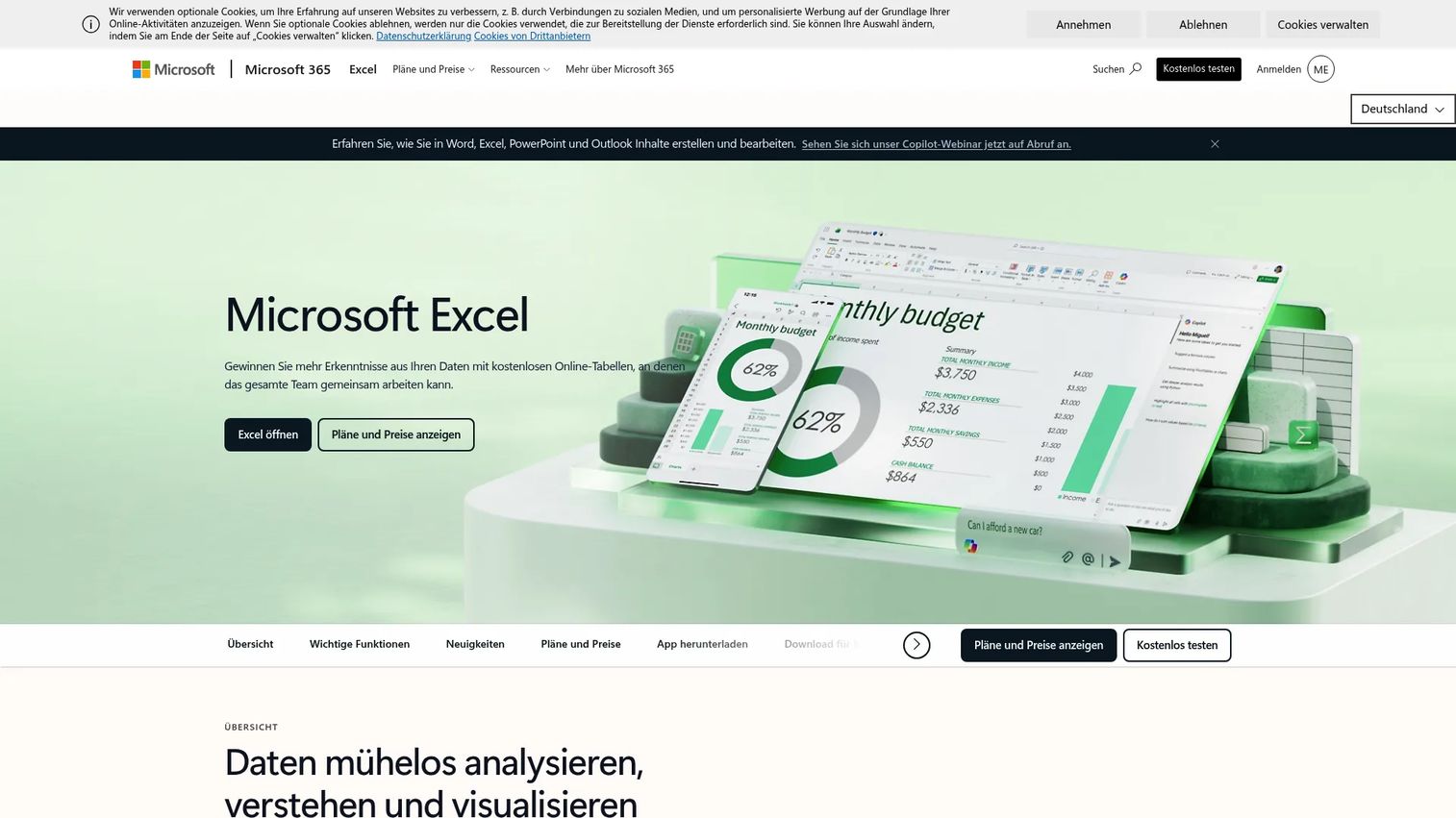
Excel is the spreadsheet almost everyone already has, and it can produce a serviceable Gantt chart with a stacked bar chart or a conditional-formatting template. For lightweight or one-off planning, it's often enough. You lay out tasks, start dates, and durations, then let a template or bar chart render the timeline. No new tool to buy, no onboarding, no login for people who already live in Microsoft 365.
Best for: Individuals and small teams building simple, low-stakes plans where a template does the job and nothing depends on live updates.
Key features
- AutoFill and data entry assistance for fast task setup
- Chart recommendations and one-click chart creation
- Data bars, color coding, and icons for spotting trends
- Template-based Gantt layouts with planned and actual date columns
- Familiar interface with no learning curve
Why choose Excel: If your plan is short, owned by one person, and doesn't need auto scheduling or shared live updates, Excel is the fastest path. The trade-off is manual maintenance. When a date slips, you update dependent rows by hand, and real-time collaboration across a team is harder than in a dedicated tool.
Excel pricing: Available through Microsoft 365 Personal at $9.99/month or $99.99/year. Microsoft 365 Family is $12.99/month, and Office Home 2024 is a one-time purchase at $179.99. A free trial of Microsoft 365 Personal is available.
2. GanttPRO
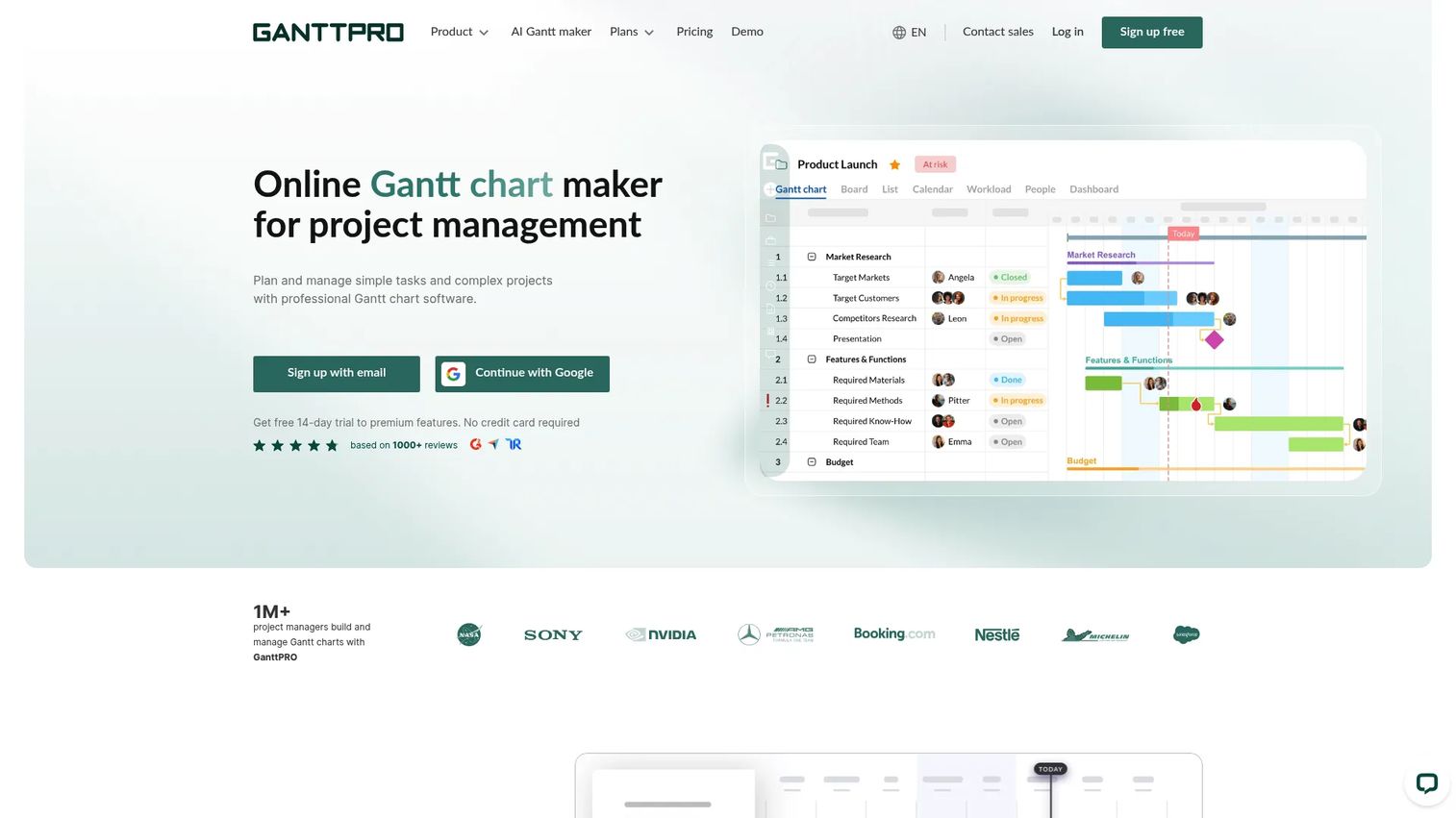
GanttPRO is a purpose-built Gantt chart maker for teams that want visual scheduling with real dependency handling. Where Excel draws a static picture, GanttPRO recalculates the schedule when dates change and keeps a shared plan everyone can work from. It's built around the timeline, so auto scheduling, task hierarchy, and workload planning are core rather than bolted on.
Best for: Teams that need visual project scheduling with dependencies, workload planning, and a Gantt-first interface.
Key features
- Gantt chart view as the primary workspace
- Auto scheduling that recalculates dependent tasks
- Dependencies and task hierarchy for structured plans
- Workload management to spot overallocation
- Template library and export options for sharing
Why choose GanttPRO: If the Gantt chart is the point, not a side view, GanttPRO fits. It's a clean planner for dependency-heavy work without the weight of a full work management platform. Teams that want scheduling and workload in one focused tool land here.
GanttPRO pricing: Core is $7 per user per month, Advanced is $10, and Business is $17, all billed annually. Enterprise is available for teams of five or more with a custom quote.
3. Paymo
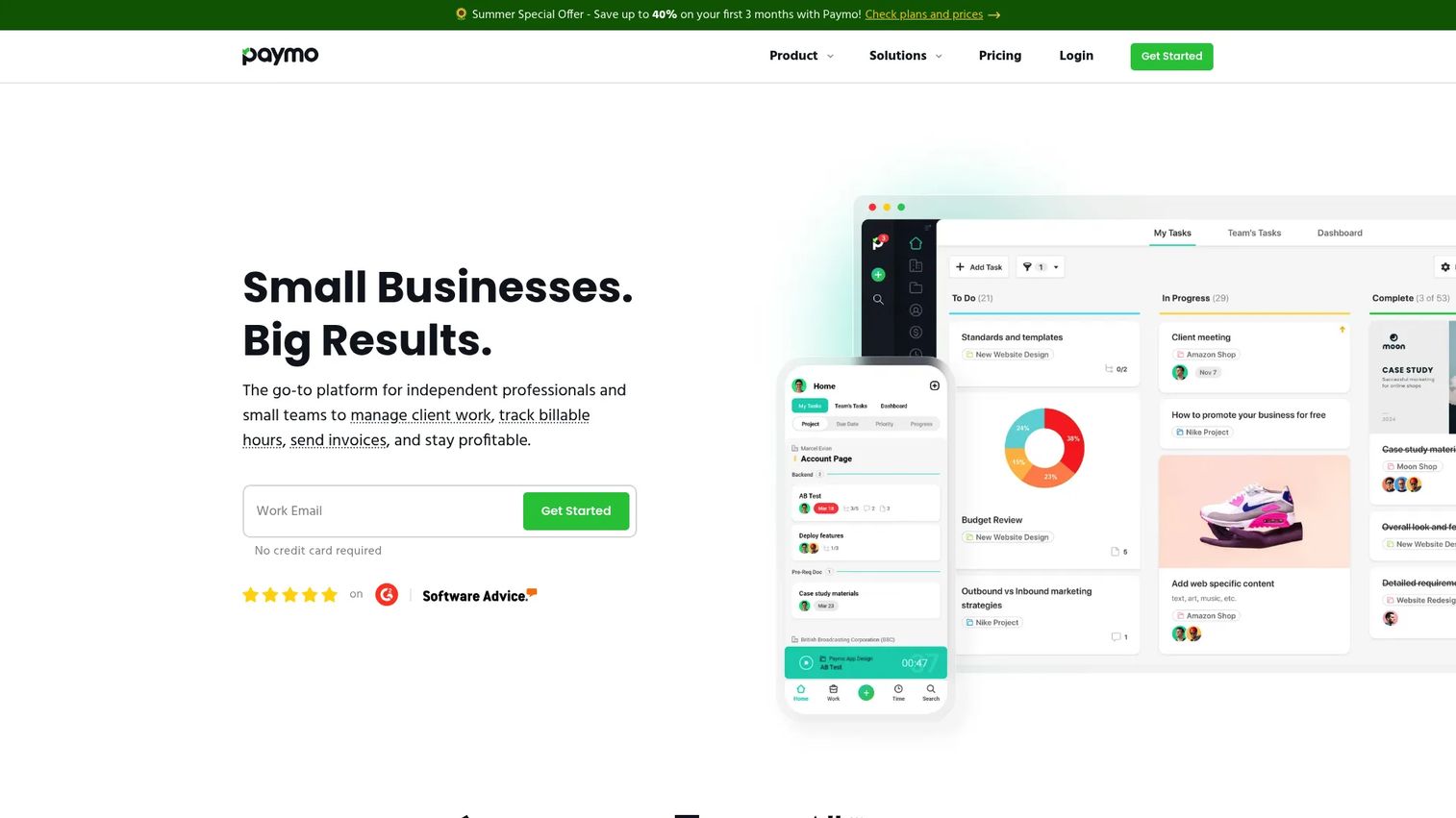
Paymo pairs Gantt scheduling with time tracking, task management, and invoicing. That combination matters for teams whose plans connect directly to billing, like agencies and client-services groups. You plan the work on a Gantt timeline, track the hours against it, and invoice from the same tool, so planning and delivery live in one place instead of three.
Best for: Freelancers and small teams that want time tracking, project management, and invoicing tied to their project plans.
Key features
- Time tracking against planned tasks
- Task management with multiple views
- Invoicing and estimates from tracked work
- Gantt scheduling for project timelines
- Team scheduling and resource visibility
Why choose Paymo: If your planning needs to connect to what you bill, Paymo removes the gap between the timeline and the invoice. It suits teams that measure success in hours delivered, not just milestones hit. The Gantt view is one part of a broader delivery-plus-billing tool.
Paymo pricing: A free plan is available. Solo starts at $5.9/month, Plus at $10.9/user/month, and Pro at $16.9/user/month, with promotional intro pricing for the first three months and a 15-day free trial.
4. TeamGantt
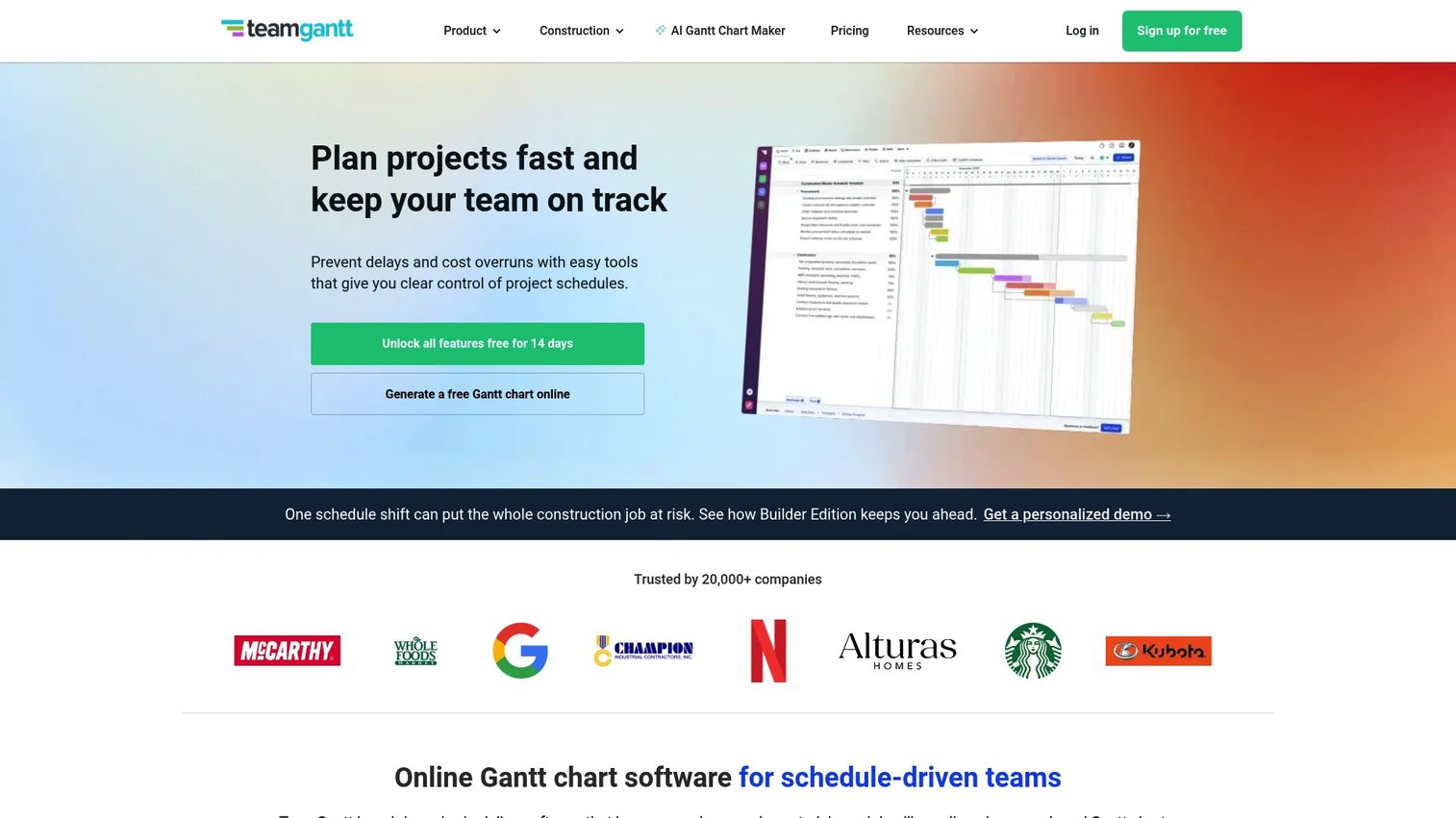
TeamGantt is built for clarity over complexity. It centers on drag-and-drop Gantt scheduling with dependencies, a critical path, and baseline comparisons, without the configuration overhead of an enterprise platform. If you want a plan a stakeholder can read at a glance and a team can update without training, this is the sweet spot.
Best for: Small teams and product managers who want clear Gantt-based scheduling with collaboration and easy communication.
Key features
- Drag-and-drop Gantt scheduling
- Task dependencies and critical path
- Baseline comparisons for planned versus actual
- Multiple views including Gantt, list, board, and calendar
- Team collaboration and resource management
Why choose TeamGantt: When you value a readable plan over a deep feature tree, TeamGantt wins. It handles baselines and dependencies cleanly, which covers most of what a PM needs for progress tracking, without a learning curve that slows the team down.
TeamGantt pricing: Basic starts at $10/project/month billed yearly ($12 monthly), Business at $19/project/month yearly ($24 monthly), and Builder Edition at $99/month. A 14-day free trial is available.
5. Wrike
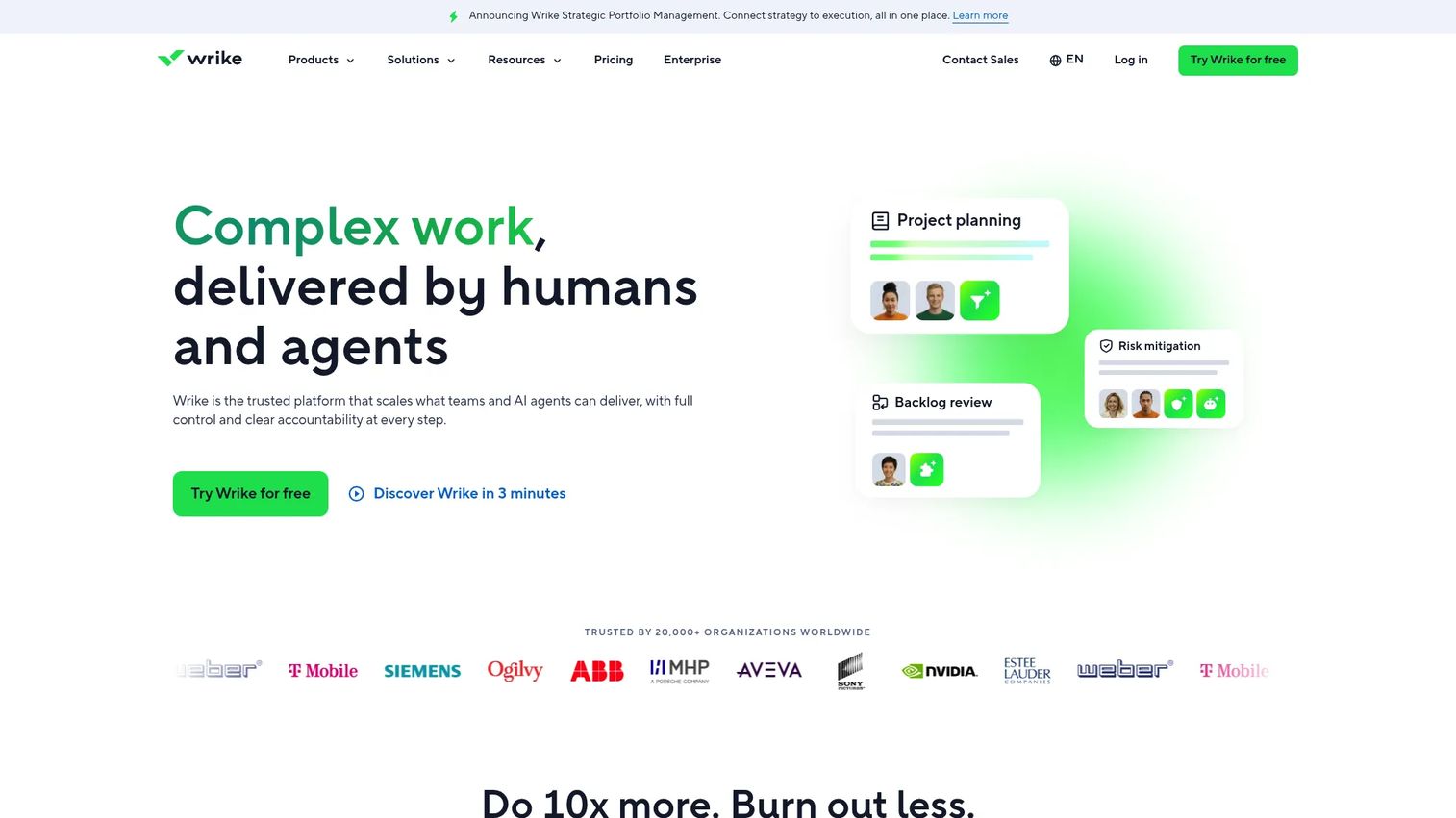
Wrike is a configurable work management platform with Gantt planning built into a broader system of dashboards, automation, and reporting. It's aimed at larger organizations that need cross-team visibility and structured governance, not just a timeline. If you're coordinating multiple teams under shared processes and enterprise controls, Wrike scales to that.
Best for: Organizations that need a configurable work management platform with collaboration and enterprise controls.
Key features
- Project and task management with Gantt views
- Board view and real-time collaboration
- Automation, AI, and reporting
- Cross-team dashboards for portfolio visibility
- Deep integrations across the stack
Why choose Wrike: When governance and cross-team visibility matter more than a lightweight interface, Wrike delivers. It's a platform, so it carries more configuration than a focused Gantt tool, which is the right trade for large orgs and the wrong one for a three-person team.
Wrike pricing: A free plan is available. Team is $10/user/month and Business is $25/user/month, both billed annually. Pinnacle and Apex are custom-priced enterprise tiers that require contacting sales.
6. ProjectManager
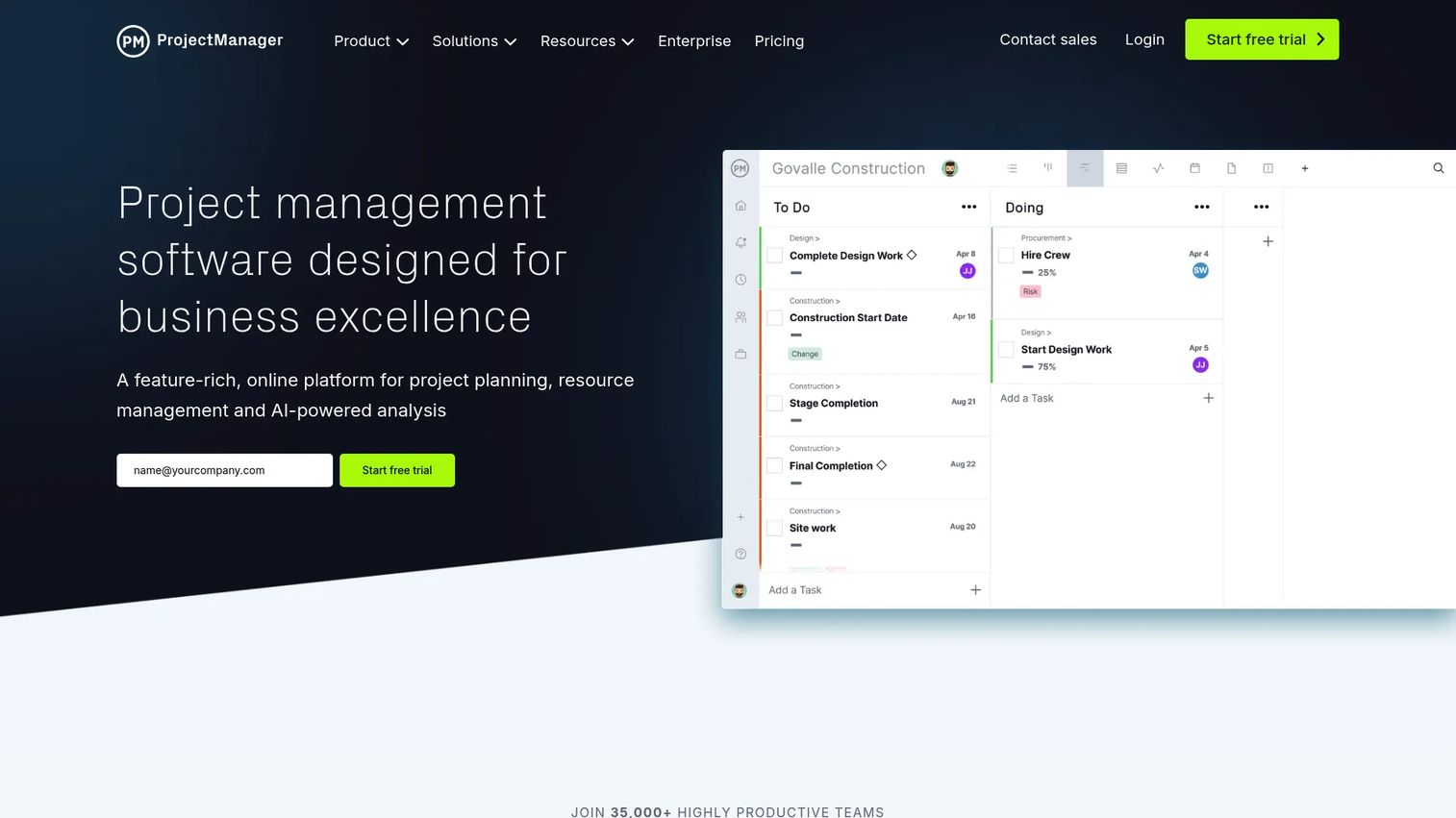
ProjectManager is classic project management software with strong Gantt scheduling, resource management, and portfolio reporting. It's for PMs who want traditional control, dependencies, workload planning, timesheets, and dashboards, in one place. The Gantt view drives the schedule while resource and portfolio tools handle the operational side.
Best for: Teams that want project planning plus portfolio and resource management in one tool.
Key features
- Gantt, list, sheet, board, and calendar views
- Resource management, workload planning, timesheets, and expenses
- Task dependencies and critical path
- Portfolio dashboards and reports
- Automations and integrations
Why choose ProjectManager: If you manage multiple projects and need real resource allocation alongside scheduling, ProjectManager covers both. It's built for classic PM discipline rather than lightweight planning, so it fits teams that live in dependencies, workloads, and status reports.
ProjectManager pricing: Team is $18/user/month and Business is $32/user/month, both billed monthly. Enterprise requires a custom quote. A free 30-day trial is available with no credit card required.
7. Toggl Plan
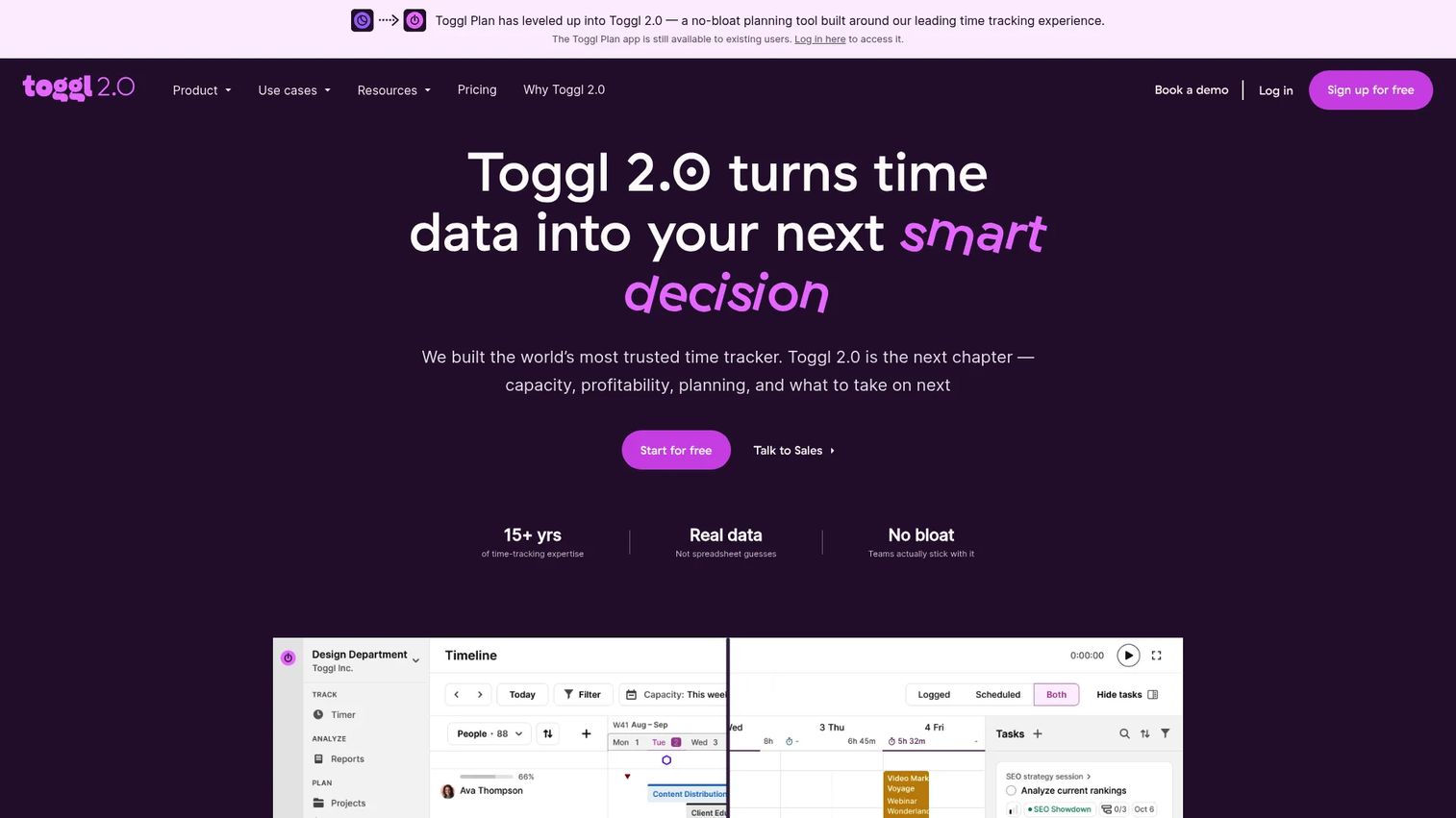
Toggl Plan is lightweight timeline planning with built-in capacity awareness. It keeps the interface simple, timeline and board views, task assignments, and workload reporting, so smaller teams get a clean planning surface without heavy setup. The focus is visual scheduling plus a clear read on who has capacity.
Best for: Teams that want lightweight visual planning with built-in capacity awareness.
Key features
- Timeline and board views
- Task management with assignees, milestones, tags, and estimates
- Capacity management with workload and utilization reporting
- Simple drag-and-drop scheduling
- Clean interface for fast planning
Why choose Toggl Plan: If you want a cleaner planning view than a full PM platform but more capacity insight than a spreadsheet, Toggl Plan fits. It's built for smaller teams that want to see the timeline and the workload without configuration overhead.
Toggl Plan pricing: A free plan covers up to three users. Starter is $9 per user per month and Premium is $16 per user per month, with annual billing discounts. Enterprise is custom-priced.
8. monday work management
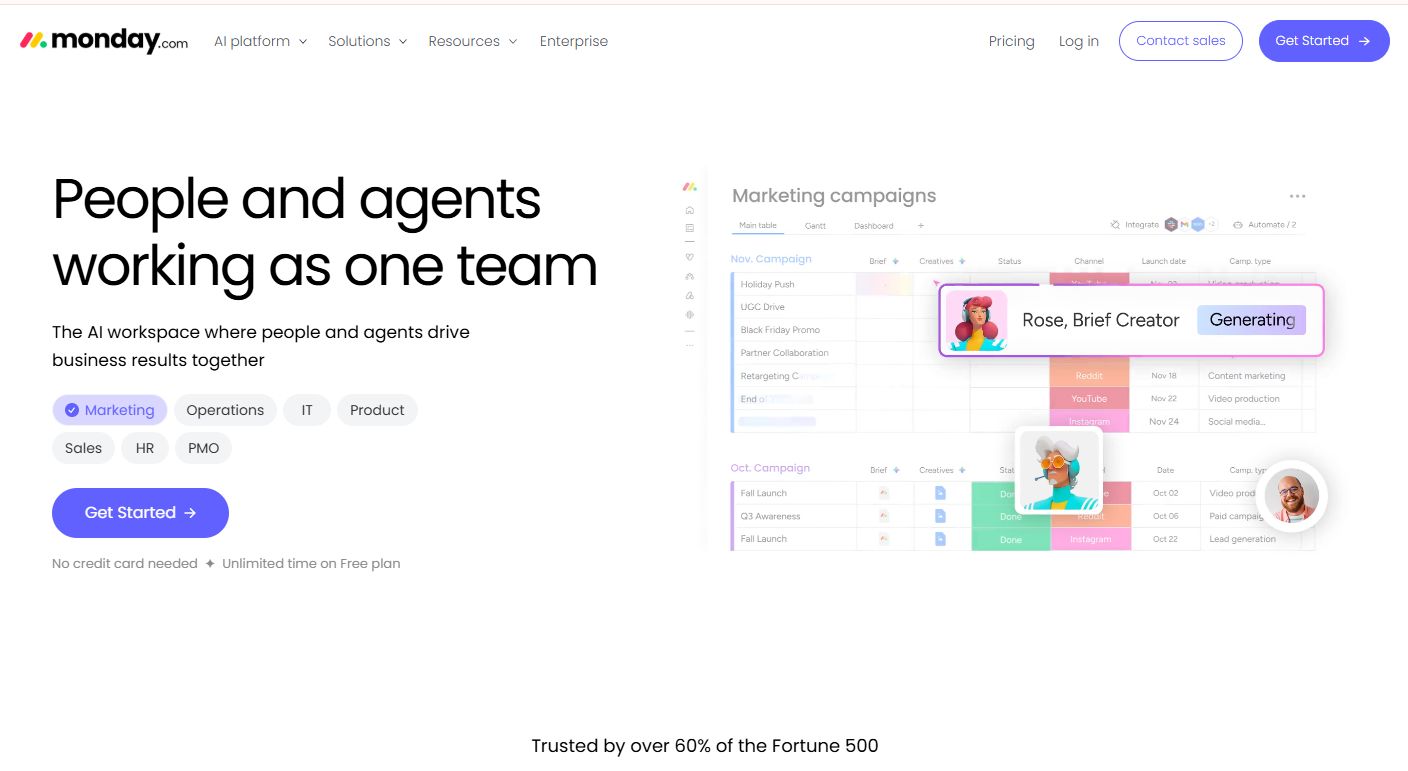
monday work management is a flexible platform that moves between board, timeline, and dashboard views. Its Gantt timeline sits alongside boards and automations, so teams that work in different styles can plan on a timeline without giving up their board workflow. It's the pick when flexibility across work styles matters more than a Gantt-first interface.
Best for: Teams that need a customizable platform to manage projects, operations, and cross-functional work.
Key features
- Boards, dashboards, and docs for work tracking
- Timeline and Gantt views for scheduling
- Automations and integrations
- AI features including Sidekick and AI workflows
- Cross-functional views across teams
Why choose monday work management: When your team spans project work, operations, and cross-functional initiatives, monday adapts to each. The timeline is one view among many, which suits teams that want a single flexible platform rather than a dedicated scheduler.
monday work management pricing: A free plan is available for up to two seats. Basic is $9/seat/month, Standard is $12/seat/month, and Pro is $19/seat/month, all billed annually. Enterprise is custom-priced.
Considerations before you choose
Before you commit, run your shortlist through this checklist against your team's actual workflow.
Dependency and scheduling depth
Confirm the tool supports the dependency types you need and recalculates the schedule automatically when dates move. Ask whether it highlights the critical path. If you plan dependency-heavy launches, this is non-negotiable and separates real planners from timeline pictures.
Resource and workload management
Check whether the tool shows capacity, not just assignments. You want to see when someone is booked across overlapping tasks before it turns into a missed date. Resource allocation views matter more as team size and project count grow.
Collaboration and sharing
Evaluate how stakeholders who won't log in will consume the plan. Look for shareable links, PDF or image exports, task comments, and permission controls. The plan has to work as a communication tool, not just a personal tracker.
Baselines and progress tracking
Verify that the tool saves a baseline so you can compare planned versus actual dates. Milestone tracking and percent-complete views are how you catch drift early and report status without building a deck each week.
Cost and scalability
Match pricing to team size and how it scales. Per-project pricing suits agencies running discrete engagements, while per-user pricing fits ongoing teams. Confirm the free tier or trial lets you validate the fit before you commit budget.
Conclusion
The right Gantt chart software depends on stakes and complexity. For lightweight, low-stakes plans owned by one person, Excel is enough, and a template gets you a chart in minutes. Once dependencies shift, resourcing gets tight, or stakeholders need live status, a dedicated tool pays for itself in the time you stop spending on manual updates.
For a purpose-built Gantt planner, GanttPRO gives you auto scheduling and workload in a focused interface. Teams that bill their work should look at Paymo. Small teams wanting clarity over complexity fit TeamGantt. Large orgs needing governance and cross-team visibility land on Wrike or ProjectManager. Teams that want flexibility across work styles fit Toggl Plan or monday work management.
Next step: shortlist two tools that match your team size, then run a real project through each free trial. The plan that stays accurate when dates slip is the one worth paying for.
FAQs
For small teams, TeamGantt and Toggl Plan balance clarity with real scheduling, giving you dependencies and capacity without heavy setup. If your plan is short, one-off, and owned by a single person, Excel is often enough. Choose a dedicated tool the moment work depends on shared, live updates.
Excel works well for simple, static plans where a template or bar chart is enough and nothing depends on automatic rescheduling. It becomes hard to maintain when dependencies grow, dates slip often, or a team needs to collaborate on the same live plan. At that point, manual cell updates cost more time than a dedicated tool.
The essentials are task dependencies, auto scheduling that recalculates when dates move, milestone markers, and percent-complete tracking. For team use, add baselines for planned-versus-actual comparison, resource and workload views, collaboration through comments and permissions, and clean exports. Templates speed up onboarding, and critical path highlighting shows which slips threaten the deadline.
Gantt charts give PMs a single view to coordinate dependency-heavy roadmap work, launches, and cross-functional initiatives. They show the sequence engineering needs, the milestone timeline leadership wants, and the readiness view launch owners track. Instead of rebuilding a status slide each week, you share one live plan that updates as work moves.
Gantt charts are timeline-based and show when work happens, how tasks depend on each other, and where the deadline sits. Kanban boards are flow-based and show what stage each task is in right now, without dates or dependencies. Use Gantt for scheduling and coordination, and Kanban for managing day-to-day work in flight.
Yes. Tools like GanttPRO, ProjectManager, Toggl Plan, and Wrike layer resource allocation and workload views onto the timeline. That lets you see when a person is booked across overlapping tasks and rebalance before it causes a missed date. Basic Gantt makers show assignments, while stronger tools show capacity and utilization.
Wrike, Toggl Plan, monday work management, and Paymo all offer free tiers that cover small teams or basic planning. Free plans usually cap users, projects, or advanced features like baselines and reporting. They're a good way to validate fit before paying, but dependency-heavy or larger teams typically outgrow them.
In Excel, list your tasks with start dates and durations, then either apply a Gantt chart template or build a stacked bar chart and hide the "start" series so only duration bars show. Add conditional formatting for progress and planned-versus-actual columns if you need them. It's quick for simple plans, but you'll maintain dependencies and rescheduling by hand.