Imaging teams rarely choose "a viewer." They choose how studies get opened, measured, reconstructed, routed, and shared across a workflow that spans radiology, cardiology, oncology, and sometimes three sites at once. The tool decision looks small on a spec sheet. In practice it decides how fast a clinician reaches a read, whether a specialist can run quantitative analysis without exporting to a second system, and how much operational overhead your team carries every time the study volume climbs.
That distinction matters because the category is bigger than most buyers assume. Medical imaging software covers DICOM viewer software, medical image analysis software, medical image processing software, PACS software, specialty workflow tools, and full enterprise imaging platforms. Treat it as one bucket and you end up with a diagnostic imaging software stack that half-fits three jobs and fully fits none.
The market pressure is real. The global medical imaging software market is projected to grow from about USD 9.45 billion in 2026 to USD 13.90 billion by 2031, at an 8.02% CAGR, according to Mordor Intelligence (2025). More vendors, more modules, more AI-assisted analysis claims, and more decisions to get wrong.
If you evaluate onboarding and time-to-value in your day job, the same logic applies here as it does when teams build interactive demos to shorten how long it takes someone to reach a first meaningful result: pick for the workflow, not the feature list. The same discipline that shapes a good image optimization software decision, or a smart enterprise search software choice, applies to clinical imaging. This guide ranks seven tools by how well they fit a real imaging workflow.
What's inside
This guide is a buyer-focused shortlist of seven medical imaging software tools for 2026. It spans the full category: viewer-first DICOM tools, cloud PACS and sharing platforms, quantitative and specialty analysis software, enterprise imaging platforms, and open-source research options.
We selected and ranked each tool on five criteria that decide real-world fit:
- Modality support: coverage across CT, MRI, X-ray, ultrasound, PET, and specialty imaging
- Workflow efficiency: how quickly a clinician or team gets from study to result
- Interoperability: DICOM compliance, PACS connectivity, and integration into existing systems
- Clinical credibility: adoption, validation, and trust in real clinical settings
- Practical fit: platform, deployment model, and cost against the job to be done
We do not rank on brand size. We rank on how cleanly a tool solves a specific imaging problem.
TL;DR
- Best overall Mac-native DICOM viewer: OsiriX, for radiology teams on macOS and Apple Silicon that want advanced 2D/3D post-processing in one workstation.
- Best cloud PACS and secure sharing: PostDICOM, for teams that need browser-based DICOM viewing plus archive and image sharing without an on-premise server.
- Best cardiac imaging software: Medis, for cardiology teams running quantitative cardiovascular analysis across CT, MR, XA, and ultrasound.
- Best enterprise imaging platform: MIM Software, for multi-department radiation oncology, nuclear medicine, and standardized cross-site workflows.
- Best open-source DICOM viewer: Weasis, for hospitals and research teams that want a free, extensible medical imaging viewer.
- Best for 3D reconstruction: InVesalius, for CT and MRI segmentation and STL export in research and planning workflows.
What medical imaging software is
Medical imaging software is a category of clinical tools used to view, analyze, process, store, and share medical images such as CT, MRI, X-ray, ultrasound, PET, and nuclear medicine studies, most of which are encoded in the DICOM standard. It spans everything from a single desktop DICOM viewer to a multi-site enterprise imaging platform.
The category is broad because imaging work is broad. A radiologist reviewing a chest CT, a cardiologist quantifying ejection fraction, a research engineer reconstructing a 3D skull model, and an IT lead managing archive storage are all using "medical imaging software," but they need very different tools.
Core capabilities buyers usually need
- DICOM viewing and annotation: open studies, scroll series, measure, and mark up with ROI tools
- 2D and 3D visualization: multiplanar reconstruction (MPR), volume rendering, and maximum intensity projection
- Post-processing and segmentation: isolate structures, register images, and quantify findings
- PACS and storage integration: query, retrieve, send, and archive across DICOM networks
- Secure sharing and collaboration: send studies to referrers and patients with access control
- AI-assisted analysis: triage support and automated measurement where validated
- Regulatory and clinical credibility: DICOM compliance and clearance for diagnostic use where required
How the category is split
Buyers usually land in one of five buckets. Viewer-first tools prioritize fast, high-quality study review. Cloud PACS and sharing platforms handle archive, access, and distribution without local servers. Quantitative analysis and specialty workflow software target cardiac, oncology, or neuro precision. Enterprise imaging platforms standardize workflows across departments and sites. Open-source and research-friendly tools offer flexibility and extensibility for education, prototyping, and non-diagnostic research.
Knowing your bucket before you shortlist saves weeks. A cardiac team does not need an enterprise oncology suite, and a research lab reconstructing 3D models does not need a full cloud PACS.
When to use each type
When you need faster study review
Viewer-first software is the right call when the bottleneck is time-to-read. A clinician who opens dozens of studies a day cares about launch speed, smooth scrolling through large series, keyboard-driven navigation, and reliable DICOM rendering. Here usability and performance beat feature depth. A fast medical imaging viewer that opens a study in seconds removes friction from every single read.
When you need analysis or post-processing
Some cases need more than display. Segmentation, ROI measurement, image registration, image fusion, and 3D reconstruction all require dedicated medical image processing software. If your team quantifies findings, plans interventions, or builds 3D models, basic viewing will not carry the workflow. This is where specialty and analysis tools earn their place, because the output is a measurement or a model, not just a picture on screen.
When you need enterprise workflow control
When imaging spans multiple departments, sites, or modalities, the priority shifts from any single read to governance and visibility. Enterprise imaging software connects PACS, EHR, and imaging operations so studies route correctly, workflows stay standardized, and remote access works reliably. This matters most for hospital systems where consistency, security, and multi-site coordination outweigh single-user speed.
Comparison table
We ranked the list by relevance to the primary keyword and by how cleanly each tool solves a distinct imaging job, starting with focused DICOM viewing and moving through cloud PACS, specialty analysis, and enterprise imaging. Pricing and ratings below reflect verified, first-party values where available; where a vendor gates pricing behind sales, that is noted.
| # | Product | Intent | Key use case | Pricing | G2 rating |
|---|---|---|---|---|---|
| 1 | OsiriX | Mac-native DICOM viewing and post-processing | Radiology review with 2D/3D tools on macOS | From $8.25/mo (Premium); OsiriX MD from $69.99/mo | Not available |
| 2 | PostDICOM | Cloud PACS, viewing, and sharing | Server-free archive and browser DICOM viewing | From €79/month | Not available |
| 3 | Medis | Cardiac quantitative analysis | Cardiovascular imaging across CT, MR, XA, ultrasound | Request-based; 2-week free trial | Not available |
| 4 | MIM Software | Enterprise and specialty imaging | Radiation oncology and nuclear medicine workflows | Contact sales | Not available |
| 5 | Weasis | Open-source DICOM viewing | Free viewer for clinical and research use | Free, open-source | Not available |
| 6 | InVesalius | 3D reconstruction and segmentation | CT/MRI 3D models and STL export | Free, open-source | Not available |
| 7 | RadiAnt DICOM Viewer | Windows DICOM viewing | Fast desktop study review on Windows | From €129 per license | Not available |
Best medical imaging software for 2026
1. OsiriX
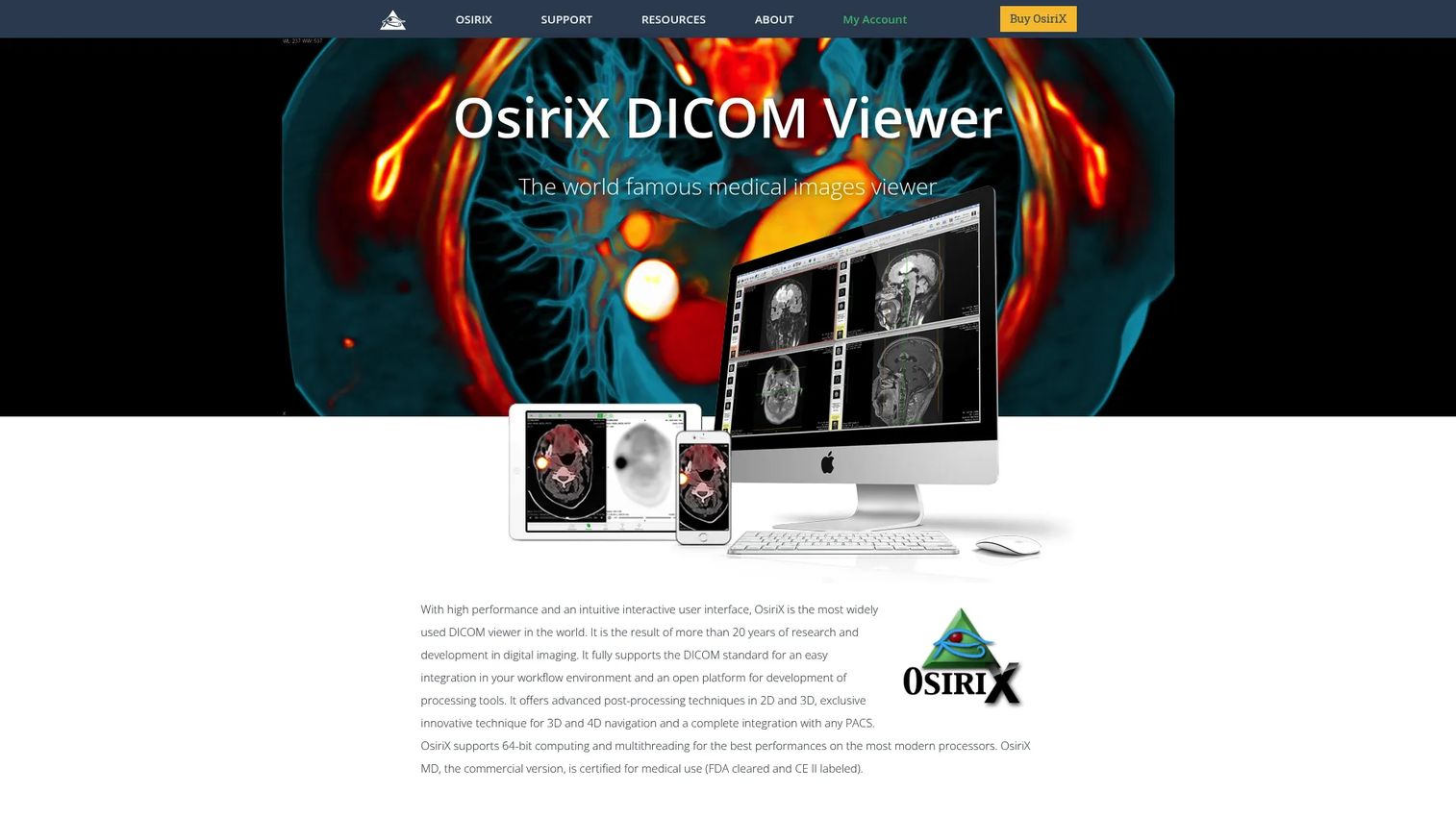
OsiriX is a Mac-based DICOM medical imaging viewer and workstation for viewing, reviewing, and post-processing radiology images. It opens studies from CT, MRI, PET-CT, and SPECT-CT, and it pairs that with a full post-processing toolkit, making it one of the most recognized names in macOS DICOM viewer software. For radiology teams already committed to Apple hardware, including Apple Silicon Macs, it removes the need to run a separate Windows workstation just to read studies.
Best for: Radiology teams and clinicians on macOS who want a native DICOM viewer with advanced imaging post-processing.
Key strengths
- Broad modality support: Opens and displays DICOM images from CT, MRI, PET-CT, and SPECT-CT in one workstation.
- PACS connectivity: Supports DICOM network protocols for query, retrieve, and send workflows across your archive.
- 2D and 3D post-processing: Includes MPR, volume rendering, ROI measurements, and image fusion for deeper analysis.
Why choose OsiriX: If your imaging team runs on Mac, OsiriX gives you diagnostic viewing and post-processing without leaving the platform. The combination of native macOS performance and a mature post-processing toolset is hard to match for radiology-focused desktop use.
OsiriX pricing: OsiriX offers a free demo download (OsiriX Lite) alongside paid options. Premium Membership starts at $8.25/month billed yearly, and OsiriX MD, the version positioned for clinical use, starts from $69.99/month. Pricing is published on the OsiriX site, so you can confirm current terms before committing.
2. PostDICOM
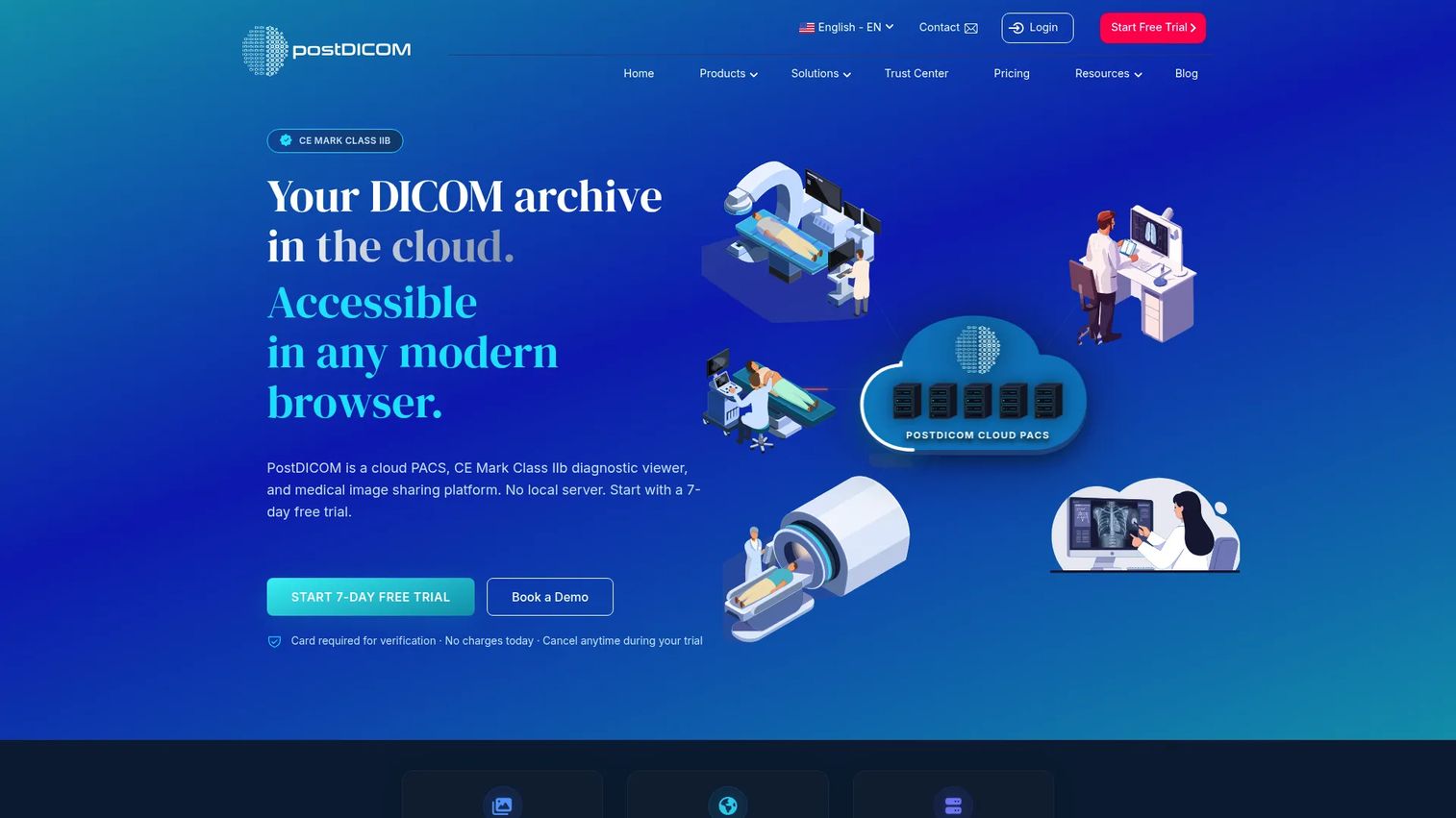
PostDICOM is a cloud PACS, diagnostic DICOM viewer, and medical image sharing platform. It runs the archive in the cloud with no on-premise server, delivers a zero-footprint HTML5 viewer with MPR, 3D, and MIP, and adds secure sharing so teams can send studies to referrers and upload from patients. For teams that want to consolidate viewing, storage, and distribution without racking hardware, it covers a lot of the workflow in one place.
Best for: Healthcare teams that need cloud-based PACS, browser DICOM viewing, and secure image sharing in one platform.
Key strengths
- Cloud PACS archive: Stores and manages studies with no on-premise server to maintain.
- Zero-footprint viewer: Diagnostic HTML5 viewing with MPR, 3D, and MIP directly in the browser.
- Medical image sharing: Share studies and use patient upload links with access control for secure distribution.
Why choose PostDICOM: PostDICOM fits teams that want to move imaging infrastructure off local servers while keeping viewing and sharing tightly integrated. The browser-based model means clinicians access studies from anywhere without installing a workstation client.
PostDICOM pricing: PostDICOM publishes tiered monthly pricing: Essential at €79/month, Professional at €149/month, Premium at €299/month, and Enterprise at €499/month, plus a Custom option for larger needs. Every plan includes a 7-day free trial, and annual billing is available at discounted yearly totals. Pricing is verified on the vendor's own pricing page.
3. Medis
Medis is a cardiac imaging software company providing vendor-independent post-processing and physiology analysis tools for cardiovascular imaging. Its portfolio includes Medis QFR for wire-free coronary physiology analysis, Medis Suite MR for cardiac MR post-processing, and dedicated CT, XA, ultrasound, and intravascular modules. This is not a general viewer. It is specialty cardiac imaging software built for teams that need to quantify cardiovascular findings with clinical precision.
Best for: Hospitals and cardiology teams that need vendor-independent cardiovascular imaging analysis across multiple modalities.
Key strengths
- Wire-free coronary physiology: Medis QFR analyzes coronary physiology without a pressure wire.
- Cardiac MR post-processing: Medis Suite MR handles quantitative cardiac MR analysis.
- Multi-modality coverage: Dedicated modules span CT, XA, ultrasound, and intravascular imaging.
Why choose Medis: For cardiology, generic viewing does not cut it. Medis focuses entirely on cardiovascular quantification, and its vendor-independent approach means it slots into existing imaging setups rather than forcing a single-vendor stack. That specialization is the point.
Medis pricing: Medis does not publish list pricing on its website. Instead it offers a free online trial, described as a two-week evaluation, plus a request-a-demo flow to scope your needs. For a specialty clinical tool, this is common, and the trial lets teams validate fit before entering a sales conversation.
4. MIM Software
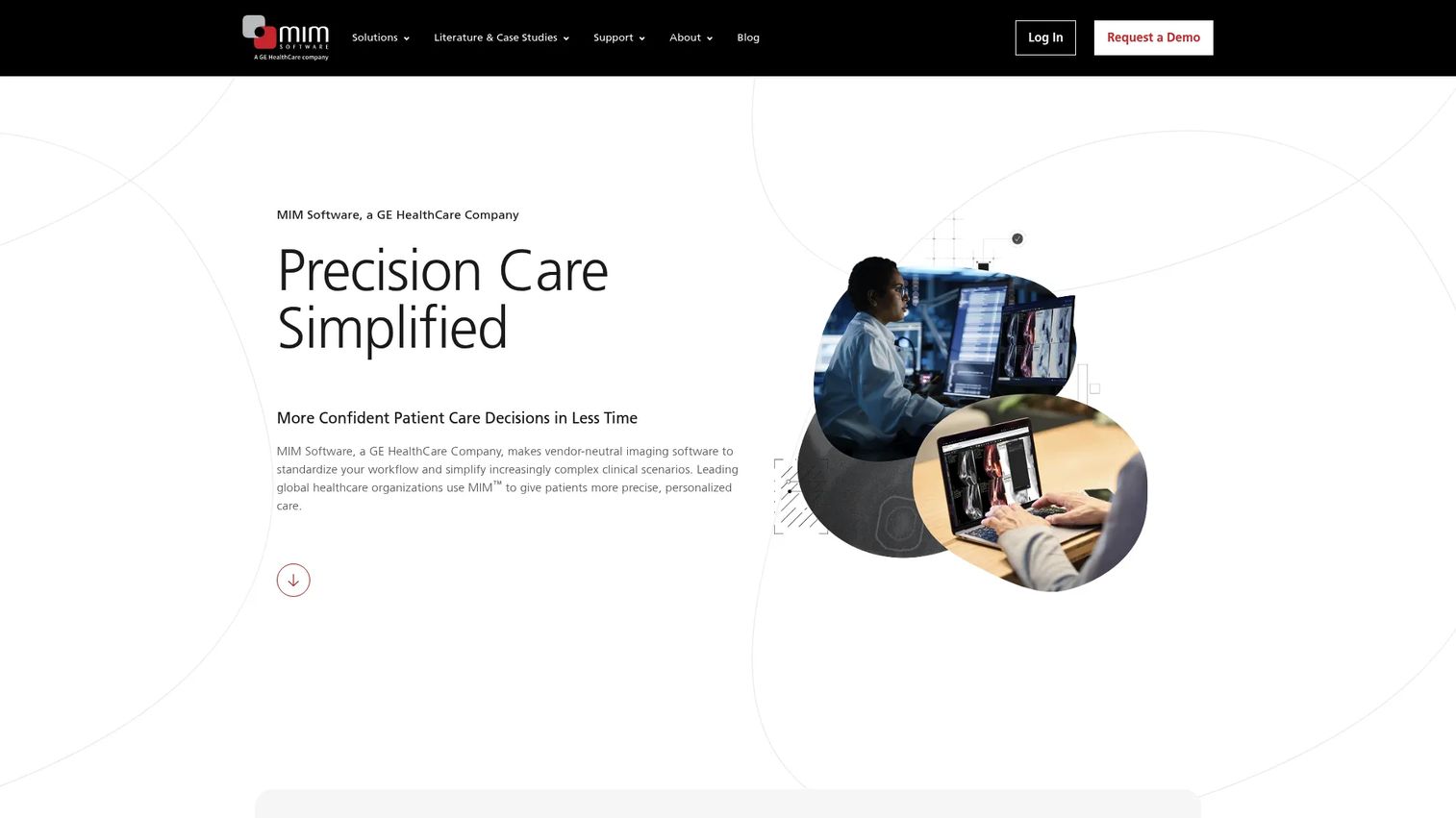
MIM Software is medical imaging software for radiation oncology, nuclear medicine, and related clinical workflows. It emphasizes vendor-neutral image registration, plan preparation, workflow automation, and remote zero-footprint viewing. Where many tools focus on a single read, MIM is built for standardized, repeatable workflows across departments and specialties, which is what puts it firmly in the enterprise imaging software category.
Best for: Hospitals and imaging centers that need specialized, standardized clinical imaging workflows across radiation oncology and nuclear medicine.
Key strengths
- Vendor-neutral registration: Image registration and plan preparation that work across sources.
- Workflow automation: Automates treatment planning and image processing steps to standardize output.
- Remote access: Zero-footprint viewing so clinicians reach studies without a local workstation.
Why choose MIM Software: MIM earns its place when imaging spans multiple departments and sites that need consistent, automated workflows. Its strength is standardization and cross-specialty depth, especially in oncology and nuclear medicine, rather than single-user desktop viewing.
MIM Software pricing: MIM does not publish public pricing. The site routes buyers to contact sales and request a demo, which is typical for enterprise clinical platforms where deployment scope, modules, and site count drive the quote. Plan for a sales-led evaluation and scope your department and site requirements before that conversation.
5. Weasis
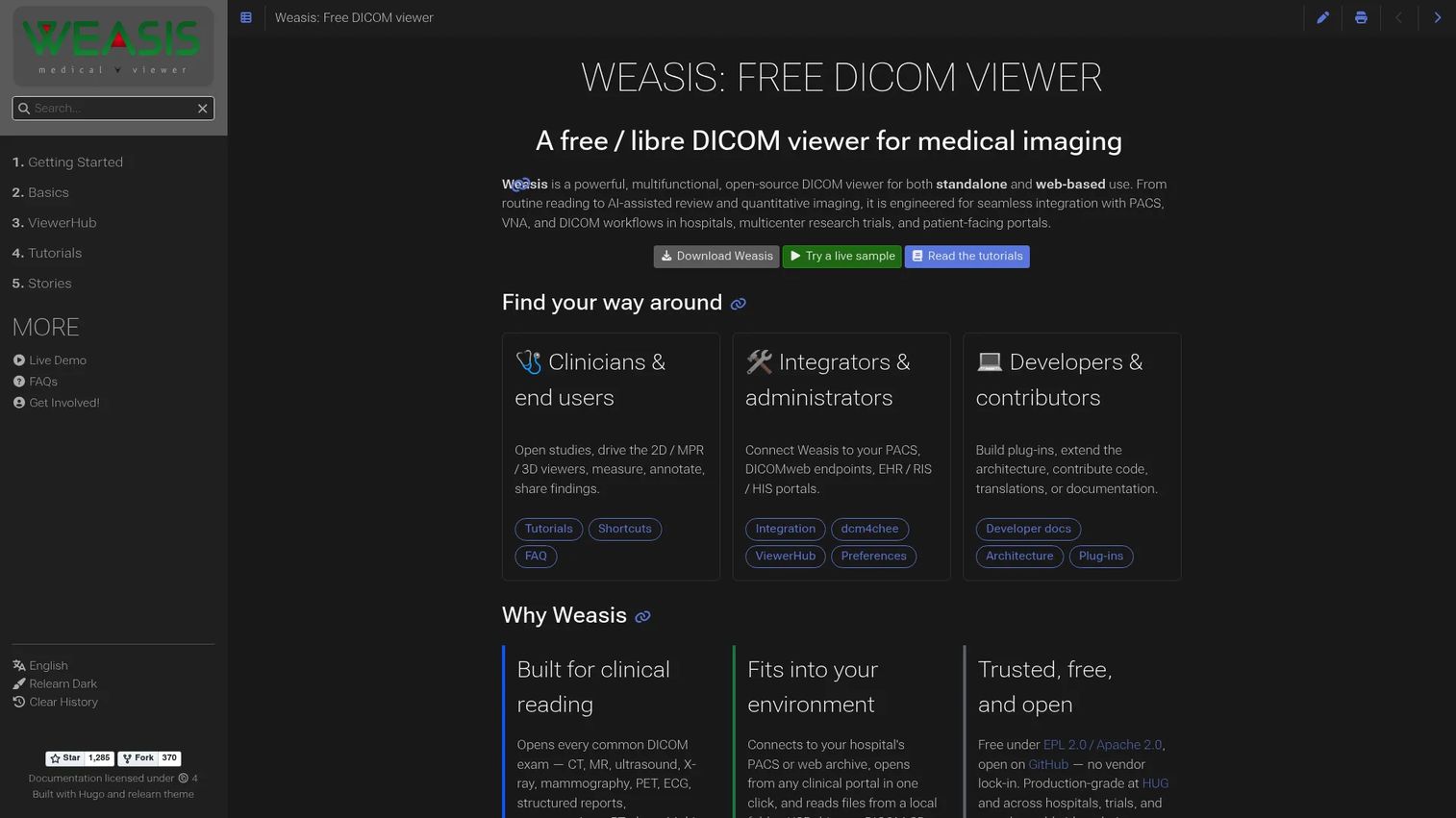
Weasis is an open-source DICOM viewer for medical imaging, built for both standalone and web-based clinical workflows. It delivers 2D, MPR, and 3D viewing, measurement and annotation tools, and PACS and DICOMweb integration, all as free software. For teams that want control over how a viewer deploys and integrates, an open-source foundation is a practical advantage.
Best for: Hospitals, imaging teams, and research groups that want a free, extensible DICOM viewer.
Key strengths
- 2D, MPR, and 3D viewing: Core visualization coverage for everyday study review.
- Measurements and annotations: Built-in tools to measure and mark up studies.
- PACS and DICOMweb integration: Connects into existing archives and web-based imaging workflows.
Why choose Weasis: Weasis is a strong fit when budget, flexibility, and integration control matter. As open-source software with DICOMweb support, it slots into clinical and research environments where teams want to customize deployment rather than accept a fixed commercial client.
Weasis pricing: Weasis is free and open-source, with no paid pricing tier. That makes it an accessible option for teams that want a capable medical imaging viewer without a licensing cost, particularly in research and education settings.
6. InVesalius
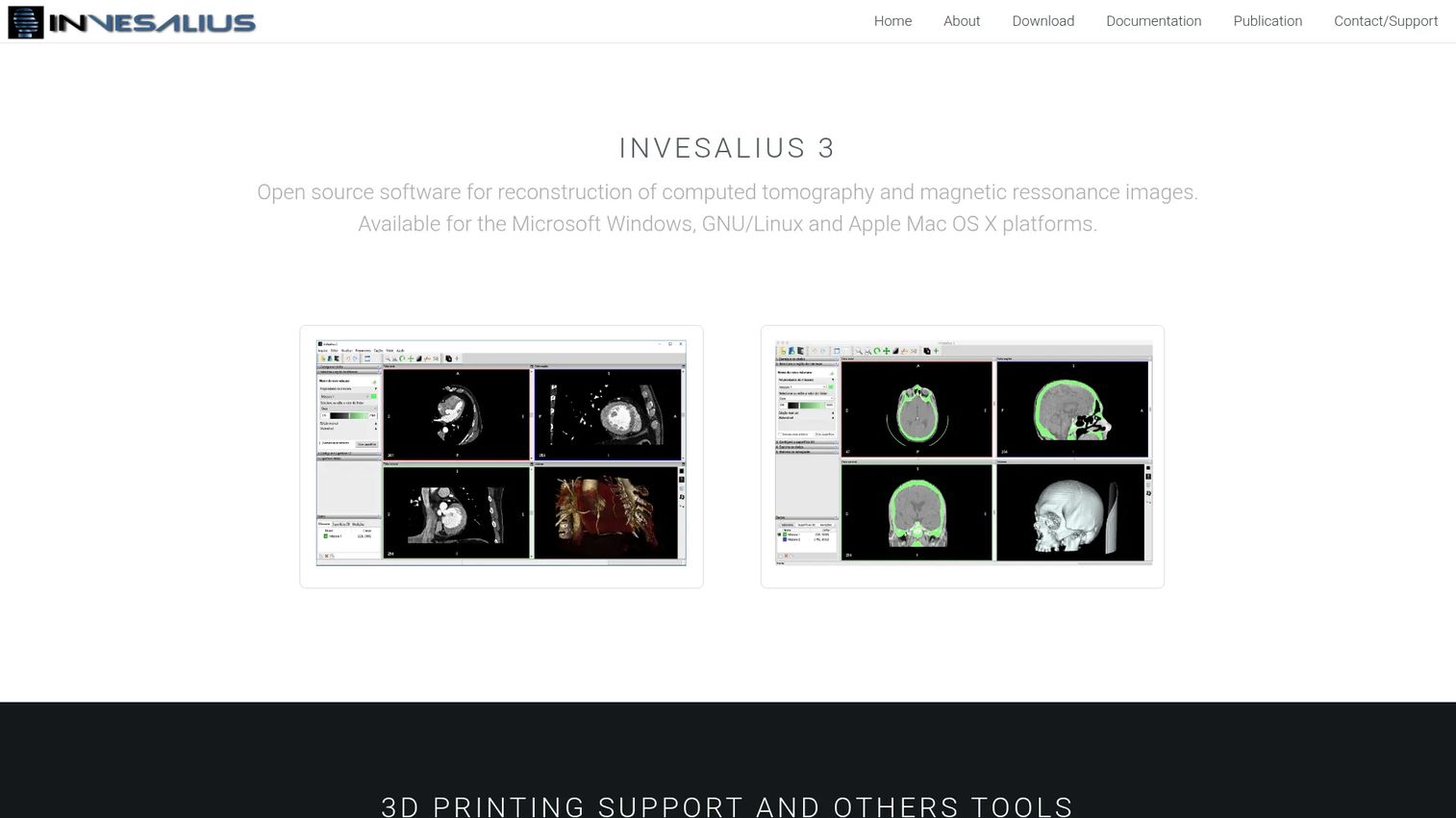
InVesalius is free software for reconstructing CT and MRI images into 3D models. It imports DICOM or Analyze files, supports volume rendering and manual or semiautomatic image segmentation, and exports STL, OBJ, and PLY files. That export capability makes it a natural fit for 3D medical imaging software workflows that feed into printing, planning, or downstream modeling.
Best for: Research and planning teams that need 3D reconstruction and segmentation from CT and MRI data.
Key strengths
- DICOM and Analyze import: Loads standard imaging inputs for reconstruction.
- Segmentation tools: Manual and semiautomatic segmentation to isolate structures.
- 3D model export: Outputs STL, OBJ, and PLY files for printing and downstream use.
Why choose InVesalius: InVesalius is purpose-built for the reconstruction job. If your workflow ends in a 3D model rather than a diagnostic read, its segmentation and export path is more direct than forcing a general viewer to do the same work.
InVesalius pricing: InVesalius is free and open-source, with no public paid plan. For research groups and planning workflows on a budget, that removes the licensing barrier entirely while still delivering serious 3D reconstruction capability.
7. RadiAnt DICOM Viewer
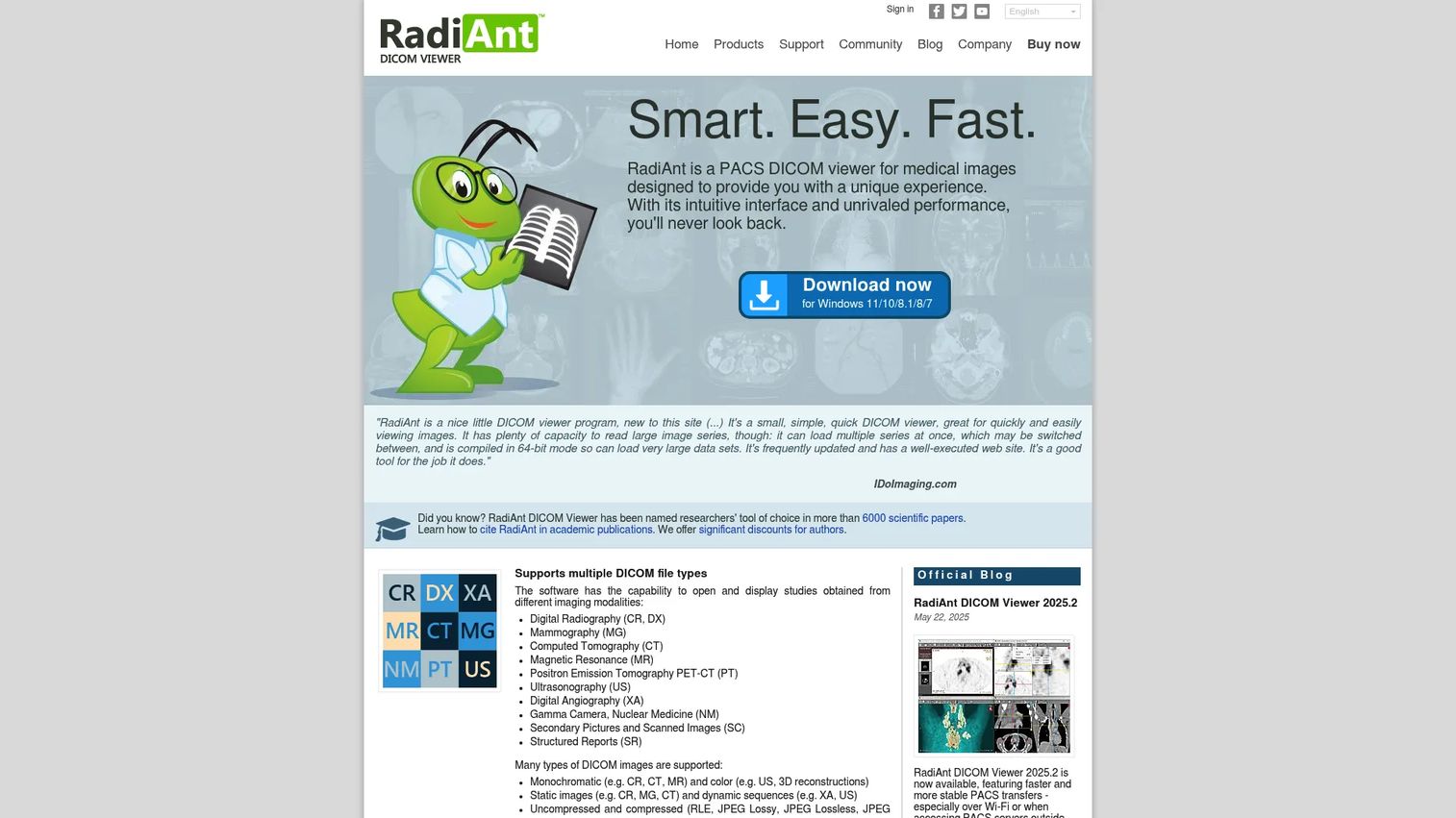
RadiAnt DICOM Viewer is a Windows-based DICOM medical image viewer for viewing and processing medical images. It offers DICOM overlays, searchable DICOM tags, measurement and ROI tools, and 3D and MPR viewing, with a free trial that unlocks full paid-version features. For clinics and individuals on Windows who want fast, practical study review with offline desktop use, it is a straightforward pick.
Best for: Clinics and individuals on Windows who need a fast DICOM viewer with offline desktop use.
Key strengths
- Searchable DICOM tags: DICOM overlays and searchable tags for quick metadata access.
- Measurement and ROI tools: Built-in tools for measuring and marking up studies.
- 3D and MPR viewing: Multiplanar reconstruction and 3D visualization on the desktop.
Why choose RadiAnt DICOM Viewer: RadiAnt is the tool to reach for when speed and simplicity on Windows are the priority. The free trial exposes the full feature set, so you can validate the fit before buying a license, and the offline desktop model keeps it fast regardless of network conditions.
RadiAnt DICOM Viewer pricing: RadiAnt publishes new-license pricing on its store page, starting at 129 EUR per single license, with a separate CD/DVD viewer option. A free trial with full paid-version features is available, letting you test the complete workflow before purchase.
Considerations before you buy
The right choice depends less on any single feature and more on how a tool fits your workflow, stack, and compliance reality. Run any shortlisted option through this checklist before committing.
Modality and workflow fit
Match the tool to the modalities and jobs your team actually runs. A cardiac team needs quantitative cardiovascular analysis; a research lab needs 3D reconstruction; a busy clinic needs fast viewing. Confirm the software covers your primary modalities, whether that is CT, MRI, ultrasound, or specialty imaging, before you weigh anything else.
Interoperability and DICOM compliance
Imaging software lives inside a stack. Verify DICOM compliance, PACS connectivity, and, where relevant, DICOMweb and EHR integration. A viewer that cannot query and retrieve from your archive, or send studies where they need to go, creates manual work that scales badly with volume.
Deployment model and platform
Decide between desktop, on-premise, and cloud PACS early. Platform matters too: OsiriX is macOS-native, RadiAnt is Windows-focused, and browser-based tools work anywhere. The deployment model shapes maintenance overhead, remote access, and how quickly new users get productive.
Clinical credibility and regulatory status
For diagnostic use, clearance and regulatory status are non-negotiable. Confirm whether a tool is intended and cleared for diagnostic reads in your region, versus positioned for research, education, or review only. Open-source tools can be excellent for research but may not carry diagnostic clearance.
Total cost and scalability
Look past the entry price. Factor licensing model, per-seat versus flat pricing, cloud storage costs, and how cost scales as study volume and users grow. A free open-source viewer and a per-seat enterprise platform can both be the right call, depending on scale.
Conclusion
Medical imaging software is not one product, it is a category. The seven tools here map to different jobs: OsiriX for Mac-native radiology viewing and post-processing, PostDICOM for cloud PACS and secure sharing, Medis for cardiac quantitative analysis, MIM Software for enterprise oncology and nuclear medicine workflows, Weasis for a free and extensible DICOM viewer, InVesalius for 3D reconstruction, and RadiAnt DICOM Viewer for fast Windows-based review.
The takeaway is simple: choose based on workflow type, not just image display. A tool that renders beautifully but cannot connect to your PACS, or a specialty analysis suite bought for a general viewing need, both cost you more than they save.
Your next step is to narrow by three variables: modality mix, compliance requirement, and deployment model. Shortlist the two tools that fit all three, run the free trials where they exist, and validate the workflow end to end before you commit budget.
FAQs
Medical imaging software is used to view, analyze, process, store, and share clinical images such as CT, MRI, X-ray, ultrasound, and PET scans. Depending on the tool, it supports diagnostic reads, quantitative analysis, 3D reconstruction, archive management, and secure distribution to referrers and patients.
A DICOM viewer opens and displays medical images so a clinician can review and measure them. PACS software (picture archiving and communication system) is broader: it stores, retrieves, and distributes studies across a network, and usually includes a viewer as one component. In short, every PACS has a viewer, but not every viewer is a PACS.
For 3D reconstruction and segmentation from CT and MRI data, InVesalius is a strong open-source choice because it exports STL, OBJ, and PLY files for printing and downstream modeling. For diagnostic 3D viewing inside a broader workflow, OsiriX and PostDICOM both offer volume rendering and MPR. In 2025, 3D visualization workflows accounted for 52.84% of medical imaging software usage, per Mordor Intelligence.
Medis is purpose-built for cardiac imaging, with dedicated modules for coronary physiology, cardiac MR post-processing, and CT, XA, ultrasound, and intravascular analysis. Its vendor-independent approach means it works alongside existing imaging systems rather than requiring a single-vendor stack.
Hospitals should prioritize interoperability (DICOM compliance, PACS and EHR integration), workflow standardization across departments and sites, remote access, security and access control, and clinical credibility. Enterprise platforms like MIM Software are built around these needs, especially for radiation oncology and nuclear medicine.
Yes. Open-source tools like Weasis and InVesalius are widely used in research and education, offering solid viewing, segmentation, and reconstruction without licensing cost. The key caveat is regulatory status: confirm whether a tool is cleared for diagnostic use in your region, since many open-source options are positioned for research and review rather than primary diagnosis.
AI-assisted analysis increasingly supports triage, automated measurement, and detection prompts inside imaging workflows, where it is validated and cleared. It speeds up repetitive quantification and flags findings for review, but clinical responsibility stays with the reading physician. Treat AI features as workflow accelerators, and verify clearance for any diagnostic use.
For enterprise imaging, interoperability and standardization matter most: the software must integrate with PACS and EHR, route studies reliably across sites, and enforce consistent workflows. Scalability, remote access, security, and vendor support round out the list. Hospitals represented 42.84% of global medical imaging software demand in 2025, per Mordor Intelligence, which is why enterprise-grade governance is a common requirement.