



One missed clause changes a deal. One false positive sends a reviewer chasing a change that never happened. One reformatted table hides a real edit three pages deep in a redline.
That is the actual job of legal document comparison software. Not flashy AI. Not clever dashboards. Just catching every change between two versions of a contract, and catching nothing that isn't there.
The stakes are rising because the category is. The global document comparison software market hit $2.1B in 2025 and is projected to reach $5.8B by 2034, according to MarketIntelo (2025). The legal sector alone accounts for 26.4% of that demand, the largest vertical by application. Legal buyers care about accuracy first because a bad diff is worse than no diff: it teaches reviewers to stop trusting the tool.
This guide compares six tools for legal review. Some are legal-specific redlining software built for law firms. Others are strong general document comparison software with real legal relevance. We rank them by accuracy, file support, workflow depth, and security, then help you match one to your file mix.
What's inside
This guide is for legal teams, founders, RevOps leaders, and anyone reviewing contracts or sensitive documents at scale.
We selected tools using four criteria that matter for legal review:
- Accuracy: Does it catch formatting, tables, and embedded changes without noisy false positives?
- File support: Word, PDF, Excel, PowerPoint, email threads, and free text.
- Workflow depth: Redline output, accept/reject flows, and DMS integrations.
- Security: Offline processing, access controls, and deployment options.
The list mixes legal-specific products with general comparison tools that hold up in a legal workflow.
TL;DR
- Best overall for legal redlining: Litera Compare, built for high-accuracy document and email comparison.
- Best for fast online compare workflows: Draftable, with side-by-side and redline views across formats.
- Best for workflow control and DMS fit: DocStyle Compare, with quick compare and legal DMS integrations.
- Best lightweight option for quick diffs: Diffchecker, for fast text, document, and image comparison.
- Best for Microsoft-heavy teams: Microsoft Word, using built-in compare and tracked changes.
- Best for one-off PDF review: Adobe Acrobat, for teams already living in PDFs.
What is legal document comparison software?
Legal document comparison software compares two or more versions of a document and shows every addition, deletion, formatting change, and structural difference between them.
It is the tool that turns "what changed since the last draft?" into a precise, reviewable answer. Lawyers call the output a redline. The underlying job is diffing: aligning two files and marking the deltas so a reviewer sees exactly what moved.
Core capabilities you should expect:
- Redlining and change highlighting: Insertions, deletions, and moves marked clearly.
- Side-by-side or single-page review: Two views for two reading styles.
- Multi-format support: Compare Word documents, compare PDF files, and handle Excel and PowerPoint.
- Export and accept/reject workflows: Push changes back into a working draft.
- Email and DMS integrations: Compare inside Outlook and pull from a document management system.
- OCR and AI assistance: Read scanned PDFs and summarize what changed.
The distinction that matters: general file comparison software diffs text. Legal-grade redlining software understands that a moved clause is not a deletion plus an insertion, and that a reformatted table is not a substantive change.
When to use legal document comparison software
Compare contract drafts before sending
Before a draft leaves your desk, you want to know exactly what changed since the last version you approved. A single altered term, a shifted defined word, or a quietly deleted carve-out can reshape the whole agreement. Comparison tools let you compare Word documents and confirm the draft says what you intend, not what an earlier edit left behind. This is the difference between sending a clean version and sending a surprise.
Review redlines from counterparties
Incoming revisions are where the risk lives. Opposing counsel returns a marked-up draft, and you need to separate the cosmetic edits from the ones that change your exposure. Redlining software makes this faster and more consistent, so two reviewers looking at the same file reach the same conclusions. You catch the reworded indemnity clause instead of trusting that the other side flagged everything they touched.
Check email threads and attachments
Legal negotiation often happens in the inbox. Terms shift across a long email thread, and attached drafts pile up with near-identical filenames. Some tools compare email content and attachments directly, so you can compare documents online or inside Outlook without exporting files first. When the deal history is scattered across messages, that inbox-level comparison stops changes from slipping through.
Comparison table
The table below makes the tradeoffs legible. Accuracy, workflow depth, and integrations are what separate legal-grade redlining software from general file comparison software.
| # | Product | Best for | Key differentiator | Pricing | G2 rating |
|---|---|---|---|---|---|
| 1 | Litera Compare | Legal teams needing high-accuracy document and email redlining | Compares Word, Excel, PowerPoint, PDF, and Outlook email threads | One-year subscription, price via sales | 4.3/5 |
| 2 | Draftable | Teams needing secure comparison across office formats | Desktop, online, and API comparison with redline export | From $10.75/user/mo (annual) | 2/5 |
| 3 | DocStyle Compare | Legal teams needing fast compare with DMS fit | Quick Compare plus iManage, NetDocuments, and eDOCS integration | $189/year | Not listed |
| 4 | Diffchecker | Teams needing quick, visual file diffs | Text, document, image, and spreadsheet comparison with OCR | Free; Legal plan $20/user/mo | 4.6/5 |
| 5 | Adobe Acrobat | Teams already living in PDFs | Native PDF compare inside a full editing suite | Free reader; Pro from $239.88/yr | 4.5/5 |
| 6 | Microsoft Word | Microsoft-heavy teams | Built-in compare and tracked changes, no extra tool | Free web; M365 from $9.99/mo | 4.7/5 |
Best legal document comparison software for 2026
1. Litera Compare

Litera Compare is document and email comparison software built specifically for legal teams. It handles the file types that dominate legal work and extends comparison into the inbox, which matters when negotiations play out over email. The product is widely used across large law firms where a missed change is not an option.
Best for: Legal teams that need high-accuracy document and email redlining across their full file mix.
Key features
- Compare Word, Excel, PowerPoint, and PDF files
- Compare email threads directly in Outlook
- Browser-based comparisons with server support
- Redline output built for legal review
Why choose Litera Compare: If your review workflow lives in both Word and Outlook, Litera Compare closes the gap most general tools leave open. It is the pick for firms that treat accuracy as non-negotiable and want email comparison in the same tool.
Litera Compare pricing: Litera sells Compare as a one-year subscription. The product page confirms the subscription model, and pricing is handled through Litera's store and sales team rather than a public per-seat number.
2. Draftable
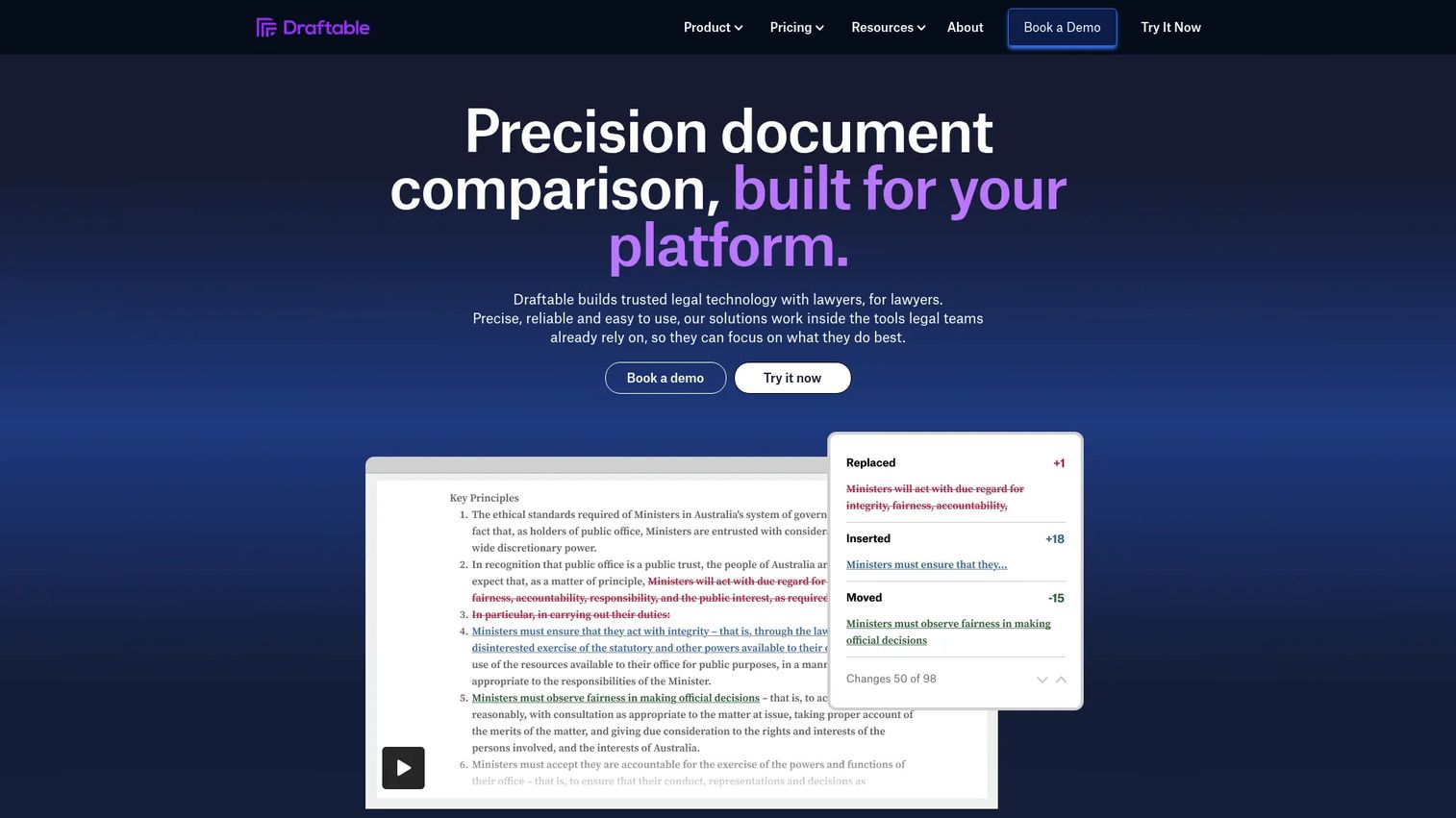
Draftable is document comparison software available across desktop, online, and API. It covers the common office formats and produces both side-by-side and single-page redline views, which suits reviewers who read changes differently. Teams that want secure comparison without a heavy install often start here.
Best for: Teams that need secure document comparison across Word, PDF, PowerPoint, Excel, and free text.
Key features
- Compare Word, PDF, PowerPoint, Excel, and free text
- Side-by-side and single-page redline views
- Export comparisons to PDF
- Offline desktop comparisons available
Why choose Draftable: Draftable fits teams that want fast, flexible comparison across formats with an option for offline desktop use. The API tier also helps if you want to build comparison into an existing document workflow.
Draftable pricing: The Business plan starts at $10.75 per user per month billed annually. The Legal plan is $21.75 per user per month billed annually. A Desktop license is priced at $129 per year, and a short free trial is available on the Desktop product.
3. DocStyle Compare

DocStyle Compare is document comparison software for legal teams that want deep workflow control and connections into their document management system. It offers quick compare actions and a compare-and-email flow, so reviewers move from diff to distribution without leaving the tool. The DMS integrations are the standout for firms with an established system of record.
Best for: Legal teams that need fast Word and PDF comparison with tight DMS integration.
Key features
- Quick Compare for fast diffs
- Compare and Email in one flow
- DMS integration with iManage Work 10, NetDocuments, eDOCS DM, and Worldox GX4
- Redlining built for legal review
Why choose DocStyle Compare: If your documents live in iManage, NetDocuments, eDOCS, or Worldox, DocStyle Compare pulls comparison into the system you already use. That keeps versions in one place instead of scattered across desktops.
DocStyle Compare pricing: DocStyle Compare is sold as an annual subscription at $189.00 USD, shown publicly on the product page. There is no free tier listed.
4. Diffchecker
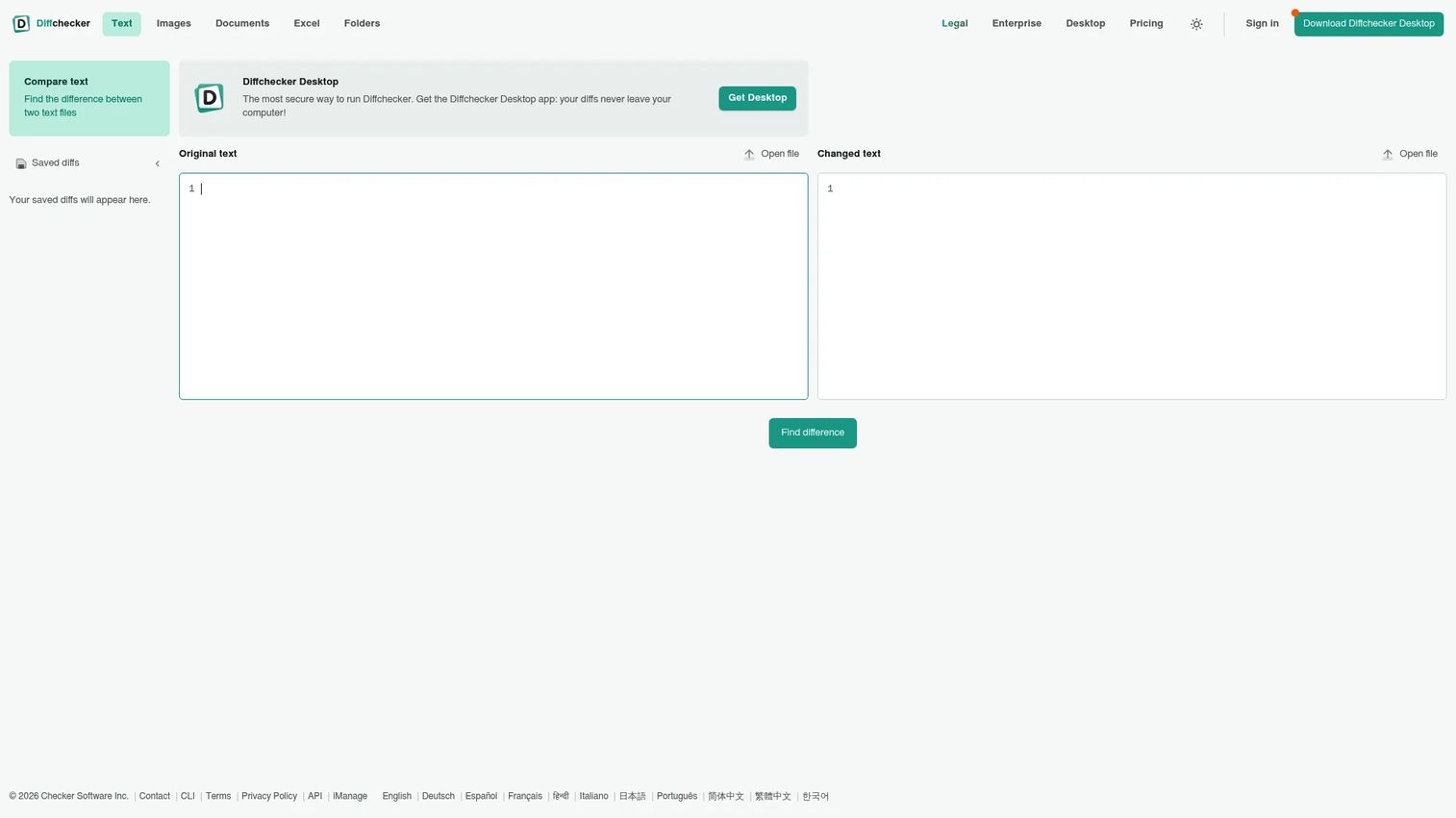
Diffchecker is file comparison software that handles text, documents, images, spreadsheets, and folders. It is the tool teams reach for when the job is a quick, visual diff rather than a full legal review workflow. OCR support and a dedicated legal plan extend it into contract work when you need more than a plain text compare.
Best for: Teams and individuals who need visual file diffing and redline-style document comparison.
Key features
- Text, document, image, spreadsheet, and folder comparison
- Redline output and export options
- OCR support for scanned content
- API for programmatic diffs
Why choose Diffchecker: Diffchecker fits lighter review work and quick checks where speed matters more than DMS depth. The Legal plan and OCR make it useful for contract review without committing to a heavier platform.
Diffchecker pricing: The Basic plan is free. Pro plus Desktop is $15 per user per month, and the Diffchecker Legal plan is $20 per user per month. Enterprise is $40 per user per month on annual billing. A separate API tier runs from free up to $299 per month, with custom enterprise pricing.
5. Adobe Acrobat
Adobe Acrobat is PDF and e-signature software with a built-in compare feature for spotting differences between two PDF versions. For legal teams whose documents are already PDFs, it puts comparison next to editing, conversion, and signing in one place. That consolidation is the appeal: fewer tools for review, annotate, and sign.
Best for: Teams and individuals who need full-featured PDF editing plus comparison and e-sign workflows.
Key features
- Compare two PDF versions natively
- Edit PDFs directly
- Convert PDFs to Word, Excel, PowerPoint, and images
- Request and track e-signatures
Why choose Adobe Acrobat: If your review workflow is PDF-heavy and you already own Acrobat, its compare feature covers one-off reviews without another purchase. It shines for teams that need editing and signing alongside comparison.
Adobe Acrobat pricing: Acrobat Reader is free. Acrobat Standard is US$179.88 per year, Acrobat Pro is US$239.88 per year, and Acrobat Studio is US$299.88 per year, all billed on annual plans with monthly-billed variants also shown.
6. Microsoft Word
Microsoft Word has document comparison built in. Its Compare and Combine features generate a redline between two versions, and tracked changes let reviewers accept or reject edits inline. For teams that draft everything in Word, the native tool is often the first place to start.
Best for: Individuals and teams needing cloud-based document creation, collaboration, and basic compare.
Key features
- Built-in Compare and Combine
- Tracked changes with accept and reject
- Real-time collaboration
- Word for the web
Why choose Microsoft Word: Word's built-in compare is enough for straightforward Word-to-Word reviews with no added cost. It performs best when both versions are Word files and the changes are text-based rather than cross-format.
Microsoft Word pricing: Word for the web is free. Microsoft 365 Personal is $9.99 per month or $99.99 per year, which includes the full desktop Word app.
Considerations
Accuracy and false positives
Accuracy is the whole game. Test whether the tool catches formatting shifts, table edits, embedded objects, and scanned content without flooding you with noisy diffs. A tool that flags every reformatted paragraph as a change trains reviewers to skim, and skimming is how real edits slip through. Run a sample contract with a known set of changes and count both misses and false positives before you commit.
File types and workflow coverage
Match the tool to your actual file mix. If your work spans Word, PDF, Excel, PowerPoint, email threads, and free text, confirm each format is supported rather than assuming. Some tools compare documents online, others need a desktop install, and a few reach into Outlook. The best fit is the one that covers where your documents already live.
Security and deployment
Legal documents are sensitive by default. Look for offline processing, clear privacy controls, and deployment options that fit your risk posture. Cloud-based deployments now represent 64.3% of the document comparison software market, per MarketIntelo (2025), but some legal teams still need on-premises or offline comparison. Check for access controls, SOC 2 or ISO claims, and DMS support before you send a live contract through any tool.
Integrations and handoff
Comparison rarely happens in isolation. Assess how the tool connects to Outlook, Microsoft 365, Google Workspace, and your legal DMS. A clean handoff from compare to accept-reject to distribution saves more time than any single feature. If reviewers have to export, re-import, and re-save at each step, the friction adds up across every deal.
AI assistance
Decide whether AI features earn their place or add complexity. OCR for scanned PDFs is genuinely useful when you inherit paper contracts. Summarization and clause detection can speed triage, but only if they are accurate enough to trust. Treat AI review as an assist, not a replacement for a human reading the redline, and validate its output on a known document set first.
Conclusion
Start with your file mix and workflow depth, not the feature list.
For legal teams that need high-accuracy redlining across documents and email, Litera Compare is the overall pick. If you want fast, flexible comparison across formats with desktop and API options, Draftable fits. Teams anchored to a legal DMS should look at DocStyle Compare for its iManage, NetDocuments, and eDOCS integrations. For lighter, quick diffs, Diffchecker covers text, documents, and scanned files with OCR.
Microsoft-heavy teams often get enough from Word's built-in compare, and PDF-first teams already in Adobe Acrobat can use its native compare without another tool.
Whichever you shortlist, validate it the same way: run a sample contract set with known changes and count the misses and false positives. The right tool is the one that catches every real change and nothing that isn't there.
FAQs
For dedicated legal redlining across documents and email, Litera Compare is the strongest fit, especially for firms that negotiate over Outlook. DocStyle Compare is a strong choice when you need tight DMS integration, and Draftable works well for cross-format comparison. The best tool depends on your file mix, security needs, and whether comparison must live inside your document management system.
Yes. Most legal-grade tools compare PDF files and compare Word documents, and many also handle Excel and PowerPoint. Litera Compare and Draftable both support cross-format comparison, so you can diff a Word draft against a returned PDF. Confirm that the specific formats you use daily are supported before buying.
Redlining is the practice of marking every change between two versions of a document so reviewers can see exactly what was added, deleted, or moved. The term comes from the red ink lawyers historically used to mark edits. Modern redlining software generates these marks automatically and often lets reviewers accept or reject each change.
Some tools do. Litera Compare, for example, compares email threads directly in Outlook, which matters when contract terms shift across a long negotiation. This inbox-level comparison lets you compare documents online or in email without exporting attachments first. Not every general comparison tool includes email support, so check if it is part of your workflow.
Word's built-in compare performs best when both documents are Word files and the changes are text-based. For straightforward Word-to-Word reviews at no added cost, it is often enough. When you need cross-format comparison, email threads, scanned PDFs, or DMS integration, a dedicated legal tool covers ground the native feature does not.
Prioritize accuracy first: the tool should catch formatting, tables, and embedded changes without noisy false positives. Then check file support, redline and accept-reject workflows, security and deployment options, and DMS integrations like iManage or NetDocuments. Secure legal document comparison tools with offline processing and access controls matter most when handling sensitive contracts.
AI can help with specific tasks like OCR on scanned PDFs and summarizing what changed between versions. It speeds triage, but only when the output is accurate enough to trust. Treat AI review as an assist that flags areas to examine, not a replacement for a human reading the full redline against the source documents.
Some tools can, using OCR to read text from scanned or image-based PDFs before comparing. Diffchecker includes OCR support, which helps when you inherit paper contracts or image scans. Accuracy on scanned content varies with scan quality, so validate the OCR output on a sample before relying on it for a live comparison.










