A drawing changes on Thursday. Manufacturing runs the revision from Tuesday. The correction becomes a production delay, a quality review, and a meeting no one planned.
This is the failure pattern that engineering document management software exists to prevent. As your team grows past 30 people, the shared folder that once worked well enough starts producing exactly that kind of expensive confusion. According to Wise Guy Reports (2025), the engineering document management market was valued at $3.95 billion in 2025, reflecting how broadly this problem is recognized across manufacturing, infrastructure, and product development. The Bluebeam AEC Technology Outlook (2025) found that 52% of AEC professionals still use paper during the design phase. Teams operating without controlled document workflows face compounding rework, stalled approvals, and audit exposure that gets harder to unwind as headcount and supplier count increase.
Choose your engineering document management software based on the failure you most need to prevent: Wrong drawing in production, missing approval trail, broken contractor handoff, uncontrolled asset documentation, or disconnected product-change workflow.
What's inside
This guide covers eight tools for CAD-heavy design teams, plant and asset operations, engineering projects, and product development organizations. Tools were selected based on:
- Revision and lifecycle control: Does the system govern approved states, not just store files?
- CAD and enterprise integrations: Which design tools and operational systems does it connect to natively?
- Workflow governance: Can approvals, transmittals, and access controls be configured without custom development?
- Implementation fit: Can a technical leader own the system after rollout, or does it require ongoing vendor support?
General file storage rarely replaces a controlled engineering document workflow. Every tool here was evaluated against that bar.
TL;DR
- Best for Autodesk-centered design teams: Autodesk Vault manages CAD files, revision states, and design data relationships inside the Autodesk environment with a 4.1/5 G2 rating
- Best for plant and asset-heavy operations: Meridian controls engineering drawings and technical records tied to physical assets across the operational lifecycle
- Best for enterprise engineering content: OpenText Content Management for Engineering governs revision-controlled documents across SAP, GIS, and EAM integrations
- Best for manufacturing document control with transparent pricing: Synergis Adept starts at $12 per named user per month and earns a 4.4/5 G2 rating
- Best for enterprise PLM and complex product structures: Siemens Teamcenter and PTC Windchill suit organizations with formal change governance requirements and multi-disciplinary product data
What is engineering document management software?
Engineering document management software is a controlled system for storing, revising, approving, finding, and distributing technical documents such as CAD files, drawings, specifications, BOMs, procedures, manuals, and contractor deliverables.
What an EDMS controls
A purpose-built engineering document management system (EDMS) typically governs:
- Revision and version history with full audit trails
- Approval status and document release states
- Check-in and check-out to prevent conflicting edits
- Metadata, tags, and document relationships
- Role-based access and controlled distribution
- Transmittals, submittals, and traceable handover records
- Search across drawings, technical documents, and asset records
EDMS vs PDM vs PLM vs project document management
These categories overlap, but each has a distinct center of gravity.
| Category | Primary job | Typical content | Best fit |
|---|---|---|---|
| EDMS | Govern controlled engineering documents | Drawings, procedures, manuals, technical records | Plants, projects, regulated operations |
| PDM | Manage design files and CAD relationships | CAD assemblies, parts, drawings, BOMs | Product development and design teams |
| PLM | Manage product lifecycle and change processes | Product structures, requirements, changes, compliance records | Complex products and cross-functional lifecycle governance |
| Project document management | Coordinate project files and external collaboration | RFIs, submittals, construction files, contractor deliverables | AEC, capital projects, contractor-heavy work |
Many organizations run a PDM or PLM system for design engineering alongside an EDMS or project platform for controlled operational documentation. These categories are not mutually exclusive.
What generic file storage misses
Shared drives lack controlled release states, CAD-aware relationships between files, auditability of who approved what and when, and reliable change distribution to manufacturing or field teams. When a drawing exists in three folder locations with no revision metadata, the wrong version gets used.
When to use engineering document management software
Control drawing revisions before they reach production
The core use case is preventing manufacturing, field service, or suppliers from working from a superseded revision. A controlled EDMS assigns a release state to every document, restricts editing to checked-out files, and distributes approved versions through a traceable workflow rather than email attachments.
Coordinate engineering handoffs across teams and suppliers
External reviewers, contractors, and suppliers should receive documents through a controlled transmittal, not a shared folder link. Traceable distribution creates a record of what was sent, when, to whom, and in which revision state. This matters during audits and contract disputes.
Tie technical documents to product and asset workflows
When CAD files, BOMs, maintenance documents, and change records need to stay connected, metadata and enterprise system integrations carry the load. Document management becomes asset lifecycle management for engineering organizations running physical operations over years or decades.
If technical leaders spend recurring hours locating files or verifying which revision is current, document control is already a systems problem rather than a process one.
Engineering document management software comparison
The best choice depends on whether the system's center of gravity is CAD design, plant and asset documentation, engineering projects, or enterprise lifecycle governance. Use the table below to identify your category, then read the relevant tool sections for implementation and integration detail.
Pricing and G2 ratings verified October 2026 from each vendor's official pricing page and G2 listing.
| # | Product | Best for | Key differentiator | Pricing | G2 rating |
|---|---|---|---|---|---|
| 1 | Autodesk Vault | Autodesk-centered design teams | CAD-aware PDM and revision control inside the Autodesk environment | Contact vendor for quote | 4.1/5 |
| 2 | Meridian | Plants and asset-heavy operations | Controlled documents tied to physical assets and operational workflows | Contact vendor for quote | N/A |
| 3 | OpenText Content Management for Engineering | Enterprise content and operations | Deep SAP, GIS, and EAM integrations with transmittal management | Contact vendor for quote | N/A |
| 4 | Synergis Adept | Manufacturing engineering teams | CAD-focused document control from $12/user/month with full revision workflows | From $12/named user/month (billed annually) | 4.4/5 |
| 5 | Autodesk Docs | Project-based engineering collaboration | Cloud collaboration for project documents with a 30-day trial available | Contact vendor; 30-day trial available | 4.4/5 |
| 6 | Fusion 360 Manage | Product lifecycle change processes | Change management and lifecycle workflows purchased inside Autodesk | Contact vendor for quote | 4.3/5 |
| 7 | Siemens Teamcenter | Complex product lifecycle management | Enterprise PLM with Essentials, Standard, Advanced, and Premium tiers | Request a quote; 30-day trial (Teamcenter X) | 4.3/5 |
| 8 | PTC Windchill | Engineering organizations with complex change control | Product data management, change governance, and CAD visualization | Contact vendor; subscription-based | 4.1/5 |
Best 8 engineering document management software tools for 2026
The ranking below reflects best fit by operating environment, not a claim that any one tool covers every use case. CAD-heavy product development, plant operations, and project delivery involve different document lifecycles and require different systems.
1. Autodesk Vault
Autodesk Vault is a product data management platform built around the Autodesk design environment. It organizes CAD files, related documentation, and design data into a structured repository where revision states, file relationships, and engineering changes are managed with direct CAD awareness. Teams using Autodesk Inventor, AutoCAD, or adjacent Autodesk workflows can check files in and out, track revision history, manage BOM relationships, and control access without leaving their design tools. Vault also offers Vault Data APIs for custom integrations and thin-client access for remote users.
Best for: Engineering and manufacturing teams whose design stack is Autodesk-native and who need structured file control alongside concurrent design support.
Key features
- Direct CAD integration with check-in and check-out
- Revision history and lifecycle states for controlled documents
- BOM and file relationship management
- Engineering change workflows and design automation
- Thin-client and remote access via Vault Data APIs
Why choose Autodesk Vault: Vault fits best when design-file integrity is the immediate problem and the team is already inside the Autodesk environment. It is a narrower fit for organizations whose primary need is plant documentation, asset lifecycle management, or contractor handover with external parties outside the Autodesk stack.
Autodesk Vault pricing: Autodesk offers Vault Professional and Vault Office under annual, three-year, monthly, and Flex subscription options. Specific prices are not published on the pricing page and require contacting Autodesk sales directly. G2 reviewers note Vault is often purchased as part of an Autodesk product collection, which affects the effective per-seat cost.
G2 rating: 4.1/5
2. Meridian
Meridian positions itself within heavy civil and industrial infrastructure, providing controlled document environments for organizations managing engineering records tied to physical assets. The platform is designed for plant operators, utilities, and asset-intensive industries where technical documentation must remain accurate and accessible throughout the operational life of facilities, not just during the engineering phase. Asset-linked records, approval trails, and role-based access are central to how Meridian governs controlled documents across internal teams, contractors, and maintenance organizations.
Best for: Companies in manufacturing, utilities, energy, and facilities management that must maintain trusted, approved technical documentation for operational assets over long operational timeframes.
Key features
- Controlled document lifecycle workflows with approval routing
- Asset and equipment document links for operational traceability
- Revision history and audit trails for compliance and QA
- CAD and engineering-data integrations for drawing management
- Role-based access controls with multi-site support
Why choose Meridian: Meridian earns its place when a documentation error can affect uptime, safety, quality, or maintenance execution. It is especially relevant when maintenance, quality, and operations teams all rely on the same controlled information and the documents must remain current long after engineering delivers the initial package.
Meridian pricing: Meridian does not display pricing on its website. Contact Meridian directly for a quote. No independent reviewer-reported pricing range was verifiable at publication time.
3. OpenText Content Management for Engineering
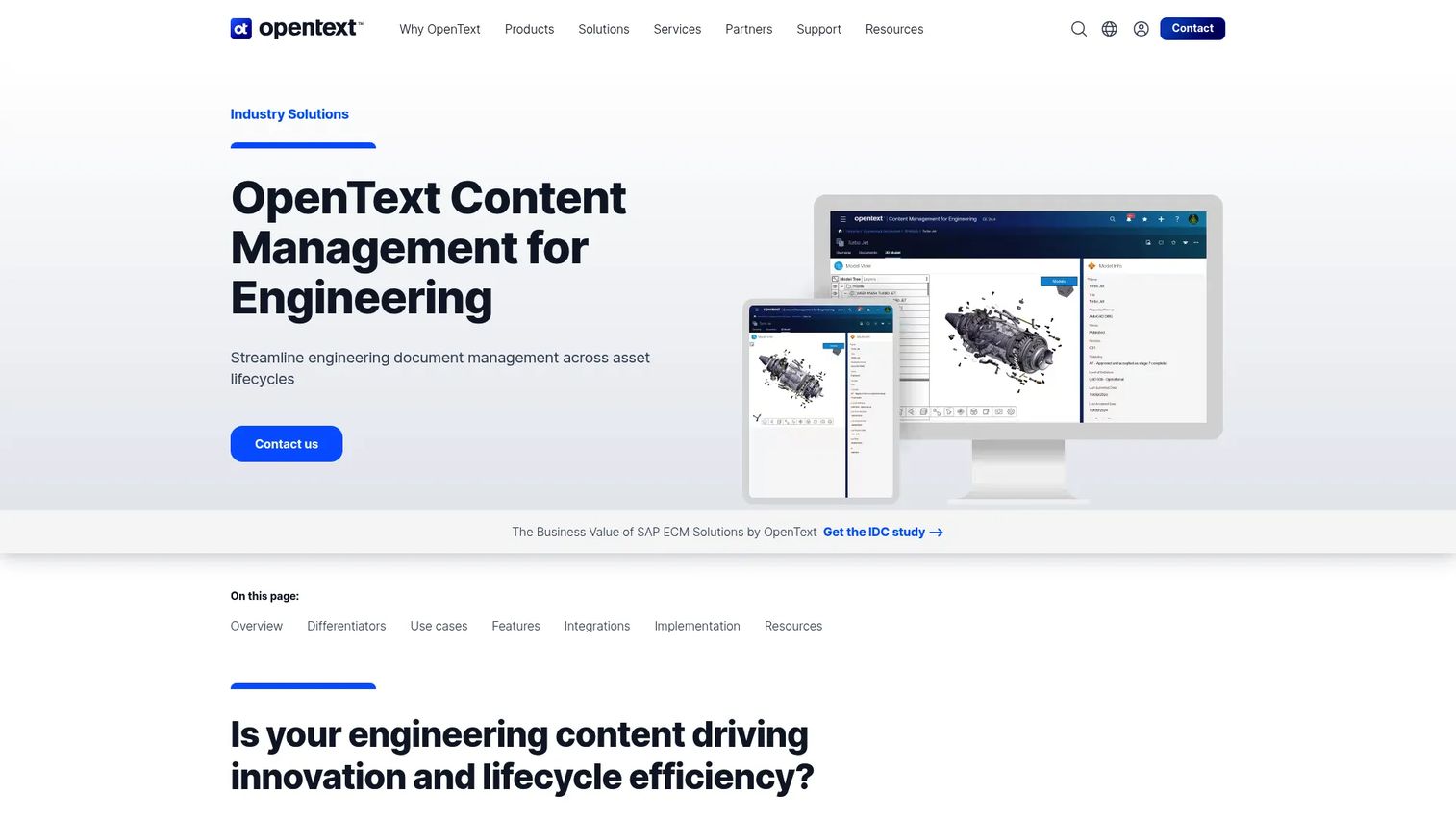
OpenText Content Management for Engineering is a cloud-ready engineering content management platform designed for organizations that need to govern drawings, documents, and data across asset and product lifecycles. It serves engineering, capital projects, and operational teams in energy, industrial, infrastructure, and asset-intensive environments. Core capabilities include engineering revision control with version tracking, automated workflows, persona-driven dashboards, and deep SAP integration. Transmittal and submittal management, tag management, and engineering workspaces address the full document handover cycle from capital project delivery through ongoing operations. The Autodesk Digital Transformation Pulse (2025) found 86% of AECO, design, and manufacturing organizations expect to fully adopt cloud-based storage and management within five years, which reflects the market direction this platform is built for.
Best for: Large engineering, infrastructure, energy, or asset-intensive organizations with complex system integration requirements that span SAP, GIS, EAM, and CAD environments.
Key features
- Engineering revision control with version tracking and audit trails
- Deep SAP integration alongside GIS, EAM, and CAD connectivity
- Transmittal and submittal management for contractor handover
- Automated workflows with persona-driven dashboards
- Tag management and engineering workspaces for concurrent teams
Why choose OpenText Content Management for Engineering: This platform belongs on the shortlist when document control spans multiple enterprise systems and operational teams across a long asset lifecycle. A smaller engineering organization looking only for CAD file versioning will find more scope here than the immediate problem requires.
OpenText Content Management for Engineering pricing: OpenText does not publish pricing for this product. Contact OpenText directly for enterprise package details and contract terms.
4. Synergis Adept
Synergis Adept is an on-premise engineering document management platform built for industrial and asset-intensive organizations that need controlled CAD data, document workflows, and auditability across sites. It manages the full document lifecycle with version control, check-in and check-out, multi-step approval workflows, and transmittal automation. Adept integrates directly with AutoCAD, Inventor, SOLIDWORKS, and MicroStation for CAD-aware document management. Full-text and metadata-based search, 2D/3D visualization and markup, and granular access controls round out the core platform. Active Directory and SSO integration with vault replication support multi-site deployments.
Best for: Manufacturing and engineering teams that need CAD-aware document control without moving immediately to a full enterprise PLM implementation, particularly in industrial settings where on-premise deployment is preferred.
Key features
- CAD integrations for AutoCAD, Inventor, SOLIDWORKS, and MicroStation
- Full-text and metadata-based document search with version control
- Multi-step workflow approvals and transmittal automation
- 2D/3D visualization, comparison, markup, and PDF conversion
- Active Directory, SSO, granular access controls, and vault replication
Why choose Synergis Adept: Adept fits when engineering and manufacturing need disciplined document control, searchable technical records, and direct CAD connectivity. It is a focused choice for scaling manufacturing businesses that want process discipline without buying an oversized lifecycle suite.
Synergis Adept pricing: Explorer starts at $12 per named user per month ($104 per concurrent user per month), billed annually. Reviewer starts at $25 per named user per month ($131 per concurrent user per month). Creator runs $68 per named user per month ($164 concurrent). Desktop costs $82 per named user per month ($208 concurrent). All tiers are billed annually. No free tier is available.
G2 rating: 4.4/5
5. Autodesk Docs
Autodesk Docs is the cloud document and data management product within Autodesk Construction Cloud (now part of Autodesk Forma). It centralizes project documents and 2D/3D design files, manages permissions, and supports version comparison and reference file linking for construction and infrastructure project teams. External stakeholder collaboration, controlled document distribution, and version history tracking are built into the platform. Autodesk Docs is positioned for project-based document management rather than the design-data dependency management that Autodesk Vault addresses.
Best for: Engineering project teams managing drawings, design packages, contractor documents, and controlled collaboration across internal and external stakeholders on construction and infrastructure projects.
Key features
- Cloud document storage with permissions and access control
- Centralized 2D and 3D design file management
- Version comparison and reference file linking
- Construction and project coordination workflows
- External stakeholder collaboration with controlled access
Why choose Autodesk Docs: Autodesk Docs is the right choice when project delivery and external collaboration drive the buying decision. Teams that need deep CAD dependency management or product-lifecycle change processes should compare it with more specialized PDM and PLM platforms.
Autodesk Docs pricing: A 30-day free trial is available. Paid pricing is not displayed and requires contacting Autodesk sales. Autodesk Docs is included within Autodesk Construction Cloud packages, so the effective cost depends on the broader subscription structure.
G2 rating: 4.4/5 (rating reflects Autodesk Forma, formerly Autodesk Construction Cloud, which includes Autodesk Docs)
6. Fusion 360 Manage
Fusion 360 Manage is a cloud-based product lifecycle management platform from Autodesk for managing product data, change workflows, BOM records, and cross-functional approvals. It handles item and drawing management with lifecycle tracking, configurable change management and approval workflows, and quality processes. Fusion 360 Manage requires a separate license from core Fusion 360 and is purchased within the Autodesk ecosystem. It is adjacent to EDMS rather than a pure document-control tool. Teams use it when change approval and product record governance are the primary failure points, not file storage or drawing versioning alone.
Best for: Product organizations that need to coordinate engineering changes, quality processes, product records, and cross-functional approvals in a cloud PLM workflow.
Key features
- Change management and approval workflows with configurable routing
- Item and drawing management with lifecycle tracking
- BOM and product record governance
- Quality and approval processes for engineering releases
- Cross-functional collaboration across engineering, manufacturing, and quality
Why choose Fusion 360 Manage: This platform fits when document control must connect to product change processes. It is less suited to organizations that only need a controlled repository for engineering drawings or maintenance documents without change governance requirements.
Fusion 360 Manage pricing: Fusion 360 Manage is purchased separately from core Fusion 360. Autodesk states that pricing is displayed in the in-product Purchase Manager in the user's local currency. No numeric price was verifiable on Autodesk's external pages. Contact Autodesk sales or check pricing inside your Autodesk account.
G2 rating: 4.3/5
7. Siemens Teamcenter
Siemens Teamcenter is an enterprise product lifecycle management platform that manages product data, engineering changes, product structures, and CAD integrations across complex, multi-disciplinary development environments. It covers requirements management, systems engineering, bill of materials management, and cross-domain design collaboration across mechanical, electrical, electronic, and software disciplines. Teamcenter X, the cloud-hosted version, is available in Essentials, Standard, Advanced, and Premium tiers. A 30-day Teamcenter X trial is offered. The platform suits larger organizations managing complex products, many configurations, or global engineering teams that need one authoritative product-lifecycle backbone.
Best for: Manufacturers and engineering organizations with complex, multi-disciplinary products that need enterprise PLM spanning design, manufacturing, quality, suppliers, and service.
Key features
- Digital twin and digital thread management across the product lifecycle
- Requirements management, systems engineering, and BOM management
- Multi-CAD integration support across mechanical, electrical, and software disciplines
- Cross-domain design collaboration with lifecycle traceability
- Engineering change governance with compliance record management
Why choose Siemens Teamcenter: Teamcenter belongs on the shortlist when the organization needs one authoritative product-lifecycle backbone and has the implementation capacity to support it. For teams whose immediate problem is document versioning alone, it carries more platform than the task requires.
Siemens Teamcenter pricing: Teamcenter X is available in four tiers: Essentials, Standard, Advanced, and Premium. Siemens does not display numeric pricing and directs buyers to request a quote. A 30-day Teamcenter X trial is available.
G2 rating: 4.3/5
8. PTC Windchill
PTC Windchill is an enterprise PLM platform that connects product data, change processes, and engineering teams across the product lifecycle. Core capabilities include BOM management, engineering change and configuration management, multi-CAD product data management with visualization, manufacturing process management, quality management, and supply chain collaboration. Windchill targets mid-sized and large enterprises with complex products, formal change governance, regulated workflows, and a need to connect technical documents to product records across a global supply chain. PTC sells Windchill on a subscription basis and directs pricing inquiries to its sales team.
Best for: Engineering organizations with complex products, formal lifecycle control requirements, and the need to prove traceability from engineering change through released product documentation.
Key features
- BOM management and product structure governance
- Engineering change and configuration control with audit trails
- Multi-CAD product data management and visualization
- Manufacturing process management and quality workflows
- Supply chain collaboration with external partner access
Why choose PTC Windchill: Windchill is a strong option when product complexity and formal lifecycle control justify a platform investment. Teams that need faster document search and basic revision control without enterprise change governance may find it oversized for the immediate problem.
PTC Windchill pricing: PTC sells Windchill on a subscription basis. Specific pricing requires contacting PTC. No numeric figures are published externally.
G2 rating: 4.1/5
Considerations when choosing engineering document management software
Before requesting demos or beginning an implementation, work through this checklist.
Match the tool to the document lifecycle
Buying a project collaboration tool when the core need is CAD dependency control solves the wrong problem. Buying a design vault when maintenance teams need controlled access to asset documentation creates a gap that leads to workarounds. Define whether the center of the problem is design-data management, controlled operational documentation, project handover, or full lifecycle governance.
Test revision control with a real engineering scenario
Ask every vendor to demonstrate check-in, approval, superseding, search, distribution, and rollback using a representative drawing package or technical document set from your own work. A scripted demo using vendor-supplied assets rarely reveals the workflow friction your team will face. Run the same scenario across shortlisted platforms to make the comparison actionable.
Audit integrations before you sign
Evaluate current connections to CAD systems, ERP, EAM, QMS, and identity providers against your actual stack. A vendor's integration page is not proof that the workflow functions for your specific process. Request a technical session with the vendor's implementation team and map the data flow before committing.
Price implementation, not only licenses
Include data cleanup, metadata design, permission model configuration, migration, user training, and internal ownership. Ask which leader owns the system after go-live. If the answer is unclear, the adoption risk is real. A new VP of Engineering inheriting a poorly configured system costs more than the license fees it saves.
Decide how contractors and operators will access records
Define whether external parties need controlled portals, transmittals, limited folders, approvals, or read-only access before implementation begins. Document control breaks when collaboration rules are improvised per project. Establish the access model during system design, not during the first contractor handoff.
Conclusion
Engineering document management software is a systems decision with operational consequences that compound over time. Here is the practical shortlist:
Autodesk Vault is the natural starting point for product teams already inside the Autodesk environment. Synergis Adept fits manufacturing and engineering teams that want CAD-aware document control with transparent, per-user pricing and no need for a full PLM suite. Autodesk Docs serves project-based teams managing contractor documents and construction deliverables. Fusion 360 Manage addresses change governance for product organizations that need approval workflows connected to BOM and lifecycle records. Meridian and OpenText Content Management for Engineering suit asset-intensive and enterprise environments where documents must remain governed across long operational lifecycles. Siemens Teamcenter and PTC Windchill are platform choices for organizations with complex, multi-disciplinary products and the implementation capacity to operate them.
Start by identifying the document type that creates the most expensive recurring confusion, whether that is a drawing reaching production in the wrong revision, a missing approval record during an audit, or a contractor receiving a superseded file. Run a real workflow test on that document type before committing to any platform.
Start your journey with Guideflow today!
FAQs about engineering document management software
Engineering document management software is a controlled system for storing, revising, approving, and distributing technical documents including CAD files, drawings, specifications, BOMs, procedures, and contractor deliverables. The core value is maintaining a single approved version of every technical document, with full revision history, workflow governance, and traceable distribution to the people who need it.
An EDMS manages controlled technical documents across engineering and operational teams, focusing on approved states, access controls, audit trails, and traceable distribution. PDM focuses more heavily on design data: CAD file relationships, assemblies, part files, and engineering revisions within a design environment. Many organizations use both, with PDM serving the design team and an EDMS or project platform serving operations, maintenance, and external stakeholders.
PLM includes document management but extends into product structures, requirements, BOMs, configurations, change governance, quality, and full lifecycle processes. An EDMS focuses on the controlled document layer rather than the broader product record. A company may need both depending on product complexity: PLM for lifecycle governance and an EDMS or project platform for controlled operational documentation.
Core capabilities to evaluate include: Version and revision control with full history, approval workflows with configurable routing, audit trails for every action taken on a document, metadata and full-text search, role-based access controls, CAD integration for design-aware file management, controlled distribution records, and integration with the engineering or operational systems the team already runs on.
SharePoint can support controlled document libraries when configured carefully, and some teams use it effectively for simpler document governance. Specialized engineering document control systems become more valuable when teams need CAD-aware file relationships, formal release states with lifecycle governance, engineering change workflows, asset-document links for operational maintenance, or cross-system traceability that connects drawings to ERP, EAM, or QMS records.
Cost is driven by user count and license type, CAD and enterprise integrations required, cloud versus on-premises deployment, migration scope, implementation services, and governance complexity. Synergis Adept is the only tool in this guide with publicly listed pricing, starting at $12 per named user per month billed annually. All other platforms in this guide require contacting the vendor for a quote. Check current vendor pricing pages and independent review platforms such as G2 and Capterra for reviewer-reported ranges.
The best fit depends on the CAD environment. Teams centered on Autodesk Inventor and AutoCAD often evaluate Autodesk Vault first, given its direct integration with those tools. Manufacturing and industrial teams using AutoCAD, SOLIDWORKS, Inventor, or MicroStation alongside a broader document control requirement should evaluate Synergis Adept. Organizations with complex, multi-disciplinary products across several CAD platforms should evaluate Siemens Teamcenter or PTC Windchill for the broader lifecycle governance those environments require.
Initial deployment can begin quickly, but production-ready adoption is driven by metadata cleanup, data migration from shared drives or legacy systems, permission model design, integration testing with CAD and enterprise systems, user training, and establishing clear ownership after go-live. Pilot one document family and one approval workflow end-to-end before committing to a broader migration. Teams that skip the pilot phase commonly encounter metadata gaps and permission conflicts that are expensive to fix after the full library has been moved.