



You notice the battery problem too late. Runtime that used to hold for hours drops to minutes. A UPS shuts down mid-transaction. A laptop that lasted a full day now dies by lunch. By the time the symptom shows, the degradation is already done.
Battery health rarely fails loudly. It erodes quietly, one charge cycle at a time, until the day it costs you real downtime or a premature replacement. The battery management system market reflects how much this matters now, valued at $14.24 billion in 2025 and projected to reach $80.74 billion by 2035 at an 18.95% CAGR, according to Precedence Research (2025).
The tradeoff is that no single tool covers every battery context. Monitoring a UPS fleet, controlling charge limits on a Windows laptop, and predicting degradation in an EV pack are three different jobs. Pick software built for the wrong one and you either overbuy an enterprise platform or underserve a fleet with a consumer app. This guide sorts the options so you match the tool to the battery environment first.
What's inside
This guide covers seven battery management software options for 2026, spanning consumer battery monitor apps, Windows charge control, UPS management platforms, and EV battery software.
We selected tools based on:
- Monitoring depth, including real-time status and historical charts
- Alerting behavior, from threshold notifications to automatic event alerts
- Charge control and degradation features, like charge limits and state-of-charge tracking
- Centralized or multi-device management for teams running more than one battery
TL;DR
- Best for centralized UPS and battery management: PowerPanel Battery Management, for real-time dashboards and threshold alerts across CyberPower hardware
- Best for Windows charge control: Smart Battery Monitor, for charge limits and battery lifetime protection
- Best for Android battery tracking: 3C Battery Manager, for detailed history, widgets, and calibration
- Best for EV battery software and predictive management: Aptiv Battery Management Software, for predictive BMS and degradation reduction
- Best for multi-device UPS fleets: PowerPanel Business, for multi-node monitoring and SNMP support
- Best for entry-level UPS users: PowerPanel Personal, for free monitoring and safe shutdown automation
What is battery management software
Battery management software is software that monitors battery status, analyzes health and charge behavior, and helps extend battery life or prevent downtime. It sits between the battery hardware and the person or team responsible for keeping it healthy.
The category spans four buying jobs that look similar but are not: consumer battery monitor apps, Windows charge control tools, UPS battery management platforms, and EV battery management software. Each reads the same underlying signals, then acts on them differently.
Core capabilities to expect:
- Real-time battery monitoring: live voltage, current, temperature, and state-of-charge readings
- Historical charts and trend analysis: charge cycles, capacity over time, and degradation curves
- Threshold alerts and notifications: warnings when voltage, temperature, or health cross a set limit
- Charge limits and state-of-charge tracking: caps on maximum charge to slow wear
- Centralized or multi-device control: one dashboard across a fleet instead of per-device checks
- Environmental or sensor-based monitoring: temperature and humidity inputs where the hardware supports them
The heavier platforms add battery health monitoring at the pack level, charge equalization, and predictive models that flag a failing cell before it drops runtime. Consumer battery monitor apps focus on charge limits, battery alerts, and simple historical charts. The gap between them is scope, not intent.
Getting this classification right upfront saves money. A single-device battery monitor app cannot manage a UPS fleet, and an EV-grade predictive BMS is overkill for a laptop. Match the software to the number of batteries, the environment, and whether you need control or just visibility.
When to use battery management software
Prevent battery degradation
Charge limits matter most for devices that sit plugged in. A laptop docked at 100% all day ages faster than one held at 80%. Charge control caps the maximum, slows lithium-ion wear, and extends usable lifespan. Battery health monitoring adds the trend view, so you see degradation coming instead of discovering it when runtime collapses.
Catch faults before downtime
Alerts and thresholds turn passive monitoring into a response system. When voltage drops below a set point or a UPS battery signals end of life, a notification lets you act before the shutdown. Historical charts help here too, surfacing the slow decline that a single reading hides. For critical power systems, catching a weak battery early is the difference between a scheduled swap and an unplanned outage.
Manage multiple devices from one place
Per-device monitoring breaks down past a handful of batteries. Centralized monitoring pulls every UPS, node, or pack into one dashboard, so you check status once instead of walking the rack. Multi-device battery management also standardizes alerting and reporting, which matters when a team, not one person, owns uptime.
Comparison table
Here is a quick way to compare the seven tools by best use case, differentiator, pricing, and rating. Public pricing and third-party ratings are not published for every product below, so those cells are left blank rather than estimated.
| # | Product | Best for | Key differentiator | Pricing | G2 rating |
|---|---|---|---|---|---|
| 1 | PowerPanel Battery Management | Centralized UPS battery monitoring | Real-time dashboard with remote web access | Not publicly listed | Not listed |
| 2 | Smart Battery Monitor | Windows and hardware charge control | Shunt-based accuracy and charge limits | Not publicly listed | Not listed |
| 3 | 3C Battery Manager | Android battery tracking | History, widgets, and calibration | Free with in-app purchases | Not listed |
| 4 | Aptiv Battery Management Software | EV predictive battery management | Digital-twin and electrochemical models | Quote-based | Not listed |
| 5 | Battery Management System | Hardware-linked battery monitoring | Charge equalization and multi-battery support | Via distributors | Not listed |
| 6 | PowerPanel Personal | Entry-level UPS monitoring | Free monitoring and shutdown automation | Free | Not listed |
| 7 | PowerPanel Business | Multi-device UPS fleets | Multi-node management and SNMP | From $849 MSRP | Not listed |
Best 7 battery management software tools for 2026
1. PowerPanel Battery Management
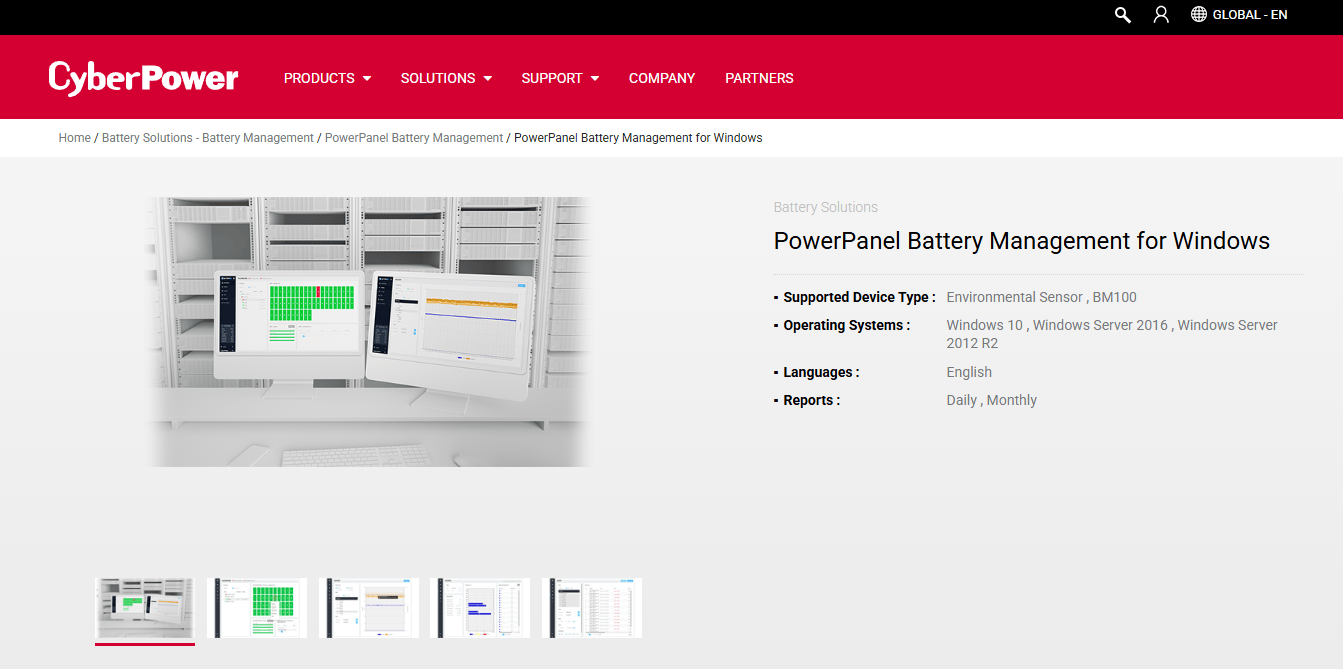
PowerPanel Battery Management is CyberPower's server-based software for remotely monitoring and managing battery systems. It gives teams a real-time dashboard, automatic event notifications, and remote access through a web browser, which suits organizations running CyberPower battery hardware that need centralized visibility. This is a monitoring-first platform, built to catch battery issues across many units before they turn into downtime.
Best for: Organizations using CyberPower battery hardware that need centralized battery monitoring and alerts.
Key features
- Real-time battery monitoring across connected units
- Automatic event notification on faults and thresholds
- Remote access via any web browser
- Centralized management for multiple battery systems
Why choose PowerPanel Battery Management: Pick it when you run CyberPower hardware and want one dashboard instead of per-unit checks. It fits IT and facilities teams where uptime is the metric that gets watched.
PowerPanel Battery Management pricing: CyberPower doesn't list a price for this on its site, and the software is usually picked up alongside the battery hardware. Best to contact CyberPower or a reseller for a quote.
2. Smart Battery Monitor
Smart Battery Monitor is a first-party battery monitor product that measures voltage, remaining capacity, current consumption, cycles, and runtime. It uses shunt-based monitoring for higher accuracy and pairs with an app over Bluetooth on supported models. This one leans toward charge control and precise measurement rather than enterprise fleet management, which makes it a fit for users who want to protect battery lifespan directly.
Best for: Users needing an accurate battery monitor for RV, marine, solar, or stationary battery systems.
Key features
- Measures voltage, capacity, current, cycles, and runtime
- Shunt-based monitoring for higher accuracy
- Bluetooth and app integration on supported models
- Charge range guidance to protect battery lifetime
Why choose Smart Battery Monitor: Choose it when measurement accuracy and charge control matter more than centralized dashboards. It fits individuals managing their own battery systems who want precise state-of-charge data.
Smart Battery Monitor pricing: The product page describes the hardware and app capabilities but does not display a price. Check the vendor's store listings or a retailer for current cost.
3. 3C Battery Manager
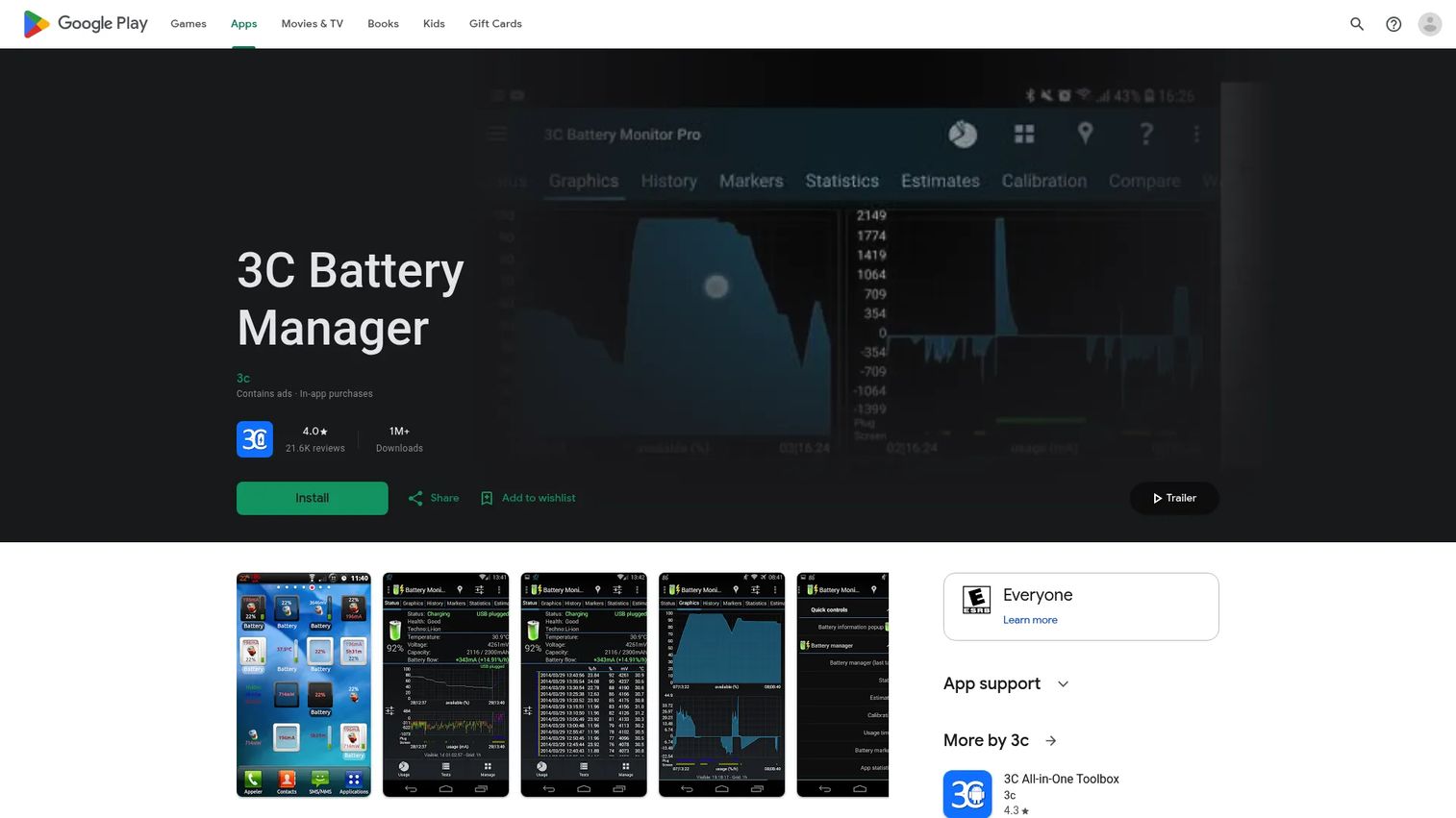
3C Battery Manager is an Android battery monitoring app with detailed history, widgets, alarms, and battery estimation tools. It surfaces historical battery data and graphs, home screen widgets, status bar notifications, and calibration, all on the device you already carry. For mobile battery monitoring, it delivers depth that the stock Android battery screen does not.
Best for: Android users who want detailed battery monitoring and widgets on their phone.
Key features
- Historical battery data and graphs
- Home screen widgets and status bar notifications
- Battery alarms and runtime estimation
- Battery calibration and health tracking
Why choose 3C Battery Manager: Pick it when you want granular Android battery health monitoring without extra hardware. It fits power users who track charge behavior and aging on a single device.
3C Battery Manager pricing: The app is free with ads and offers in-app purchases to unlock additional features. The Play listing does not show a fixed price for the unlock, so check the store for current in-app options.
4. Aptiv Battery Management Software

Aptiv Battery Management Software is an EV-focused predictive BMS offering that uses electrochemical models and digital-twin techniques to optimize battery performance, safety, and longevity. It targets automotive OEMs rather than individual users, applying predictive management and degradation reduction at the pack level. This is the enterprise EV category, where the software models cell chemistry to extend range and life over years of use.
Best for: Automotive OEMs seeking predictive EV battery management software.
Key features
- Predictive battery management using electrochemical models
- Digital twin-based battery state modeling
- Degradation reduction and safety monitoring
- EV state-of-charge monitoring and anomaly detection
Why choose Aptiv Battery Management Software: Choose it when the battery is an EV pack and the stakes are range, safety, and warranty over years. It fits OEM engineering teams building predictive management into vehicles.
Aptiv Battery Management Software pricing: Aptiv doesn't list pricing, and the software is sold through direct contact rather than self-serve plans. Reaching out to Aptiv gets you a quote scoped to your program.
5. Battery Management System
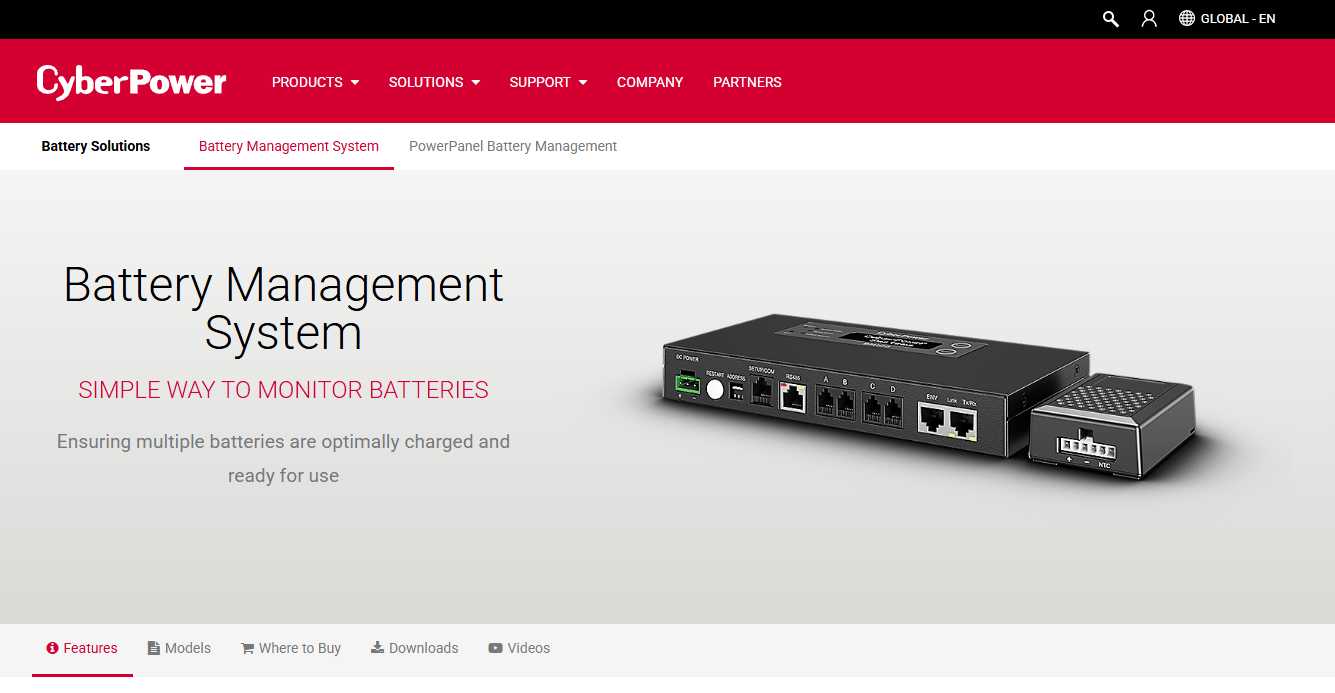
Battery Management System is CyberPower's battery monitoring and management product line for detecting battery issues and reducing downtime. It monitors battery condition, including voltage, temperature, internal resistance, state of charge, and state of health, then adds charge equalization and automatic event notifications. This is the hardware-linked system option, built to watch batteries in critical power setups and flag problems early.
Best for: Organizations needing proactive battery monitoring and maintenance alerts for critical power systems.
Key features
- Battery condition monitoring: voltage, temperature, resistance, SOC, SOH
- Charge equalization across cells
- Automatic notifications via email, SNMP traps, Syslog, or SMS
- Multi-battery support for larger installations
Why choose Battery Management System: Pick it when batteries back critical infrastructure and you need condition monitoring tied to the hardware. It fits data center and facilities teams focused on preventing outages.
Battery Management System pricing: CyberPower does not display pricing on the product page and directs buyers to distributors and resellers. Contact a CyberPower reseller for a quote.
6. PowerPanel Personal

PowerPanel Personal is free UPS monitoring and shutdown software for CyberPower UPS systems. It monitors UPS status, power source, battery capacity, and runtime, manages automatic and scheduled shutdowns, and sends email notifications for power events. This is the entry-level CyberPower option, aimed at individuals who want reliable monitoring and safe shutdown without paying for a fleet platform.
Best for: CyberPower UPS users who need free monitoring and safe shutdown automation.
Key features
- Monitors UPS status, power source, battery capacity, and runtime
- Automatic and scheduled shutdown management
- Email notifications for power events
- Windows, Mac, and Linux support
Why choose PowerPanel Personal: Choose it when you protect a single machine and want free, dependable UPS monitoring. It fits home offices and individual workstations running one CyberPower UPS.
PowerPanel Personal pricing: PowerPanel Personal is free software from CyberPower, available for Windows, Mac, and Linux. There are no paid tiers to consider.
7. PowerPanel Business
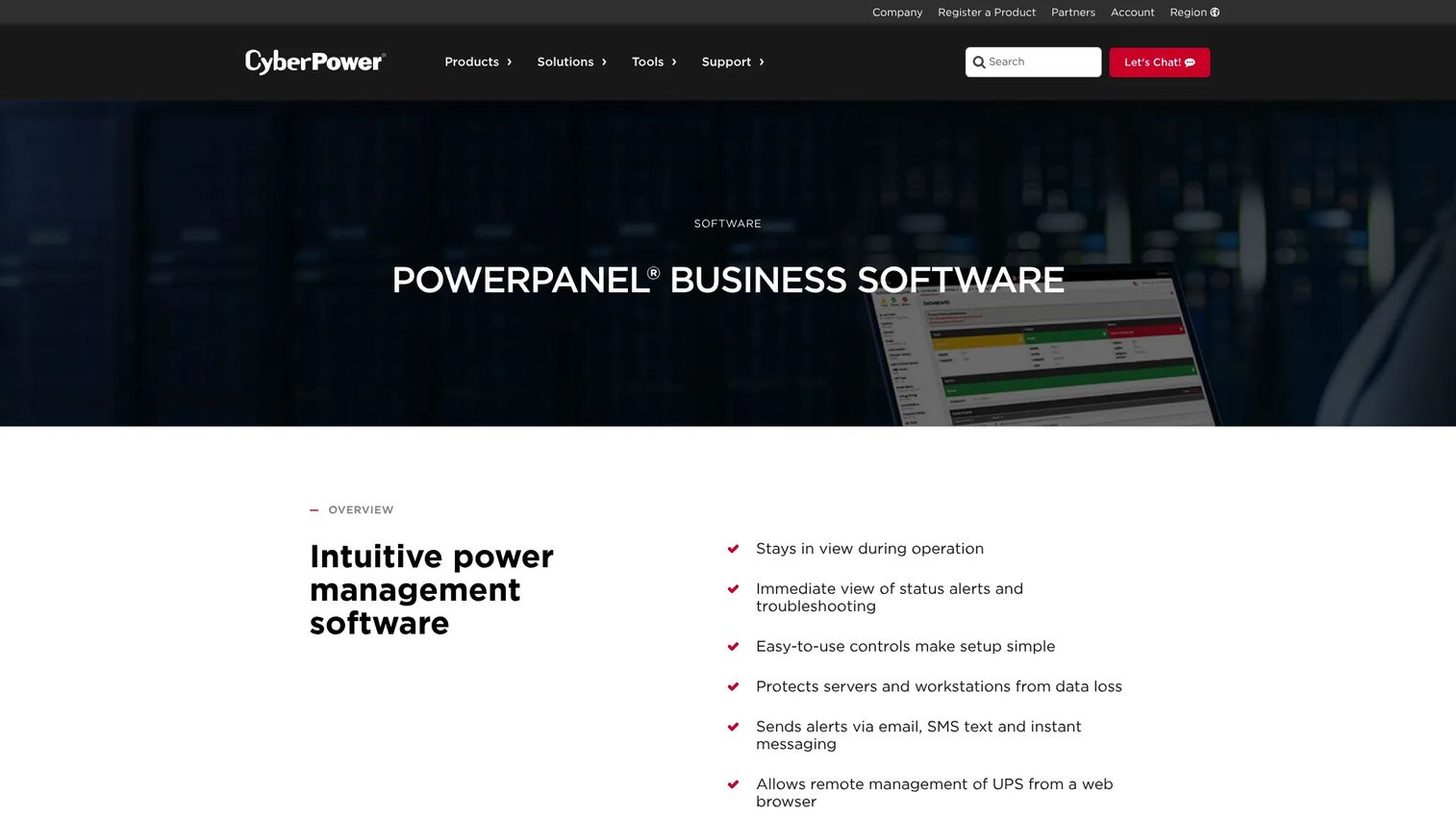
PowerPanel Business is power management software for monitoring and managing CyberPower UPS systems across local, remote, and management environments. It sends alerts via email, SMS, and instant messaging, allows remote management from a web browser, and runs in Local, Remote, and Management modes with dashboards, diagnostics, and reporting. This is the fleet pick, built for IT teams watching many UPS nodes at once.
Best for: IT teams managing CyberPower UPS fleets in local, remote, or virtual infrastructure setups.
Key features
- Alerts via email, SMS text, and instant messaging
- Remote UPS management from a web browser
- Local, Remote, and Management modes
- Dashboard, diagnostics, and reporting with SNMP support
Why choose PowerPanel Business: Pick it when one person cannot walk the rack and you need multi-node visibility with shutdown automation. It fits IT teams scaling UPS coverage across sites and virtual machines.
PowerPanel Business pricing: The software downloads are free for Windows, Mac, Linux, and virtual machines. Additional node licenses run in five tiers, starting at $849 MSRP for the PPBMGTL1 license and rising to $8,999 MSRP for the largest node count.
Considerations
Before you commit, run each option through the same checklist. The goal is matching the tool to your battery environment, not buying the most features.
Monitoring depth
Decide whether you need live status only or full trend analysis. A consumer app showing current charge is enough for one device. A fleet needs voltage, temperature, internal resistance, and state-of-health history to catch slow degradation. Verify the software reads the signals your batteries actually expose.
Alerting and notification behavior
Check how alerts fire and where they land. Email is standard, but SNMP traps, Syslog, and SMS matter for teams that route events into existing monitoring. Confirm you can set thresholds that match your risk tolerance, not just accept defaults.
Charge limits and degradation control
If lifespan extension is the goal, the software needs charge control, not just monitoring. Look for maximum charge caps, state-of-charge tracking, and health trends. A tool that only reports status will show you the decline without helping you slow it.
Multi-device or fleet visibility
Count your batteries honestly. Per-device tools break down past a handful of units. If a team owns uptime, prioritize centralized dashboards, node licensing that scales, and standardized reporting across every device.
Compatibility and environment support
Confirm the software supports your hardware, OS, and battery type. UPS tools assume specific UPS models. EV software targets pack chemistry. Environmental sensor integration only helps if your hardware feeds temperature and humidity data. Mismatched compatibility is the fastest way to waste a purchase.
Conclusion
The right battery management software depends entirely on the battery environment, so start there before comparing features.
For centralized UPS and battery management on CyberPower hardware, PowerPanel Battery Management gives you the real-time dashboard and alerts. For Windows and hardware charge control focused on lifespan, Smart Battery Monitor delivers accurate, shunt-based readings. For Android battery tracking, 3C Battery Manager brings history, widgets, and calibration to the phone you already use.
For EV battery management and predictive modeling, Aptiv Battery Management Software fits OEM engineering programs. For multi-device UPS fleets, PowerPanel Business scales across nodes with SNMP and reporting, while PowerPanel Personal covers single-machine users at no cost. The Battery Management System line handles hardware-linked condition monitoring for critical power.
Your next step is simple. Identify the class of battery you are managing, consumer device, UPS, or EV, then shortlist only the tools built for that job. Matching the category first saves you from overbuying an enterprise platform or underserving a fleet with a single-device app.
FAQs
It monitors battery status, tracks health and charge behavior over time, and triggers alerts when readings cross a threshold. Depending on the tool, it can also control charge limits, run charge equalization, and centralize monitoring across many batteries. The goal is extending battery life and preventing unexpected downtime.
Not exactly. A battery management system often refers to the hardware and firmware inside a battery pack that regulates cells directly. Battery management software is the monitoring and control layer that reads that data, shows it on a dashboard, and sends alerts. In practice the terms overlap, especially in EV and UPS contexts where software and hardware ship together.
It can help, mainly through charge control. Capping maximum charge and tracking state of charge slows lithium-ion wear, and health monitoring surfaces degradation early so you act before it worsens. The software does not physically change the battery, but smarter charging habits and early fault detection extend usable lifespan.
Real-time monitoring, historical charts, and threshold alerts form the core. For lifespan, charge limits and state-of-charge tracking matter. For teams, centralized multi-device management and flexible notifications like SNMP or SMS become the deciding factors. Match the feature set to whether you need visibility, control, or fleet-scale management.
For Windows charge control focused on protecting battery lifespan, Smart Battery Monitor offers charge limits and accurate readings. If you run a CyberPower UPS on Windows, PowerPanel Personal handles free monitoring and shutdown, while PowerPanel Business scales to many nodes. The best pick depends on whether you manage a laptop battery or a UPS fleet.
Aptiv Battery Management Software targets EV battery management with predictive models, digital-twin modeling, and degradation reduction built for automotive OEMs. It monitors state of charge and detects anomalies at the pack level. EV battery software is a distinct category from consumer or UPS tools, so match it to vehicle-grade programs rather than device monitoring.
Most tools do. Alerting ranges from simple email notifications to SNMP traps, Syslog, and SMS for teams routing events into existing systems. Reporting varies by tier, with enterprise platforms adding daily and monthly reports plus diagnostics. Confirm the specific alert channels and report formats before buying if these drive your decision.
Yes, with the right tool. Platforms like PowerPanel Battery Management and PowerPanel Business centralize multiple UPS units or nodes into a single dashboard, and the Battery Management System line supports multi-battery installations. Consumer battery monitor apps focus on one device, so choose a fleet-oriented platform if you manage several batteries at once.










