Your firm runs on handoffs. A client sends a document. Someone logs it. Someone else drafts the return. A partner reviews. An invoice goes out weeks later, if it goes out on time at all.
Every one of those handoffs is a place where the work stalls, the context gets lost, or the follow-up slips. And when the founder or managing partner is the person catching the dropped balls, the firm doesn't scale. It just gets busier.
That is the real problem cpa firm software solves. Not "more features." Fewer manual handoffs, faster billing, and a single place to see where every client engagement actually stands. According to the AICPA PCPS Tech Survey, 73% of CPA firms use at least three accounting-specific tools, but fewer than one-third have automated the workflows connecting them. That gap, work that lives between tools instead of inside a system, is where most firms lose time and money.
This guide breaks down eight platforms built to close that gap. The goal is simple: help you pick software for accounting firms that reduces coordination overhead instead of adding another tab to your day.
What's inside
This guide is for owners, managing partners, and operators at accounting and CPA firms comparing accounting firm management software in 2026. We selected platforms based on four criteria that matter for firms trying to reduce partner bottlenecks:
- Workflow depth: how well it automates recurring tax and accounting work
- Client experience: portal quality, secure client collaboration, and communication
- Billing and cash flow: invoicing, payment collection, and time capture
- Fit by firm size: whether it suits a solo shop, a growing team, or an established firm
Every tool here is a real, currently available platform with verified pricing and features.
TL;DR
- Best all-in-one for most firms: TaxDome combines client portal, documents, workflows, and billing in one system.
- Best for enterprise ecosystems: Thomson Reuters and Wolters Kluwer CCH Axcess Practice fit firms already standardized on those suites.
- Best simpler alternative: Firm360 and Financial Cents suit small to growing firms that want fast onboarding.
- Best for AI-assisted operations: Qount layers practice intelligence on top of core workflow management.
- Best for internal coordination: Karbon centers team workflow, email triage, and project visibility.
- Best for consolidating client work: Canopy pulls CRM, documents, and payments into one client management view.
What is cpa firm software?
Cpa firm software is a category of accounting practice management software that centralizes how a firm manages clients, documents, workflows, billing, and communication in one system. It replaces the patchwork of spreadsheets, email threads, folders, and standalone billing tools that most firms accumulate over time.
The category overlaps heavily with cpa practice management software and practice management software for accountants. In practice, these terms describe the same job: run the operational side of an accounting or tax firm without routing everything through a partner.
Key features you'll find across most platforms:
- Client portal for accountants: a secure space where clients upload documents, sign forms, and message the firm
- Document management for CPA firms: centralized storage, version control, and organized client files
- Workflow automation for accounting firms: recurring task templates, deadline tracking, and automated handoffs
- Tax workflow software: structured pipelines for returns, extensions, and review stages
- Billing and invoicing for accountants: time tracking, invoice generation, and payment collection
- CRM for accounting firms: client records, intake forms, and engagement history in one place
- E-signatures: legally binding signatures on engagement letters and returns
- Integrations: QuickBooks integration and connections to tax prep and payment tools
The strongest platforms tie these together so a document upload can trigger a task, a completed return can trigger an invoice, and a partner can see the whole pipeline without asking anyone for a status update.
When to use cpa firm software
Replace scattered client communication
If client requests live across email, text, and voicemail, nothing has a single source of truth. Accounting client management software pulls every message, document, and request into one thread per client. A client portal for accountants means the client uploads once and the whole team sees it.
Automate recurring tax and accounting work
Tax season is the same set of steps repeated hundreds of times. Workflow automation for accounting firms turns those steps into templates that assign themselves, track deadlines, and move work between preparer and reviewer without manual chasing.
Tighten billing and cash flow
Firms lose real money to slow invoicing and untracked time. Practice management software for accountants captures time as work happens, generates invoices when engagements close, and supports payment collection so cash actually arrives.
Comparison table
Here is how the eight platforms compare on intent, differentiation, pricing, and rating. Use it to shortlist two or three before reading the detailed sections below.
| # | Product | Intent | Key differentiation | Pricing | G2 rating |
|---|---|---|---|---|---|
| 1 | TaxDome | All-in-one practice management | Client portal, docs, workflows, and billing in one system | From $800/year per seat | 4.7/5 |
| 2 | Thomson Reuters Practice Management | Enterprise suite integration | Tight fit with the Thomson Reuters tax and accounting suite | Custom (contact sales) | 4.4/5 |
| 3 | Wolters Kluwer CCH Axcess Practice | Time, billing, profitability | One-screen time entry and KPI monitoring | Custom (contact sales) | Not listed |
| 4 | Firm360 | Simpler all-in-one | Consolidated practice management for growing firms | From $49/user/month | 4.4/5 |
| 5 | Qount | AI-assisted operations | Practice intelligence layered on core workflows | From $74/user/month | Not yet rated |
| 6 | Canopy | Consolidated client work | CRM, documents, billing, and payments in one view | From $74/user/month | Not listed |
| 7 | Karbon | Internal team coordination | Email triage, workflow, and project visibility | From $59/user/month | 4.8/5 |
| 8 | Financial Cents | Lightweight simplicity | Workflow, client requests, and capacity for small firms | From $19/month | 4.7/5 |
Best 8 tools for CPA firms
1. TaxDome

TaxDome is an all-in-one practice management platform built for tax, bookkeeping, and accounting firms that want one system instead of a stack of disconnected tools. It combines a client portal, document management, workflow automation, and billing under a single login, which is why firms tired of stitching tools together tend to shortlist it first.
The pitch is consolidation. Instead of a separate portal, e-signature tool, document store, and billing app, TaxDome runs all of it in one place. That means a client uploads a document once, it triggers the right workflow, and billing and invoicing for accountants happens without exporting data between systems.
Best for: Tax and accounting firms that want a single platform for client communication, documents, workflows, and billing.
Key strengths
- Client portal and communication: email, SMS, and chat in one place
- Document management: storage, e-signatures, and intake forms
- Workflow automation: templates, team collaboration, and firm analytics
- Secure client collaboration: one thread per client across channels
Why choose TaxDome: If your firm is losing time to tool-switching and manual handoffs, TaxDome's breadth is the point. It suits firms ready to commit to one system as the operational backbone rather than assembling best-of-breed pieces.
TaxDome pricing: Essentials starts at $800/year per seat, Pro at $1,000/year per seat, and Business at $1,200/year per seat, all on a one-year commitment billed upfront. No free tier. Multi-year terms and seasonal add-on seats are available on some plans.
2. Thomson Reuters Practice Management
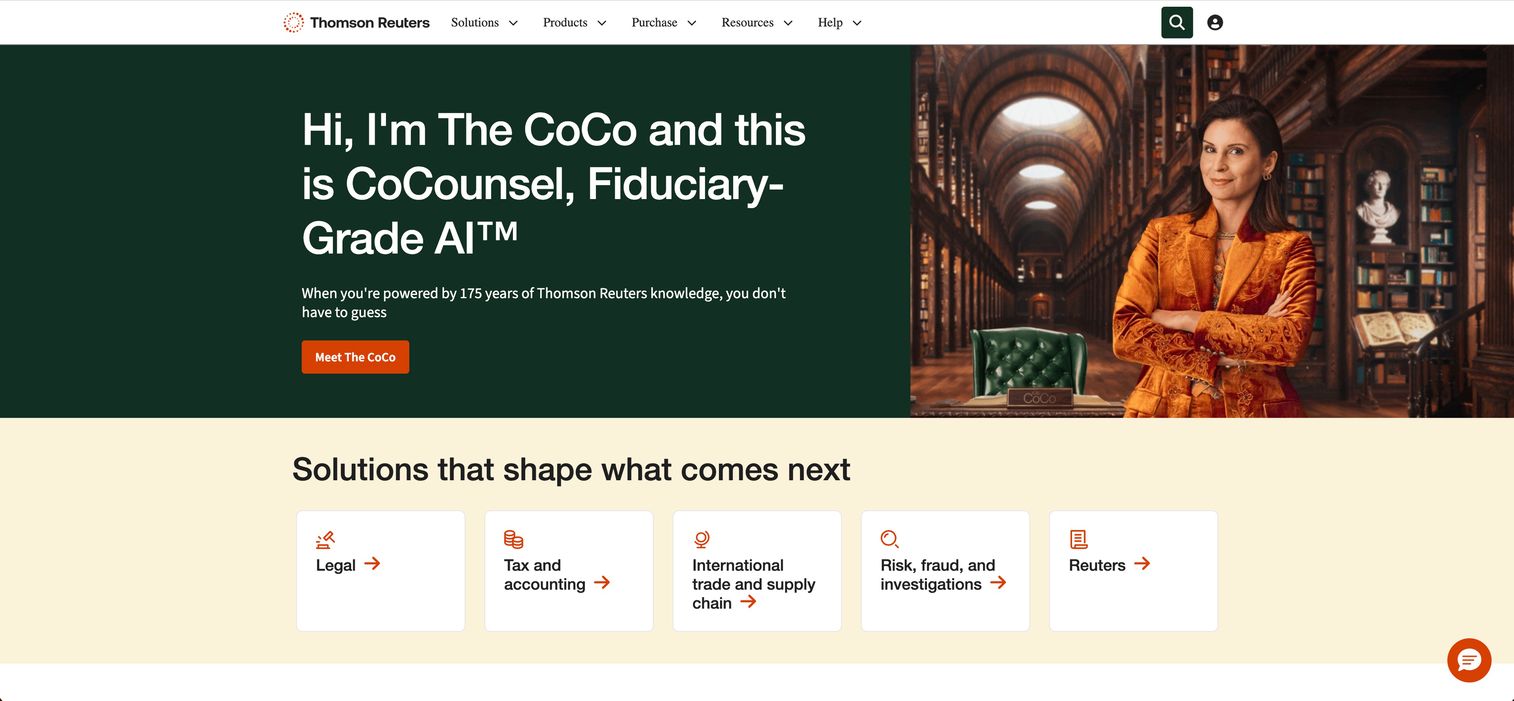
Thomson Reuters Practice Management sits inside the broader Thomson Reuters tax and accounting suite, including the CS Professional Suite and Onvio firm management tools. It targets firms that want a trusted, enterprise-leaning platform tied into their existing tax prep and research tools.
The value here is integration depth. If your firm already runs Thomson Reuters for tax compliance, keeping practice management, time, billing, and secure client collaboration in the same ecosystem reduces the friction of moving data between vendors. Tax workflow software and practice management share the same backbone.
Best for: Accounting firms needing integrated practice, time, billing, and workflow management inside the Thomson Reuters suite.
Key strengths
- Time and billing: integrated capture and invoicing
- Project management: structured workflows across engagements
- Client portals and document sharing: secure collaboration with clients
- Suite integration: tight fit with Thomson Reuters tax tools
Why choose Thomson Reuters: This is the platform for established firms that value ecosystem consistency over a single vendor's all-in-one simplicity. The tradeoff is that it fits best when you're already committed to, or moving toward, the Thomson Reuters suite.
Thomson Reuters pricing: Pricing is not published publicly. The product pages direct firms to contact sales for a quote based on modules, users, and configuration.
3. Wolters Kluwer CCH Axcess Practice
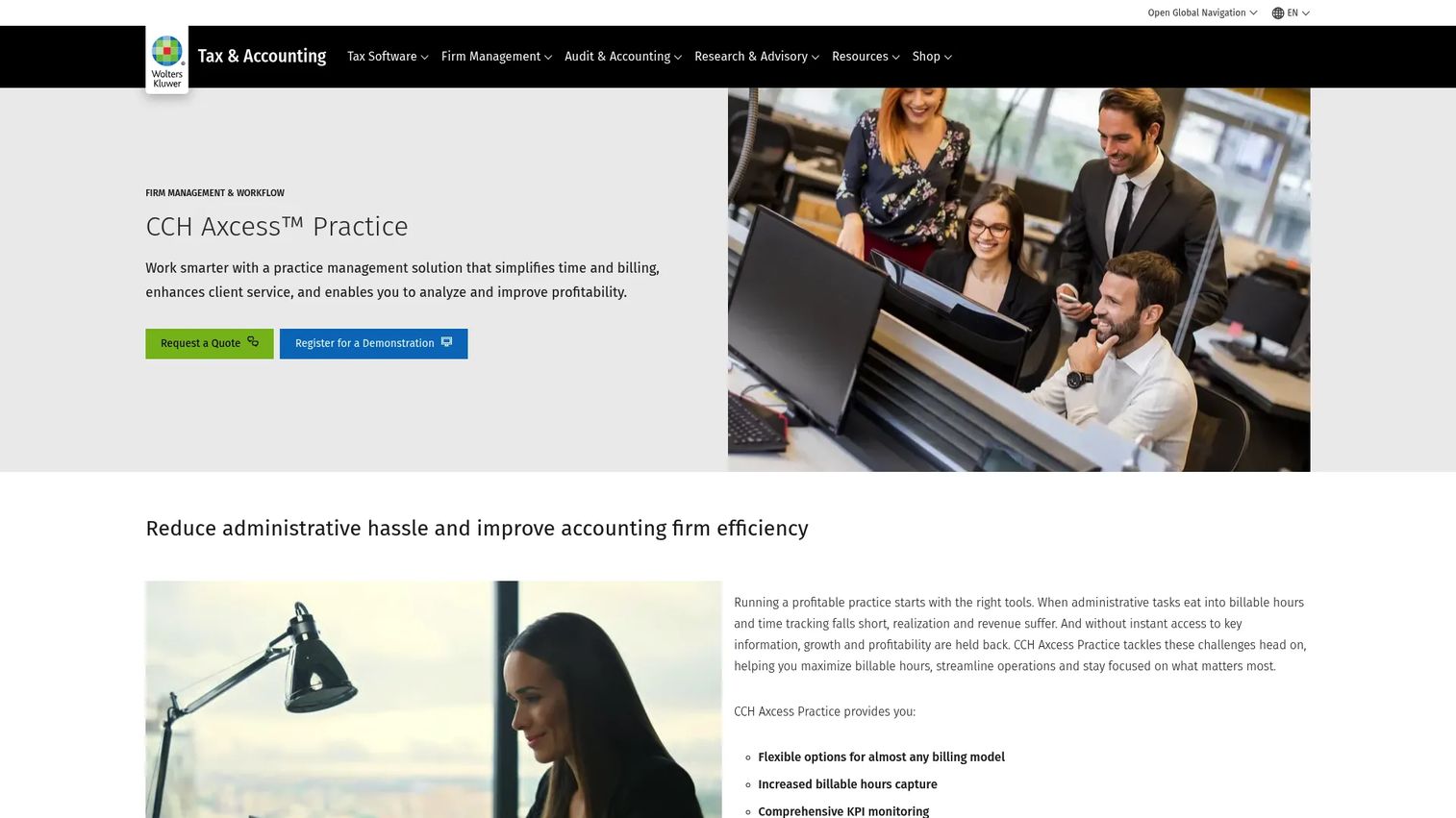
Wolters Kluwer CCH Axcess Practice is cloud-based practice management software for accountants focused on time capture, billing, and profitability analysis. It fits firms already invested in the CCH Axcess ecosystem for tax and audit.
Its strength is financial visibility. One-screen time entry, flexible billing options, and KPI monitoring give partners a clear read on which engagements and clients are actually profitable. For firms managing a large book of recurring work, that profitability lens is the differentiator.
Best for: CPA and accounting firms needing practice management for time, billing, and KPI tracking.
Key strengths
- Flexible billing options: multiple billing arrangements per client
- One-screen time entry: capture time and bill from a single view
- KPI monitoring: profitability analysis across engagements
- CCH Axcess fit: integration with the wider Wolters Kluwer suite
Why choose Wolters Kluwer: Choose it if profitability tracking and tight integration with CCH Axcess tax and audit tools matter more than a lightweight setup. It suits mid-sized and larger firms already standardized on Wolters Kluwer.
Wolters Kluwer CCH Axcess Practice pricing: Pricing is quote-based. The product page directs firms to request pricing tailored to firm size and module selection.
4. Firm360

Firm360 is an all-in-one practice management platform built for small to mid-sized accounting firms that want breadth without heavy implementation. Firms often evaluate it as a simpler alternative to the enterprise suites.
The appeal is getting practice management, client portal, workflow, document handling, and billing in one place at a price point that works for smaller teams. For a growing firm that has outgrown spreadsheets but isn't ready for an enterprise rollout, Firm360 hits a practical middle ground.
Best for: Accounting firms seeking an all-in-one practice management platform without enterprise complexity.
Key strengths
- Practice management workflows: recurring task and engagement tracking
- Client portal and documents: secure upload and file management
- Billing: invoicing tied to completed work
- Advisory support: compliance, technology, and HR resources
Why choose Firm360: It fits firms that want consolidated software for accounting firms without a long onboarding runway. The persona-fit is the growing firm that values speed to value over deep enterprise configuration.
Firm360 pricing: Basic starts at $49/user, Standard at $79/user, and Premium at $99/user, per G2's reported pricing. No free tier is published. Confirm current tiers directly with Firm360 during evaluation.
5. Qount
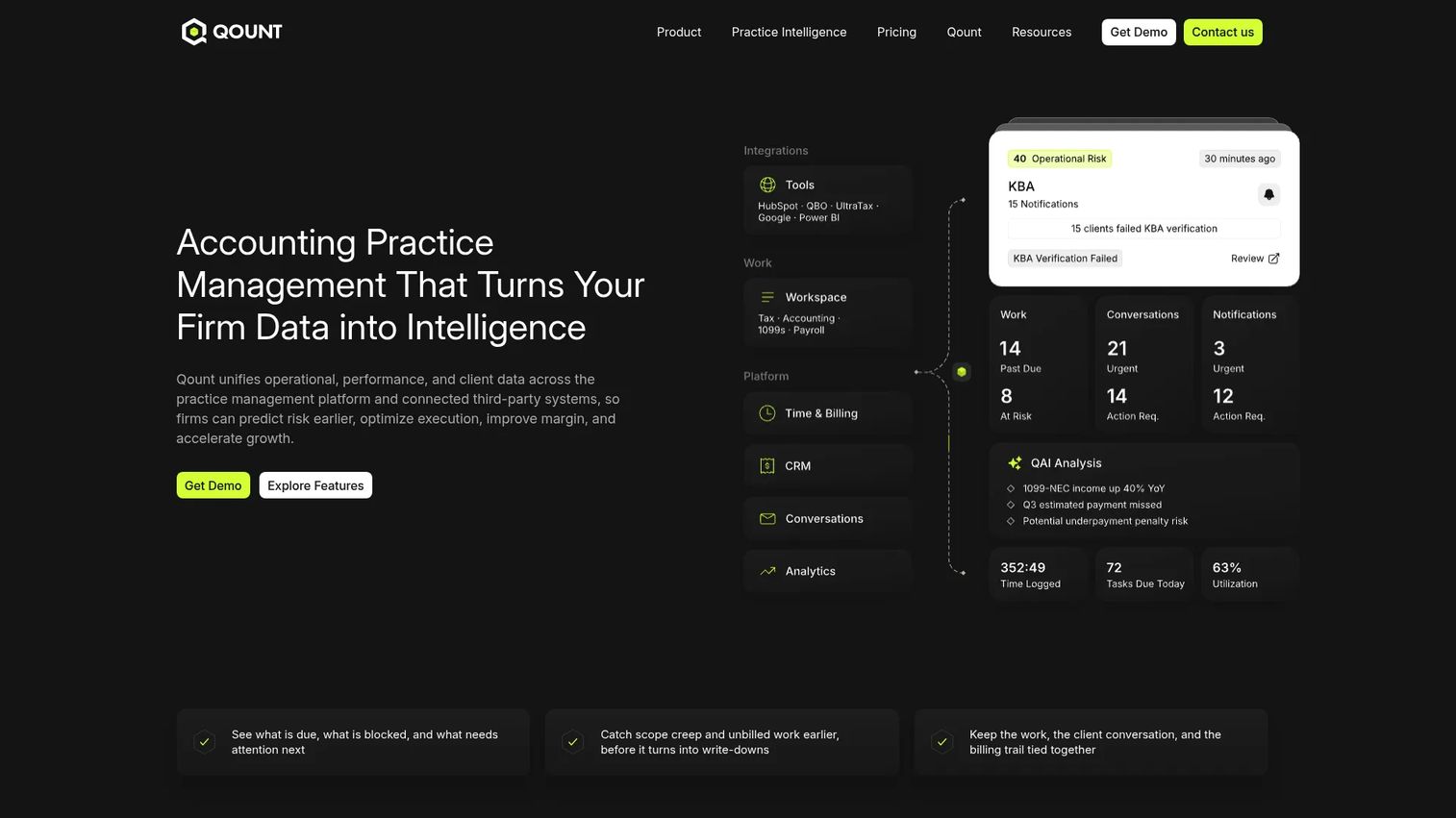
Qount is an AI-native practice intelligence platform for accounting firms. It pairs core practice management, task tracking, CRM, and billing with AI features aimed at helping firms prioritize work and catch risk earlier.
Where most tools organize work, Qount tries to help you decide what to work on next. Its QAI features surface prioritization, risk detection, and an "Ask QAI" assistant, alongside time tracking, invoicing, and WIP visibility. For firms that want structured process control plus a layer of decision support, that combination stands out.
Best for: Accounting firms that want practice management plus AI-assisted workflow intelligence.
Key strengths
- Task, CRM, and document management: core operations in one place
- Time, billing, and WIP visibility: track work in progress and bill accurately
- QAI features: prioritization, risk detection, and Ask QAI
- Email integration: client communication tied to workflows
Why choose Qount: Pick it if you want workflow automation for accounting firms with an added intelligence layer that flags priorities and risks. It fits operators who want signal, not just task lists.
Qount pricing: Essentials is $74/user/month, Pro is $114/user/month, and Intelligence is $139/user/month, billed annually. Monthly billing runs $84, $124, and $149 per user respectively. No free trial is offered.
6. Canopy
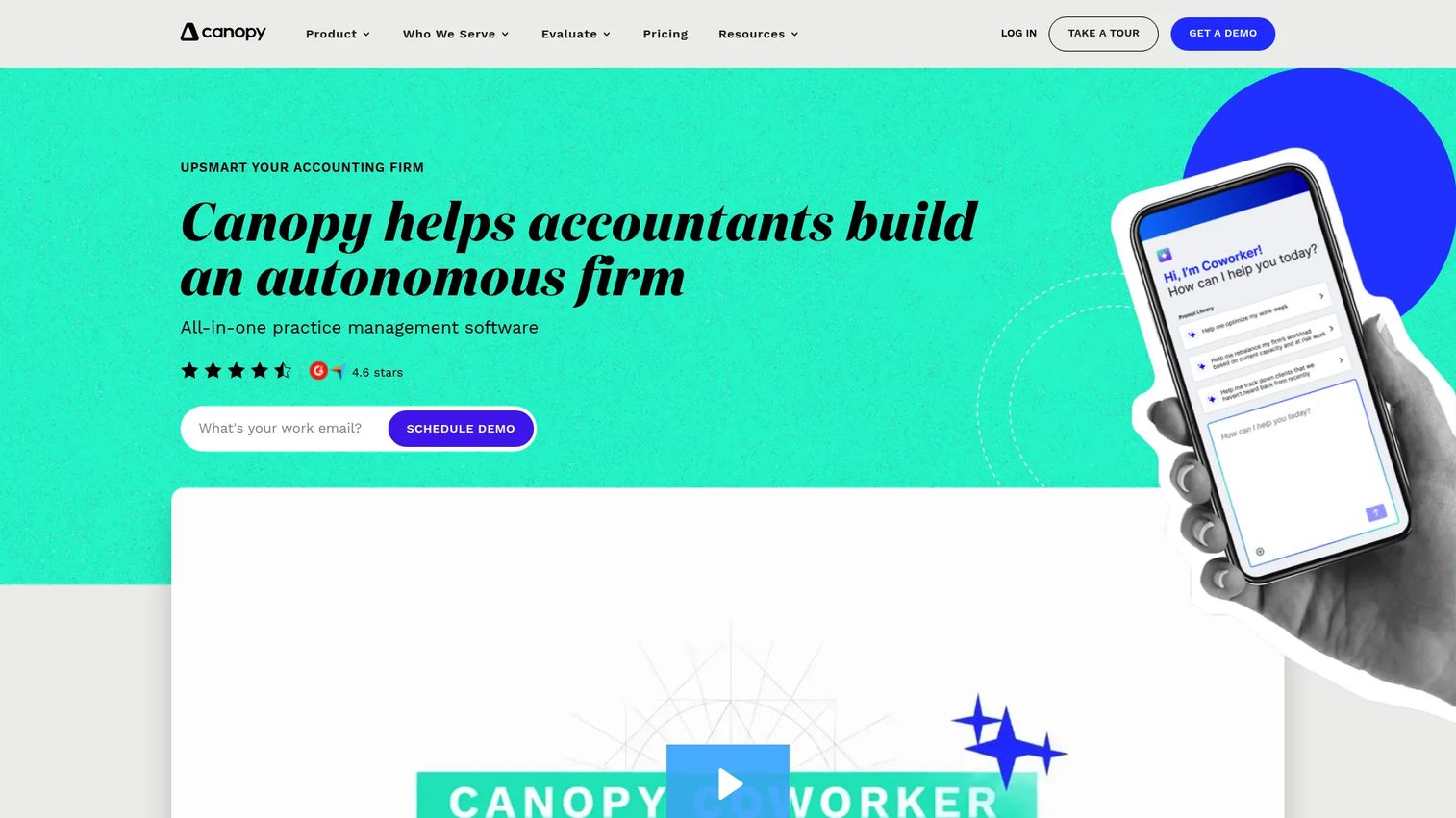
Canopy is practice management software for accounting and tax firms that consolidates client communication, documents, and tasks into one client management view. It's often chosen by firms that want to pull scattered client work together.
Canopy's modular design lets firms adopt the pieces they need, from CRM and secure messaging to workflow, documents, billing, and payments. The through-line is a single client record where communication, files, and engagement history live together, which cuts the time spent hunting for context.
Best for: Accounting and tax firms that want an all-in-one practice management platform organized around the client.
Key strengths
- Client portal and secure messaging: centralized client collaboration
- CRM and client management: one record per client
- Workflow automation: tasks, documents, and deadlines
- Billing and payments: invoicing and payment collection
Why choose Canopy: Choose Canopy if your priority is consolidating client communication and tasks into one place. Its modular approach lets you start with client management and add billing or documents as you grow.
Canopy pricing: Standard is $74/user/month, Plus is $109/user/month, and Premium is $149/user/month, billed annually, with Enterprise on custom pricing. Every plan includes the core practice management suite.
7. Karbon
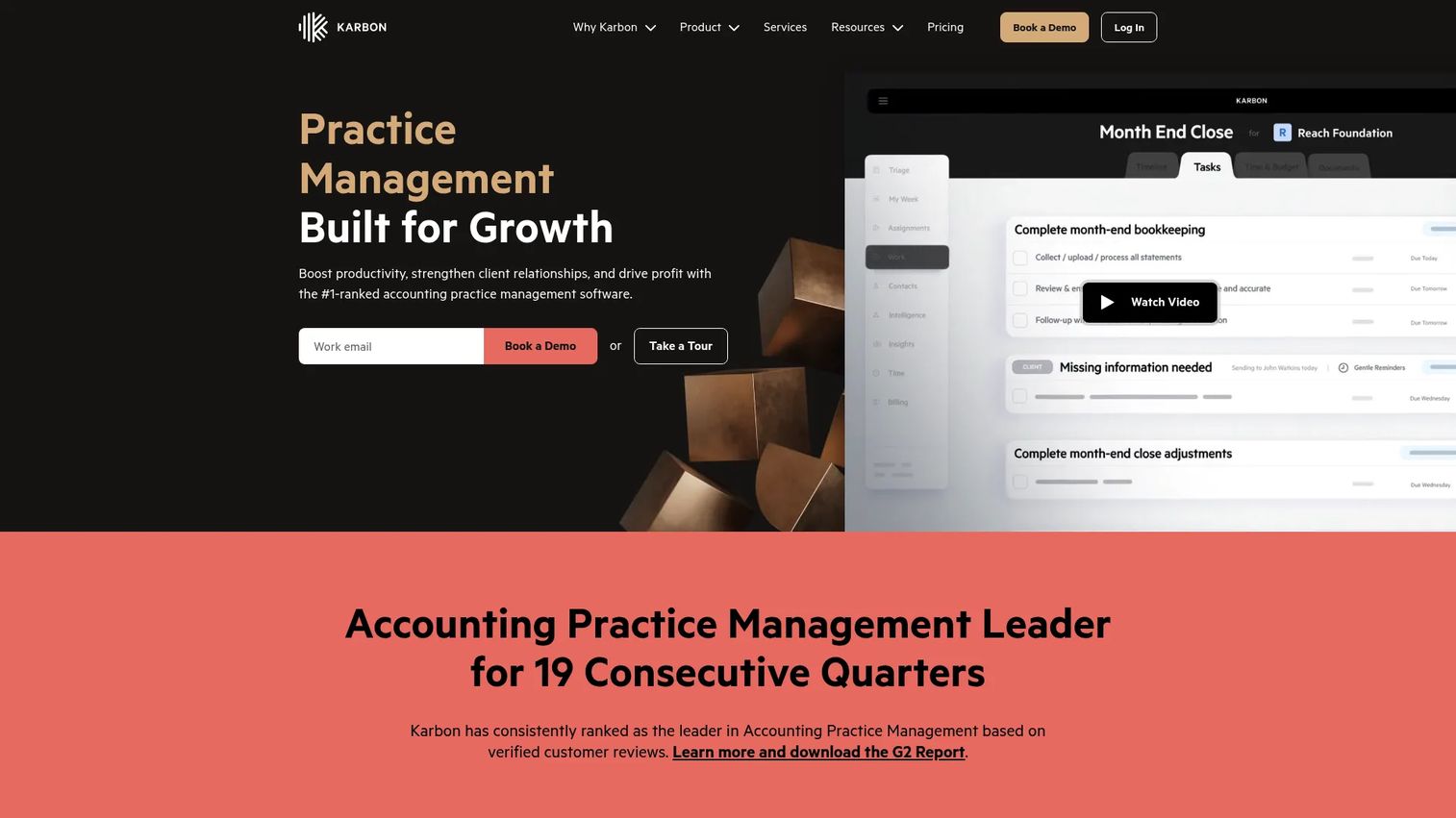
Karbon is practice management software built around team workflow and internal coordination. It's the pick for firms whose main friction is not client-facing but internal: who owns what, what's blocked, and what's due.
Karbon's standout is integrated email tied directly to workflows and to-do lists, so client conversations turn into tracked work rather than lost inbox threads. Add time tracking and budget reporting, and partners get real project visibility across the team. For firms with complex internal handoffs, that coordination depth matters.
Best for: Accounting and bookkeeping firms needing an all-in-one platform with strong internal workflow and collaboration.
Key strengths
- Integrated email: client conversations tied to tasks
- Workflow and to-do lists: clear ownership across the team
- Time tracking and budget reporting: visibility into effort and profitability
- Project visibility: see status without status meetings
Why choose Karbon: Choose Karbon when your bottleneck is internal coordination rather than client billing depth. It excels for teams that need to see who's doing what across every engagement.
Karbon pricing: Team is $59/user/month billed annually ($79 monthly), and Business is $89/user/month billed annually ($99 monthly). Enterprise is custom. A free trial is available.
8. Financial Cents
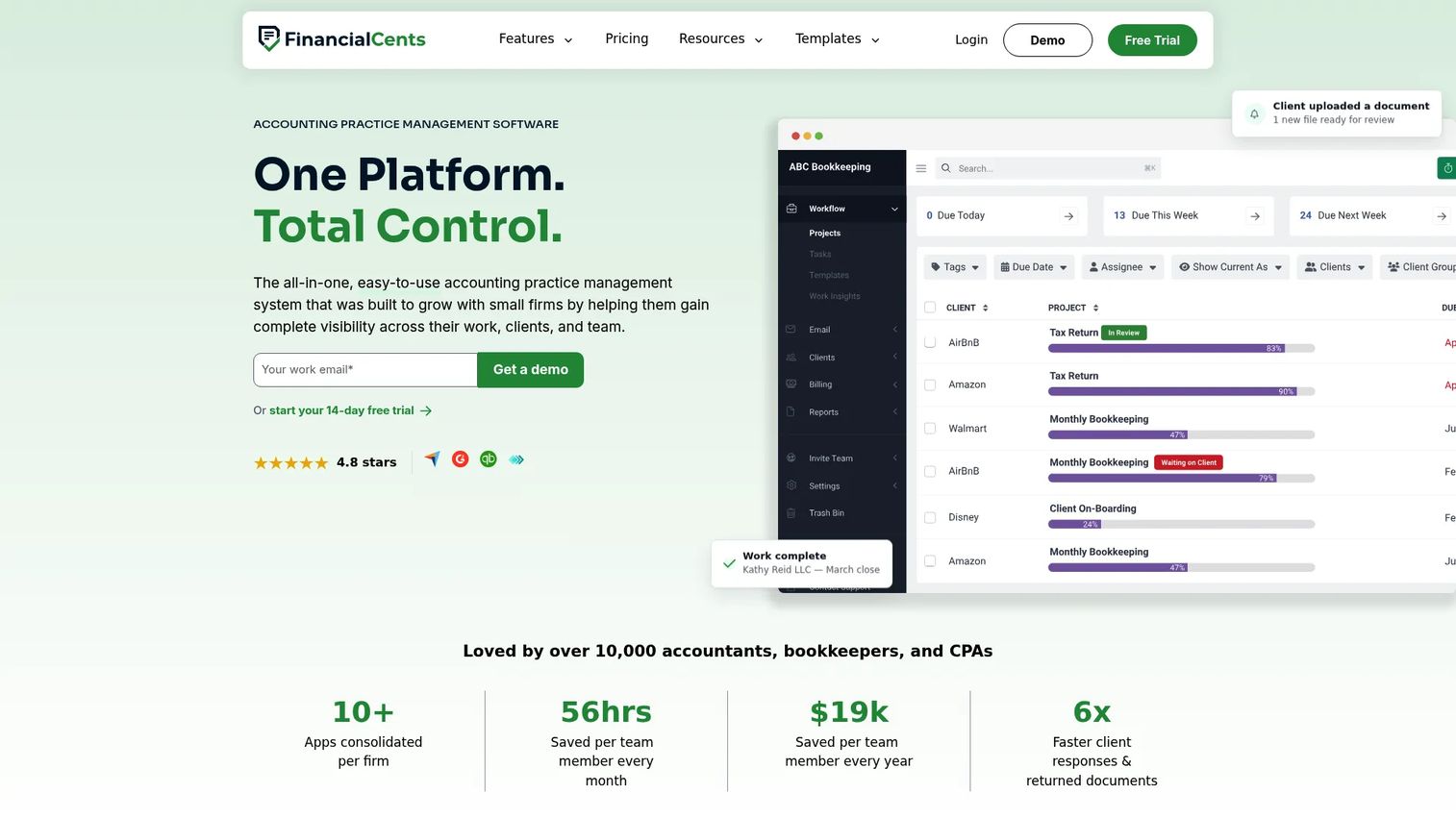
Financial Cents is accounting practice management software built for small and growing firms that want simplicity over feature sprawl. It focuses on the operational basics: workflow, client requests, document collection, and firm visibility.
The design philosophy is approachability. Workflow management, a client CRM, a client portal, time tracking, proposals, and capacity management come together without a steep learning curve. For a small team that wants to stop chasing clients for documents and start seeing capacity clearly, it's a fast on-ramp.
Best for: Accounting and bookkeeping firms that want an all-in-one platform with a light footprint.
Key strengths
- Workflow management: to-do lists and recurring templates
- Client CRM and portal: requests and document collection in one place
- Time tracking and billing: capture time and invoice work
- Reporting and capacity management: see workload across the team
Why choose Financial Cents: Pick it if you're a small or growing firm that values simplicity and fast setup. It handles the core practice management jobs without the weight of an enterprise platform.
Financial Cents pricing: Solo starts at $19/month billed annually, Team at $49/user/month, and Scale at $69/user/month, with Enterprise on custom pricing. A free 14-day trial is available with no credit card required.
Considerations before you buy
Workflow fit for your actual process
Map your real tax and accounting workflows before you shortlist. The best tool automates the steps you actually repeat, not a generic template. Ask whether recurring engagements, review stages, and deadlines can be modeled the way your firm already works.
Client experience and portal quality
Your client portal is the part clients actually see. Evaluate how easy it is for clients to upload documents, sign forms, and message the firm. A portal that clients avoid pushes work back into email, which defeats the purpose.
Billing, payments, and cash flow
Check how time capture, invoicing, and payment collection connect. Billing and invoicing for accountants should flow from completed work automatically. Slow or manual billing is where firms quietly lose margin.
Integrations with your existing stack
Confirm QuickBooks integration and connections to your tax prep and payment tools. Accounting firm workflow management only works if data moves cleanly between systems instead of being re-keyed by hand.
Firm size and onboarding effort
An enterprise suite and a lightweight tool solve the same problems at different scales. Match the platform to your firm's size and appetite for implementation. A growing firm rarely needs the full enterprise rollout on day one.
Conclusion
The right cpa practice management software depends less on feature count and more on where your firm loses time today.
If manual handoffs and tool-switching are the problem, an all-in-one like TaxDome or Canopy consolidates the work into one system. If you're already standardized on an enterprise suite, Thomson Reuters or Wolters Kluwer CCH Axcess Practice keep everything in one ecosystem. If you're a small or growing firm that wants fast setup, Financial Cents or Firm360 get you running without a long rollout. If internal coordination is the bottleneck, Karbon centers team workflow, and if you want an intelligence layer on top of operations, Qount adds it.
The core tradeoff is breadth versus simplicity. All-in-one platforms reduce more manual coordination but ask for more commitment. Lighter tools get you value faster with a narrower scope.
Start by mapping your two or three biggest handoff failures, then shortlist the platforms that fix those first. Book demos with your top two and test them against your real workflows before committing.
FAQs
Cpa firm software is a category of accounting practice management software that centralizes client management, documents, workflows, billing, and communication in one system. It replaces the mix of spreadsheets, email, and standalone tools most firms accumulate, so work moves through the firm without routing everything through a partner.
The features that reduce manual handoffs matter most: a client portal for uploads and messaging, workflow automation for recurring tax work, document management, and billing tied to completed engagements. Secure client collaboration and e-signatures round out the core set for most firms.
Yes, in practice the terms describe the same category. Accounting firm management software, cpa practice management software, and practice management software for accountants all refer to platforms that run the operational side of a firm. Some tools lean more toward tax workflow software, others toward broader client management.
Small firms benefit most from tools that remove founder or partner bottlenecks. Even a two-person firm loses time to scattered documents, manual follow-up, and slow billing. A lightweight platform with a client portal and workflow templates often pays for itself quickly without heavy setup.
A client portal for accountants gives clients one secure place to upload documents, sign forms, and message the firm. It replaces email attachments and voicemail chasing, so nothing gets lost. For the firm, every client interaction lands in one thread the whole team can see.
Look for recurring task templates, automatic assignment, deadline tracking, and handoffs between preparer and reviewer. Good workflow automation for accounting firms models your real process, triggers tasks from events like a document upload, and gives partners visibility without status meetings.
Most full-featured platforms include billing and invoicing for accountants, often with time tracking and payment collection built in. The strongest ones generate invoices from completed work and support QuickBooks integration so financial data moves cleanly. Lighter tools may cover billing basics without deep profitability analysis.
Match the tool to where you lose time and how much implementation you can absorb. All-in-one platforms reduce more manual coordination but ask for more commitment and onboarding. Lightweight tools deliver value faster with a narrower scope, which suits small and growing firms. Map your biggest handoff failures first, then choose the platform that fixes those.