How to set keyword difficulty filters in Ahrefs
Here is how to set keyword difficulty filters in ahrefs
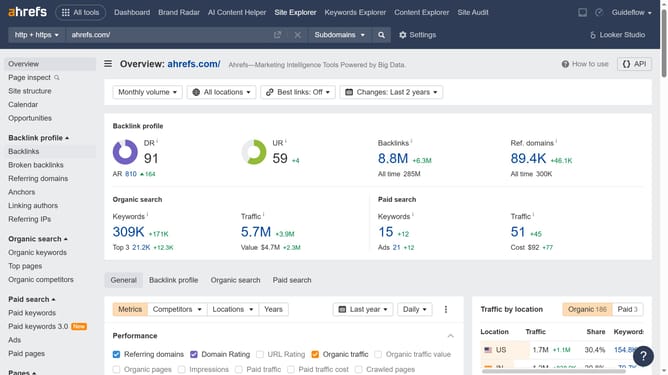
- In the top navigation menu, click on the "Site Explorer" tab
- Click on the search input field labeled "Domain or URL" in the main search area
- Type the website's name in the search input field
- Click the search button to analyze the domain
- In the left sidebar menu, click on "Organic keywords" under the "Organic search" section
- Click on the "KD" filter dropdown in the filter toolbar
- Set the "From" and "To" values for your keyword filter to define the desired range
- Click the "Apply" button to apply the KD filter
- Finally click the "Show results" button
Why should you set keyword difficulty filters in Ahrefs
Ahrefs is a powerful SEO toolset designed for marketers to enhance their search engine visibility.
Setting keyword difficulty filters in Ahrefs allows users to gauge the competitiveness of keywords effortlessly.
This feature aids users in making informed choices about which keywords to target, optimizing strategy by focusing on achievable goals.
Ultimately, leveraging this feature assists in efficient resource allocation, ensuring a greater return on investment in SEO efforts.
Last update