How to set heading style of a help center category title in Gitbook
Here is how to set heading style of a help center category title in gitbook
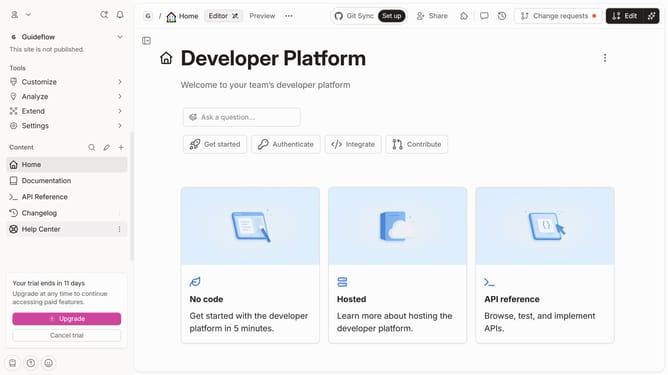
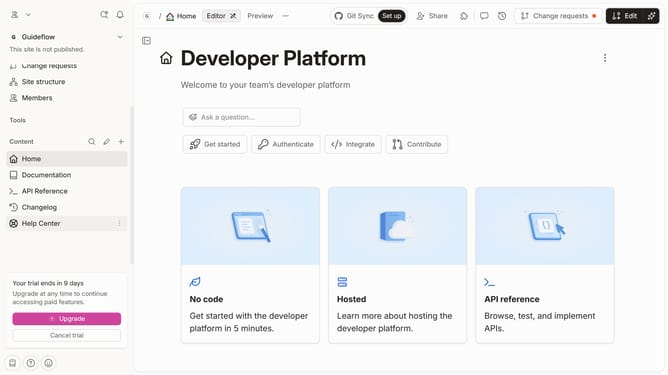
- First, navigate to the left sidebar and click on "Help Canter"
- Then, click on the "Edit" button in the top section
- Next, click on the category text within the content area
- After that, click on the "Paragraph" dropdown menu
- Then, select "Heading 1" from the dropdown list
- Finally, click on the "Merge" button in the top right corner
Why should you set heading style of a help center category title in Gitbook
GitBook is a powerful platform designed to streamline the creation and sharing of knowledge through beautifully structured documentation.
Setting the heading style of a help center category title in GitBook is an intuitive feature that enhances readability and user engagement.
Customizing these headings not only helps in maintaining consistency across your content but also elevates the visual appeal of your documentation, making it easier for users to navigate.
This level of customization ensures that your help center maintains a professional look while effectively communicating organized information.
Last update