How to insert image in help center table in Gitbook
Here is how to insert image in help center table in gitbook
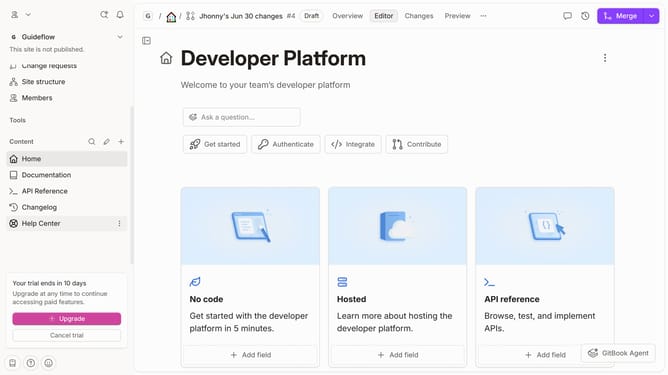
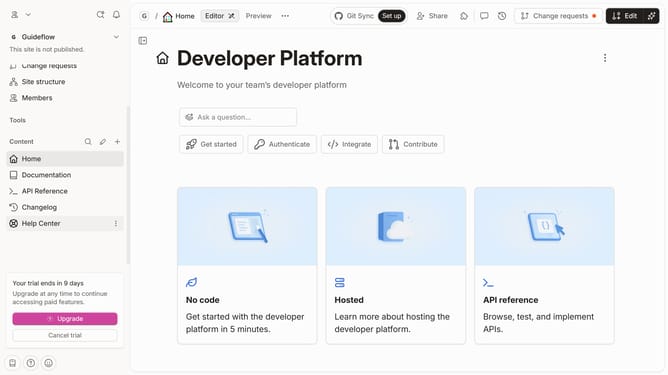
- First click on "Help Center" item in the sidebar menu
- Then click on the "Edit" button in the top header
- Next, click on the "+" button with label "Add image" to upload an image
- Then select an image from the image gallery
- Finally click on the "Merge" button in the top header
Why should you insert image in help center table in Gitbook
Gitbook is a versatile platform designed to streamline documentation and collaboration.
Embedding images in help center tables enhances clarity and visual appeal, making it easier for users to digest information.
Using images within tables not only breaks up dense text but also supports diverse learning preferences, catering to those who highly value visual context.
This feature empowers teams to create comprehensive, engaging, and easily navigable resources for users.
Last update