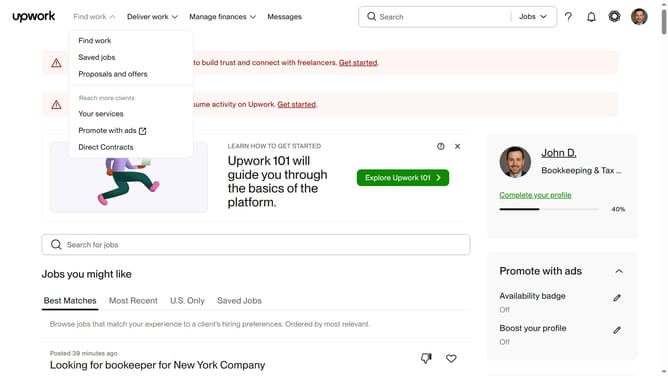
How to search for a project by Illustration catalog on Upwork
Here is how to search for a project by illustration catalog on upwork
- First click on the dropdown button in the top navigation bar
- Then click on the "Projects" option from the dropdown menu
- Next click on the search field in the top navigation bar and type your search query
- Then select from the dropdown suggestions
- Click on the "Project Catalog" tab in the navigation menu
- Then scroll to the "Shop by category" section and click the next arrow to browse categories
- Finally click on the "Illustration" category card in the shop by category section
Why should you search for a project by Illustration catalog on Upwork
Upwork connects talented freelancers with businesses seeking their skills to complete projects efficiently.
Among its many features, Upwork offers a unique way to search for projects through the Illustration catalog. This feature allows illustrators to discover opportunities that match their artistic style and expertise.
Using the Illustration catalog ensures freelancers find projects that truly resonate with their creative skills, enhancing job satisfaction and productivity. It simplifies the search process by directly linking illustrators to projects that need their unique talents.
Last update