How to search companies by their non-HQ corporate offices location s in Apollo
Here is how to search companies by their non-hq corporate offices location s in apollo
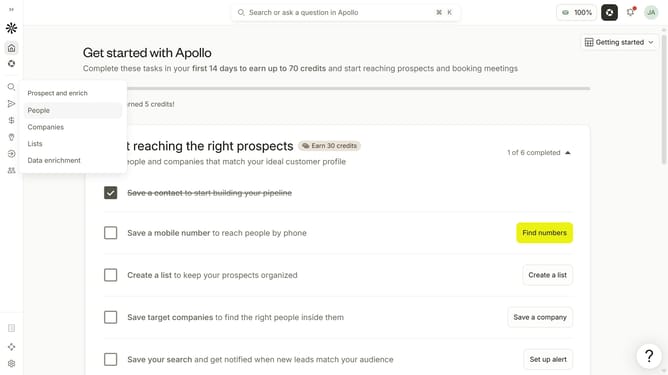
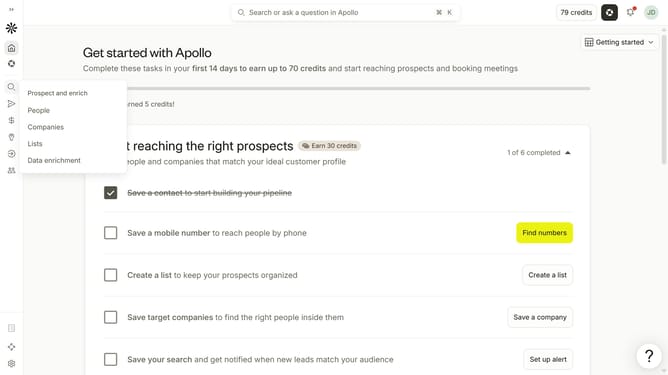
- First click on the search icon on the left sidebar
- Then click on "Companies" in the dropdown menu
- Next, click on the dropdown arrow next to "Account Location"
- After that, click on the location dropdown
- Then click on "Non-HQ corporate offices"
- Next, click on the "Enter locations" input field
- Finally, select an option from the list of regions
Why should you How to search companies by their non-HQ corporate offices location s in Apollo
Apollo is a powerful platform designed to connect businesses with valuable insights and opportunities.
One of its standout features is the ability to search companies by their non-headquarters corporate office locations.
This functionality helps users uncover businesses that might not be visible through traditional HQ-focused searches, enhancing the depth and precision of market research.
It allows professionals to discover regional offices, expanding networking possibilities and opening up new avenues for collaboration and growth.
Last update