How to reschedule reminders on documents in a project on Linear
Here is how to reschedule reminders on documents in a project on linear
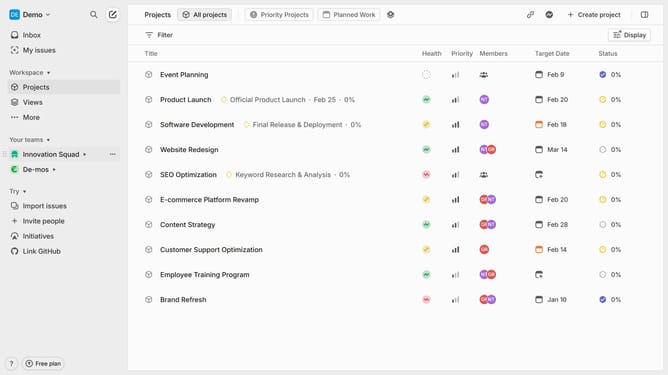
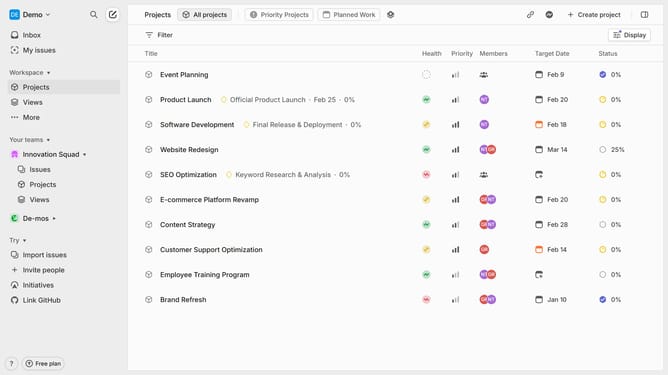
- First click on the "Projects" item in the left sidebar
- Then click on the project name from the project list
- Next, click on the document that you want to manage
- Then click on the reminder button at the upper right of the page
- After that, click on the "Reschedule reminder" button
- Finally select a new schedule from the date picker options
Why should you reschedule reminders on documents in a project on Linear
Linear is an intuitive project management tool that streamlines team collaboration and task tracking.
The ability to reschedule reminders on documents in a project greatly enhances flexibility and ensures that key deadlines are met without stress. Adjusting reminder schedules allows team members to account for changing priorities or unexpected delays, maintaining momentum and focus.
Utilizing this feature prevents overlooked tasks, ensuring every detail receives attention in its due time. This cultivates an efficient work environment, empowering teams to achieve remarkable results with ease.
Last update