How to rename a workspace in Airtable
Here is how to rename a workspace in airtable
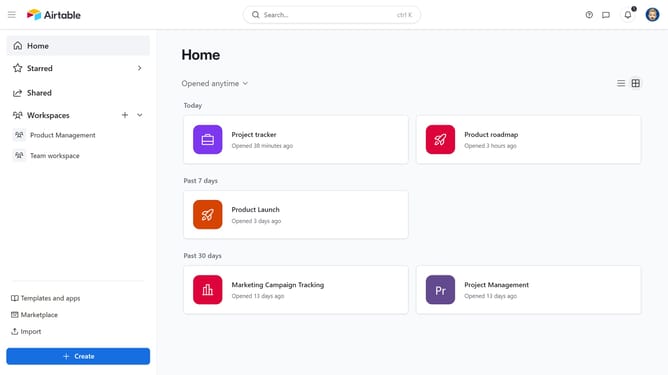
- First navigate to your home screen
- In the sidebar, locate and click on the workspace you want to rename
- Next click on the "More actions" button (three dots) in the top-right corner
- Then click on "Rename workspace" option from the dropdown menu
- Finally type in the new name for your workspace and press "Enter" to save
Why should you rename a workspace in Airtable
Airtable is a versatile platform that empowers users to organize and manage data seamlessly.
Renaming a workspace in Airtable is a straightforward process that helps maintain clarity and organization.
This feature is invaluable for teams as it allows them to intuitively label their workspace to reflect the evolving nature of their projects.
Keeping workspaces accurately named aids in better collaboration and ensures that all team members can quickly identify and access relevant information. By doing so, users can eliminate confusion and enhance overall productivity.
Last update