How to remove a campaign from a folder in Constant Contact
Here is how to remove a campaign from a folder in constant contact
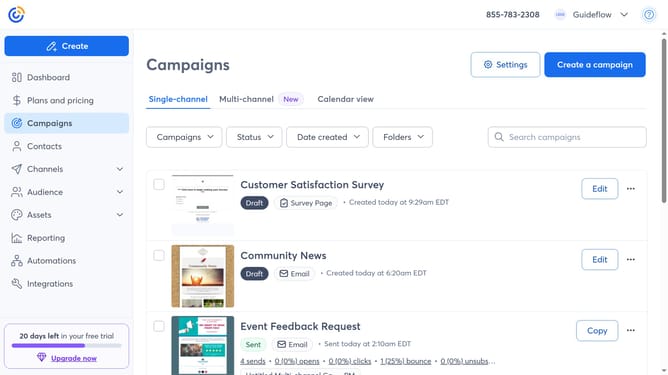
- First navigate to "Campaigns" from the left sidebar
- Next click on the "Folders" dropdown button in the top filters area
- Select the folder with the campaign you want to remove
- Locate the campaign you want to remove from the folder
- Click the more options menu (three dots) button next to the campaign
- Select "Move to folder" option from the dropdown menu
- Then choose where you want to move the campaign in the folder selection modal
- Finally click the "Move to Unfiled" button
Why should you remove a campaign from a folder in Constant Contact
Constant Contact is a powerful tool designed to streamline your email marketing and communication efforts.
Removing a campaign from a folder in Constant Contact is a feature tailored for easy organization and management of your marketing initiatives. By utilizing this feature, you can efficiently declutter your workspace, ensuring that your most crucial campaigns are always prioritized and easy to locate.
Streamlining navigation within your account aids in enhancing productivity and keeps your marketing strategy agile and responsive to change.
Last update